Daily 10K Steps: Habit-Formation Walking App

Omoniyi Daniel


One Number, Reframed.
Daily 10K Steps is an iOS habit-formation app built around a deceptively simple goal: hit 10,000 steps a day, every day.
Rather than another generic pedometer that just displays a total, the product frames movement as a set of scheduled walk windows spread across the day. One large, vague target becomes several small, already-in-progress ones.
The system spans a fully personalized onboarding flow, light and dark visual themes built in parallel, a signature wave-fill progress ring as the core visual metaphor, and a complete App Store go-to-market package carried through to a real v1.0.0 submission in App Store Connect.
Not another step counter. A daily plan that tells you exactly when to walk, not just how far you've gotten.
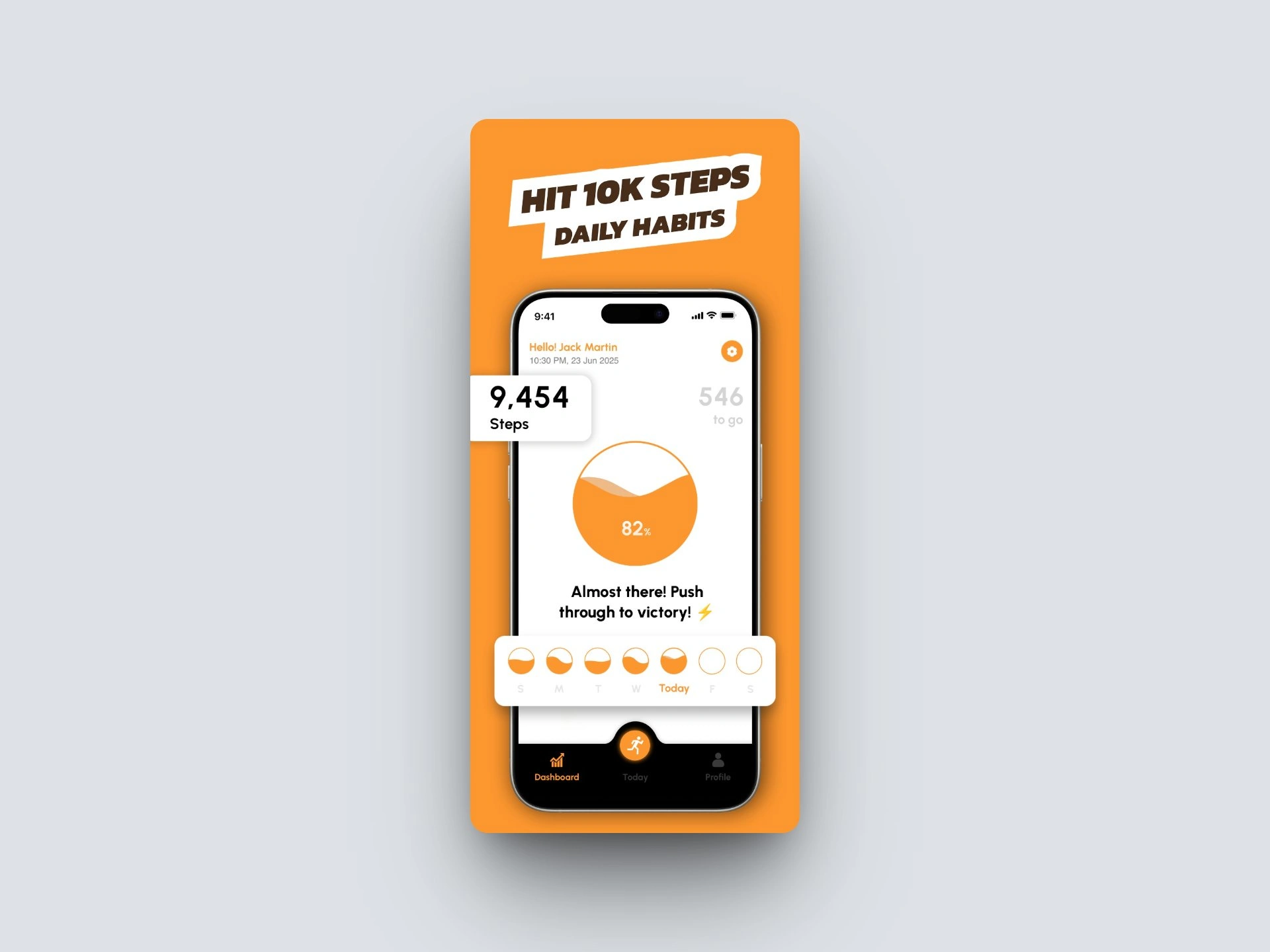
Daily 10K Steps app overview
The Challenge
10,000 is an abstraction.
Step-tracking is one of the most saturated categories on the App Store. Most entrants fail the same way: they show a number, but they don't change what someone actually does at 9am, 1pm, or 8pm.
The core design challenge was translating a single abstract daily total into something concrete enough to act on in the moment, not just review at the end of the day.
A second challenge sat in onboarding: the app needed enough real data (biological sex, activity level, age, height, weight, wake time) to generate a genuinely personalized plan. But that data collection couldn't read as a long form that drives people to quit before screen six.
Research & Insight
Anchor to routine, not the clock.
The walk-window structure went through visible iteration across the design files. The first pass split the day into fixed clock-time blocks. A later pass replaced those with routine-anchored labels tied to real daily events.
"After dinner" is something a person actually notices happening. "8:00 PM to 12:00 AM" is not.
Research and walk-window structure iterations
The Approach: Onboarding
Six questions, one visible finish line.
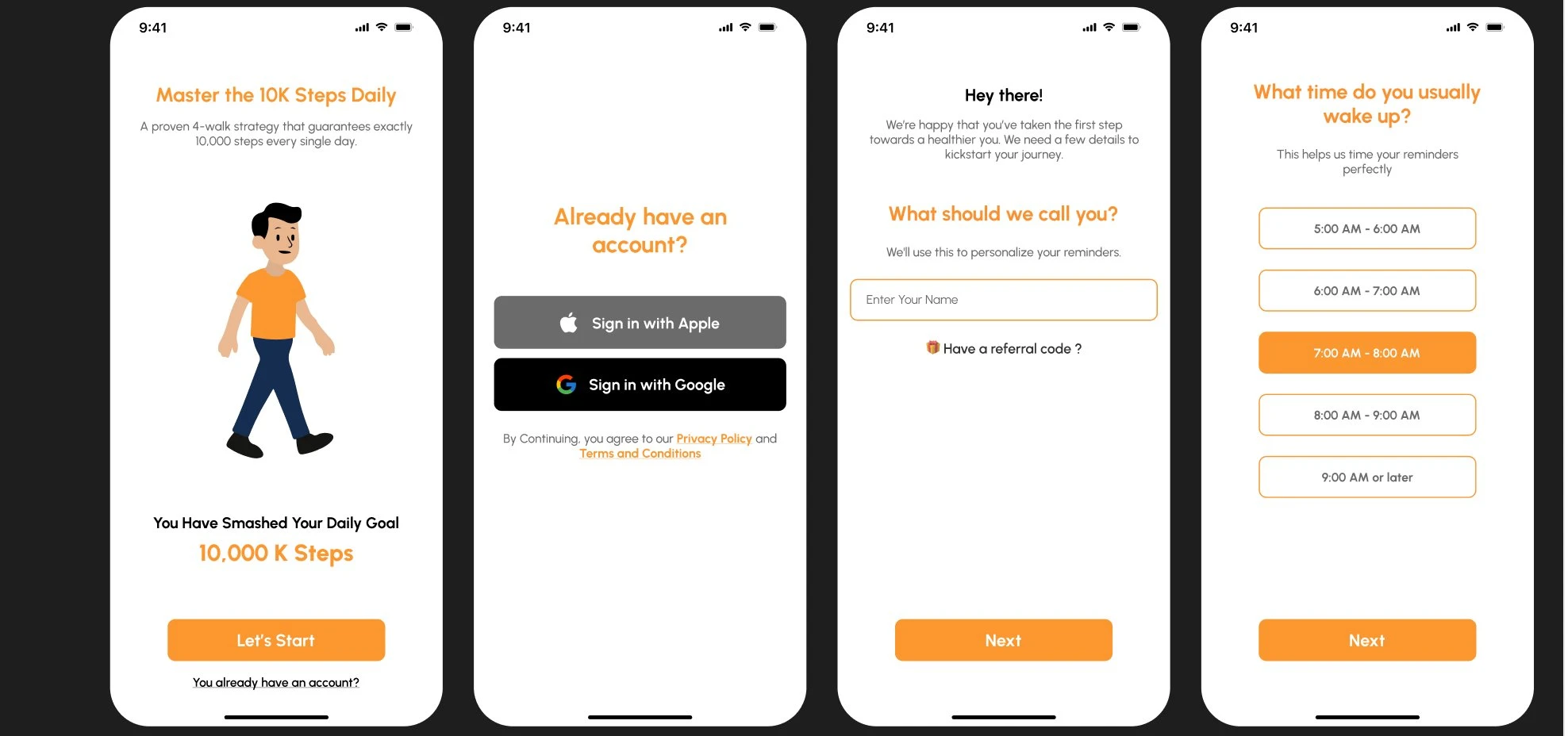
Every onboarding screen carries the same progress tracker at the top. The same reassurance mechanic the product later uses for daily steps. The person always knows how many questions are left, before they've even logged a single step.
Onboarding screens: intro, sign-in, name entry, and wake-time
Low-commitment entry. Apple and Google sign-in sit right after the value-prop screen. After the person has already seen the payoff ("You Have Smashed Your Daily Goal"). Not before it.
Personalization inputs. Biological sex, activity level, age, height and weight feed the daily target. Wake-time (5 preset windows, 5am to 9am+) feeds reminder timing.
Visual System: Light & Dark
Two themes, one language.
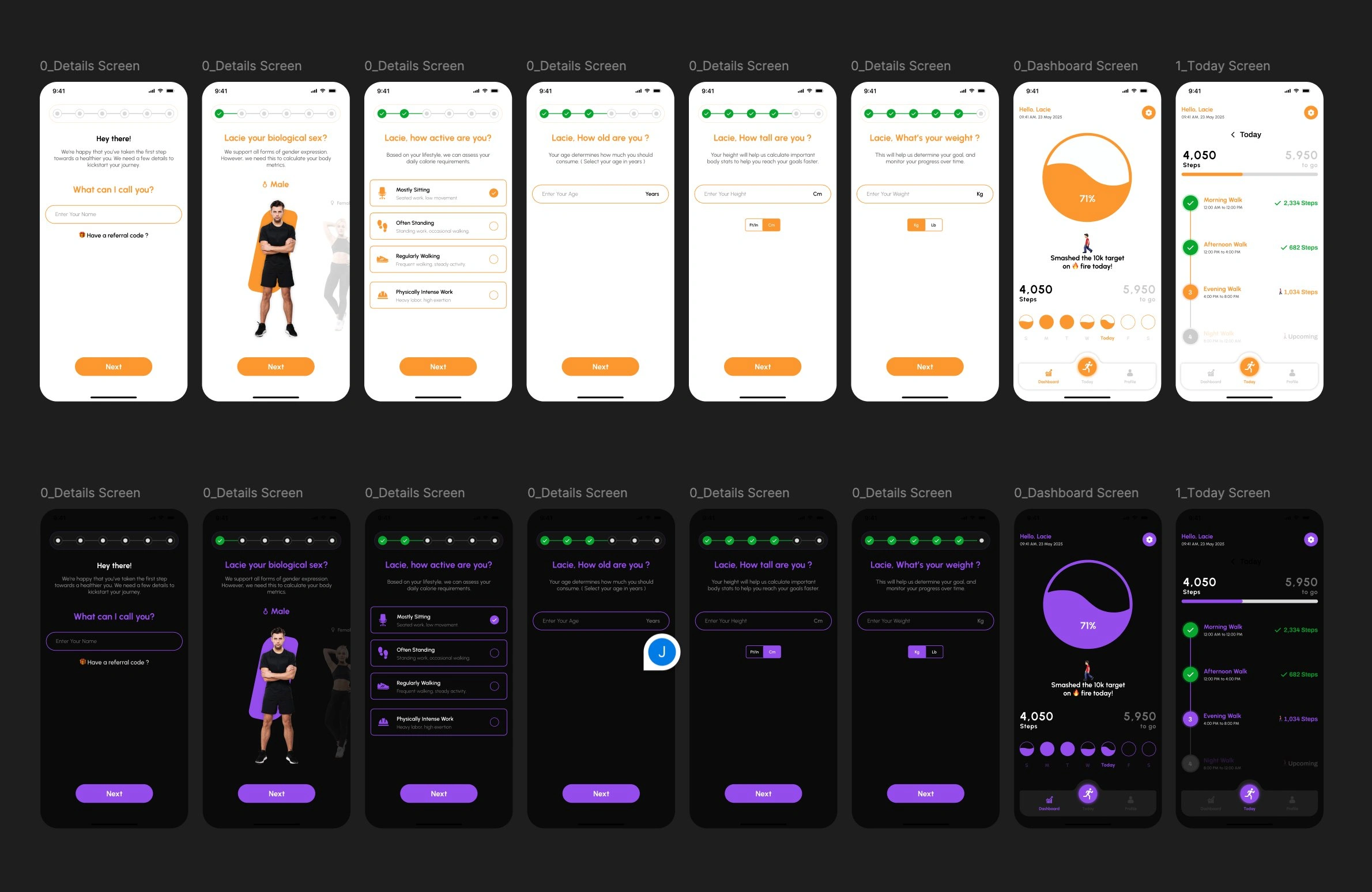
Dark mode wasn't a late tint pass. It's built out screen-for-screen alongside light mode, swapping the brand orange for a deep violet while keeping every layout, icon, and the signature wave-ring identical.
Light and dark theme comparison
The Solution
The plan, broken into four.
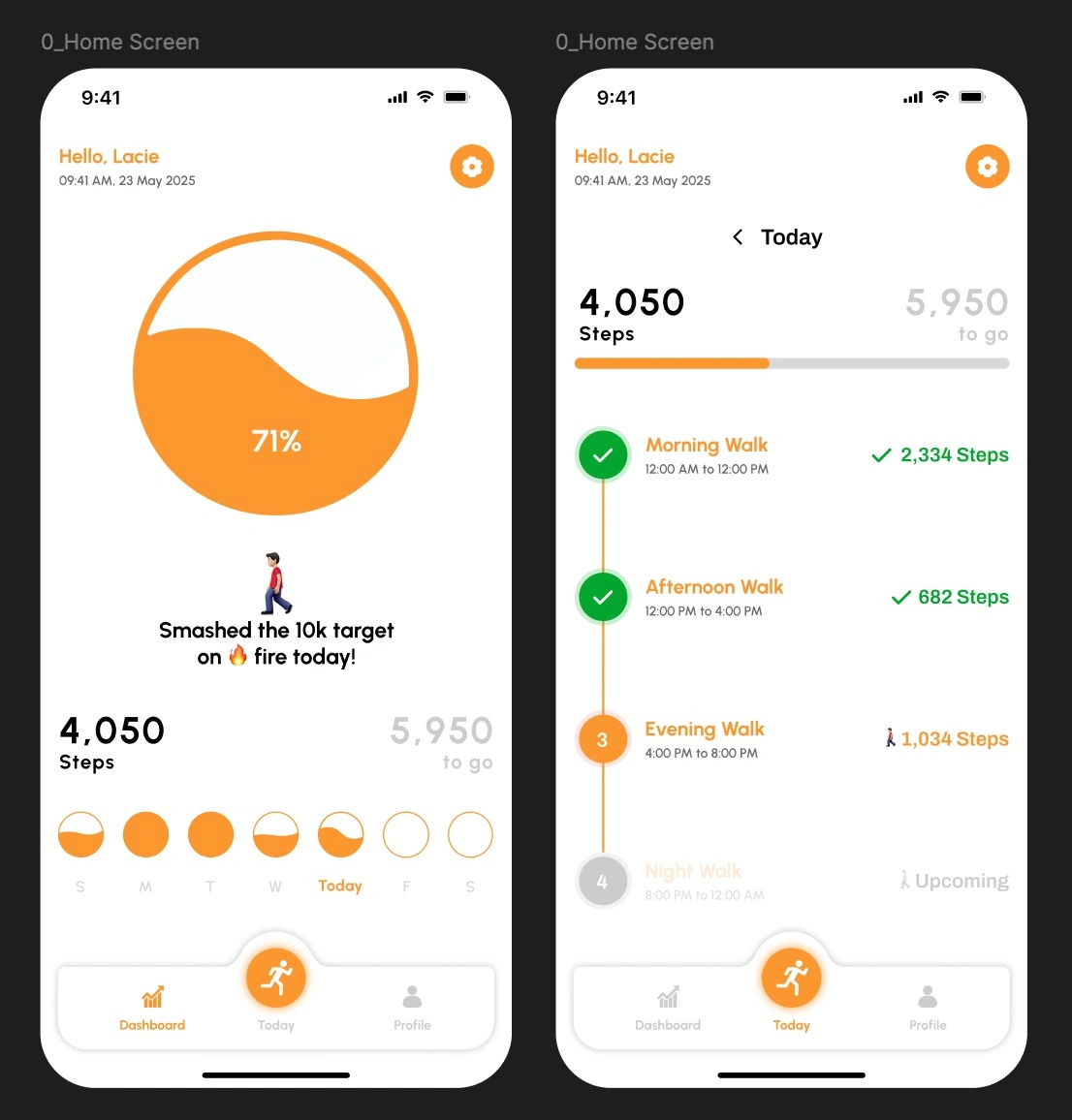
The Dashboard leads with the wave-fill ring and a weekly streak strip. The Today screen breaks the same total into four scheduled sessions with live checkmarks: one big goal, reframed as four small, mostly-finished ones.
Dashboard home screen and Today walk-plan screen
The signature move: the wave-fill ring doesn't just show a percentage. It "tides in" like water rising. A small motion detail that turns a static stat into something that feels alive and worth checking back on.
A weekly streak strip (S through S) sits directly beneath it, so the daily ring is never seen in isolation. Progress is always framed as part of a longer run.
Product Walkthrough
How it actually moves.
Captured from a working build: the home ring, the four-part walk plan, and the settings surface, including the subscription, feedback, and support entry points that carry the product past launch.
Go-to-Market
Three pillars, one submission.
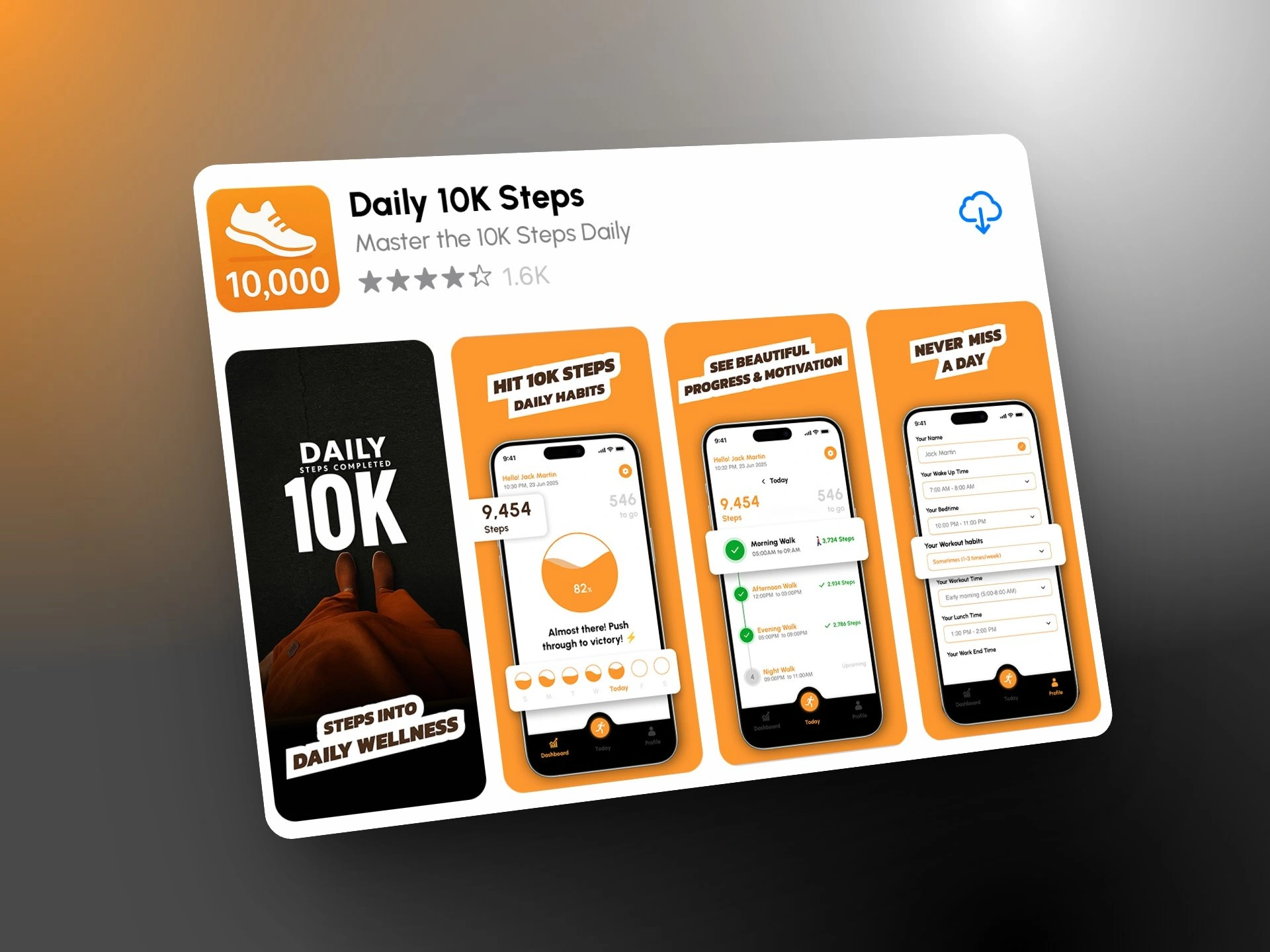
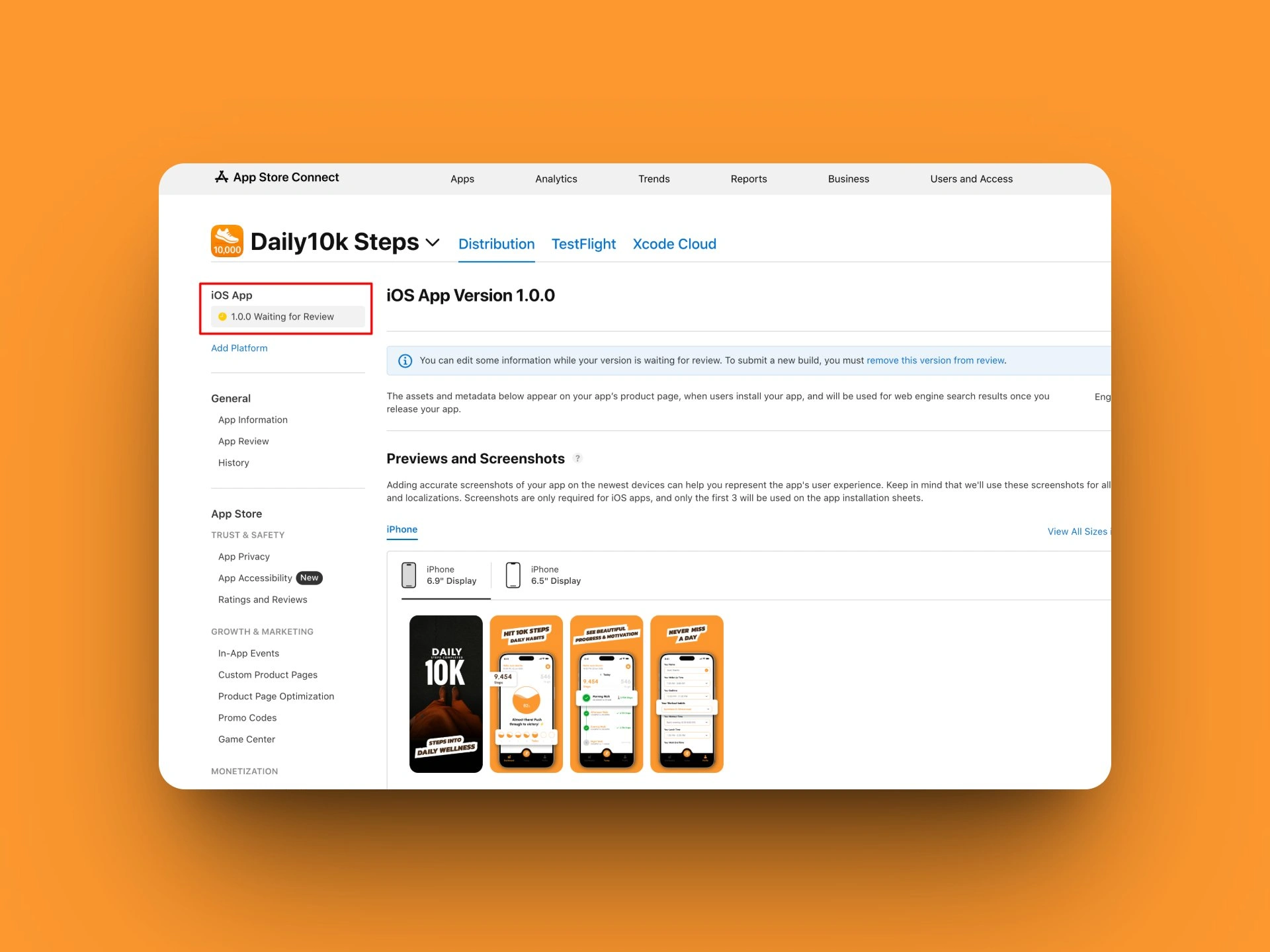
App Store screenshots were built around three plain-spoken pillars rather than feature dumps. Each one answers a different hesitation a first-time visitor has before downloading.
App Store screenshots and go-to-market assets
"Hit 10K Steps, Daily Habits" answers: Will this actually work?
"See Beautiful Progress & Motivation" answers: Will I want to open this again?
"Never Miss a Day" answers: Will I actually keep it up?
Scope & Delivery
End-to-end, vibe coded.
From first onboarding screen to a submitted App Store build, the entire product was designed, developed, and shipped using AI-assisted development workflows.
Stack: Lovable, Cursor, Claude Code, Supabase, App Store Connect
Like this project
Posted Aug 4, 2026
A habit-formation walking app that breaks one abstract daily goal into scheduled, achievable checkpoints from onboarding screen to a submitted App Store build.
Likes
1
Views
18