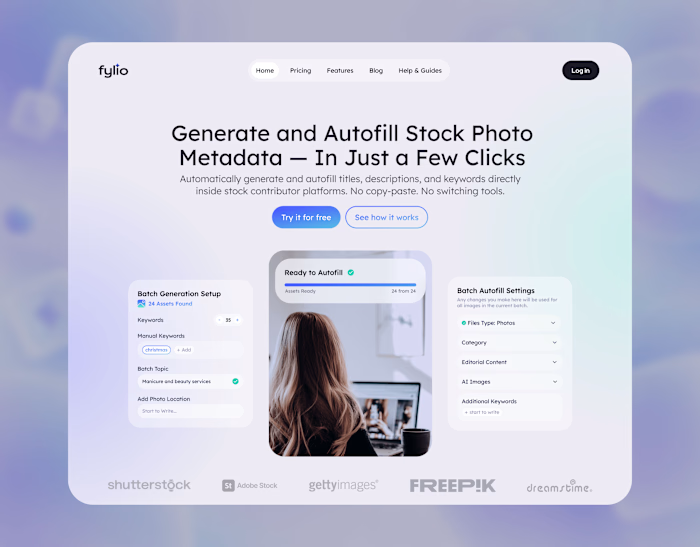
Fylio Chrome Extension UI

Anna Peredelskaia
1 collaborator

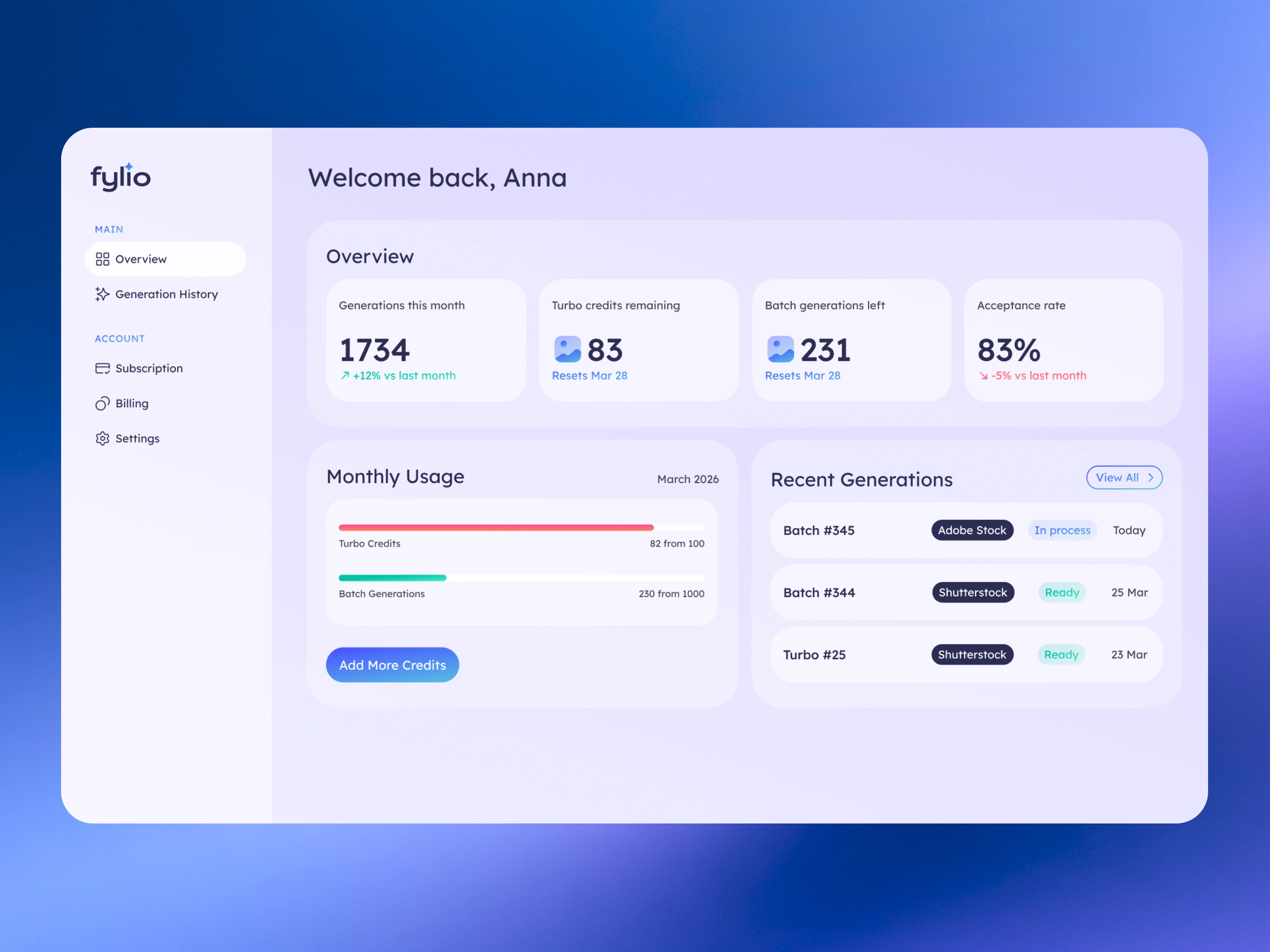
Fylio SaaS dashboard design bringing together monthly usage, remaining credits, and recent metadata generations in a clear account overview.
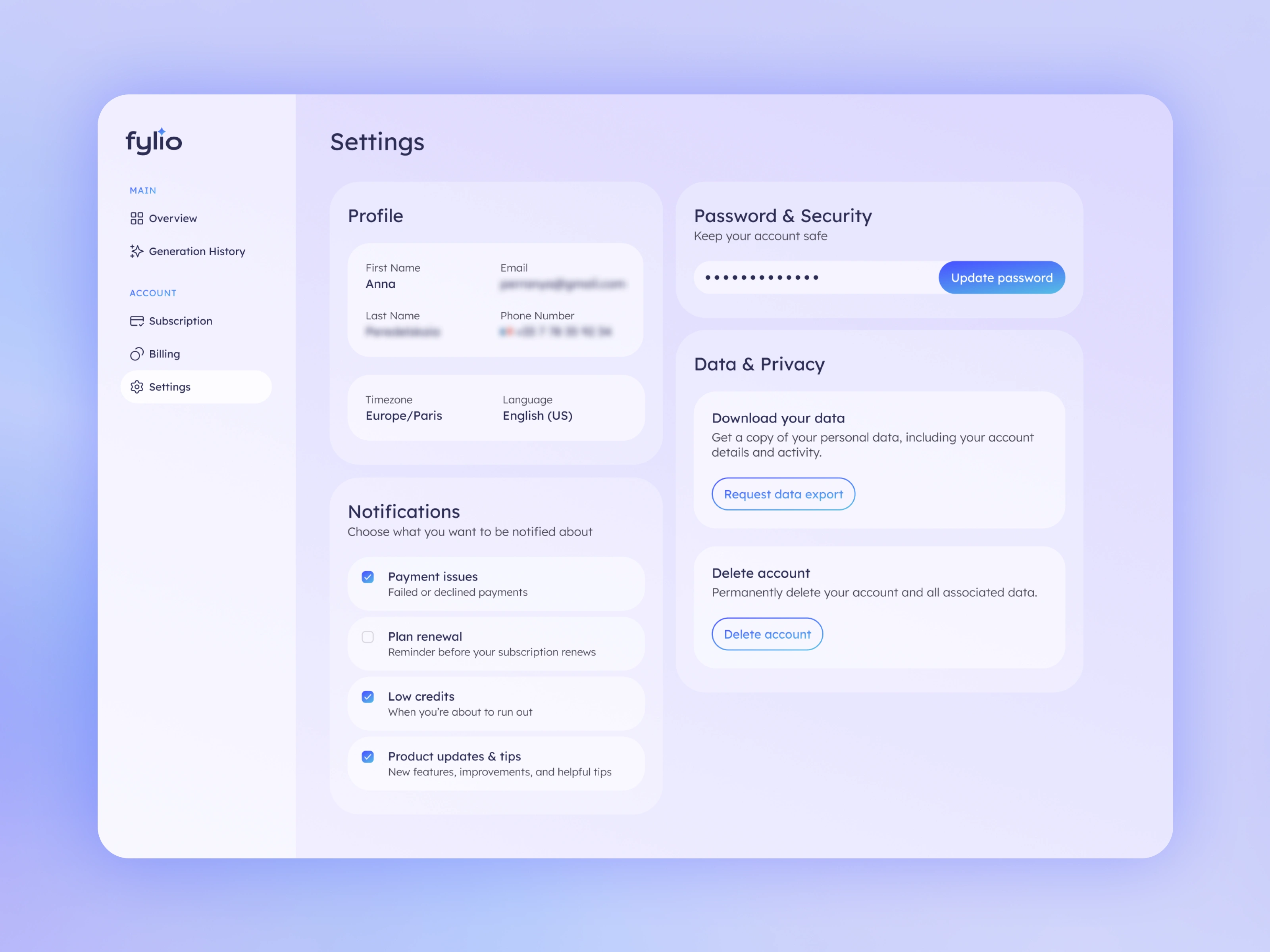
SaaS account settings design for Fylio, grouping profile details, notification preferences, password management, and data privacy controls.
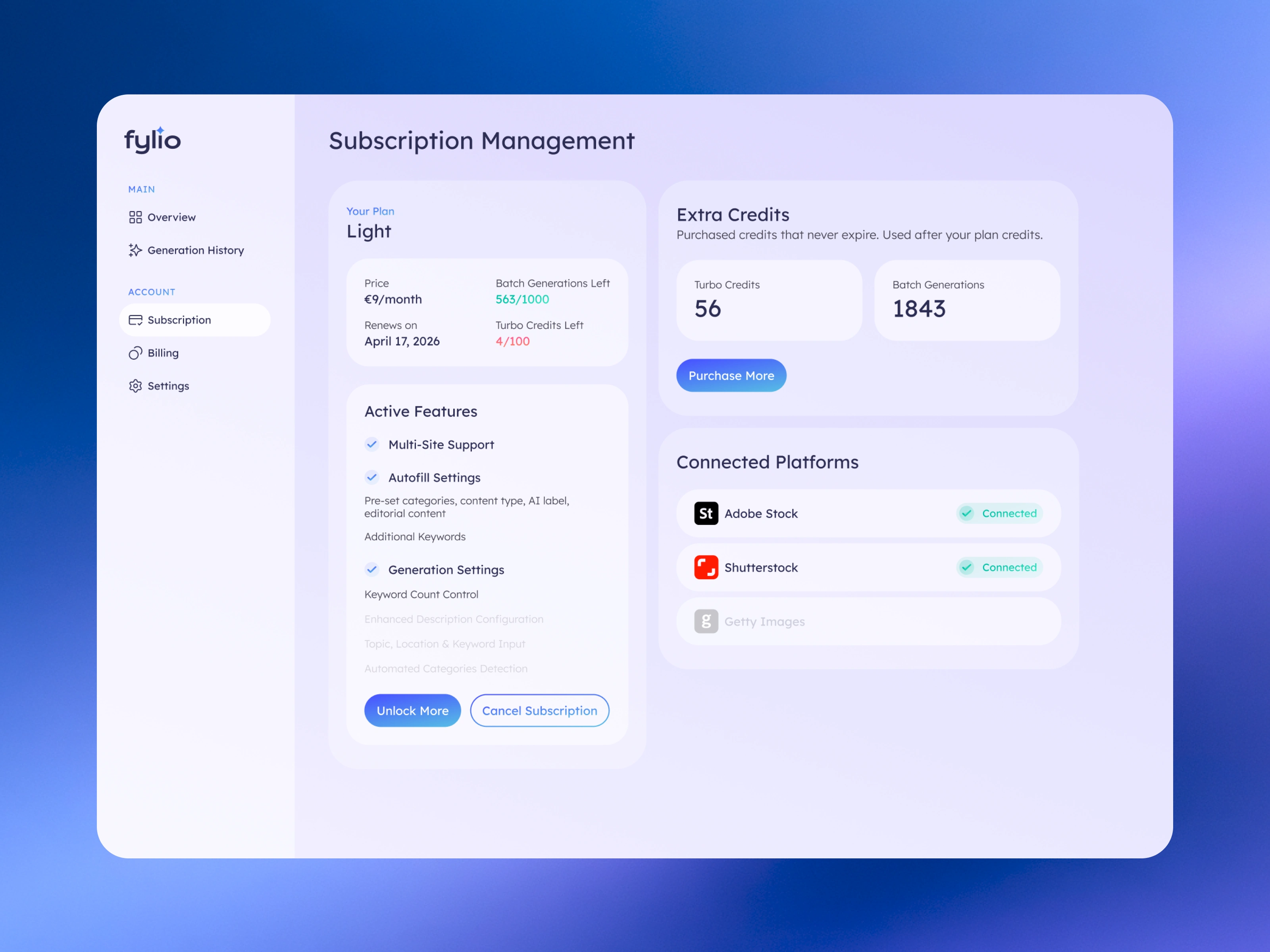
Subscription management UX/UI for Fylio, organizing plan allowances, available features, extra credits, and connected stock platforms.
Product context
Fylio is an AI-assisted metadata tool for stock contributors. It helps generate titles, descriptions, and keywords, then autofill contributor forms on supported stock platforms.
Preparing images for submission involves repetitive work: describing each asset, choosing keywords, setting categories, and completing platform-specific fields. The product is designed to support that workflow while keeping contributors in control of reviewing and submitting their content.
My UX/UI work covered two connected interfaces: a browser extension for working with uploaded assets and a SaaS dashboard for managing usage and the account.
Browser extension: supporting the task where it happens
The extension brings metadata generation into the contributor’s existing upload workflow. Users can work with their assets on the stock platform without repeatedly switching to a separate tool and copying information between interfaces.
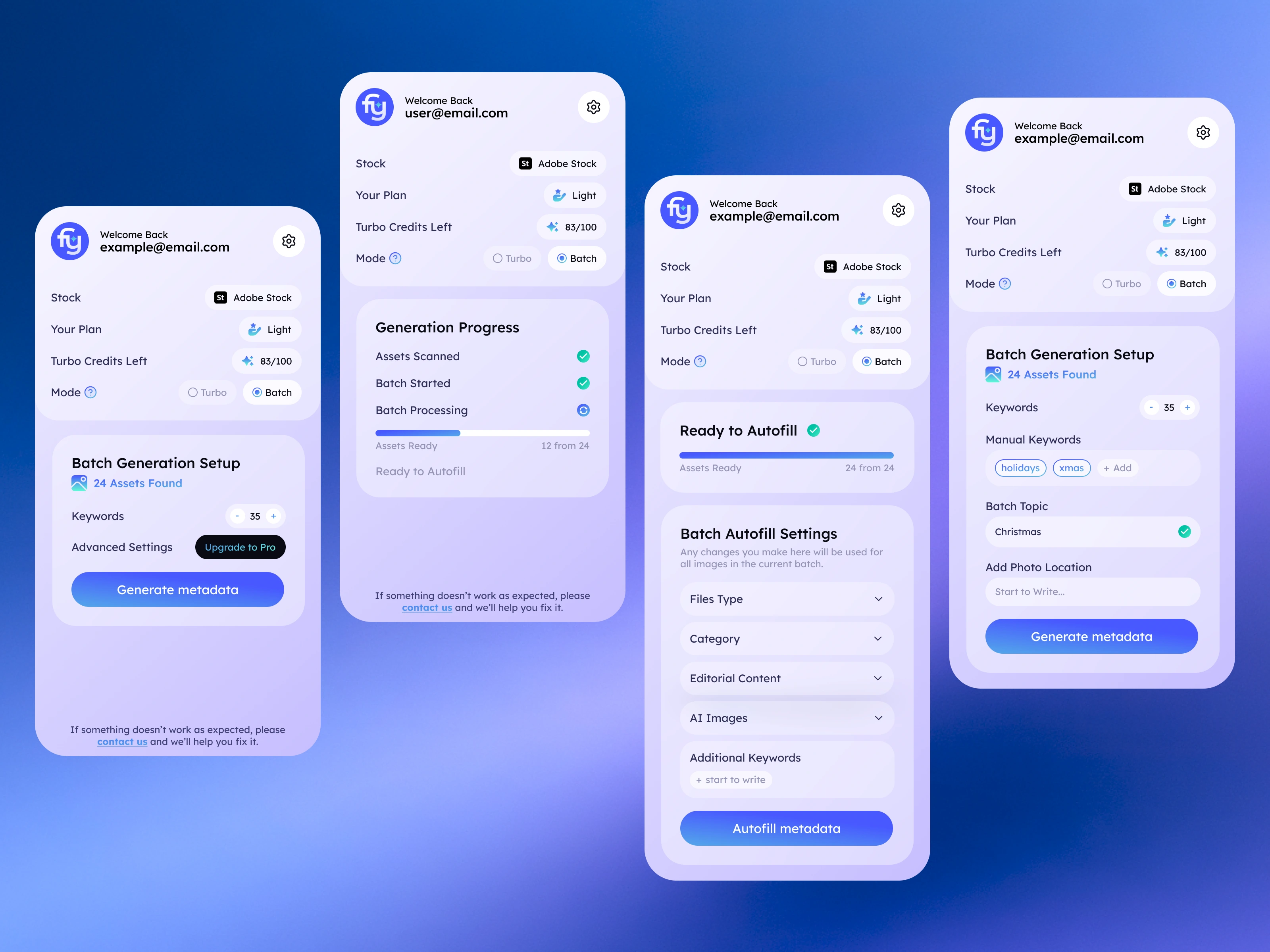
The main design challenge was fitting a multi-step process into a compact panel. Users need to understand which platform they are working on, which mode is selected, what settings apply, and whether the results are ready.
I organized the batch workflow around distinct stages: asset detection, generation setup, processing, and readiness for autofill. Progress indicators and asset counts make the current state visible, while the primary action changes with the task.
Separating generation from autofill
Generation settings and autofill settings serve different purposes. Keyword count, topic, location, and manual keywords provide context for the generated metadata. Categories, content type, editorial settings, and AI labels determine how information is applied to contributor forms.
I kept these controls in separate stages so users encounter them when they become relevant. This also makes it clearer which choices affect the generated content and which apply across the current batch.
Batch mode supports bulk preparation, while Turbo serves individual images and targeted regeneration. Keeping the mode and available credits visible helps users understand the context before starting an operation.
SaaS dashboard: making usage and account management clear
The web dashboard supports a broader set of tasks: checking generation activity, understanding remaining allowances, accessing history, and managing subscriptions, billing, and account settings.
I separated product activity from account administration in the navigation. The overview prioritizes usage and recent generations, while subscription details have their own space for plan allowances, renewal information, active features, and extra credits.
A key UX task was distinguishing monthly allowances from purchased credits. Presenting them in separate groups gives users a clearer view of what they have available and how their account is structured.
A consistent interface across two contexts
The extension and dashboard share typography, colors, rounded surfaces, and recurring control styles. Their layouts respond to different needs: the extension focuses on the next action in a narrow space, while the dashboard gives users room to review and manage information.
The case demonstrates my approach to UX/UI for workflow products: defining clear stages, making system status visible, and organizing settings around the decisions users need to make.
Like this project
Posted Sep 26, 2026
Designed Fylio’s Chrome extension UI for batch metadata generation, with clear setup, progress, and autofill states in a compact browser panel.
Likes
1
Views
14
Collaborators