CityInsight Help Desk Redesign

Nelson Reid

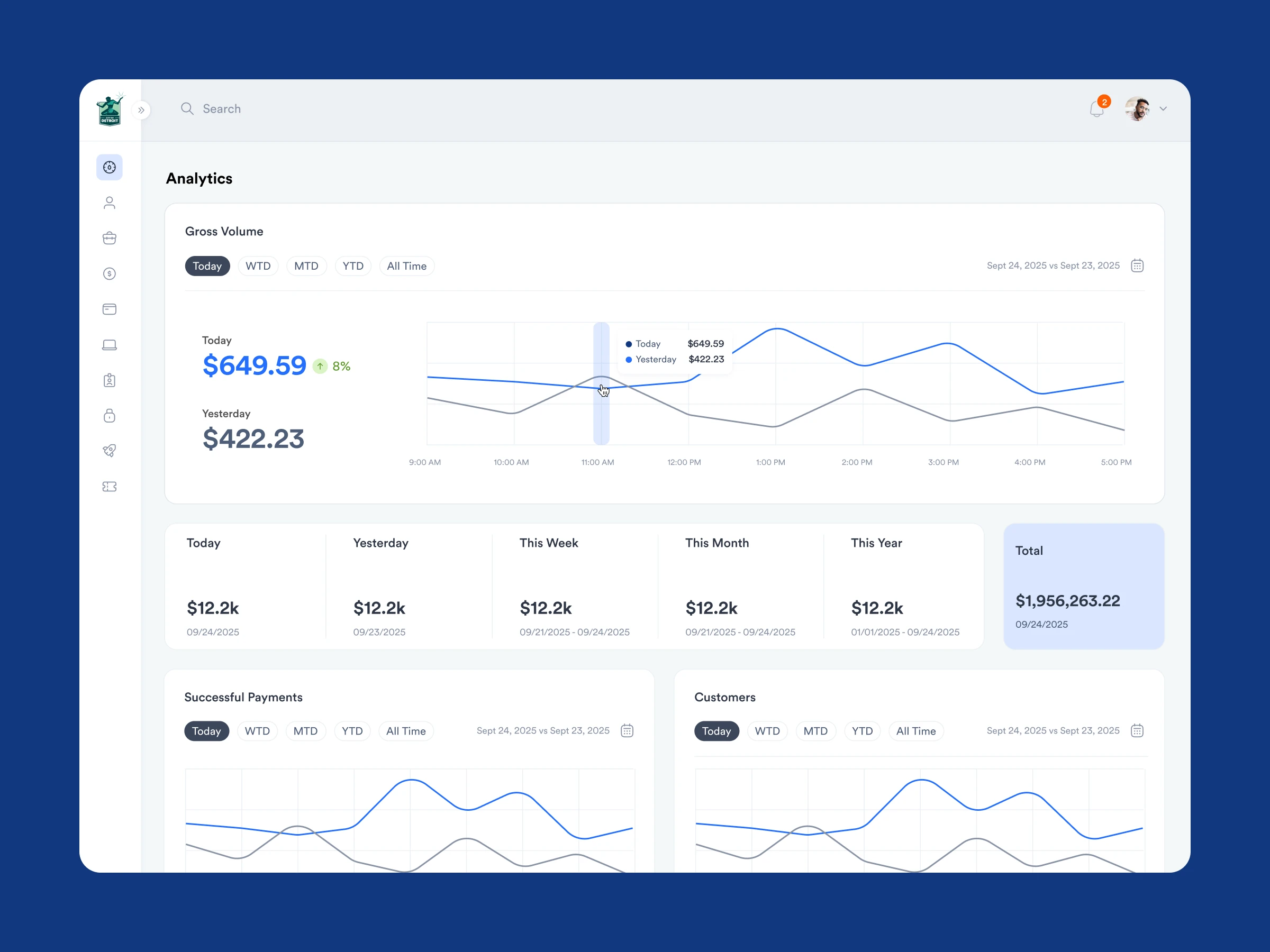
CityInsight Help Desk Redesign
CityInsight provides a suite of products designed to help municipal governments streamline their operations and improve communication with their customers. I previously assisted the team in the redesign of their client portal, where we optimized the account management and payment flows.
While the existing help desk system used by Customer Service Agents was functional, it wasn’t designed for the increased amount of support tickets and various teams that have been added to the system over time.
The goal of this scope of work was to optimize the application for productivity, transparency, accountability, and trust, empowering and encouraging agents to efficiently solve customer requests and increasing the visibility of system statuses for managers.
Platform: Web
Role: UX Design
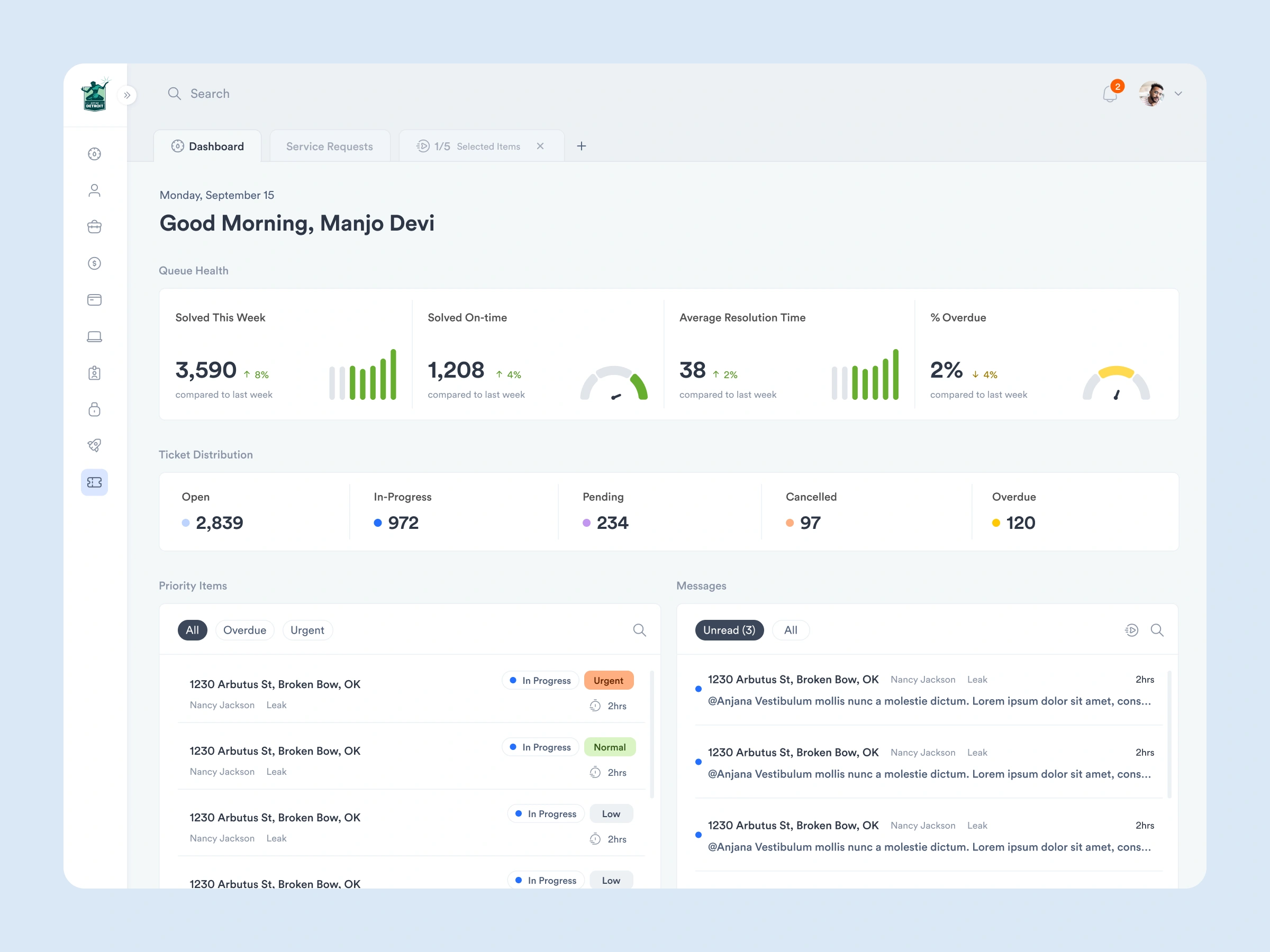
Problem Statement
The existing admin portal, including the help desk portion, was no longer meeting the needs of users. Managers & Agents were struggling with:
No easy way to access insights and trends, such as the number of overdue tickets or the total workload of agents and teams
Difficulty assessing which tickets should be actioned first
Poor usability patterns that hindered productivity
The Strategy
Develop a full understanding of the daily workflow of managers and agents. Take this understanding, best practices, and our own creativity to radically transform the platform into one that anticipates the needs and priorities of users. Focus on key screens and workflows such as the Dashboard and triaging tickets, and deploy new patterns to unlock greater productivity and empower managers to make better decisions.
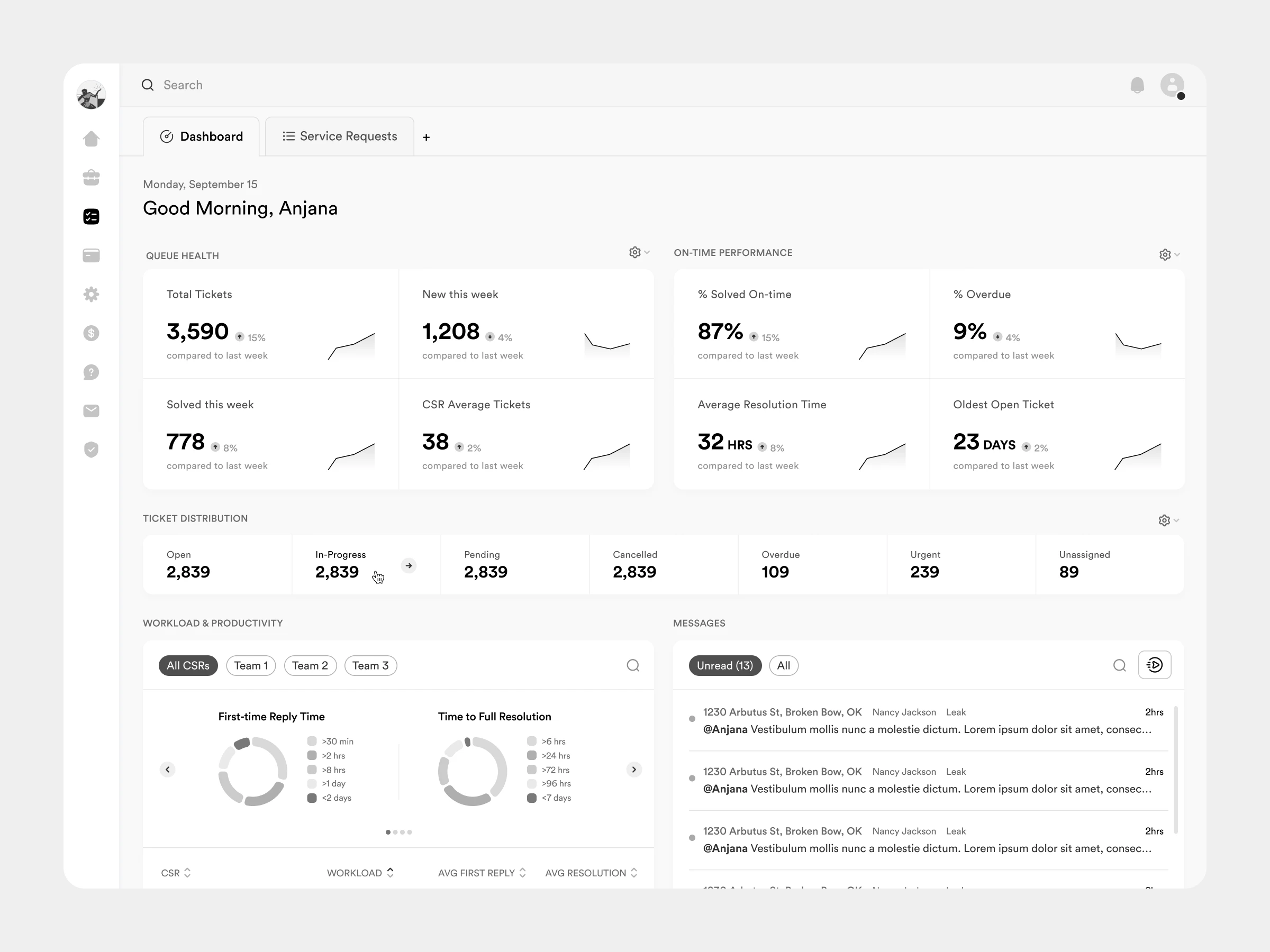
The existing product lacked a dedicated dashboard view. I designed a new screen with the most impactful metrics, trend lines and actions that users
A Re-imaged Dashboard
Working with the CityInsight team, we identified the core metrics and statuses admin users require to fully understand the health and performance of support requests and prioritized core actions into a powerful dashboard that leads managers and agents to take action on the most urgent requests.
We introduced simple trend line visualizations to core health and performance stats, allowing managers a quick snapshot of how the team is performing. Team-based stats were also added, allowing managers to distribute ticket assignments based on the current workload.
Ticket status counts are linked to filtered table views that allow agents to triage the most important tickets like overdue and urgent, as soon as they log in.
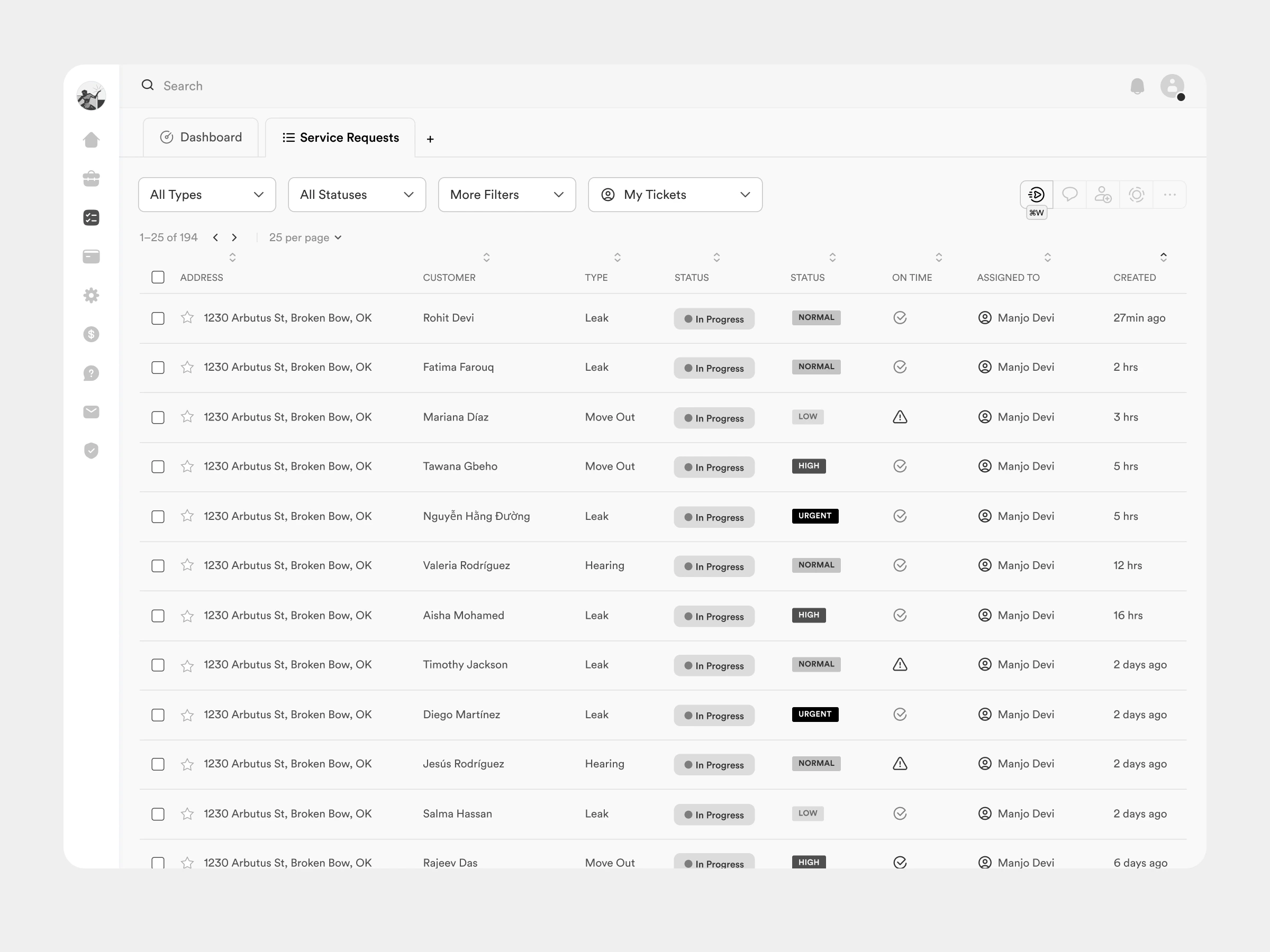
Advanced filtering options allow agents to build a custom list of support requests and then action them by launching into a focused "workflow" mode. Core actions are linked to keyboard shortcuts to boost productivity.
Personalized, Action Orientated List Views
In the existing platform, agents were using the table view to open dozens of tickets into individual browser tabs and then would close each tab as they were actioned. This led users to sometimes lose track of a ticket in a sea of open tabs or close an urgent request by mistake.
In the re-imagined Requests screen, a new “Workflow” mode allows users to launch into a dedicated, focused view where they can triage a custom group of tickets without the need for multiple browser tabs. Users can simply hit ⌘W to launch into Workflow mode.
Users can also take bulk actions like changing statuses, updating agent assignments, sending messaging, and more. If needed, users can open multiple custom table views in new tabs dedicated to specific use cases, maximizing flexibility.
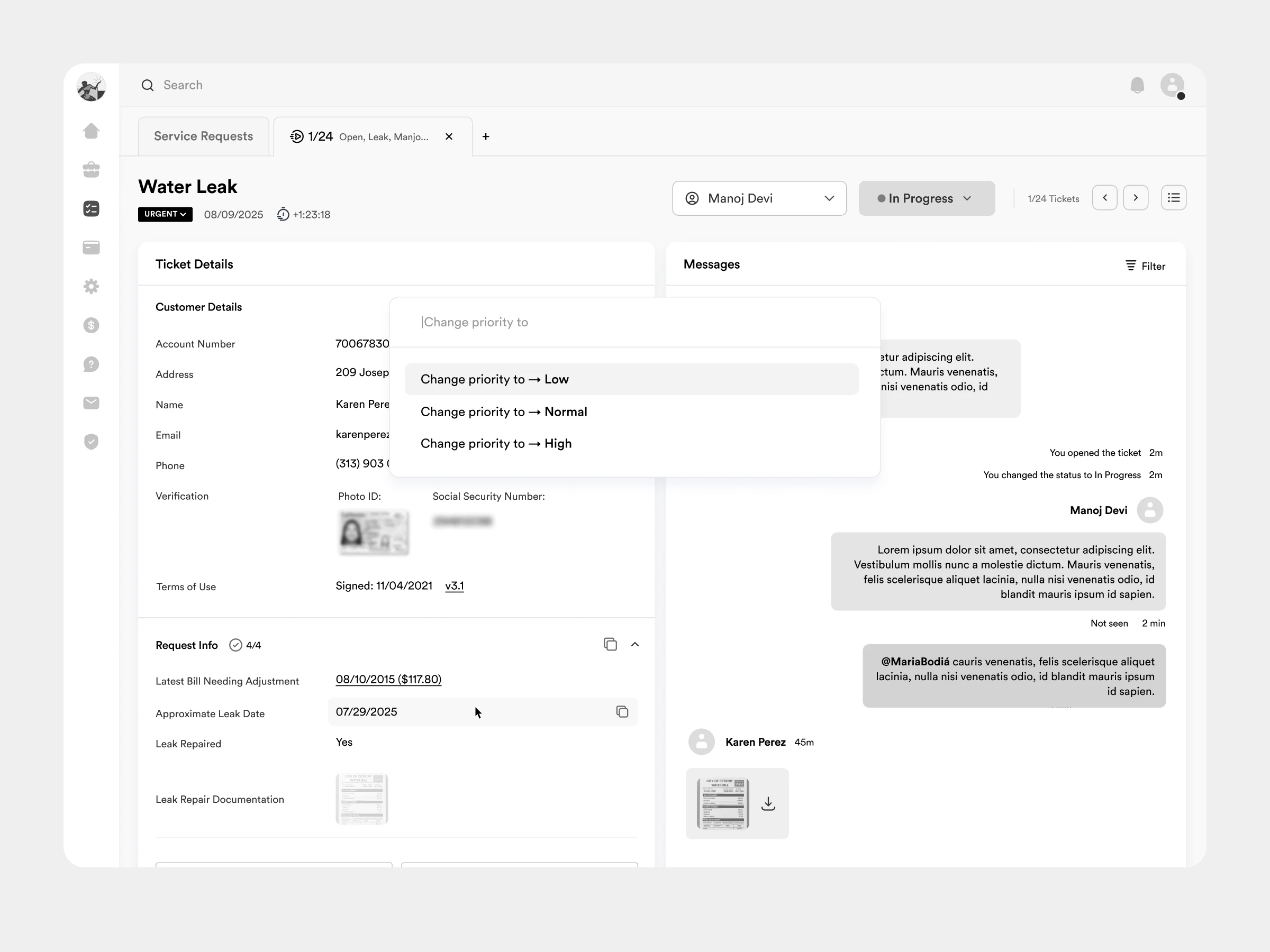
The most common actions are available by keyboard controls and shortcuts always agents to quickly update a ticket and move on to the next without having to move their hands away from the keyboard.
Actioning Support Tickets
Working alongside the CityInsight team, I sweated over the precise hierarchy of information and which actions matter most to agents. We also prioritized the smooth navigation between tickets in the open workflow with clear pagination, controls, handy shortcut keys, and a list view so agents can jump to a specific ticket.
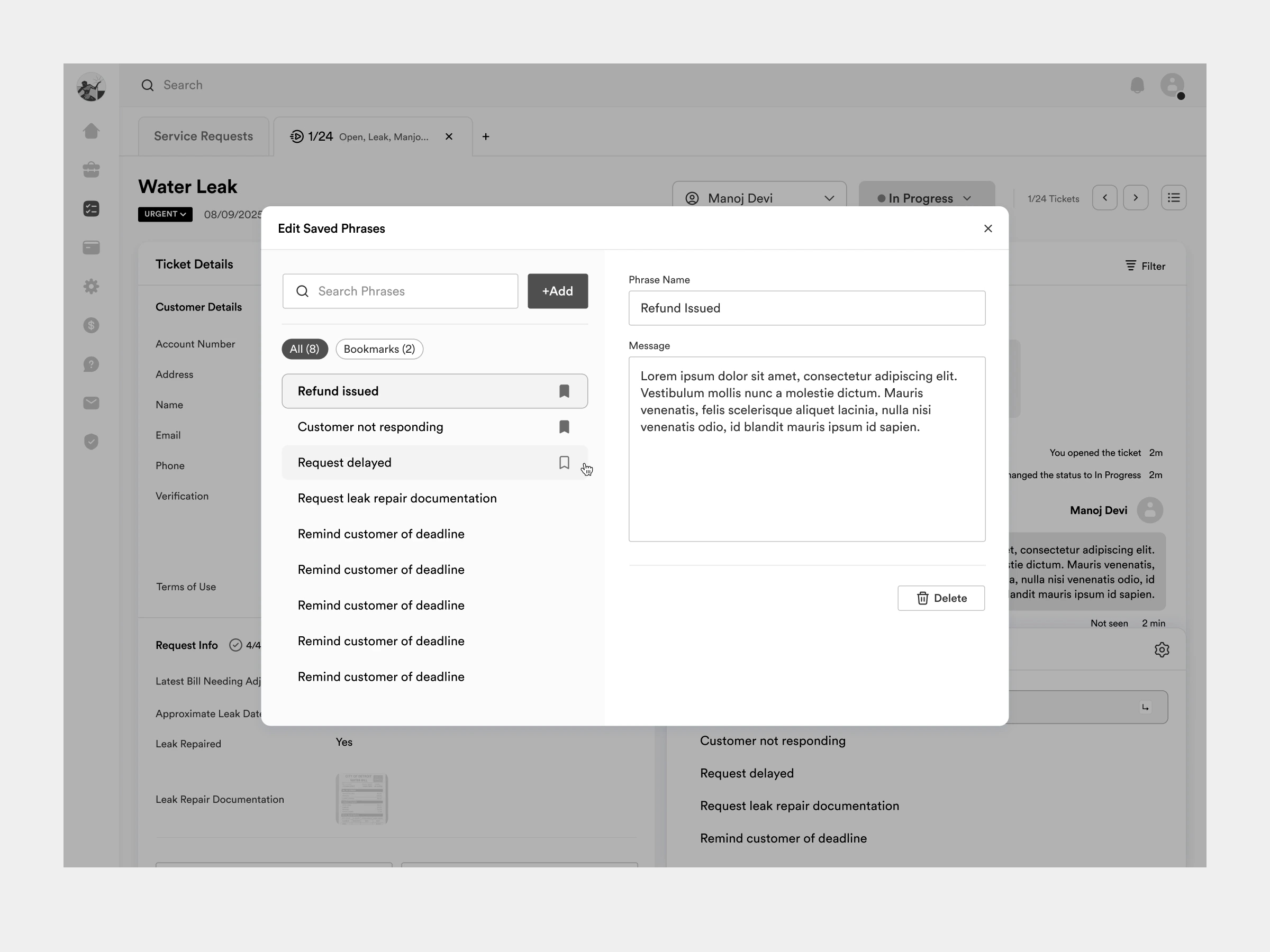
Agents and teams and create and share common saved phrases the drastically speed up the response time.
Saved Phrases
We discovered that many requests can be responded to with a few common replies. I designed a simple way for agents to open the saved responses menu and reply using shortcut keys, and even create their own.
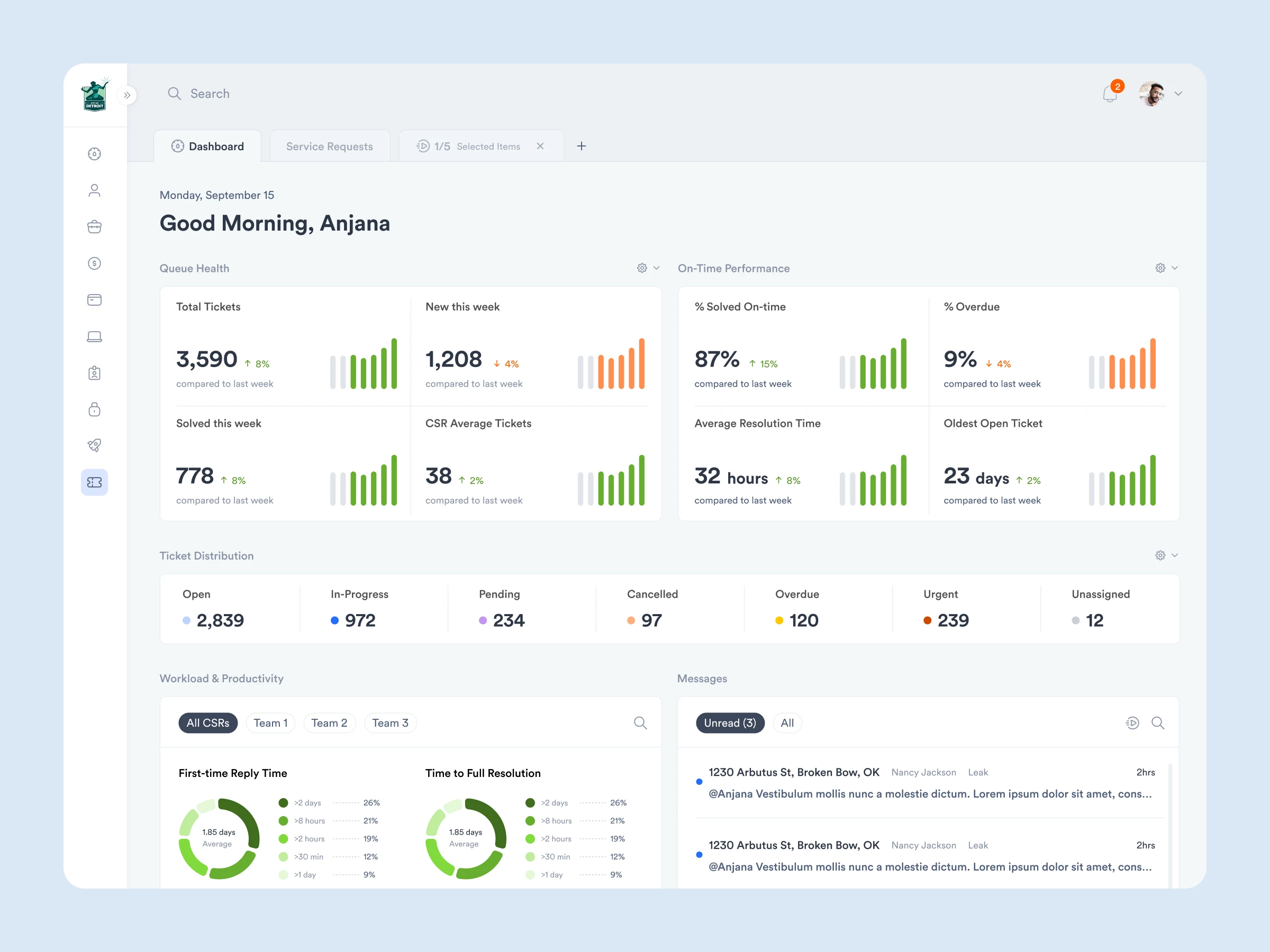
I worked along side a visual designer who developed the finalized colour scheme, type and icon styles.
Like this project
Posted Apr 13, 2026
Redesigned CityInsight's help desk application to boost agent productivity, and system status visibility for managers.
Likes
0
Views
3
Timeline
Sep 1, 2025 - Sep 22, 2025
Clients
CityInsight