
Foleon - AI Media Generator
Foleon
2025
My Role - Product Designer
Skills - UX Research, Product Design, Prototyping, Figma, Figma Make
Brief description - Designed an AI-powered image generator embedded directly in Foleon's media library, eliminating context switching for content creators. Shipped feature built with a team of 8 in 6 weeks.
About
Overview
Users were spending too much time searching for relevant images. The process required browsing, filtering, uploading external assets, or switching tools. This created friction, delayed project completion, and reduced creative momentum.
To solve this, we introduced an AI Media Generator directly inside the media library, allowing users to instantly generate relevant visuals without leaving their workflow.
Project Details
My Role: Product Designer
Timeline: 6 weeks
Team: 8 people (PM, 2 Designers, 4 Engineers, QA)
Tools: Figma, Figma Make
Status: Shipped feature
Empathize
User Interviews
We conducted 12 qualitative interviews with: Marketing managers, Content creators, Designers, Non-design business users
Key insights:
"I waste 15-30 minutes just searching for the right image."
"Stock photos often feel generic."
"Switching between tools breaks my flow."
"I need visuals that match my brand style."
Users didn't just need images - they needed fast, relevant, on-brand visuals without friction.
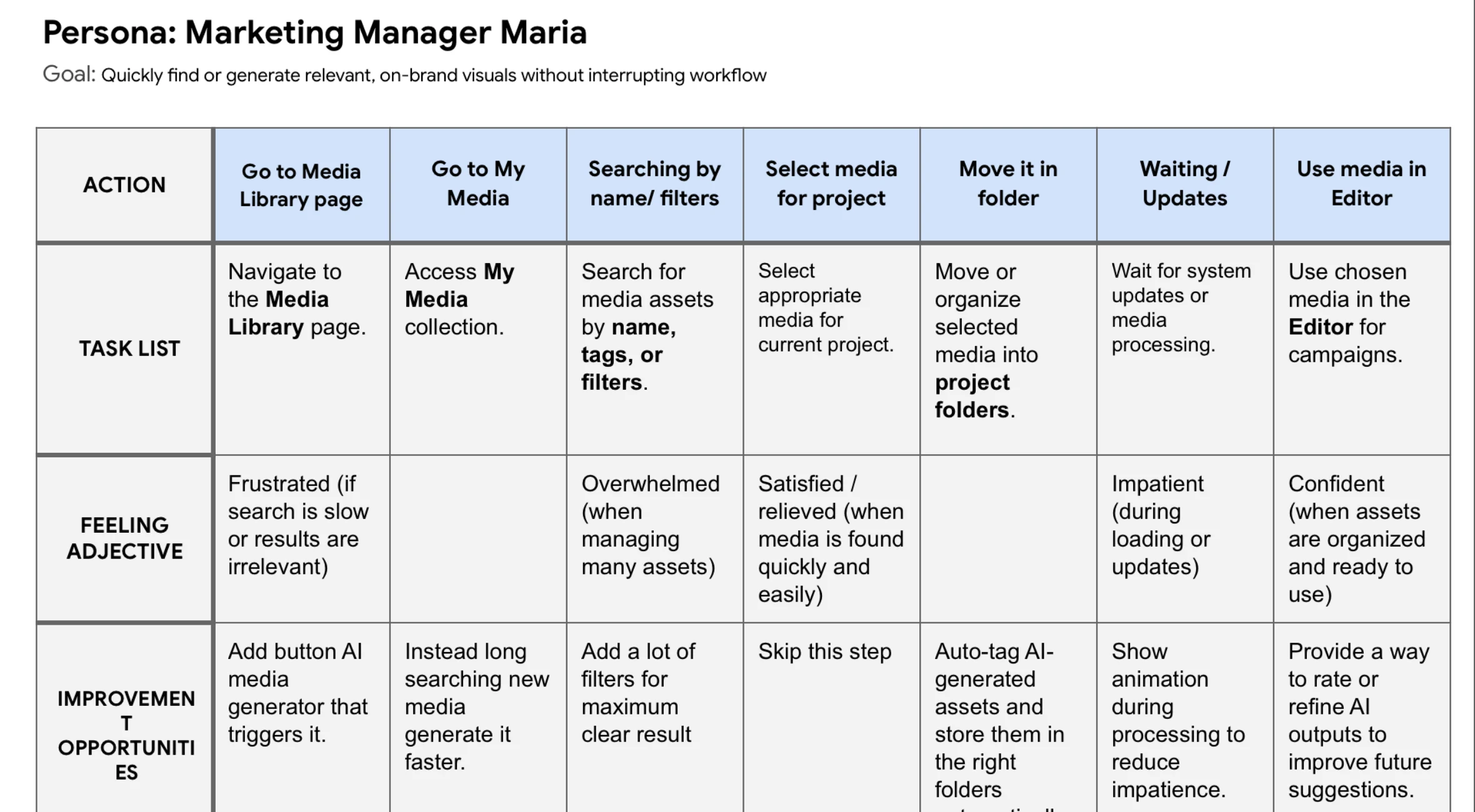
User Journey: From Search to Generation
Problem Statement
2️⃣ Define
Content creators spend 15-30 minutes per session searching for relevant images, causing creative fatigue and delayed project delivery. The existing workflow forces users to leave the platform, browse external stock libraries, and manually upload assets - breaking their creative flow.
How Might We
How might we help users generate on-brand visuals instantly without leaving their current workflow?
Success Metrics
Reduction in time spent sourcing images
Feature adoption rate among active users
User satisfaction with generated results
Decrease in external tool usage for image sourcing
3️⃣ Ideate
Alternatives Explored
We considered three approaches:
External AI tool integration - Connect third-party AI generators via API. Rejected: still requires context switching and doesn't leverage platform knowledge.
Enhanced stock library search - Improve existing search with better filters and AI-powered recommendations. Rejected: doesn't solve the core problem of generic, off-brand imagery.
AI generation embedded in media library - Build the generator directly into the existing media panel where users already search for images. Selected: zero context switching, fits the existing mental model, leverages user's brand context.
Why Option 3
The media library is already where users go to find visuals. Embedding AI generation here means no new workflows to learn - users simply have a new tab alongside their existing image search. The AI can also leverage brand assets and style preferences already stored in the platform.
Future Vision
Expand into a platform-wide AI assistant that adapts to the user's current context - suggesting relevant images on visual pages, copy improvements on text-heavy pages, and layout options on structure pages.
4️⃣ Design
Design Process
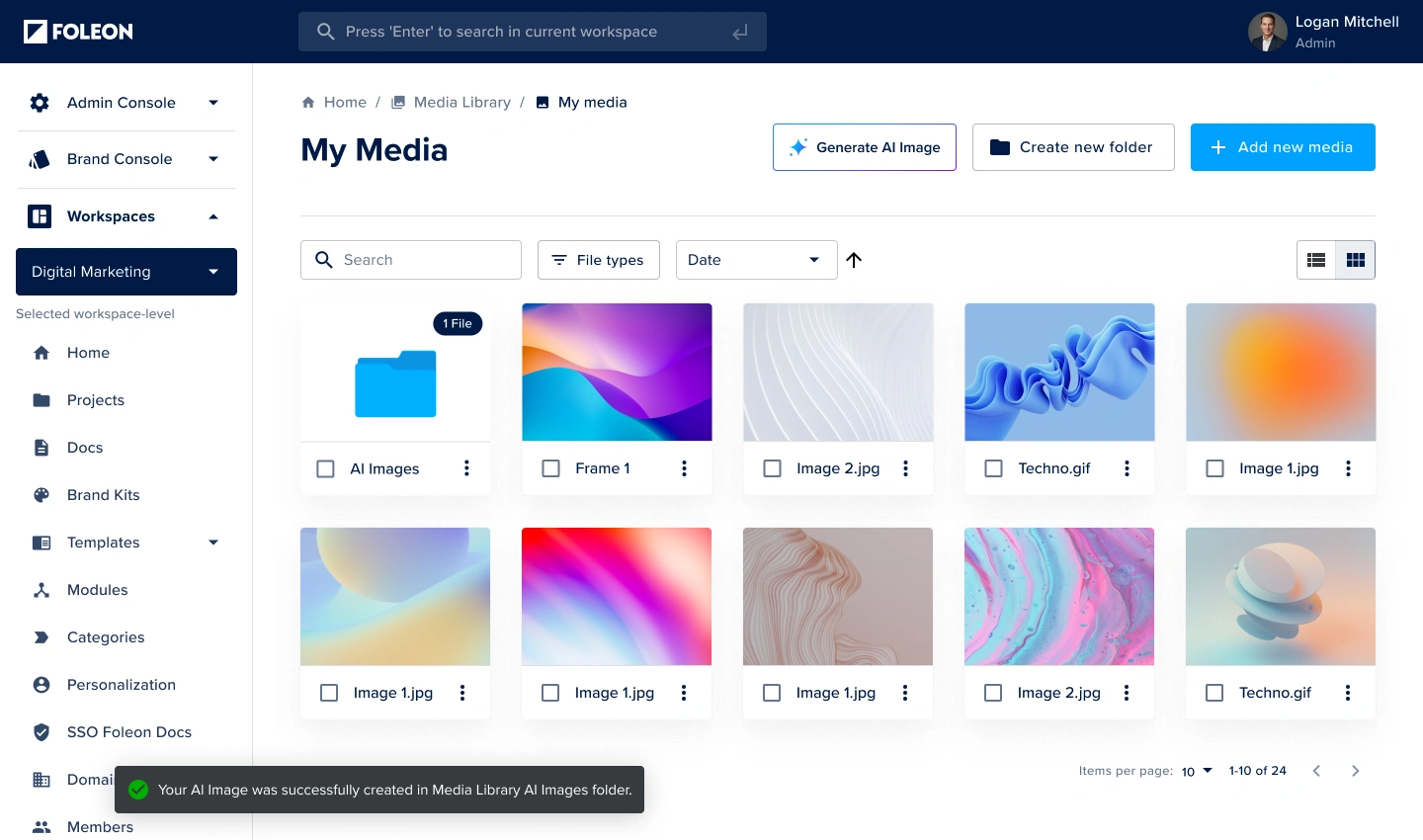
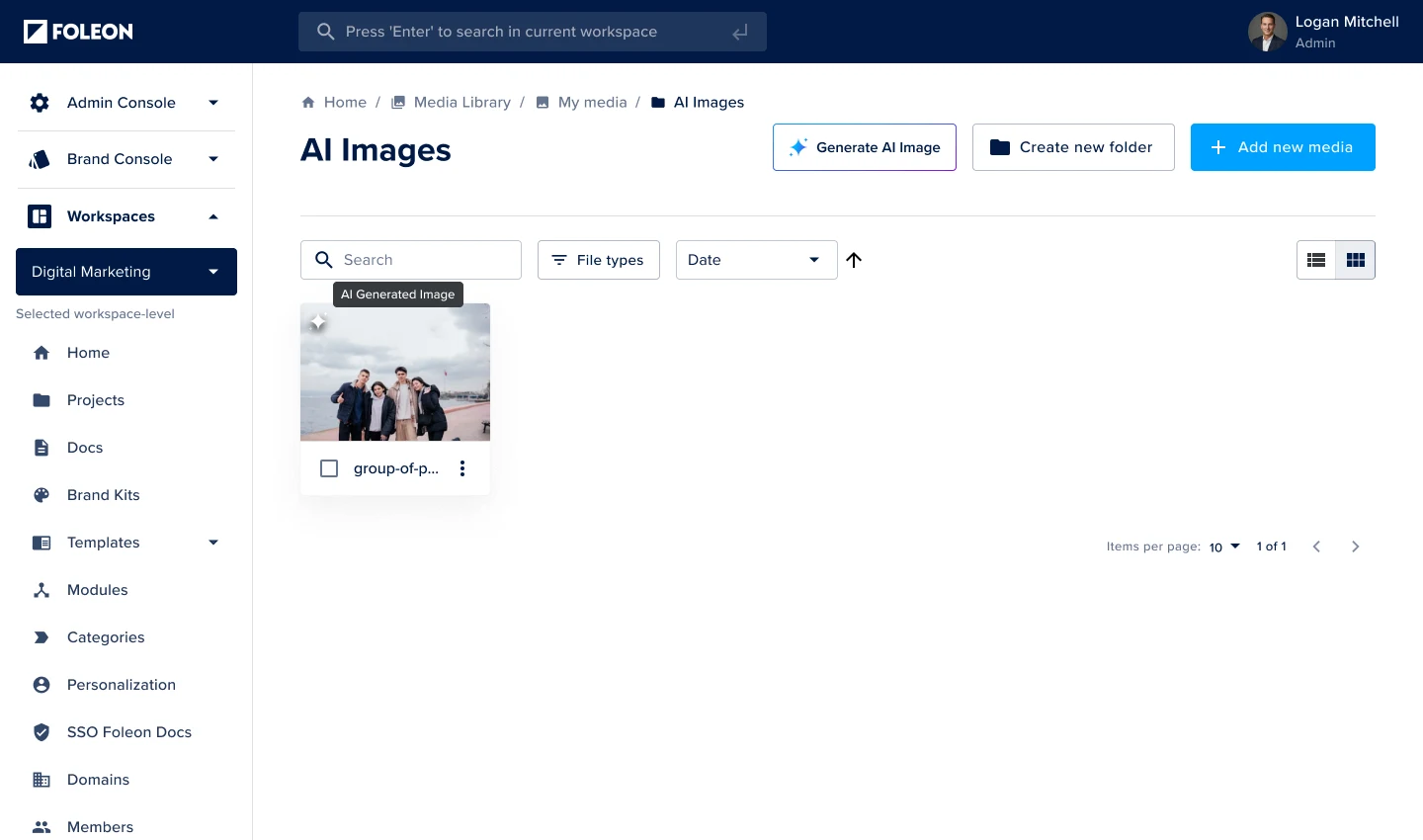
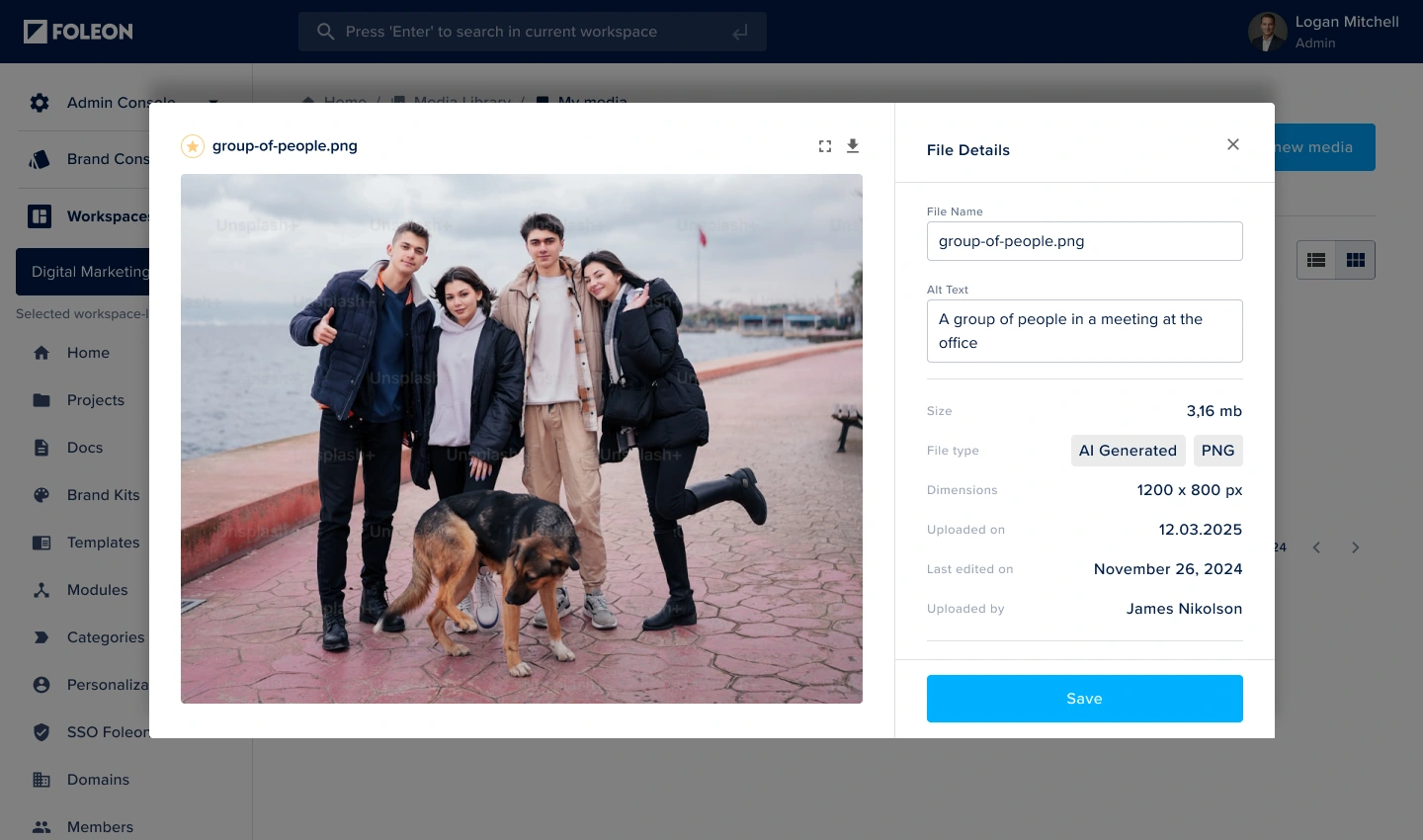
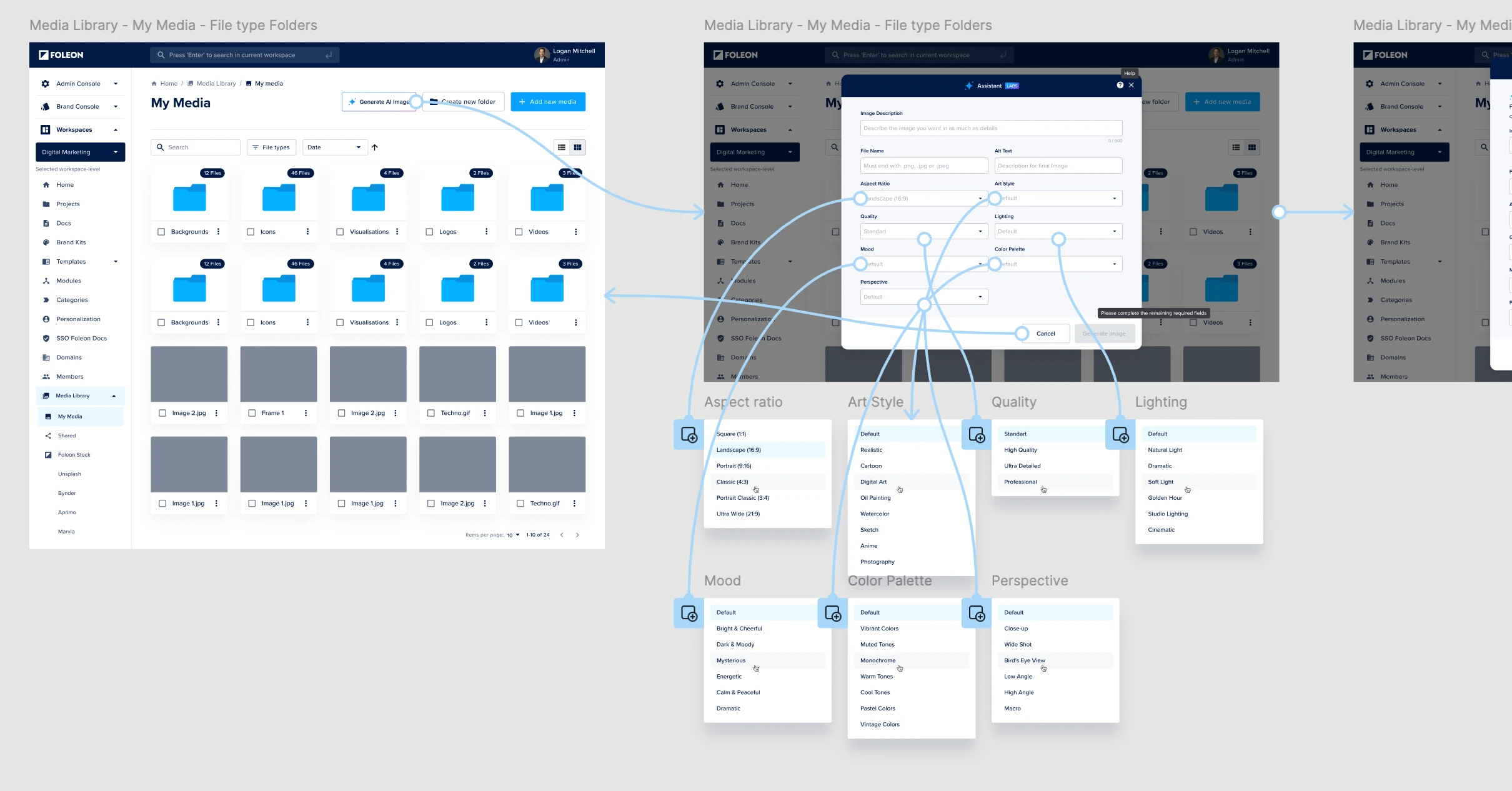
From wireframes to high-fidelity UI, the design went through multiple iterations focused on keeping the interaction simple while providing enough control for professional results.
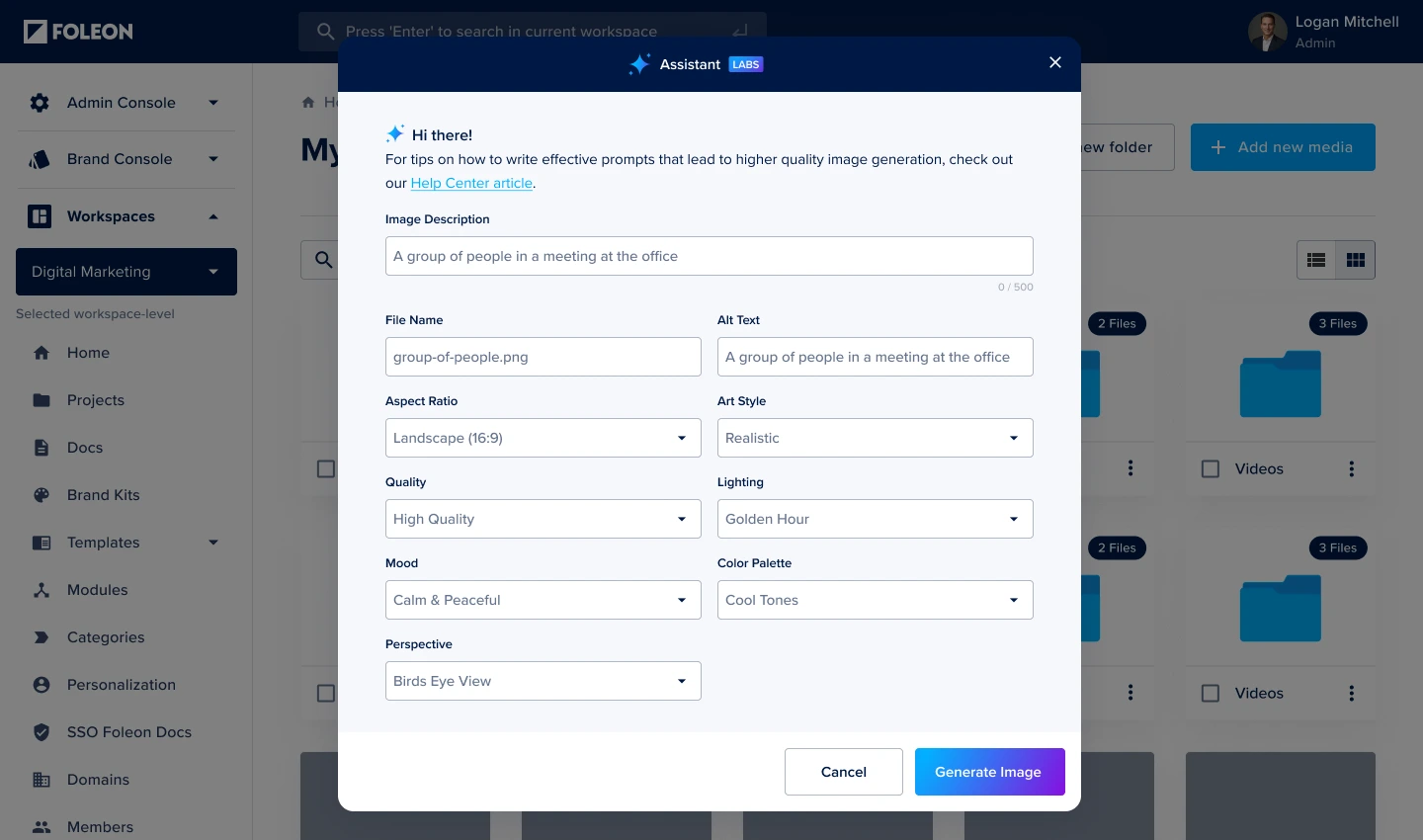
Key Design Decisions
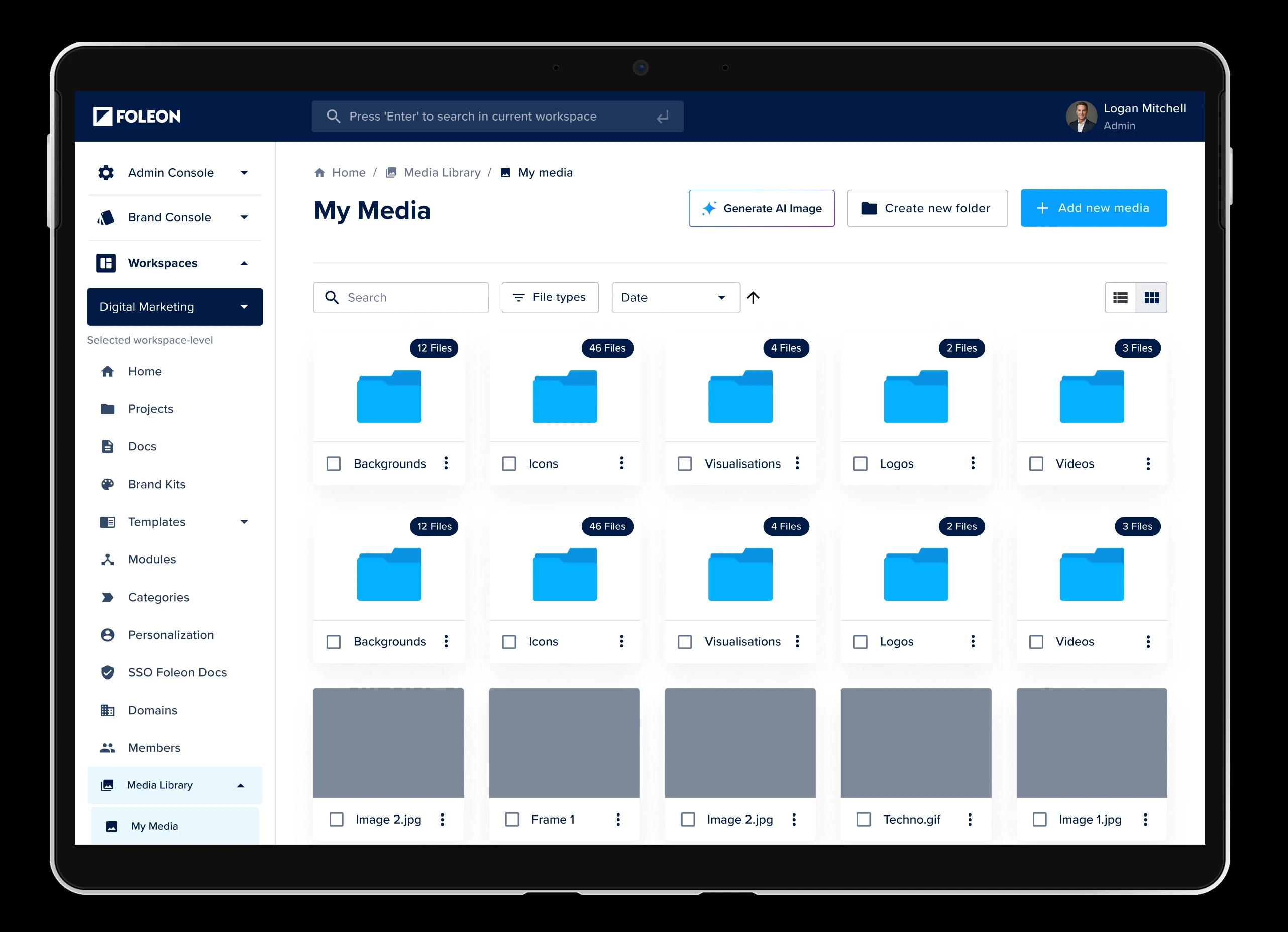
Prompt input within the media panel - no new windows, no popups. The generator lives exactly where users already search for images.
Style and format filters - users can specify aspect ratio, style (photo, illustration, abstract), and mood before generating.
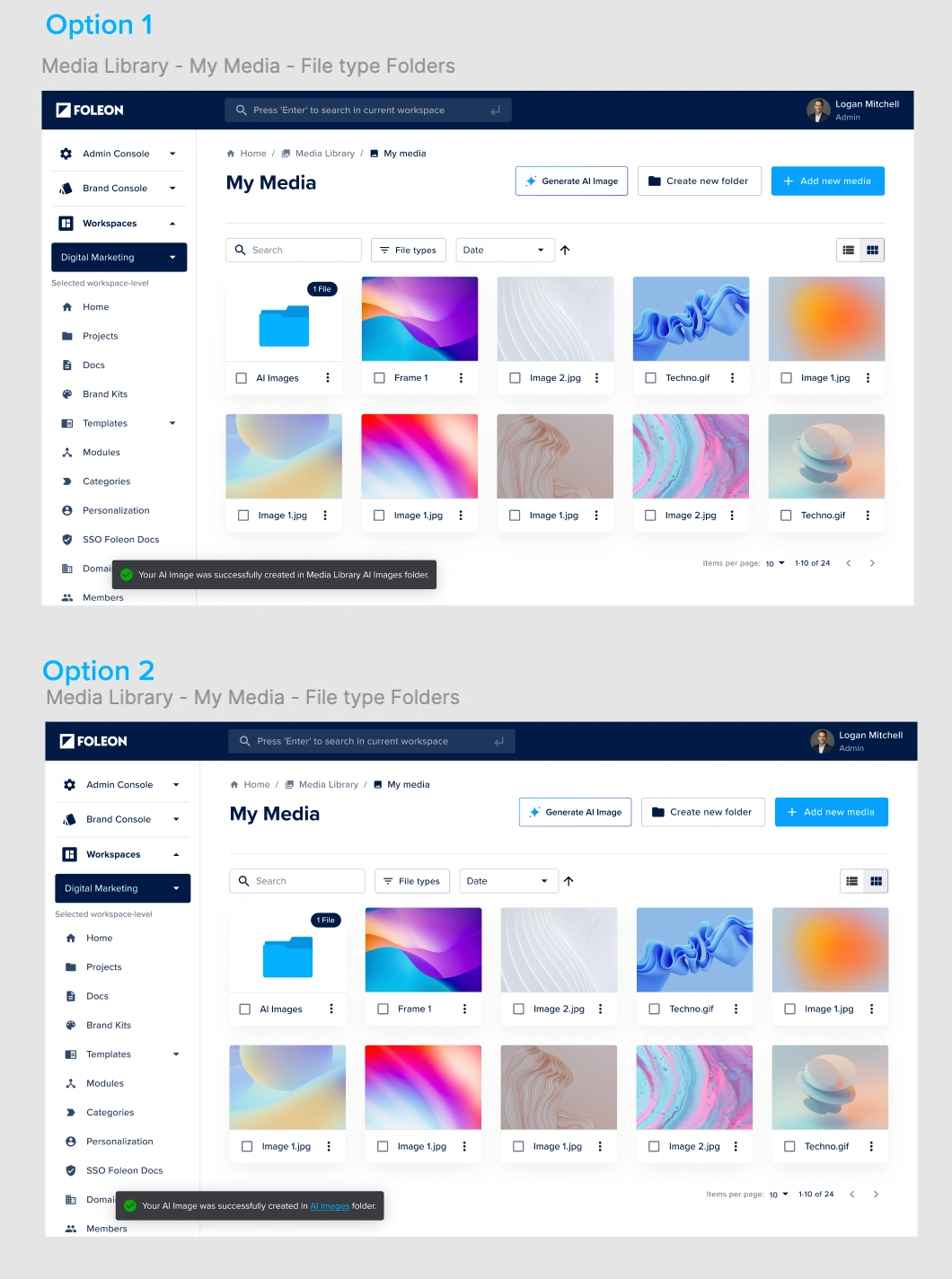
Preview before inserting - generated images appear in a preview grid, allowing users to regenerate or refine before committing.
Generation history - previously generated images are saved, so users can return to earlier results without regenerating.
💡 Figma Make loading animation video
Designing for AI: Interaction Patterns & Decisions
Designing an AI-powered feature isn't like designing a form or a dashboard. The system behaves unpredictably - generation times vary, outputs may not match expectations, and users need to trust something they can't fully control. These are the interaction patterns I defined to handle that uncertainty.
Trust through transparency
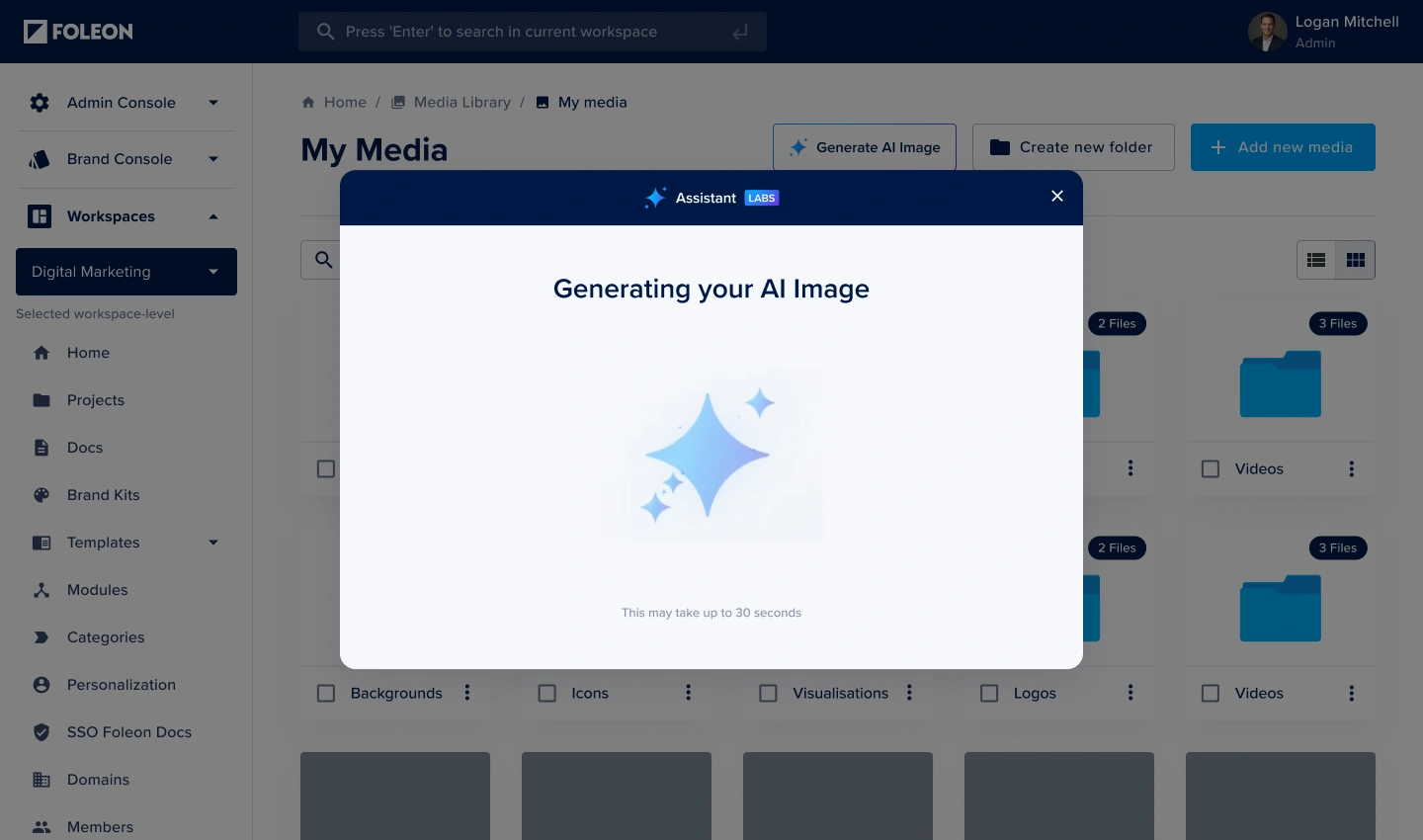
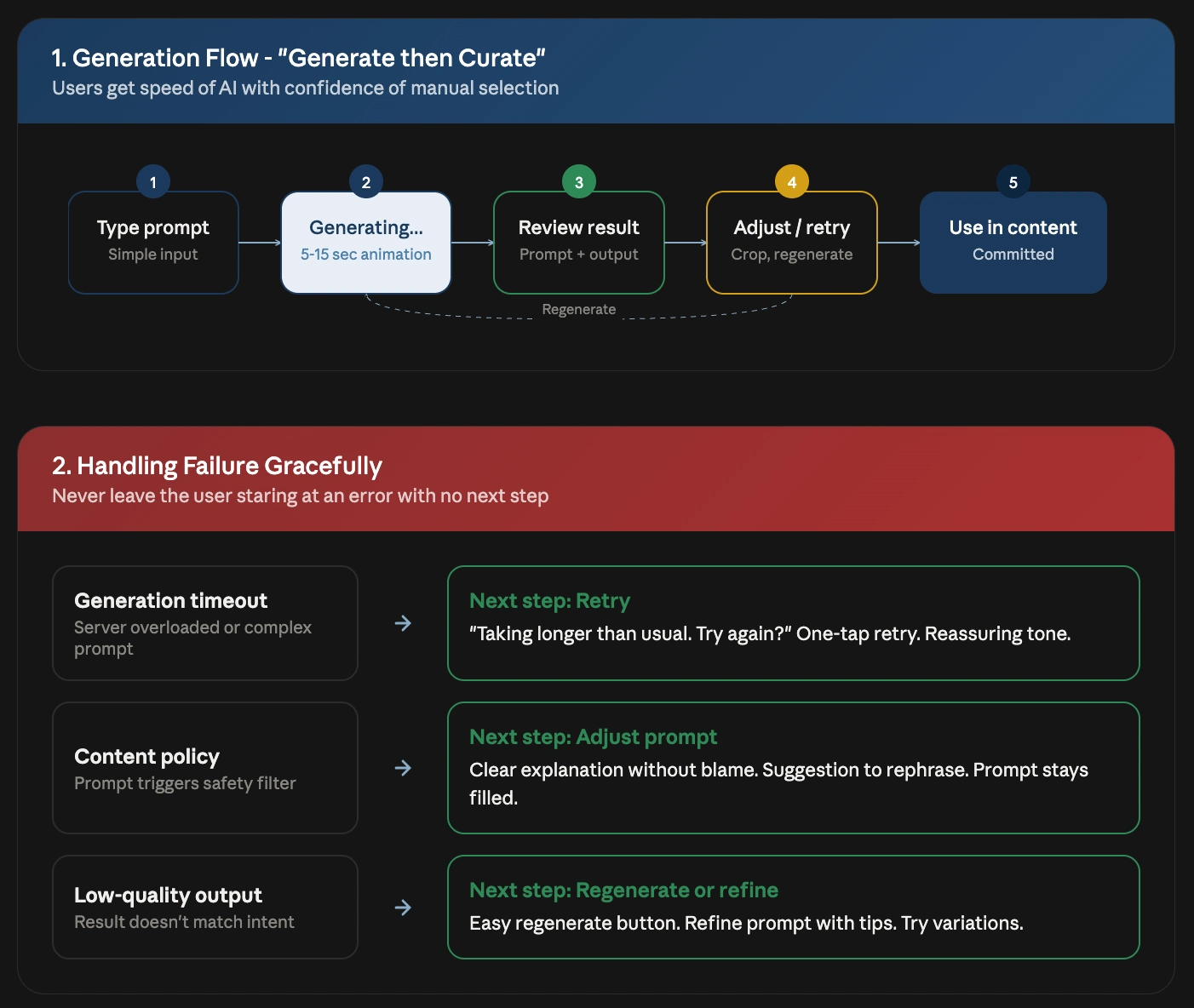
Users needed to understand what the AI was doing and why. I designed visible generation states: a clear "Generating your image" indicator with estimated time, progress feedback, and the ability to cancel. When generation completed, the result appeared alongside the original prompt so users could see the connection between what they asked for and what they got.
Handling failure gracefully
AI doesn't always succeed. I mapped three failure scenarios and designed for each: generation timeout (retry option with reassurance), content policy rejection (clear explanation without blame, suggestion to adjust the prompt), and low-quality output (easy regenerate with option to refine the prompt). The principle: never leave the user staring at an error with no next step.
User control vs. automation
The research showed users wanted speed but not at the cost of control. I designed a two-step flow: first generate (fast, one click), then review and adjust (crop, regenerate, try variations) before committing the image to their content. This "generate then curate" pattern gave users the speed of AI with the confidence of manual selection.
Progressive disclosure of options
Users wanted more granular settings - style, format, mood, color palette - not hidden behind an expandable panel, but available upfront where they could shape the output before committing to a generation cycle.
Loading states as moments of engagement
Generation took 5-15 seconds - long enough to feel uncertain, short enough that a full progress bar felt excessive. I designed a subtle animation showing the image "forming" gradually, turning the wait into anticipation rather than frustration. User testing confirmed this reduced perceived wait time.
5️⃣ Test
Unmoderated User Testing
We ran unmoderated testing sessions to validate the design before launch.
Key Finding
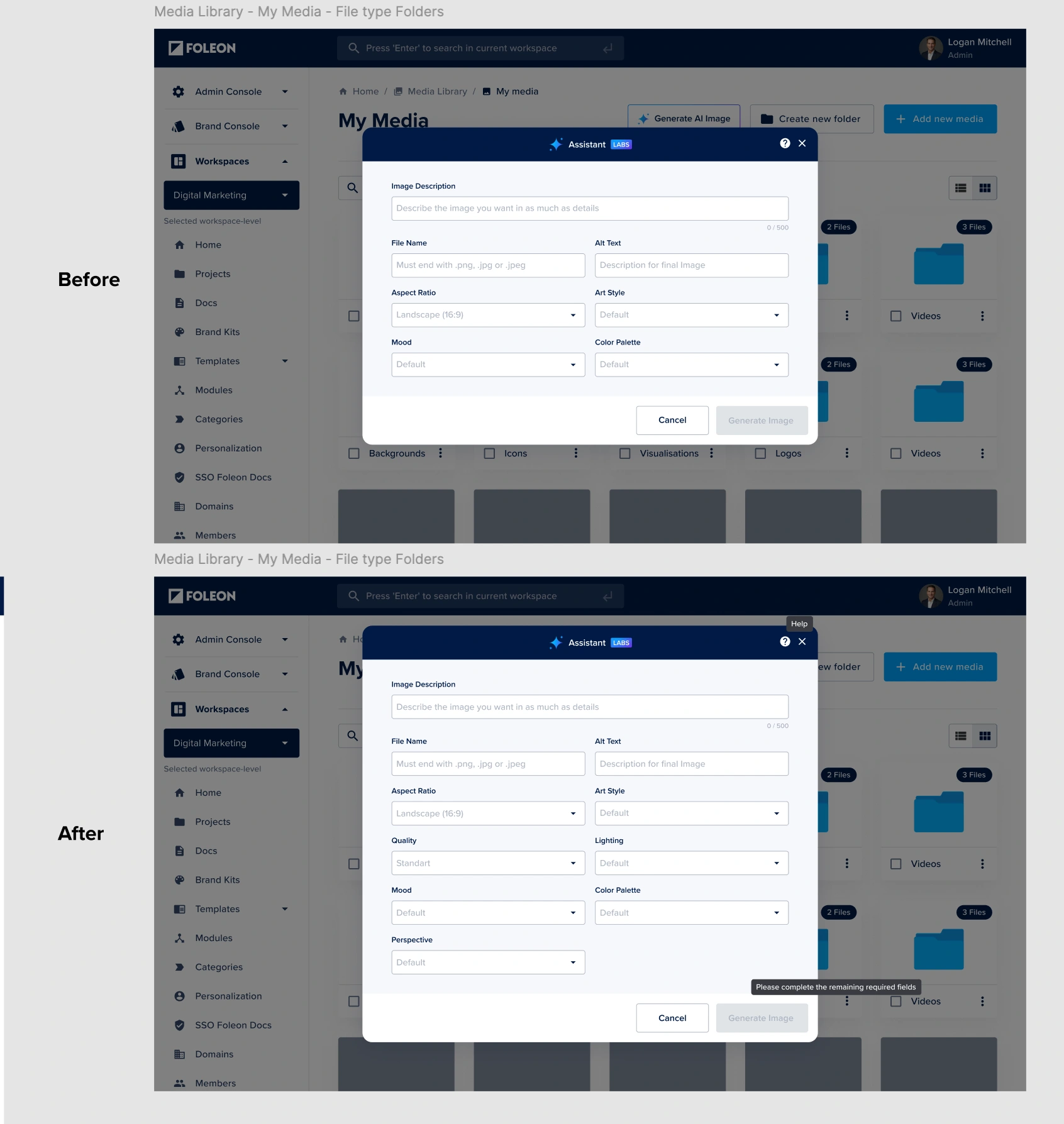
Users wanted more granular settings for image generation - style, format, mood, color palette - to make the output match their intent on the first attempt. The core issue: every regeneration cycle costs time and breaks momentum, which is the exact problem the feature was designed to solve.
Action Taken
Based on test results, we added additional filter and setting options to give users finer control over generated output. This reduced the average number of generation attempts needed to get a usable result.
6️⃣ Outcome
The AI Media Generator shipped as a production feature integrated into Foleon's media library. Users gained the ability to generate relevant, on-brand visuals directly within their content creation workflow - eliminating the need to switch to external tools.
The additional settings added after user testing reduced regeneration cycles, directly addressing the friction that originally inspired the project.
Note: Post-launch metrics were tracked by another designer after the contract ended. The design handoff included measurement frameworks for adoption rate, time-to-image, and user satisfaction.
✏️ What I Learned
Designing AI-powered features requires balancing simplicity with control. Our initial assumption was that users would prefer a minimal interface - just type a prompt and get an image. Testing revealed the opposite: professional users want precision tools that reduce iteration, not simplify it away. The lesson applies broadly to AI in creative tools - users don't want AI to think for them, they want AI to execute their vision faster.
0 likes · 0 views · Nov 24, 2026
Designed and shipped an AI image generator inside Foleon’s media library, helping content creators generate relevant visuals without leaving their workflow.


