
Nabila Riaz
SEO & GEO expert — rank on Google and AI tools
New to Contra
Nabila is building their profile!
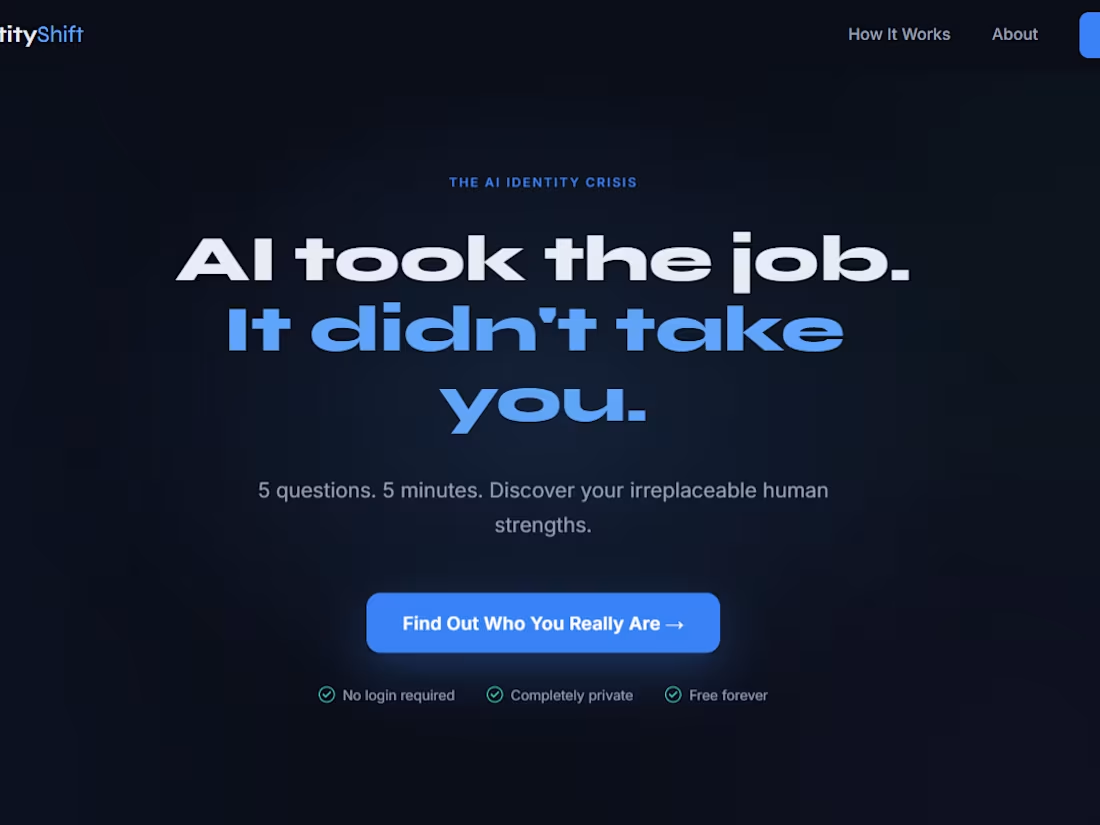
IdentityShift — AI Identity Tool
When AI disrupts your career, you don't
just lose income — you lose your identity.
The World Economic Forum named this
"occupational identity crisis" in 2026.
300M+ jobs are at risk. Zero tools
existed to address it. Until now.
IdentityShift is a free, anonymous,
5-minute AI-powered web tool that helps
anyone rediscover their irreplaceable
human value in the AI era.
HOW IT WORKS:
5 deep questions — not skill tests, but identity exploration
AI analyzes your answers and generates a personal Identity Map
3 concrete next steps personalized to your unique human strengths
No login. No data stored. Works for anyone, anywhere.
BUILT WITH FIGMA:
Figma Make — entire web app built from prompts, zero coding
Figma Weave — AI-generated Identity Map visualization
Figma MCP — design system connected to Claude AI
Gemini AI — powers the intelligent assessment
Supabase — API security via Edge Functions
THE CHALLENGE:
Built in 10 days by Nabila Riaz —
a Pakistani freelancer with no coding
background — who learned Figma Make,
Weave, and MCP entirely during this
build. Every error was a lesson.
Every iteration made it more human.
This tool exists because 300 million
people deserve clarity — not just
another reskilling platform, but a
mirror that shows them who they
truly are beyond any job title.
Live URL: https://mild-kernel-12851530.figma.site
Community File: https://www.figma.com/community/file/1649528640914098428
2
2
439
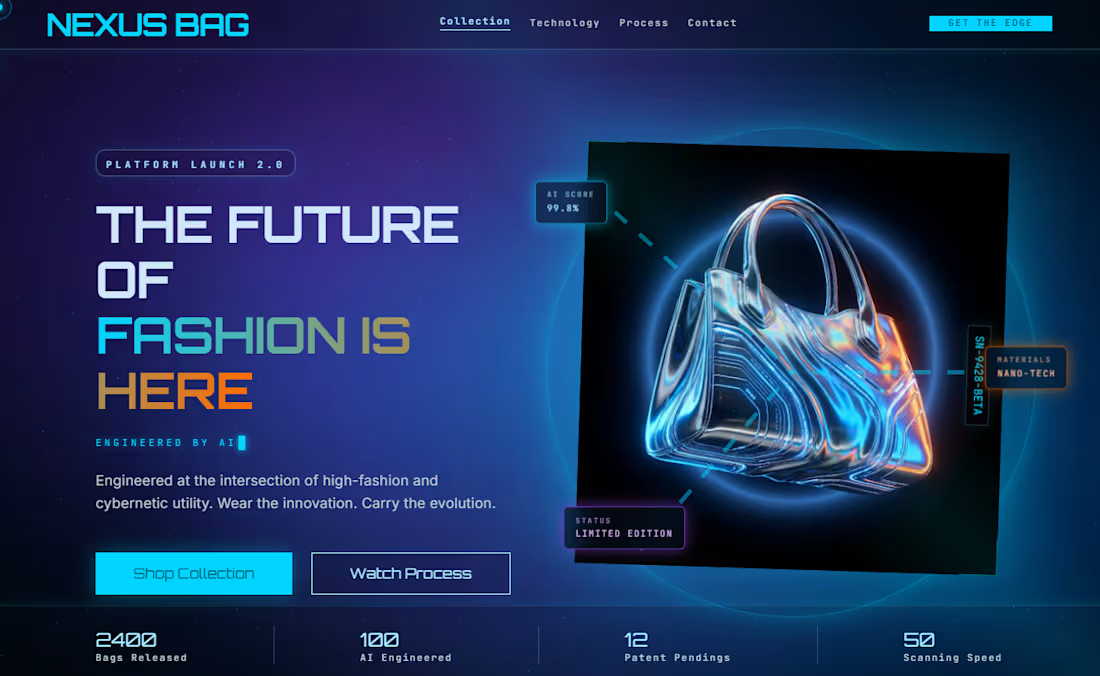
Live Site: https://nexusbag.lovable.app/
The Idea Behind NEXUS BAG
When I sat down to think about what to build for this challenge, I wanted to create something genuinely forward-looking — not just a beautiful interface, but a concept rooted in where the world is actually heading. NEXUS BAG was born from that thinking.
We live in a time where robotic precision is already reshaping manufacturing. Robotic arms are already assembling cars, electronics, and medical devices with extraordinary accuracy. It is not difficult to imagine a near future where that same intelligence is applied to luxury fashion — where every stitch, every fiber, every detail of a bag is engineered by AI and assembled by machines that never make mistakes. NEXUS BAG is that future, visualized today.
My Honest Experience
I will be completely transparent — my experience had one real challenge. Due to a slow internet connection and heavy page rendering, some screens stayed in a persistent loading state for longer than expected. This meant I could not make all the changes I had envisioned, and certain interactions on the live site are not as polished as I originally planned.
But here is the honest truth: even with those limitations, the results still exceeded my imagination.
What Surprised Me Most
The streaming generation feature was the moment I realized this tool was something special. Watching my design build itself onto the canvas in real time felt less like using software and more like having a conversation with a highly skilled designer who could read my mind.
The DESIGN.md (http://DESIGN.md) system automatically generated a complete design language — color palette, typography scale, spacing rules, and component behavior — all structured and ready to use. As a freelance designer who builds these systems manually, this feature alone saved me hours of work.
The in-place AI editing allowed me to refine individual elements simply by clicking and describing what I wanted. No manual CSS adjustments, no layer hunting — just natural language and immediate results.
The One Challenge I Faced
Some pages with heavy animations and particle effects took significantly longer to render due to my slow internet connection. A couple of screens showed a persistent generating state for an extended period, which limited the changes I could make. I would love to see Stitch optimize rendering performance for complex animations — this would make the experience much smoother for users with slower connections.
However, this did not diminish my overall experience. The platform is pushing real boundaries and that kind of ambition occasionally comes with growing pains.
Final Thoughts
Google Stitch is one of the most exciting tools I have encountered in my design career. It respects your creative vision, understands context deeply, and produces output that feels production-ready — even on a bad internet day. For freelancers and independent creators especially, it represents a fundamental shift in how quickly a professional-quality product can go from idea to live experience.
Despite the technical limitations I faced, I walked away genuinely impressed — and already thinking about my next project.
2
2
180
My Experience Using Google Stitch — First-Time User Perspective
This was my very first time using Google Stitch, and I can say with confidence that it completely exceeded my expectations as a beginner. I am a Pakistani freelance web designer and digital marketer who works primarily with international clients, and I am always looking for tools that help me deliver premium-quality work faster. Stitch did exactly that.
Getting Started Was Effortless
The onboarding experience was seamless. Within minutes of opening Stitch for the first time, I was already generating my first screen. There was no learning curve — I simply described what I wanted in plain English, and Stitch brought it to life. For a tool this powerful, the beginner-friendliness is genuinely impressive. I expected a steep learning curve, but instead I found myself fully productive from the very first session.
Streaming Generation Changed Everything
Watching my design stream directly onto the canvas in real time was unlike anything I had experienced in a design tool before. It felt less like using software and more like collaborating with a skilled designer who understood my vision instantly. I used this feature to generate all five screens of my RankFlow AI dashboard — the Welcome screen, Dashboard Overview, SEO Audit Report, Campaign Builder, and Client Performance Report — all from a single detailed prompt.
In-Place AI Edits Saved Hours of Work
The in-place editing feature was a game-changer for my workflow. Instead of manually adjusting individual CSS properties or redesigning components from scratch, I could simply click on any element and describe the change I wanted. For example, I refined the KPI card layouts, adjusted typography hierarchy, and improved button states — all through natural language. What would have taken me several hours in a traditional design tool took minutes in Stitch.
DESIGN.md (http://DESIGN.md) — A Feature I Did Not Expect
One of the most impressive surprises was the automatic generation of a DESIGN.md (http://DESIGN.md) file — a complete, structured design system that Stitch created for my project. It named the system "Lumina Digital" and included every detail: color palette, typography scale, spacing system, component rules, elevation levels, and responsive breakpoints. As a freelancer who works across multiple projects and tools, having a consistent, auto-generated design system is an enormous productivity advantage. This feature alone sets Stitch apart from every other AI design tool I have used.
Export and Integration Were Smooth
Exporting to Lovable was straightforward and the live deployment worked without any issues. My project went from a prompt in Stitch to a fully live, interactive web application at rankflowai.lovable.app (http://rankflowai.lovable.app) — and the entire process took under two hours from start to finish.
What I Would Love to See Improved
As a first-time user, the only friction I experienced was during the preview/navigation mode between screens. Clicking interactive elements within the preview sometimes reloaded the current screen rather than navigating to the next one. Smoother inter-screen transitions in preview mode would make the prototyping experience feel completely fluid. Additionally, a simple onboarding checklist for first-time users would help beginners understand all available features faster — especially hidden gems like DESIGN.md and the shader canvas.
Final Thoughts
Google Stitch is the most beginner-friendly yet professionally capable AI design tool I have encountered. It respects the designer's intent, understands context deeply, and produces output that is genuinely production-ready. As someone who regularly delivers UI/UX work to international clients, I can see Stitch becoming a core part of my professional workflow. The speed, quality, and intelligence of this tool represent a fundamental shift in how interfaces are built — and I am excited to see where it goes from here.
Check it out:
Live site: https://rankflowai.lovable.app/dashboard
Stitch Project: https://stitch.withgoogle.com/projects/4474393713442125134
2
2
206
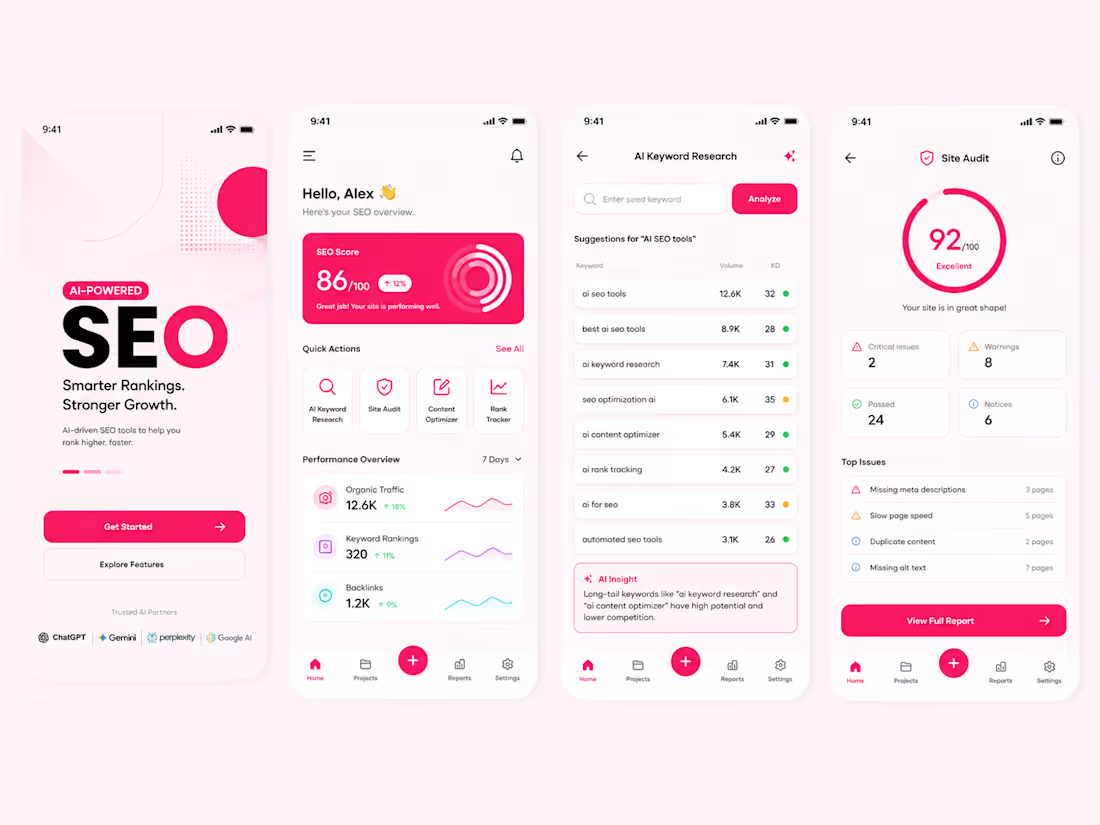
AI-Powered SEO Report & Website Analysis
1
90
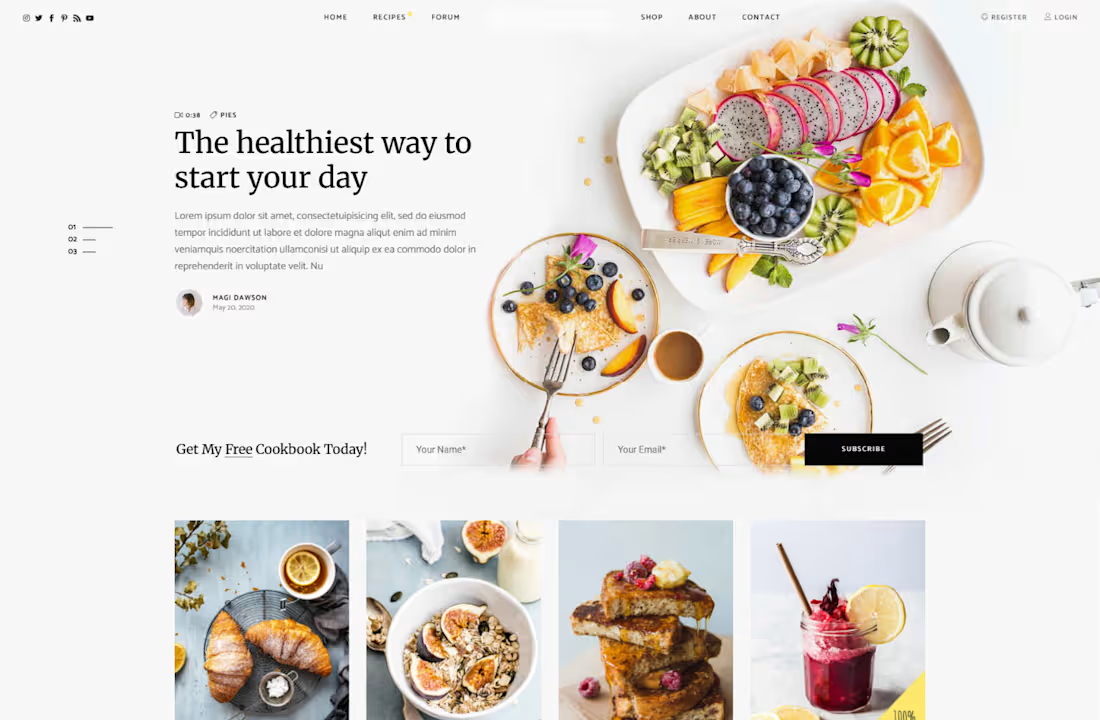
Food E-Commerce Website Design – WordPress Project
0
73
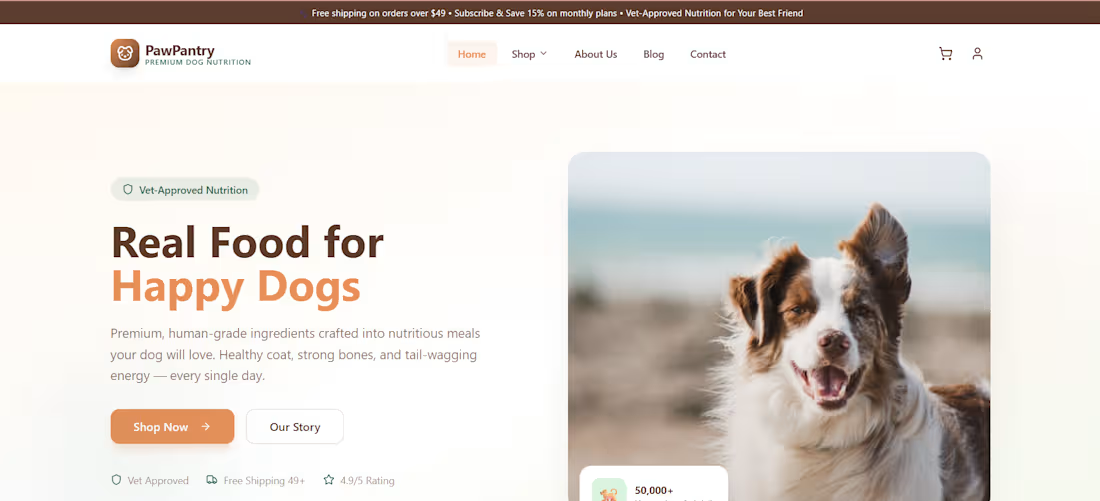
Dog Food E-Commerce Website – Built with WordPress
0
68
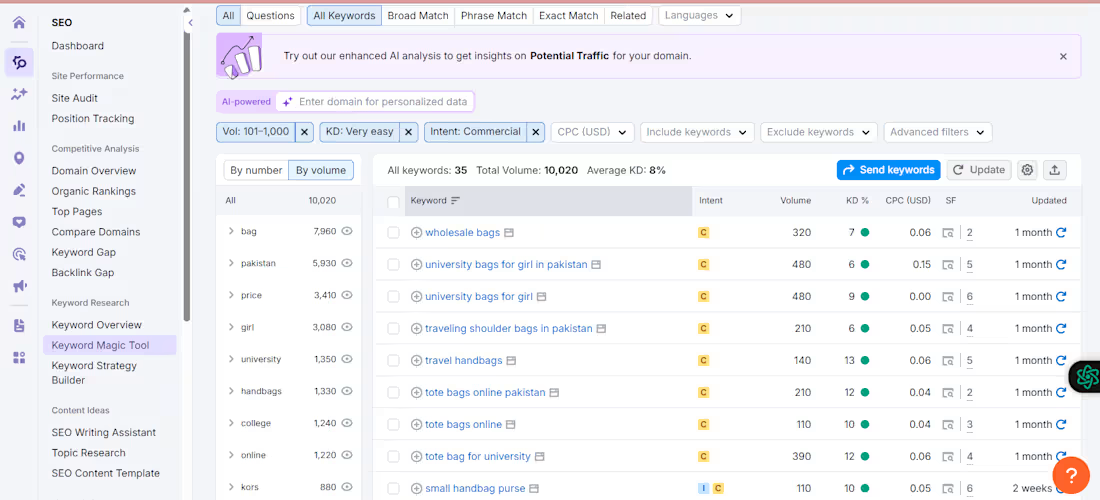
Keyword Research in Semrush
0
71