
Muheet Khan
Founder of Datavrex | Data Analytics Consultant | Power BI
New to Contra
Muheet is building their profile!
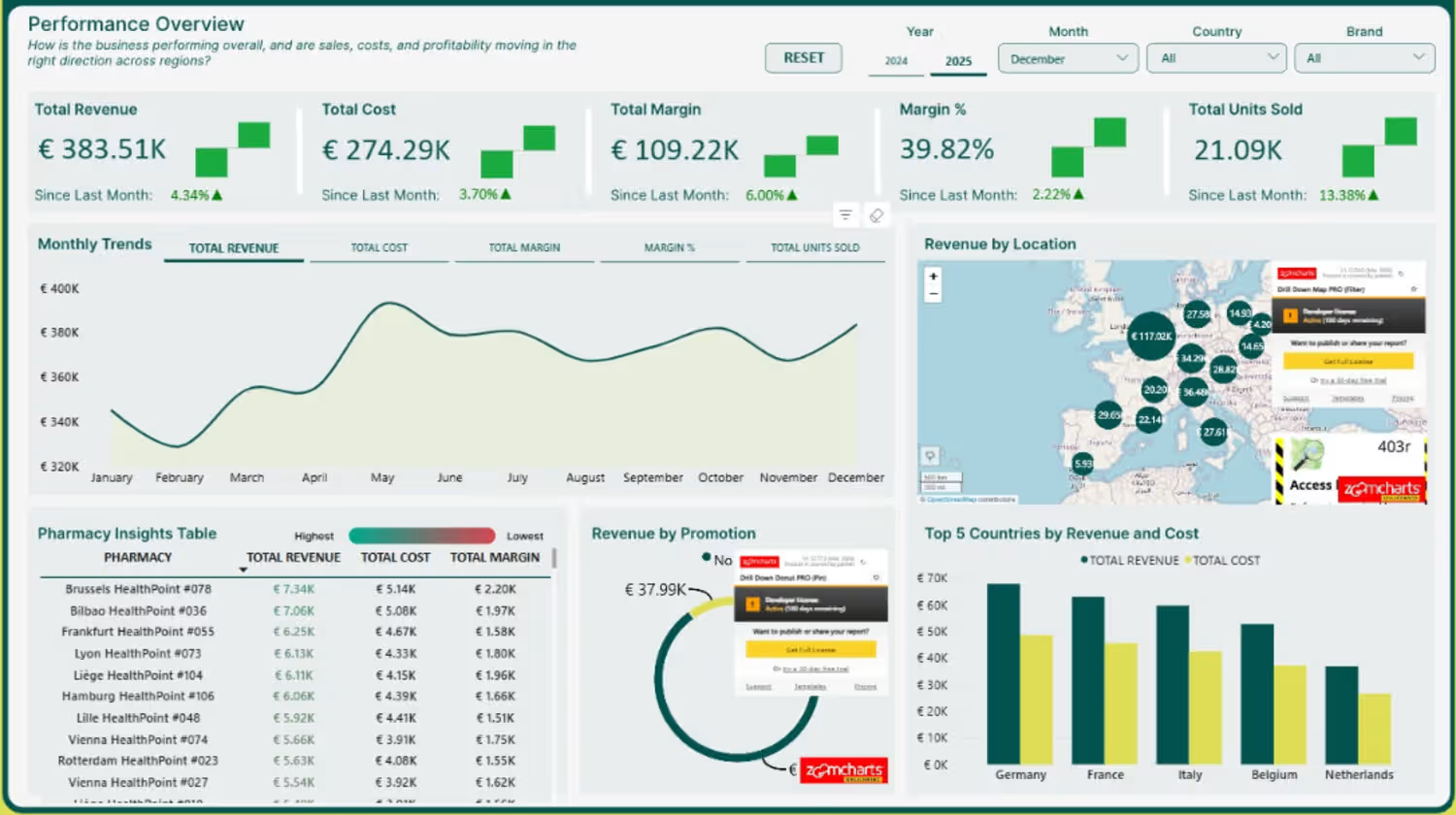
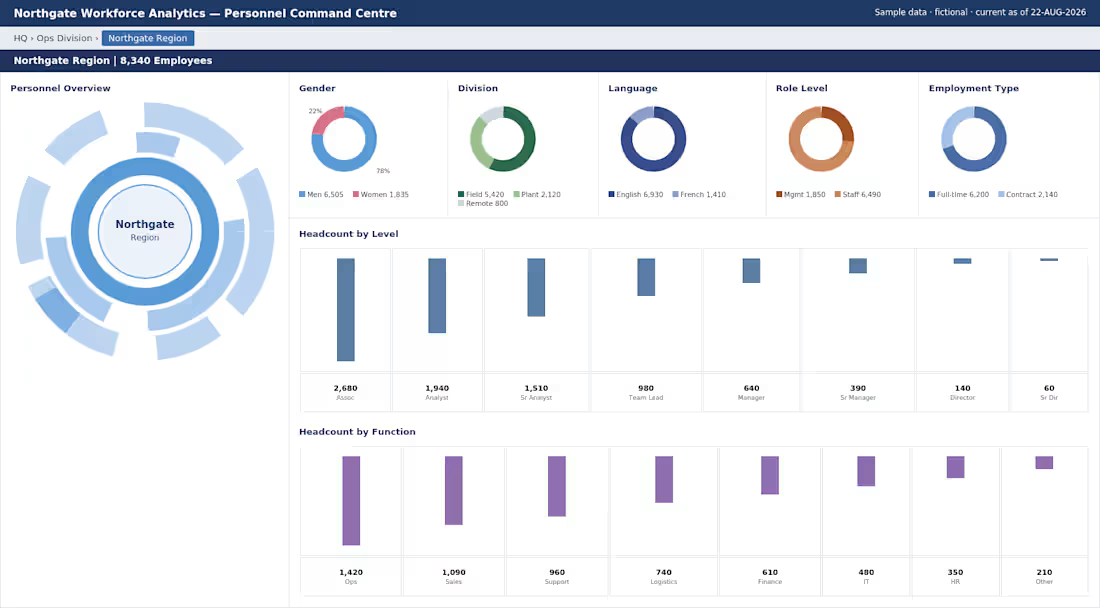
Client sent a dashboard built in another BI tool and said "make this in Power BI."
No documentation. Just a screenshot.
Several visuals weren't native had to source custom ones from AppSource, and some didn't behave like the originals, so I rebuilt those from scratch instead of forcing a default.
This is more common than people realize. Companies don't switch BI tools to start over instead they switch because the old one got expensive or unsupported. The design already works. Your job is to reproduce it faithfully in a new engine, not redesign it.
0
2
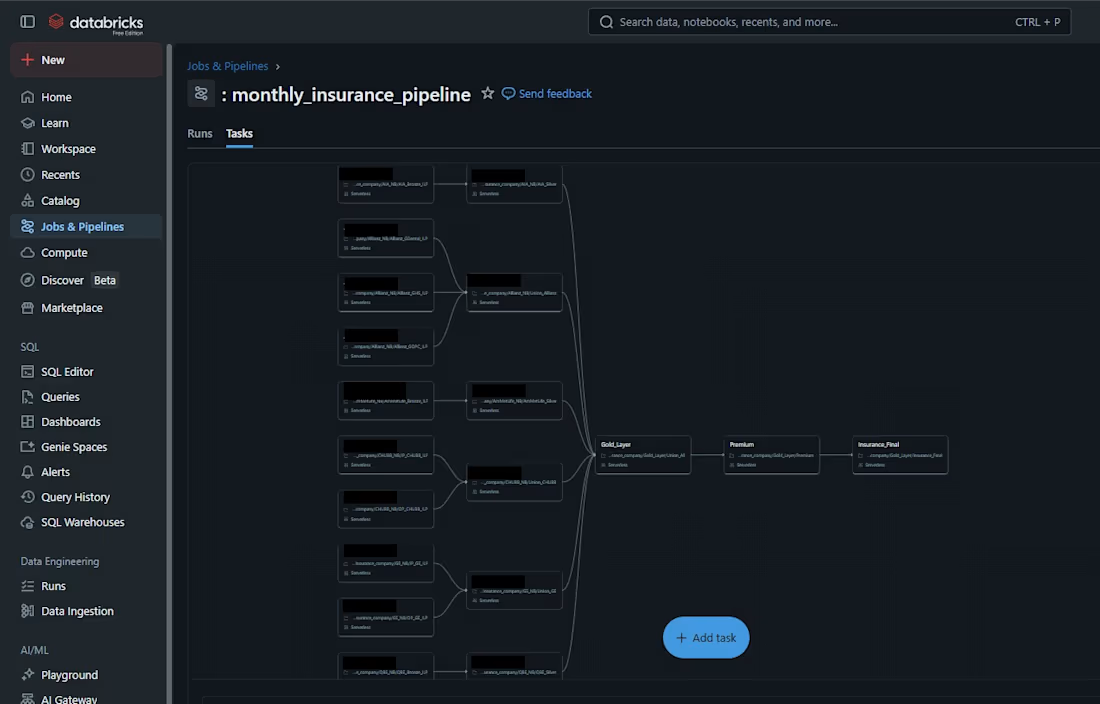
Databricks Data Engineering Pipeline
Overview
Built a scalable Databricks data pipeline to automate data ingestion, transformation, validation, and reporting workflows across multiple data sources.
Key Features
Automated ETL/ELT orchestration
Multi-source data ingestion and integration
Medallion architecture implementation (Bronze, Silver, Gold)
Data quality validation and monitoring
Workflow scheduling and dependency management
Optimized processing for analytics and reporting consumption
End-to-end pipeline automation
Business Impact
Reduced manual processing effort, improved data reliability, and enabled near real-time reporting by creating a robust and scalable data engineering framework.
Tools Used
Databricks, PySpark, SQL, Delta Lake, Data Engineering, ETL Automation
0
18
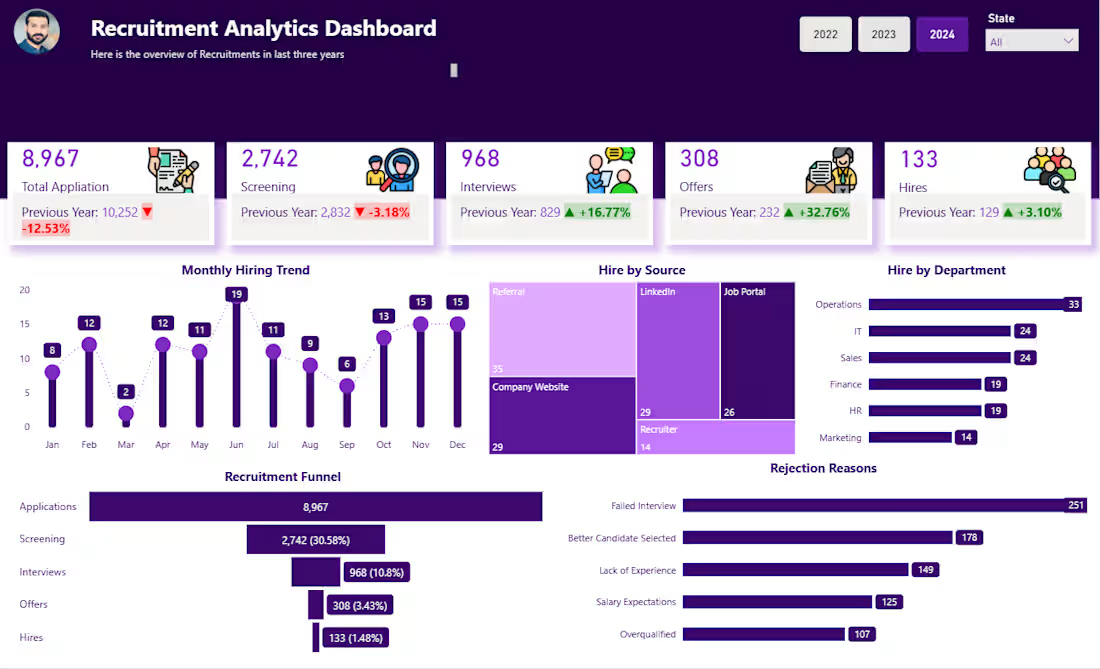
Recruitment Analytics Dashboard (Power BI)
Overview
Designed a Recruitment Analytics Dashboard to provide HR teams with complete visibility into hiring performance, recruitment funnels, sourcing effectiveness, and candidate conversion rates.
Key Features
End-to-end recruitment funnel analysis
Hiring trends and workforce planning insights
Application, screening, interview, offer, and hire metrics
Recruitment source effectiveness tracking
Department-wise hiring performance
Candidate rejection reason analysis
Year-over-Year recruitment comparison
Business Impact
Helped HR leaders streamline hiring processes, improve candidate conversion rates, and optimize recruitment channels for better talent acquisition outcomes.
Tools Used
Power BI, HR Analytics, DAX, Data Visualization
0
25
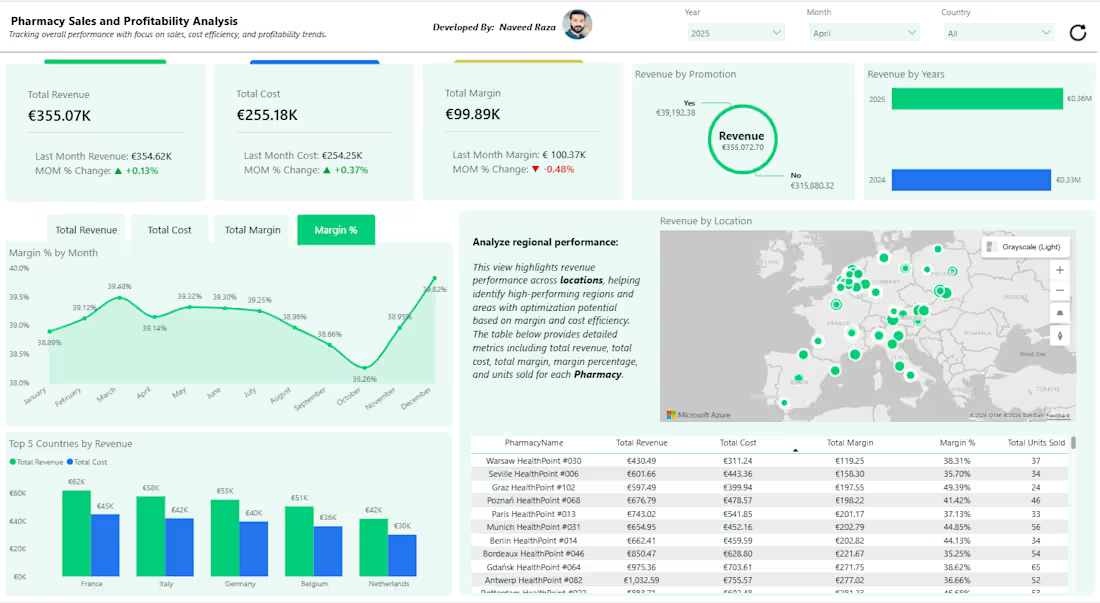
Pharmacy Sales & Profitability Analytics Dashboard (Power BI)
Overview
Developed an end-to-end Pharmacy Sales and Profitability Dashboard to monitor revenue, costs, margins, and regional performance across multiple pharmacy locations.
Key Features
Revenue, cost, and profit margin KPI tracking
Month-over-Month performance analysis
Geographic sales distribution with interactive mapping
Promotion effectiveness analysis
Country-wise revenue comparison
Pharmacy-level profitability and operational insights
Dynamic filtering by year, month, and country
Business Impact
Enabled management to identify high-performing locations, optimize promotional campaigns, and improve profit margins through data-driven decision-making.
Tools Used
Power BI, DAX, Power Query, Data Modeling, Geospatial Analytics
0
25