
Malik Haroon Khokhar
AI engineer who builds the whole system, LLM agents, vision



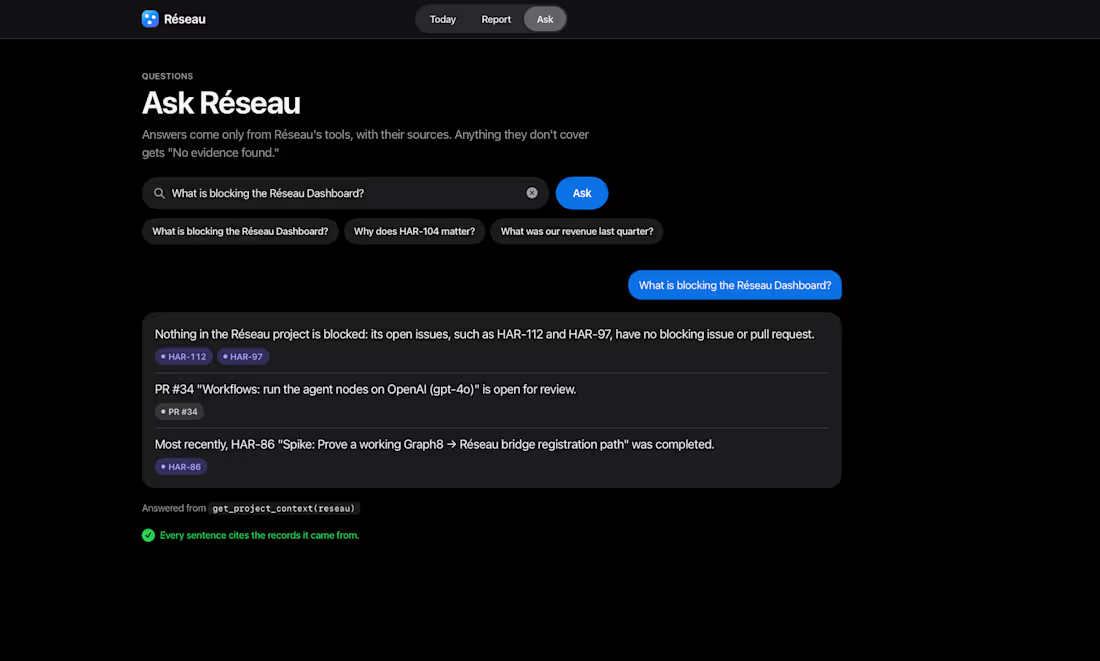
Built Réseau during the Graph8 Hackathon!
Software teams use GitHub, Linear, and dozens of other tools, but their context is fragmented across platforms.
We explored a way to bring it all together.
Réseau is an AI-powered operations layer that uses MCP to connect engineering tools, consolidate project context, and enable more intelligent, evidence-backed workflows.
The interesting challenge wasn't just integrating AI with APIs. It was making AI agents context-aware enough to work meaningfully across existing development systems.
Built around AI agents, MCP, and developer workflow automation.
A challenging and rewarding two-day hackathon experience!
#AIEngineering #AIAgents #MCP #DeveloperTools
3
0
51
Autonomous Git Repo Maintenance Agent
0
4
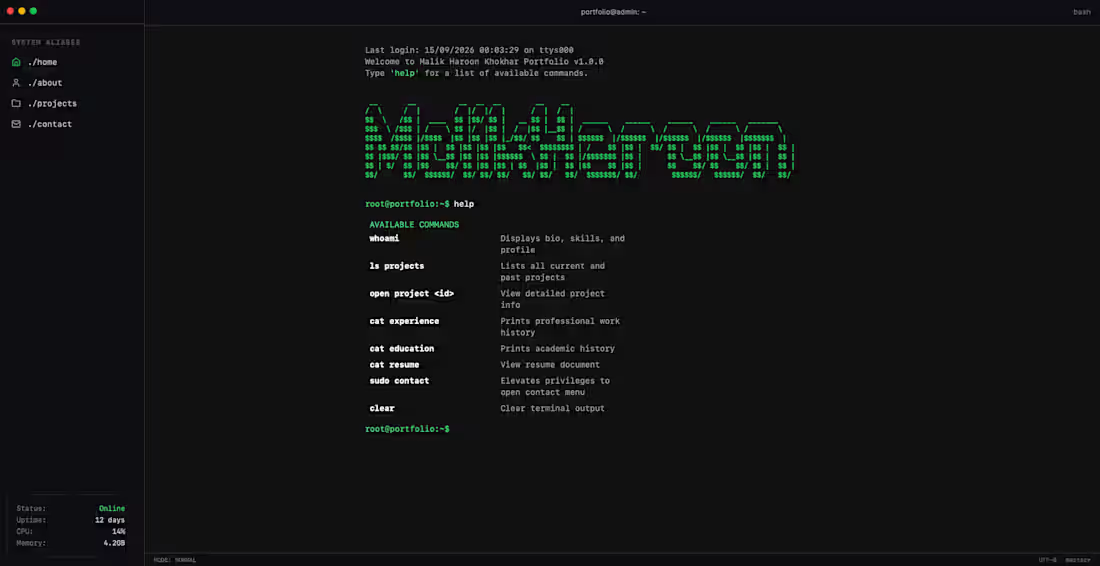
As an AI Engineer, I spend most of my day working in the terminal—so I thought, why not make my portfolio look like one? 🖥️🟩
I wanted a personal site that reflects how I actually work. No flashy animations or endless scrolling, just a clean, interactive command-line interface built with React and TypeScript.
In the video below, you can see how to navigate it. You can type ls projects to see the RAG systems and ML architectures I've built, or cat experience to see my background.
Take it for a test drive and let me know if you discover any of the commands!
3
1
374
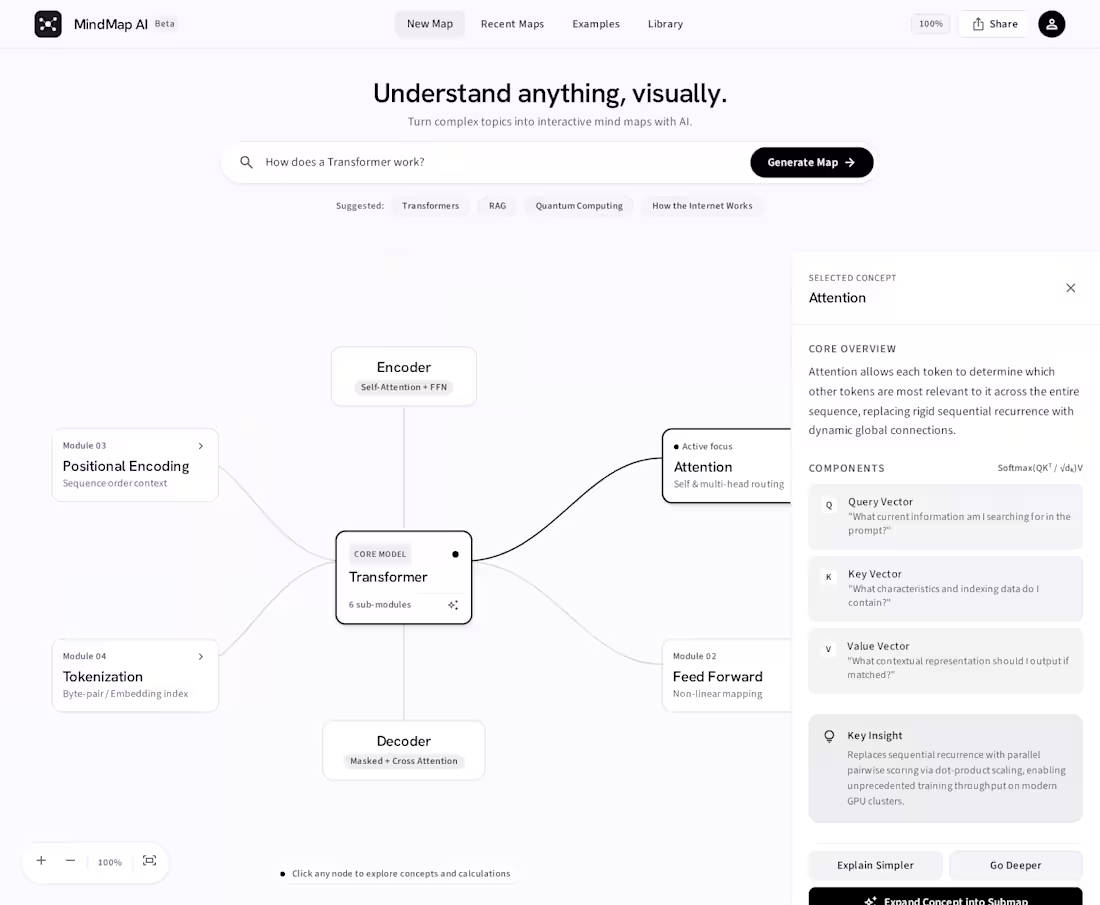
Understand anything, visually.
I built MindMap AI, a concept for turning complex topics into interactive visual maps.
Instead of getting another wall of AI-generated text, you enter a topic like:
“How does a Transformer work?”
and the system breaks it down into connected concepts such as Attention, Q/K/V, Encoder, Decoder, FFN, Tokenization, and Positional Encoding.
You can then explore the map by selecting individual concepts to get a focused explanation, dive deeper, simplify the concept, or expand it into a submap.
The interface was designed with a deliberately minimal, Apple-inspired approach: lots of whitespace, restrained typography, neutral colors, and almost no visual noise.
Built around:
AI-generated knowledge graphs
Interactive node-based visualization
Concept exploration
AI explanations
Expandable submaps
Zooming, panning, and canvas navigation
The goal was simple: make understanding complex AI concepts feel visual and intuitive.
2
1
154