Another Hero Section WebGL based.
Yeah it's not a Video but Webgl based Hero Section which is Optimized and can also be used in any Website, made using @Unicorn Studio .
Here Check it out: https://www.unicorn.studio/embed/qOsIt9rE7P2uyI7Jbks5
2
3
45
I am having a blast using @Unicorn Studio and Recently I built this Hero section. Inspiration was from Pinterest but I made it a proper hero with interactivity.
There are some layers in Shader which are very carefully placed. Will share a breakdown soon.
It's a Great tool for creative development.
1
4
91
Built another interactive hero Section for FullStack Developer. I really love the concept of Nature and Code blending so tried something around it.
Having fun using the @Unicorn Studio . There are some features which I hope will be released soon like on mouse click interactions and some more controls in shaders. But Awesome tool for interactive Landing Pages.
Here Check out the Live version: https://www.unicorn.studio/embed/CBSmgOo2cdnGj58pJlTB
1
5
120
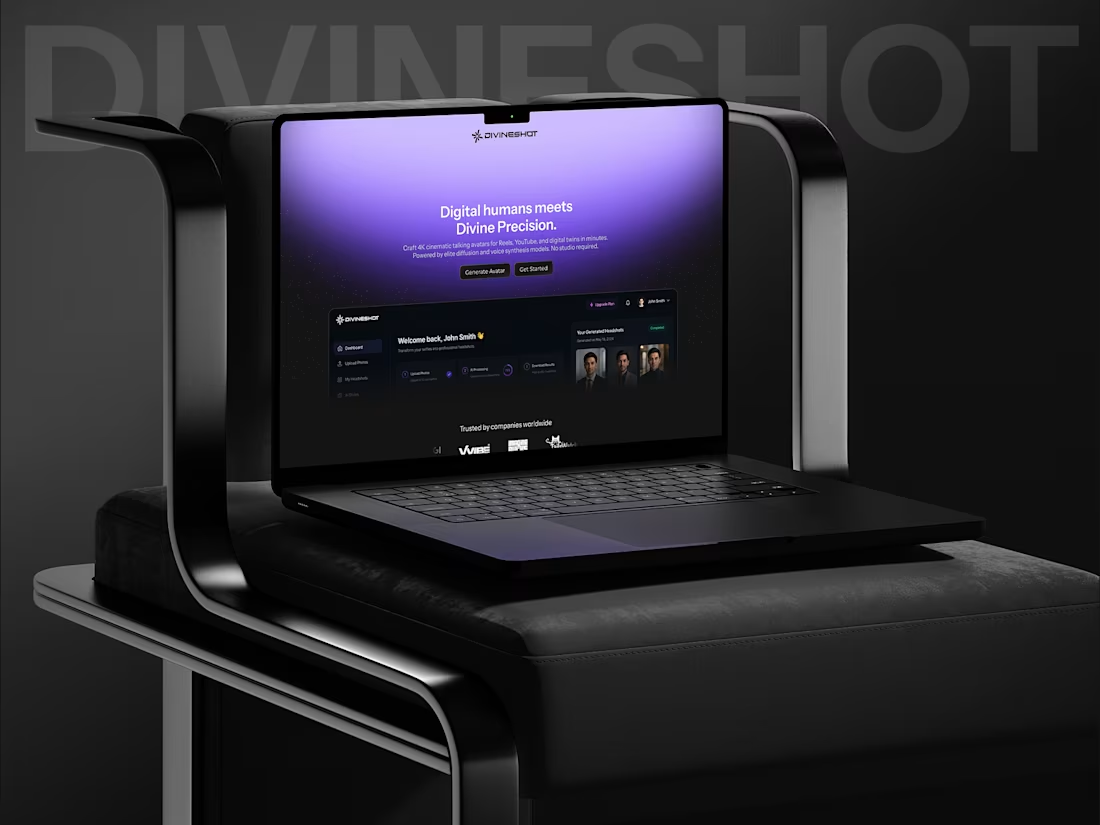
I've been working on DivineShot for a while now. It's still a work in progress, but I wanted to create a "Coming Soon" page that truly captures its vision.
To build the hero section, I used @Unicorn Studio —and I genuinely loved the experience. While I'm comfortable working with WebGL, using Unicorn Studio felt like working in After Effects: intuitive, layer-based, and incredibly easy to experiment with.
I'm honestly hooked. I've already started exploring new ideas and building more interactive experiences with it.
Huge shoutout to the Unicorn Studio team for creating such an amazing tool. ❤️ I also plan to give back to the community by creating tutorials, since there aren't many available yet. Hopefully they'll help others get started and unlock what's possible.
PRODIGI Studios' Internal Tool → Public Showcase
We love Rive for interactive animations. But recording them for portfolios and clients? Painful.
So we built our own internal Rive Player.
Not a hack. Not a screen recorder. A purpose-built web tool our designers actually use every day.
We're shipping many new features as well soon.
But first – we want your feedback.
If you work with Rive, what's one feature you wish existed?
And yes – the talking avatar in our video demo?
That came from our upcoming SaaS platform (launching soon).
It generates up to 10 minutes of continuous AI talking head content – lip-sync, natural pacing, no green screen.
Explainer videos. Course creators. Agencies who don't want to be on camera.
We'll share more very soon.
Youtube Video: https://youtu.be/FfcEoQsWMoU
Repost if you've ever struggled to record interactive animations.
I’m a little late to the party with this one, but when you’re building a living, breathing AI with a short fuse, you don’t rush the process.
Designers, we’ve all been there: The logic is flawless. The grid is perfect. Then... the feedback arrives. "Can we make it more... blue-ish?"
Inner Designer is my latest experimental project that says what you can't. Built with Figma Make, a live backend, and an AI brain that actually understands design theory, it doesn’t just design—it defends.
The Hook: It explains its choices.
The Twist: It has a breaking point.
The Result: Push it too far with bad revisions, and the UI literally melts into frustration.
It’s part tool, part therapy, and a little too real.
Here is the Live Link: Inner Designer (https://moon-morph-57934661.figma.site)