
pro
Kehinde Aro
Wix Studio designer for consumer brands


so today i woke up and said i am going to create a portfolio website for me using base44, wish me luck
0
24

Shed Fitness Branding and Web Rebrand
0
6
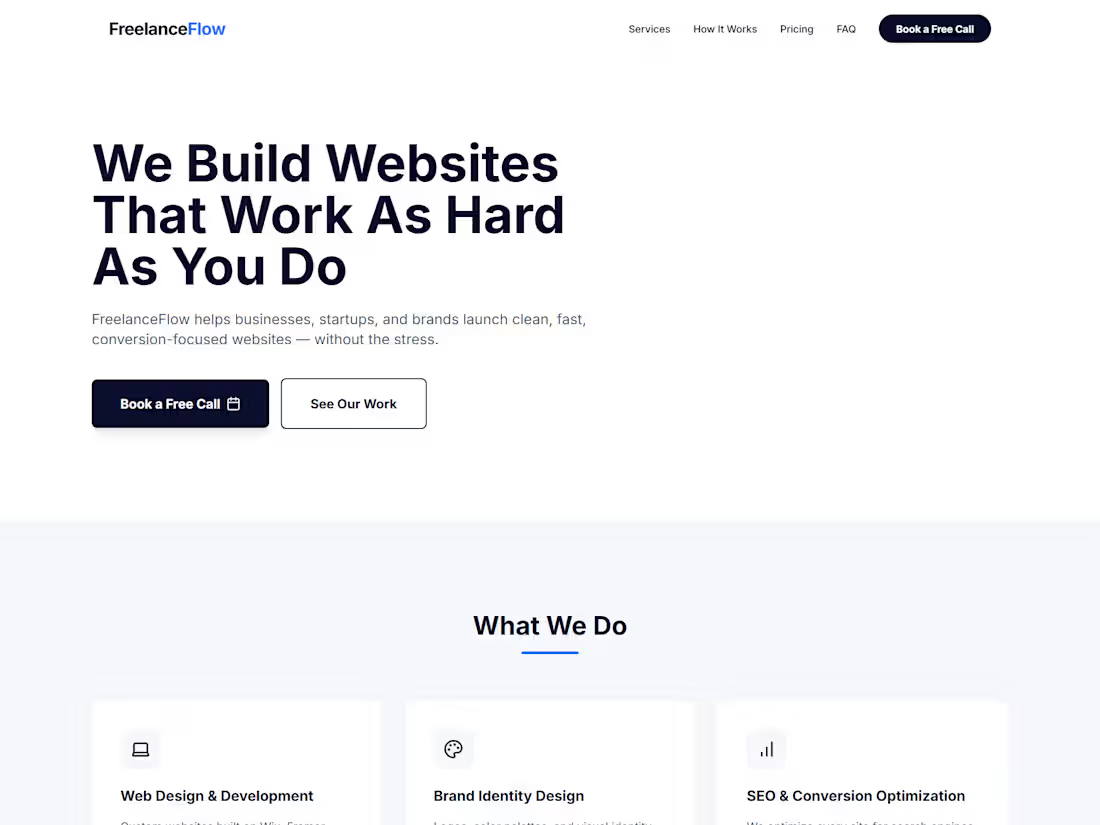
FreelanceFlow: Freelance Web Design Agency Landing Page
FreelanceFlow is a modern, conversion-focused landing page built for a fictional freelance web design agency designed and shipped entirely using Anything without writing a single line of code manually.
The brief simulated a real client scenario: a solo web designer rebranding as an agency, needing a site that communicates trust, showcases services clearly, and converts visitors into booked consultations.
The final site includes a bold hero section with a clear value proposition, a services section highlighting web design, branding, and SEO offerings, a three-step How It Works process, client testimonials with star ratings, a three-tier pricing section with a highlighted Growth plan, an accordion FAQ section, and a strong footer CTA driving visitors to book a discovery call.
The result is a clean, professional marketing site that looks and feels like a fully custom-coded product built entirely through AI-assisted development on Anything.
Built with: Anything
Focus: Landing Page Design, Conversion Optimization, AI-Assisted Development
The Challenge I Solved
The biggest challenge was getting the pricing section to display correctly across both mobile and desktop without the cards collapsing awkwardly. Anything's initial output stacked all three tiers into a single column on mobile, breaking the visual hierarchy. I resolved this by prompting Anything specifically to use a responsive grid with defined breakpoints and iterated on card spacing and typography until the layout held cleanly on all screen sizes.
My Top 3 Tips for Using Anything
Be specific with your prompts. Instead of "make a hero section," say "make a hero section with a bold H1, two-line subheadline, and a primary CTA button left-aligned on desktop and centered on mobile." Specificity reduces back-and-forth dramatically.
Build section by section. Prompting the entire page at once produces messy results. Build one section, review it, then move to the next for maximum control.
Use iteration prompts for polish. Once your layout is done, go back and prompt for fine details "add more whitespace between sections," "make the CTA button more prominent," "improve mobile typography." That's where real quality comes from.
0
160
Real Estate Law Firm Website Design
0
10