
Kaleem Mohammed
I turn unclear ideas into scalable software, end to end.


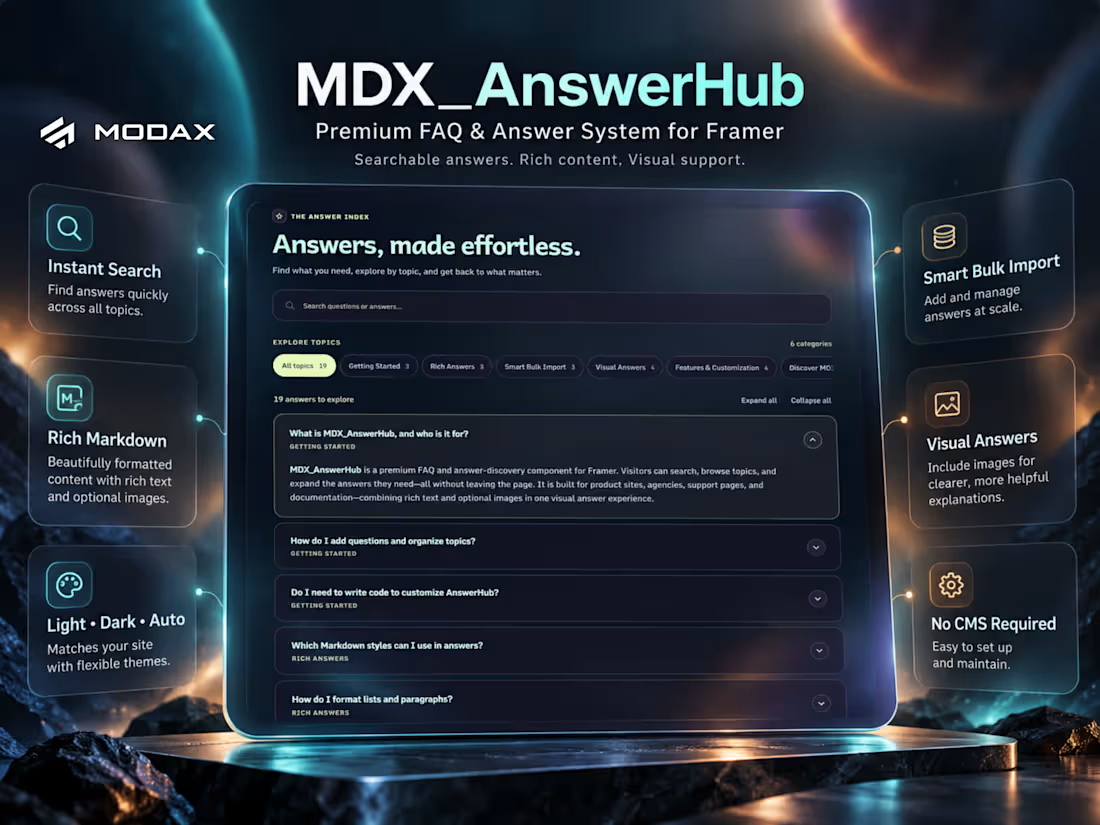
✨ Your Framer Projects Deserve Better FAQs.
Introducing MDX_AnswerHub by MODAX — a premium FAQ and knowledge-discovery component that transforms static questions into a beautifully interactive experience.
Built for designers, developers, agencies, and creators who want more than a basic accordion.
One component. Multiple possibilities.
🔎 Instant search across questions and answers
🧭 Automatic category navigation
📥 Smart bulk importing for existing content
✍️ Rich Markdown with copyable code snippets
🖼️ Image-supported visual answers
🎨 Premium glassmorphic themes
🗂️ Flexible Cards and Dividers layouts
📱 Responsive, accessible interactions
What makes AnswerHub different?
It comes with its own interactive learning experience. The default FAQs demonstrate the component's features and show you how to use them.
Explore, customize, and build your own answer experience—without connecting a CMS or writing code.
Perfect for SaaS websites, product documentation, client projects, knowledge bases, and support centers.
📚 Explore the live demo and complete documentation:
https://modax.framer.website/mdx-components/mdx-answer-hub
MDX_AnswerHub — Answers Made Effortless.
Crafted by MODAX for the Framer community.
#Framer #Contra #FramerComponents #MODAX #WebDesign
2
3
40
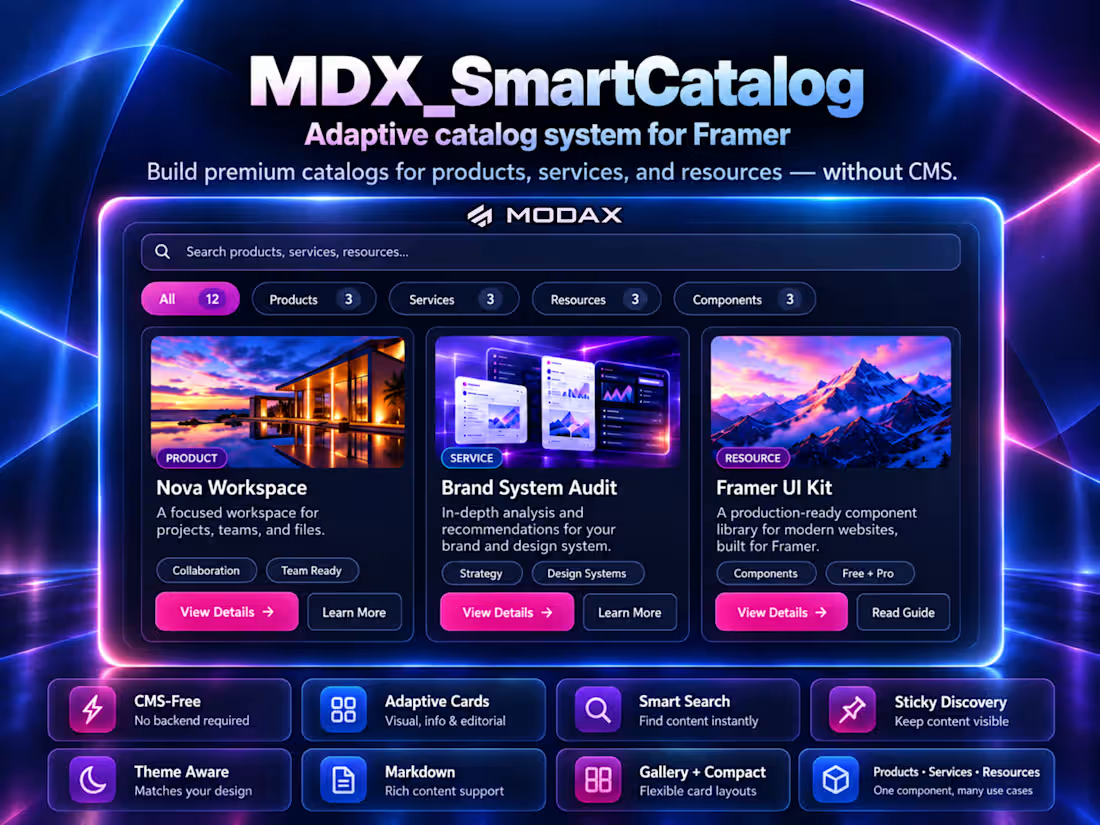
🔥 What if one Framer component could power an entire product catalog, service directory, or resource library—without CMS?
Introducing MDX_SmartCatalog, the latest premium component from MODAX, now available on the Framer Marketplace.
For Framer designers building client websites, managing collections shouldn't mean constructing complex layouts, connecting databases, or sacrificing visual quality.
MDX_SmartCatalog changes that workflow.
Instead of building separate solutions for different content types, designers get one flexible catalog engine that adapts to what they're presenting.
💎 What makes it different?
✨ CMS-Free Management — Add and manage catalog items directly inside Framer.
🧩 Adaptive Presentations — Image-focused product cards, balanced informational cards, and editorial content layouts.
🔎 Intelligent Discovery — Search across multiple content properties, filter by category, and sort results.
📌 Sticky Search & Filters — Help visitors navigate longer catalogs without scrolling back to the top.
🎨 Design Freedom — Studio, Glass, and Minimal styles, independent Light/Dark palettes, custom typography, and responsive layouts.
📝 Flexible Content — Markdown, access badges, metadata, images, and configurable CTAs.
Imagine using the same component for:
🛍️ A digital product storefront
🏢 An agency services directory
📚 A searchable resource library
🧩 A Framer component collection
💼 A curated portfolio showcase
No separate catalog systems. No CMS dependency.
Just one sophisticated, adaptable component designed to make catalog creation easier and content discovery better.
🚀 Explore the interactive demo and complete documentation:
https://modax.framer.website/mdx-components/mdx-smart-catalog
🛒 Get MDX_SmartCatalog on Framer Marketplace:
https://www.framer.com/marketplace/components/mdx-smartcatalog/
Built by MODAX. Designed for Framer.
#Framer #MadeInFramer #MODAX #FramerComponents #WebDesign #NoCode
0
5
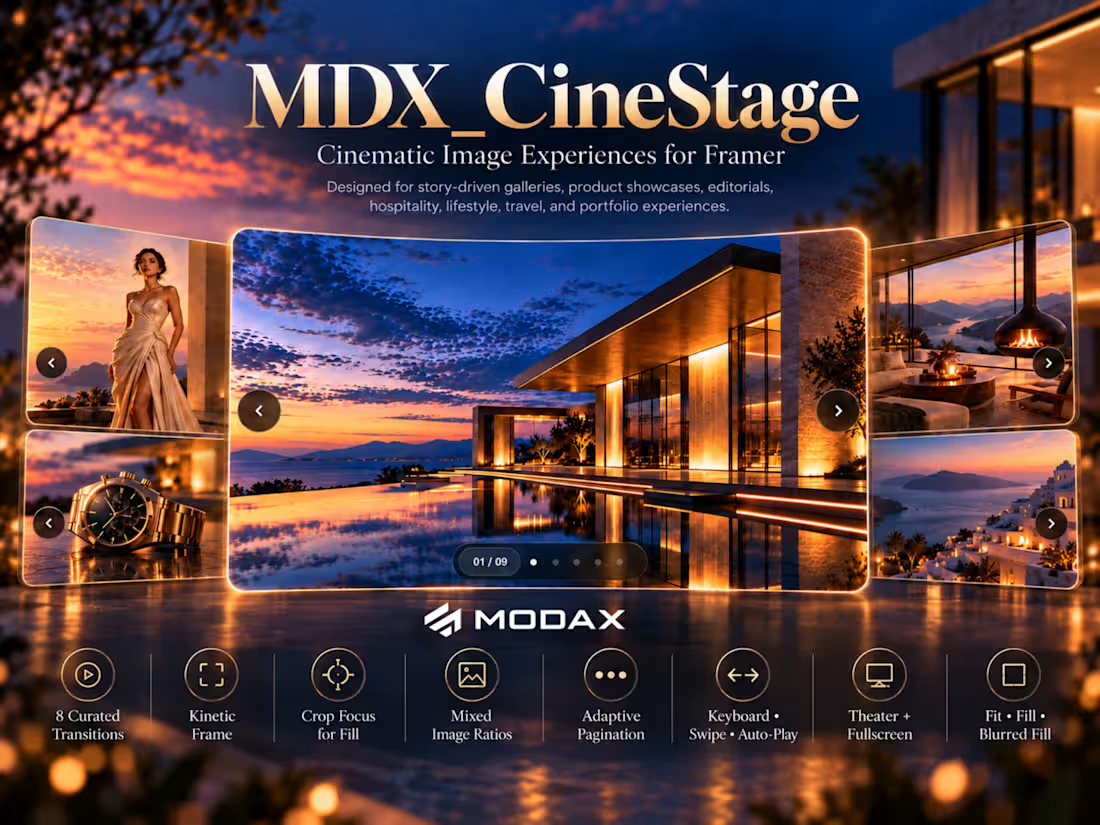
MDX_CineStage is now live on the Framer Marketplace.
A cinematic image presentation system built for portfolios, campaigns, hospitality, products, editorials, and visual storytelling.
🎬 8 curated transitions
🎯 Smart Crop Focus
🖼️ Fill, Fit + Blurred Fill
📝 Flexible info panels + RTL
🔘 Adaptive image-bound pagination
⌨️ Keyboard + swipe navigation
🖥️ Theater + native Fullscreen
⚡ Responsive, accessible, production-ready
MDX_CineStage is designed to make image sequences feel directed and immersive, rather than like a conventional carousel.
Designers choose the intent. MODAX determines the execution.
Get MDX_CineStage on Framer Marketplace:
https://www.framer.com/marketplace/components/mdx-cinestage/
🌐 Live demo + complete documentation:
https://modax.framer.website/mdx-components/mdx-cine-stage
Cinematic image experiences for Framer.
2
1
58
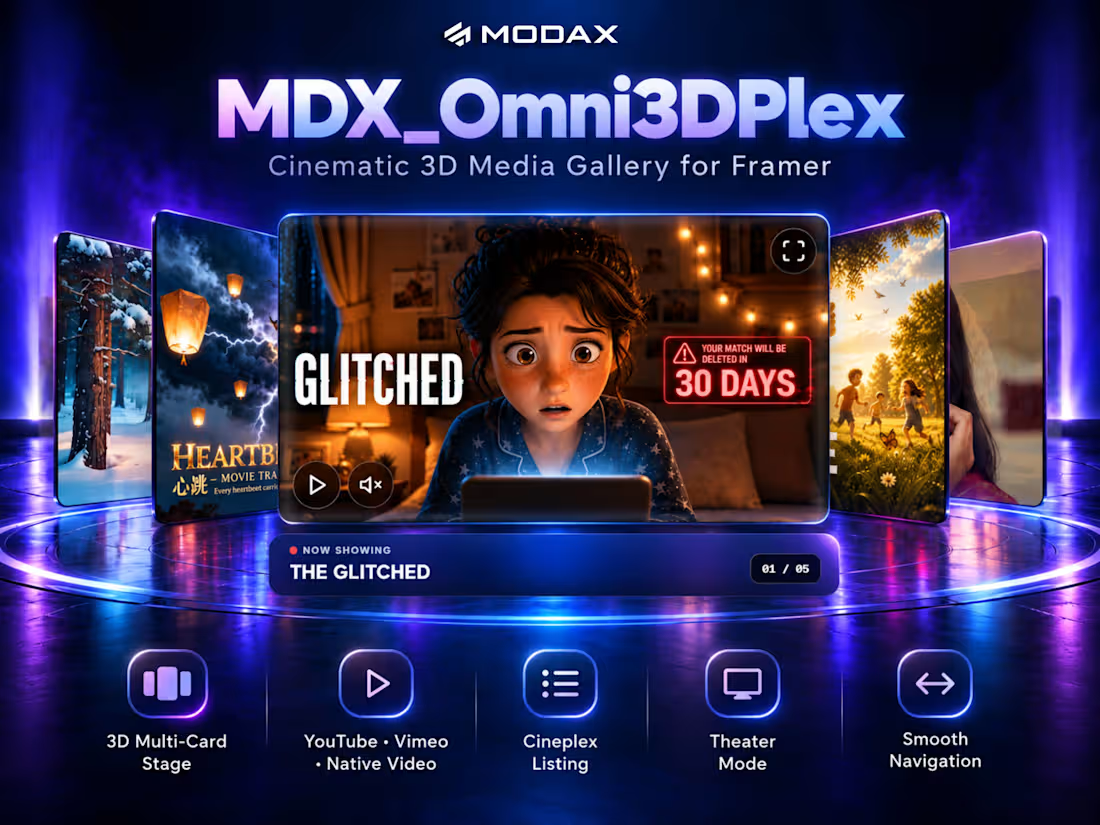
Meet MDX_Omni3DPlex — a cinematic 3D media carousel for Framer.
Showcase YouTube, Vimeo, and native video inside an immersive depth-driven stage with Theater Mode, Cineplex browsing, direct media navigation, responsive frame ratios, and keyboard/touch controls.
Built for film portfolios, product showcases, entertainment sites, and visual storytelling experiences that need more than a standard carousel.
One stage. Every screen becomes a premiere. 🎬
Now live (https://www.framer.com/marketplace/components/mdx-omni3dplex/) on the Framer Marketplace.
2
0
60