
Jyothirmayi Renjith
UX designer creating & exploring human perspectives



VEER- Elegance & Endurance
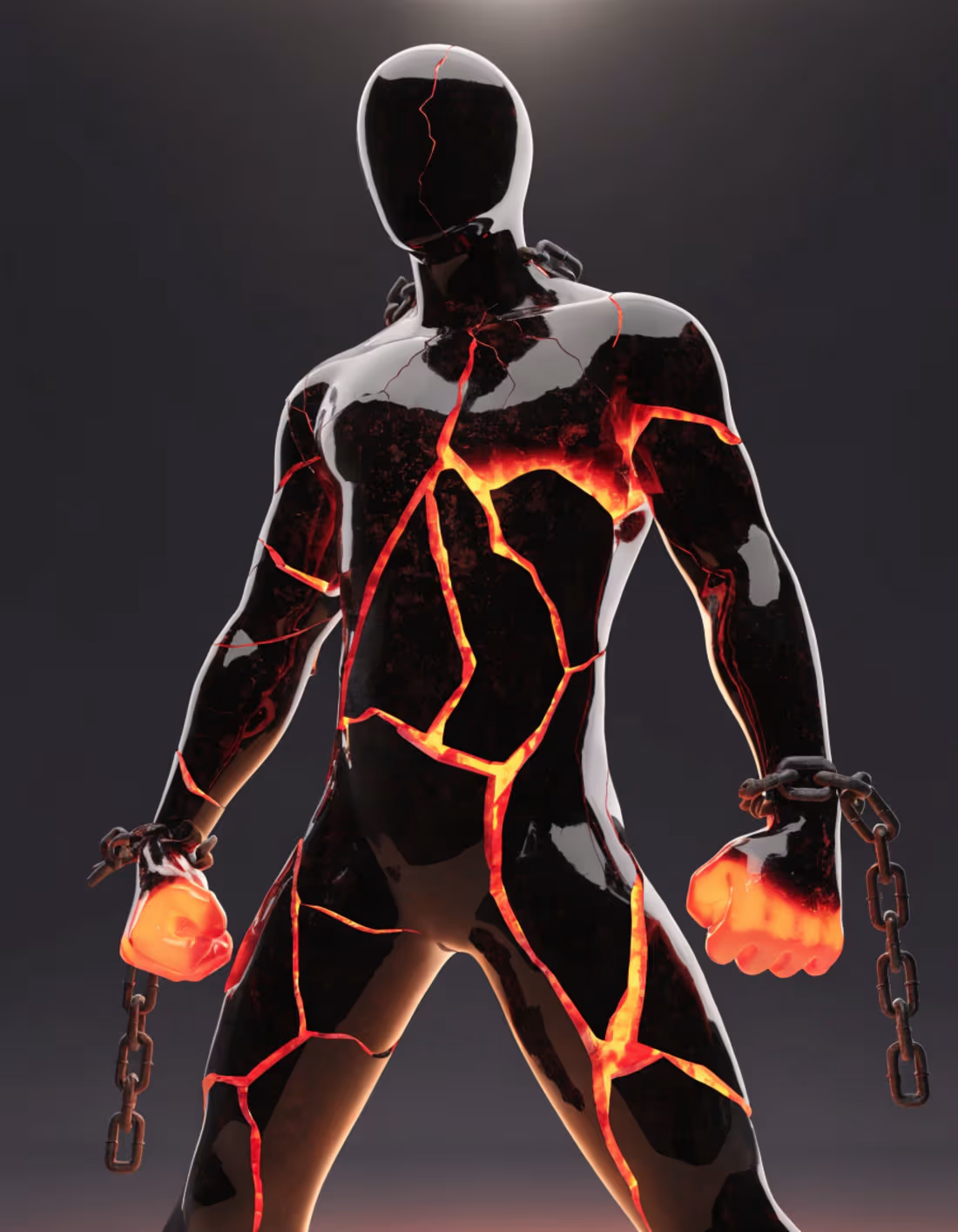
hey guys for the Recraft challenge I created a mascot- VEER for a fictional luxury brand “PELONYX” that sells watches, pendants, rings etc.
Project File Recraft-https://www.recraft.ai/project/3140f28f-8610-4088-b646-7593ca4f1047
Character Brief-
Name- VEER
meaning- Brave in Hindi
Role- Represents strength amidst adversities.
Appearance- Veer is a black glass mannequin with cracks and molten lava flowing within the cracks and held by chains.
Colors- Black, Lava Orange, Grey
Symbolism-The mascot shows perseverance and courage despite the challenges of life and strength under pressure.
The glossy black glass look represents outer shine despite hidden inner struggles.
The molten lava within represents inner struggles and challenges in life and the cracks represent the breaking points. The bright lava is used to representing both extremes in humans. The extreme weakness that can break oneself and extreme inner strength that can still keep going despite the weakness.
The broken chains represent the challenges already overcome and freedom.
The broken chains, cracks and lava also represent the silent emotional breakdowns that we all go through in life but still keep moving despite those struggles and self-doubts and never give up.
1
137
For the #configmakeathon project I created a Memory app- Mnemoria
Prototype link-https://www.figma.com/make/wpd6msMuyn30u5LpDcfU82/Memory-app---landing-page-submission-?fullscreen=1&t=UVe3xmHKD8LWFTST-1&code-node-id=0-9
Project link-https://www.figma.com/make/wpd6msMuyn30u5LpDcfU82/Memory-app---landing-page-submission-?t=EpzFnvK8wULLTTuF-1
Mnemoria is an app that helps people store precious memories and recover from past painful memories and process them through guided processes. Many people suffering from Dementia due to illness or accidents deal with memory loss or impaired memory which is daunting to deal with. The app helps them channel the current thoughts and memories and connect dots to regain the lost ones in a guided step by step manner. It's just a concept for now, needs more research and medical guidance.
Theme- the constellation of stars connecting dots like connecting memory or making neuron connections.
Tools- Figma make
Process-
1.Selected some images from unsplash that would help visualize the project.
2. Went to Figma make and created a prompt describing the concept of the app.
3. Build in default mode first, then enhanced the mouse hover interaction of glowing dots through Claud sonnet 4.6.
4. Added memory vaults section
5. Created a quiz page to add a memory by clicking CTA
6. Created a profiles section page by describing to create an icon button first in the nav bar then to navigate on click.
6. There is a lot of trial and error in the beginning and in between, I duplicated the files multiple times when I felt I got the right effects and design before the next addition just in case. It creates slight variations even with the same prompt, so may not get the exact same design in the duplicated file. I used default mode for simple iterations and Claude sonnet for rest. Once a good enough interaction animation was achieved felt easier to edit using prompt than manual edits, manual edit slightly interfere with mouse interaction effects.
0
92
Grimoire- The Haunted Library
Created a landing page with parallax scroll animation in Google Stitch using Gemini. Created for the google stitch challenge.
Grimoire is a haunted book reading app that features spooky ghost stories.
Explained the idea and created code in Gemini, pasted the code on to stitch and the developed further using AI prompts in Stitch.
0
77
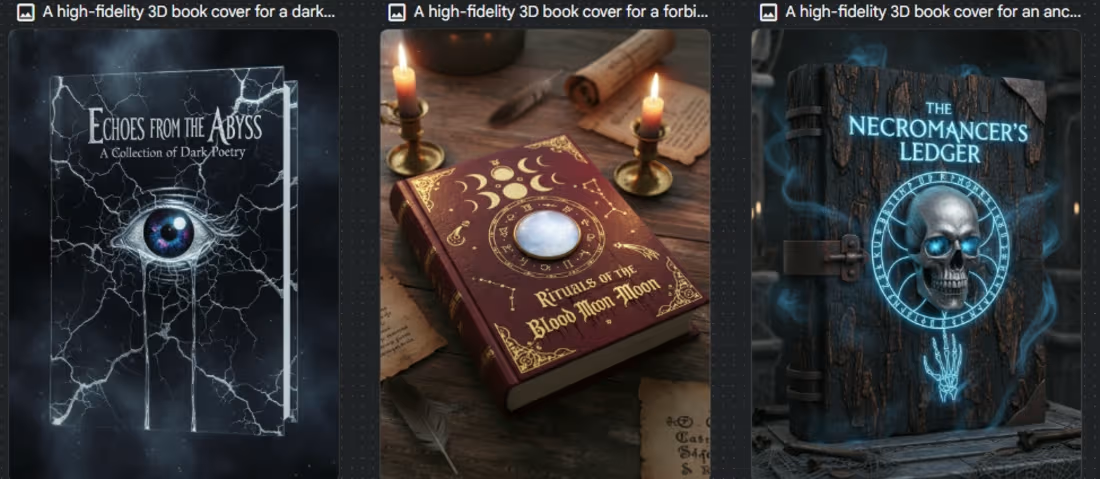
Hey Guys, I created GRIMOIRE- a book reading app, I am new to animations and motion interactions, pls excuse the mistakes I am just learning, kindly scroll a lot farther after the animation to view the entire webpage.
Prototype link- https://stitch.withgoogle.com/preview/6887462519087050443?node-id=56b1335bae174601b52a1bc30a6d866d
Project link-https://stitch.withgoogle.com/projects/6887462519087050443
About Grimoire-
Its a spooky book reading app for horror and fiction, with a Halloween theme.
Process-
I have created the landing page with some parallax scroll animation, I used Gemini to create a code for the animation and most of the images.
I used Figma to edit some of the images
I explained the idea to the google Gemini and it gave a code to be pasted in the stitch.
Feedback
-Loved- the interactions created and the content and the images, worked Greate with a a proper code.
had trouble- editing the image and editing in general, it became stuck after some time, may be because of animations or heavy images. Had a hard time reducing the gap between the animation and the sections below and adding some elements. I had a fun time with the challenge overall. It took a few trials. Thankyou
1
2
209