
J Hanafi
Website Designer | Google Workspace Automation | AI Solution
- 15
- Followers


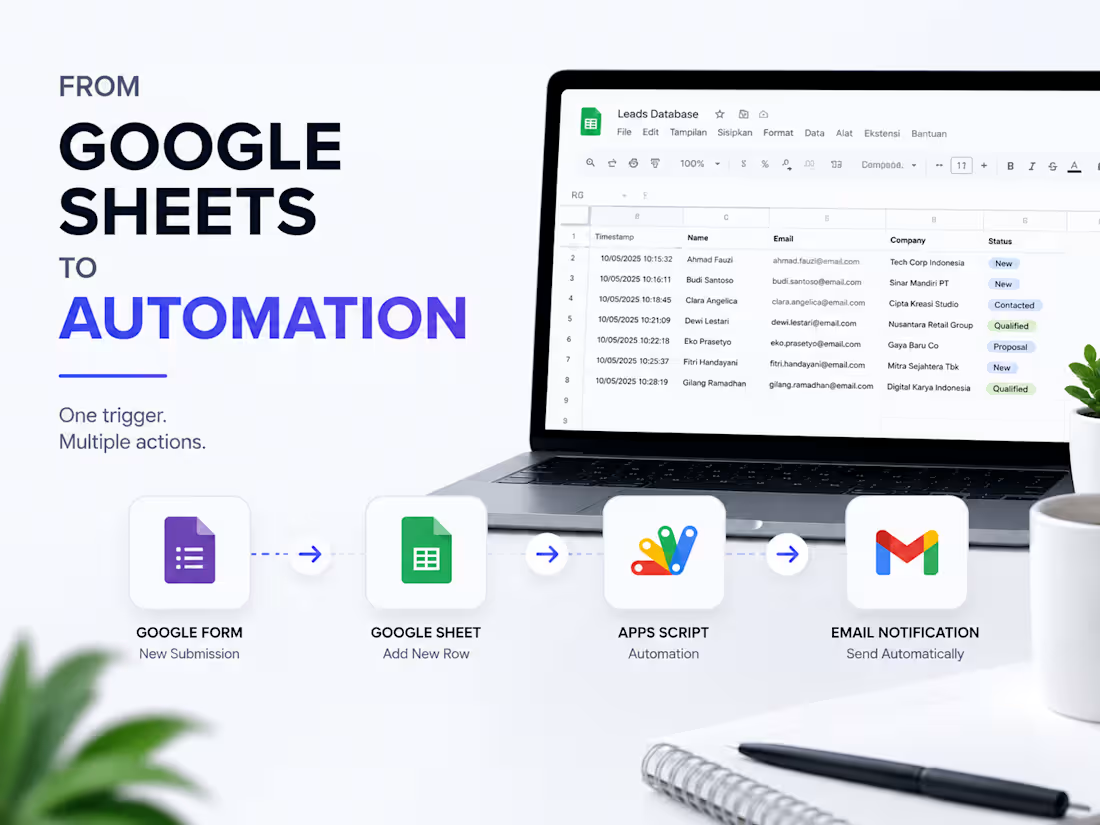
This tiny Apps Script can turn a Google Sheet into an automated notification system.
One of the simplest automations I use:
Google Form
↓
Google Sheet
↓
Apps Script
↓
Automatic email notification
Instead of checking the spreadsheet manually every time a new lead comes in, the workflow can trigger an email automatically.
The interesting part?
You don't need to build a complicated SaaS to automate a repetitive task.
Sometimes, a few lines of Apps Script are enough.
I use this approach as a foundation for larger Google Workspace automation systems.
What repetitive task would you automate first with Google Sheets?
0
137
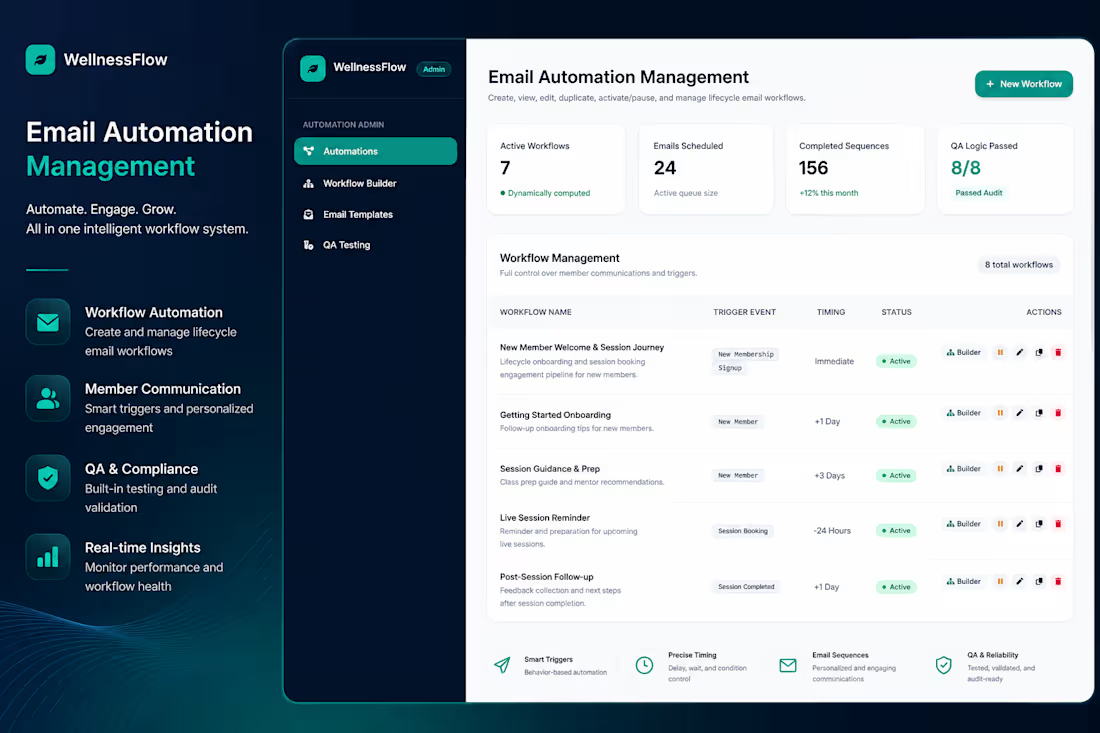
WellnessFlow — Email Automation & Workflow Management System
0
83
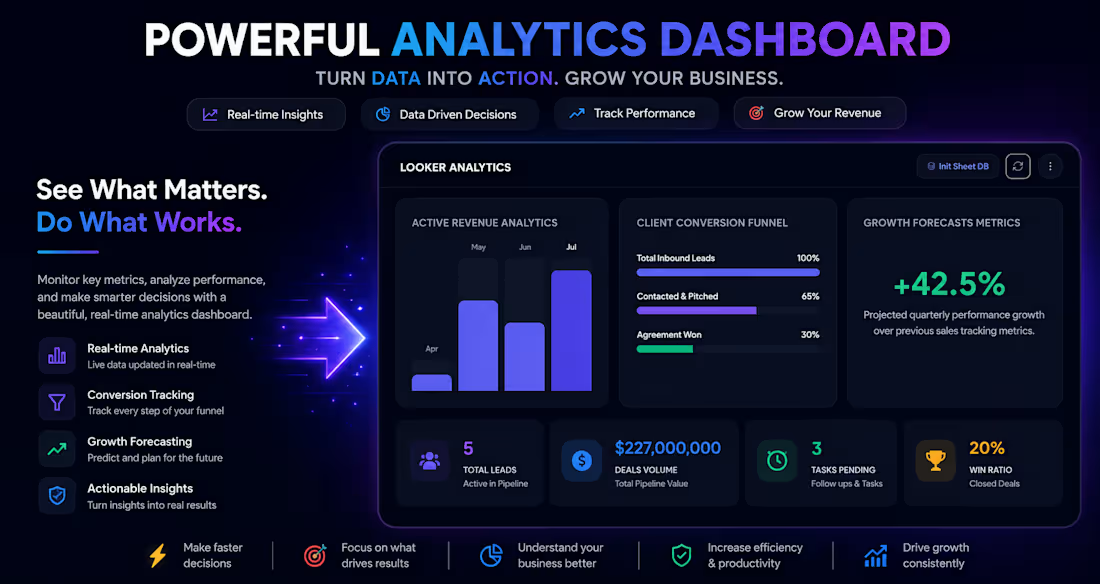
From Spreadsheet Chaos to Automated CRM System.
Most businesses don't need more tools. They need better workflows.
Many small businesses still manage customer data manually:
❌ Leads scattered across multiple spreadsheets
❌ Follow-ups forgotten
❌ No clear sales pipeline
❌ Customer history difficult to track
This is where automation can help.
I built a lightweight CRM system using Google Workspace + Google Apps Script that helps businesses:
✅ Capture and organize leads automatically
✅ Track customer progress through sales stages
✅ Create follow-up reminders
✅ Generate reports and insights
✅ Keep everything connected inside their existing workspace
The goal is simple:
Transform repetitive manual processes into a smarter business system.
No complicated software.
No unnecessary subscriptions.
Just a workflow designed around how your business actually works.
Building practical automation systems for businesses using Google Workspace.
What process in your business takes too much manual work?
0
148
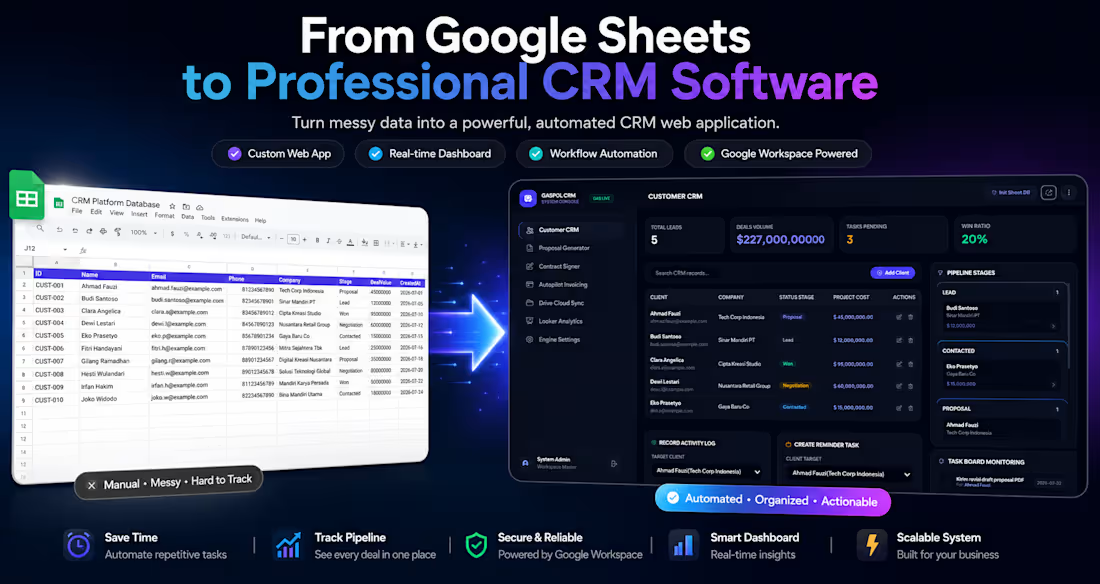
🚀 From Google Sheets to a Professional CRM System
Many businesses start by managing customers with Google Sheets.
At first, it's simple.
As the business grows, however, spreadsheets become harder to maintain.
🔴 Customer information is scattered.
🔴 Sales opportunities are difficult to track.
🔴 Follow-ups are often forgotten.
🔴 Team members work with outdated data.
🔴 Reporting takes hours instead of seconds.
Google Sheets is an excellent foundation—but when combined with Google Apps Script and Google Workspace, it can evolve into a complete business application.
Instead of replacing your existing workflow, automation enhances it.
✨ Customer records are organized in one place.
📊 Interactive dashboards provide real-time business insights.
🎯 Sales pipelines clearly show every opportunity from lead to closed deal.
📧 Automated email notifications reduce manual follow-ups.
📄 Documents and reports can be generated automatically.
🔗 Everything stays connected inside the Google Workspace ecosystem.
The objective isn't simply to build another CRM.
It's to create a workflow that helps businesses save time, reduce repetitive work, and make better decisions with accurate data.
Every automated process means less time spent on administration—and more time focused on growing the business.
How are you currently managing your customer pipeline—spreadsheets, CRM software, or a combination of both?
1
267