
Inemesit Thompson
Airtable Expert | Zapier | Make | Monday | n8n | GHL
New to Contra
Inemesit is building their profile!
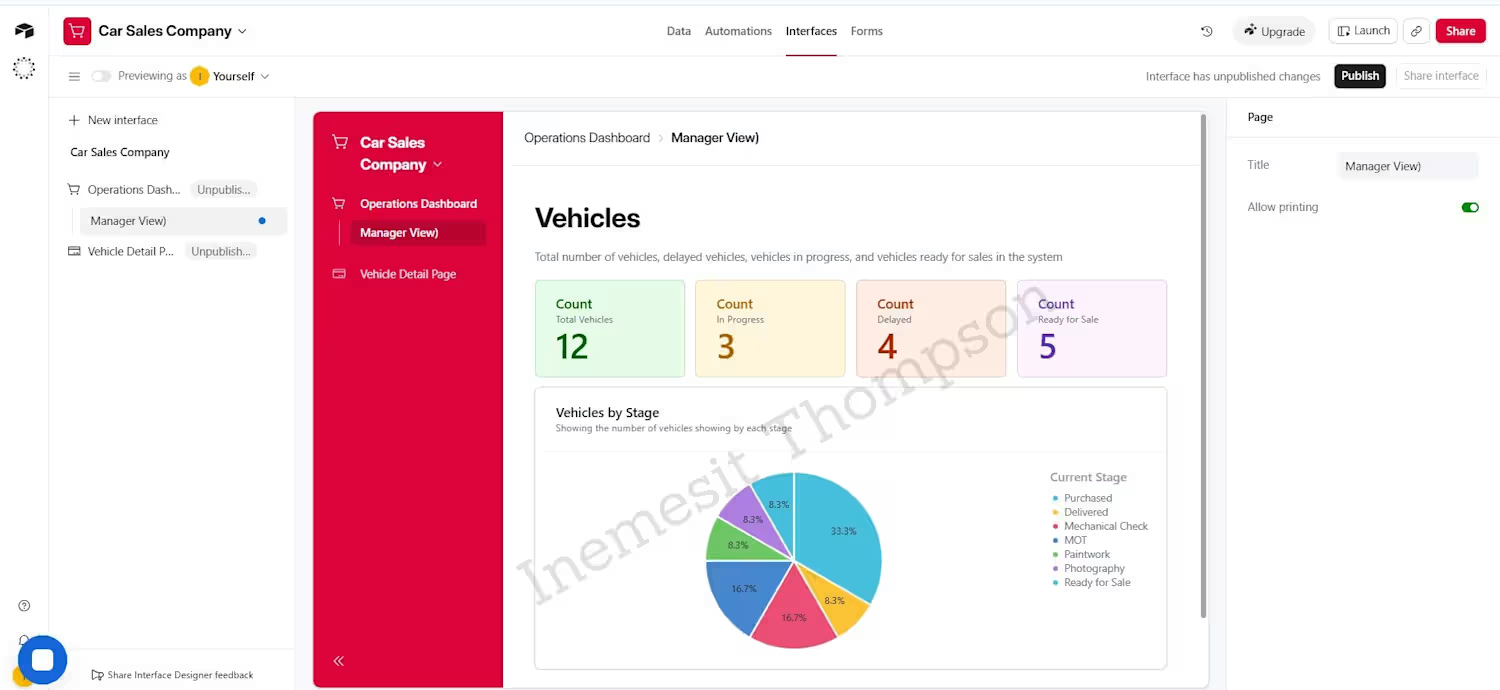
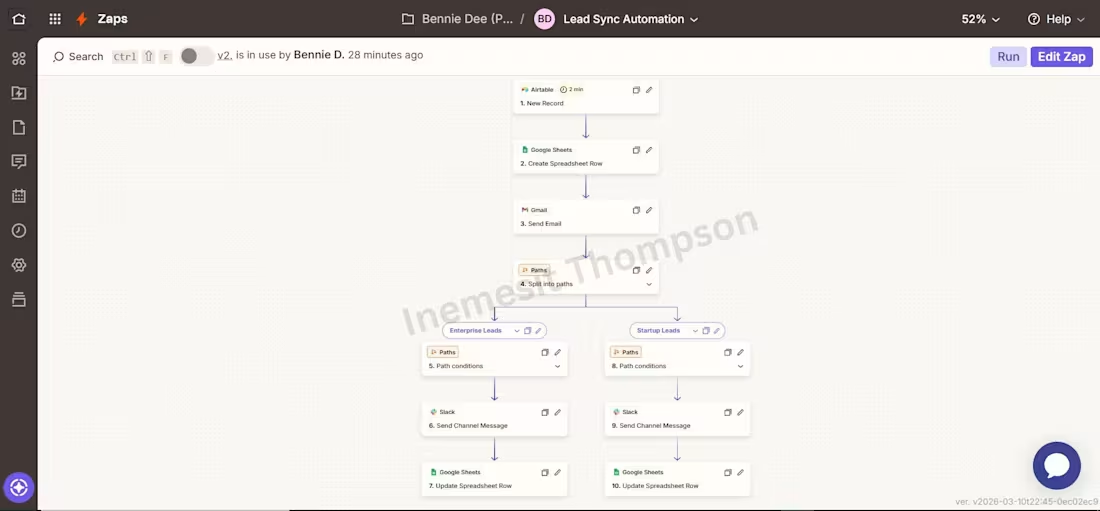
I built this lead sync automation to capture, organize, and route leads without manual follow-up.
Here’s how it works:
When a new lead is added in Airtable, the system automatically creates a record in Google Sheets to keep everything centralized.
Next, a confirmation or notification email is sent through Gmail.
After that, the workflow splits into two paths based on the type of lead:
• Enterprise Leads
• Startup Leads
Each lead is automatically categorized using set conditions.
Depending on the category:
• A Slack message is sent to the right team/channel for immediate attention
• The lead record in Google Sheets is updated with the latest status
This ensures every lead is properly tracked, routed, and followed up on without confusion or delays.
0
8
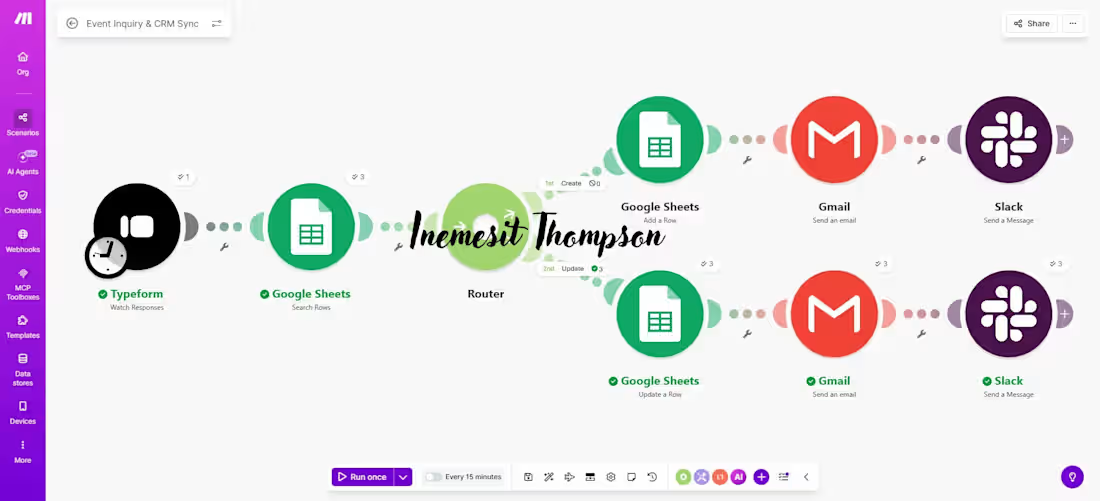
I built this automated workflow to handle event inquiries and CRM updates without manual work.
Here’s how it works:
When a client submits a form through Typeform, the system automatically checks Google Sheets to see if the contact already exists.
If it’s a new inquiry, a new record is created.
If the contact already exists, the system updates the existing information instead of creating duplicates.
After that, two things happen instantly:
• An email is sent via Gmail for confirmation or follow-up
• A Slack notification is sent to the team, so no inquiry is missed
This workflow helps businesses stay organized, respond faster, and keep their data clean, all automatically.
0
16
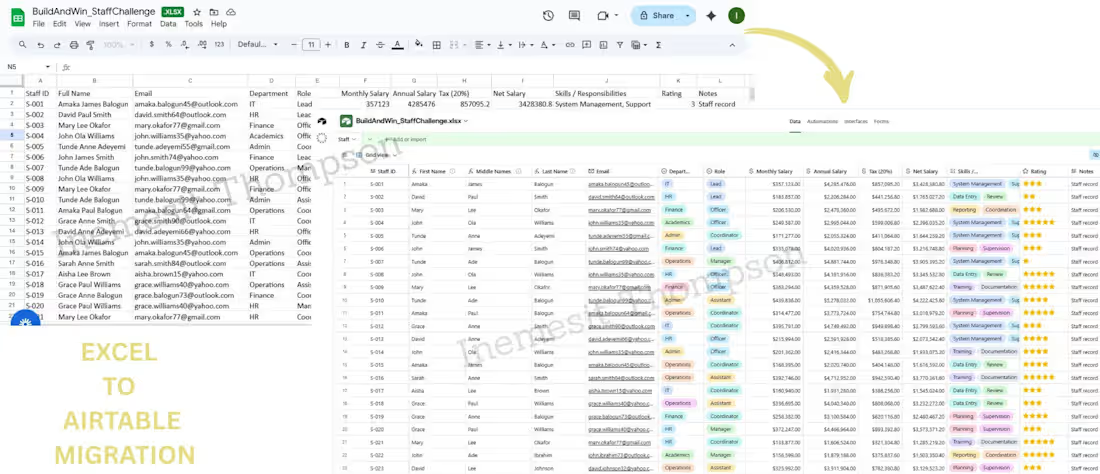
I helped a client transform a messy staff spreadsheet in Excel into a clean, structured Airtable system. The original file had inconsistent formatting, mixed data fields, duplicate entries, and no clear structure for filtering or reporting. I reviewed and cleaned the dataset, separated and combined fields, standardized departments and roles, corrected salary calculations, and rebuilt everything into an organized table. The result is a filter-ready, easy-to-manage Airtable base designed for accurate tracking, clear visibility, reporting, and future automation.
0
22
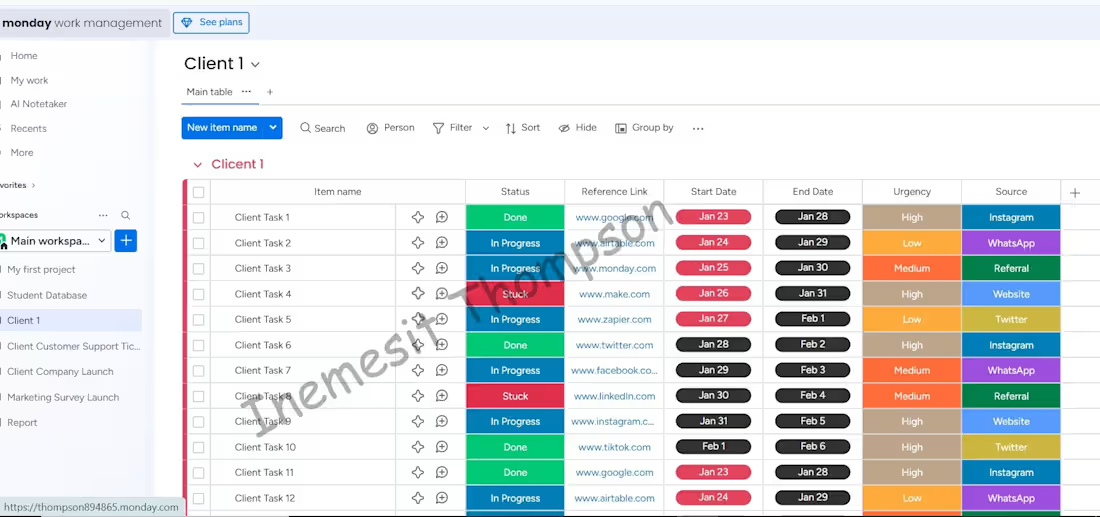
I helped a client move their existing workflow from Google Sheets into Monday.com (http://Monday.com) to make task tracking and daily operations more organized and visible.
The process included reviewing the spreadsheet, correctly mapping each column to a Monday.com (http://Monday.com) board, setting up statuses, timelines, and owner fields, and transferring all data accurately without errors or duplicates.
This setup allowed the client to manage tasks in one place, reduce manual follow-ups, and work more efficiently using Monday.com (http://Monday.com) every day.
0
16