
Ikechukwu Ezekiel
A creative mind building creative solutions
New to Contra
Ikechukwu is ready for their next project!
There's a moment every designer knows before the colors, before the components, before the polish where you're just trying to figure out how the thing should work.
That's the wireframe stage. And AI has been skipping it entirely.
Tools like Google Stitch can generate a beautiful screen in seconds. What they can't give you is the thinking behind it the structure, the flow, the layout logic that makes a product actually make sense.
WiFrame is built for that gap.
WiFrame is an AI-powered wireframe generation platform that turns raw product ideas into editable, low-fidelity wireframes for web and mobile directly on a Figma-parity canvas.
Describe your idea via text, voice, or a hand-drawn sketch. WiFrame handles the rest.
Not flattened images. Not locked mockups. Real editable frames, shapes, text layers, and structured components you can actually work with.
What makes it different
Grounded in real design patterns
Before generating anything, WeFrame pulls inspiration from Mobbin, Dribbble, Behance, and Awwwards the same references designers actually use. The output reflects real UX patterns, not generic templates.
Thinks in flows, not just screens
Ask for sticky navbars, hamburger menus, sidebar layouts, dashboard structures, or multi-screen onboarding and the entire system adapts. WeFrame understands how screens relate to each other, not just what goes on one.
Bring Your Own AI
Connect OpenAI, Claude, Gemini, or your own custom API. Use your own credits, pick your preferred model, and generate without platform restrictions. WeFrame becomes your AI-powered creative workspace not another tool with a paywall.
Fully editable canvas
Every element is real and modifiable. Rearrange layouts, swap components, edit copy, customize sections — all inside the canvas. A wireframe you can't edit isn't a wireframe.
Ships straight to Figma
Export directly into Figma via structured FigSpec JSON or native plugin. Layers, naming, and hierarchy stay intact. No rebuilding. No friction.
Sketch-to-wireframe
Upload a napkin sketch, a brief doc, or rough notes. WiFrame reads them as creative direction and translates them into a structured wireframe system.
Built end-to-end for the Contra × Figma #ConfigMakeathon.
The prototype doesn't yet show the full vision — AI credit limits during development meant some features couldn't be fully realized — but the problem space, workflow, and foundation are very real.
WiFrame is built for the future of product ideation: where inspiration, wireframing, and AI generation live in one seamless flow.
Idea → interface → product. Faster than ever.
WiFrame — Design Begins Here
🔗 Live demo: [Figma.site (https://web-clay-08437954.figma.site) link]
📁 Figma Community File: [Community file link (https://www.figma.com/community/file/1647821998902024713)]
#ConfigMakeathon #FigmaMake #Wireframing #AIDesign #UXDesign #ProductDesign #UIDesign
@Figma (https://contra.com/company/figma) @Contra (https://contra.com/company/contra) @Contra HQ (https://contra.com/contra)
5
5
243
What is the most honest way to advertise a tool like Melius? It is to build an ad for Melius with Melius!
Project Title: "Brief it once. Ship it all." — A Melius Campaign, Made in Melius
Project Link: https://app.melius.com/projects/edcfe6dc-653f-405a-ab81-87a63881c29e/canvas/0e0d5832-eb1c-4170-9ad4-ff7bb526aba0
Description: This is a self-referential ad campaign for Melius, built entirely inside a single Melius canvas. The concept is simple and provable: the tool is advertising itself using its own capabilities. Every asset in this campaign — the hero video, the social cut, the static image, the ad copy variations, the tagline set, and the background score — was generated by the very product being advertised. The campaign tells a cinematic story called "The Gap" — the universal creative experience of having a vivid vision in your head that never quite survives the journey through fragmented tools, revision cycles, and execution bottlenecks. The film follows a young creative across time, showing every moment the gap between her imagination and her output won. Until one afternoon, she opens Melius. And for the first time, what ships looks exactly like what she imagined.
Process: How "Brief it once. Ship it all." Was Built Step 1 — Concept development (1 hour) The brief started with a question: what is the most honest way to advertise a tool like Melius? The answer was to make the product its own proof. A self-referential campaign — built entirely inside the canvas — became the concept. The creative direction was shaped around a cinematic narrative called "The Gap": the universal feeling every creative knows of having a vision that never quite survives execution. Melius is the first tool that closes that gap. Step 2 — Writing the master campaign brief (30 minutes) Before touching the canvas, a full master brief was written covering: what Melius is, who it is for, the creative concept and tone, the emotional arc of the film, and detailed asset specifications for all six output types. This brief became the root node — the single source of truth the entire canvas branched from. The quality of this brief was the most important single decision in the entire project. Step 3 — Building the canvas structure (30 minutes) The canvas was architected before any generation was run. One root node: CAMPAIGN BRIEF. Six child nodes branching out in parallel: Video Agent (Wan 2.7), Image Agent (GPT Image 2), Audio Agent (ElevenLabs), Copy Agent, Social Cut Agent, and Tagline Agent. Each node was labeled, color-coded by asset type, and given its specific sub-brief before activation. The structure was designed so the canvas screenshot itself would tell the story of how the campaign was built. Step 4 — Running the agents and generating assets (2–3 hours) With the structure in place, all six agent flows were activated simultaneously. Wan 2.7 was used for the hero video and the 15-second social cut. GPT Image 2 was used for the hero static image. ElevenLabs was used to generate the background score — two full tracks built to match the film's emotional arc, plus a single bridging piano note to connect them. A fragmented solo piano track scored Act 1, and a minimal dark electronic build scored Acts 2 and 3. Text generation nodes handled the copy variations and tagline set. The agents ran in parallel — the canvas was genuinely alive with simultaneous output generation across every asset type. Step 5 — Human-in-the-loop refinement (1 hour) This was not a hands-off generation. After each node produced its first output, creative direction was applied throughout. The image node required one key prompt adjustment — changing the word "modern" to "intimate" — which produced the correct emotional register on the second pass. The Wan 2.7 video node required two full generation passes to get the pacing right in the chaos section of Act 1. The ElevenLabs audio generation required separate prompts for each track — the Act 1 piano and the Act 2 electronic build were generated independently, each refined through prompt iteration, then layered in the edit with the bridging note placed at the 1-second silence between them. The copy node required light editing on the provocative Version C to sharpen the final line. Every intervention was minimal and intentional — the goal was to steer, not override. Step 6 — Canvas cleanup and screenshot (15 minutes) Before capturing the final canvas screenshot, all nodes were tidied — even spacing, clean labels, no overlapping outputs. The canvas layout was treated as a designed artifact in its own right because it forms part of the submission and communicates the workflow story visually. A viewer looking at the canvas screenshot alone should be able to understand exactly how the campaign was built. Step 7 — Assembly and submission (30 minutes) Final assets were compiled: hero video, social cut, static image, audio tracks, copy variations, and tagline set. The Loom walkthrough was recorded — canvas first, then outputs, then process narration. Submission package prepared. Total time: one afternoon. That was the point.
Experience Feedback What worked exceptionally well: The parallel agent architecture is the feature that changes everything. The ability to fire six agent flows simultaneously from a single brief — and watch all of them build at once — is genuinely unlike anything else available right now. Every other tool I have used works sequentially: finish one thing, then start the next. Melius thinks in systems. For a creative workflow that naturally involves multiple asset types — video, image, audio, copy — that parallel structure is not just faster. It changes how you think about the brief itself. You stop thinking in deliverables and start thinking in campaigns. The model combination available inside the canvas is exactly right for this kind of work. Wan 2.7 handled the cinematic video generation with enough fidelity to sell a narrative — the chaos-to-clarity arc of the film required motion that felt intentional, not random, and it delivered. GPT Image 2 produced the hero static on the second prompt pass with a level of compositional control that would have taken hours in a traditional image workflow. ElevenLabs was the right call for audio — the ability to prompt for emotional texture and scoring arc rather than just genre or tempo made it possible to build a score that actually serves the story rather than just filling silence. The human-in-the-loop editing was more intuitive than expected. Stepping into a node mid-generation to adjust a single word in a prompt and watching the output shift immediately felt like a real creative conversation rather than a prompt-and-pray cycle. That is what Melius is actually selling — not automation, but creative control at a scale you could not previously access alone. What could be improved: Node organisation on complex canvases needs more structure. When six or more parallel flows are running with sub-nodes, navigating the canvas becomes harder without a clearer visual hierarchy. A simple grouping or folder feature for node clusters would significantly improve readability on large projects without adding friction to smaller ones. Audio node integration could go deeper. ElevenLabs worked well as a generation tool, but the handoff between the audio node output and the video assembly still required manual steps outside the canvas. A native audio-to-timeline connection — where generated tracks can be previewed against video outputs inside the canvas — would close the last meaningful gap in the all-in-one workflow promise. Video iteration speed remains the current ceiling. Wan 2.7 produces strong results but multiple generation passes take time. For a same-day delivery project, deliberate choices had to be made about which nodes to re-run and which to accept on the first pass. More fine-grained prompt controls inside the video node — rather than requiring a full regeneration — would speed the refinement loop considerably without increasing credit cost. Overall: Melius is the first tool that has made me feel like a one-person creative studio rather than a one-person creative bottleneck. The gap between what I can imagine and what I can actually ship has always been a resource problem — time, budget, team. Melius does not eliminate that gap. It makes it irrelevant. That is not a small thing.
1
100
Spoken — Design at the Speed of Conversation
Design tools have always spoken the language of interfaces — menus, panels, dropdowns. Spoken flips that. It speaks your language.
Built entirely in @Figma Make, Spoken turns voice into a first-class design input. Say "create a landing page" and it appears. Say "make it bold and cinematic" and it transforms. No menus, no hunting just intent to output, instantly.
Figma Make gave us the canvas. We used it to remove the barrier between having an idea and seeing it exist. Now anyone can describe what they imagine and watch it materialize; design becomes a cultural tool accessible to every voice.
Try it yourself: https://half-dried-14132219.figma.site
(https://half-dried-14132219.figma.site/)X: https://shorturl.fm/70gwl
LinkedIn: https://shorturl.fm/byooC
FCom https://shorturl.fm/ZC5dW
7
290
So I made a creative director where you could have conversations with AI about your video and Picture idea, it creates and modifies you idea and then creates for you a video or photo ad.
I used @Google USA AI APIs like Veo, Nano Banana and gemini flash for development.
0
92
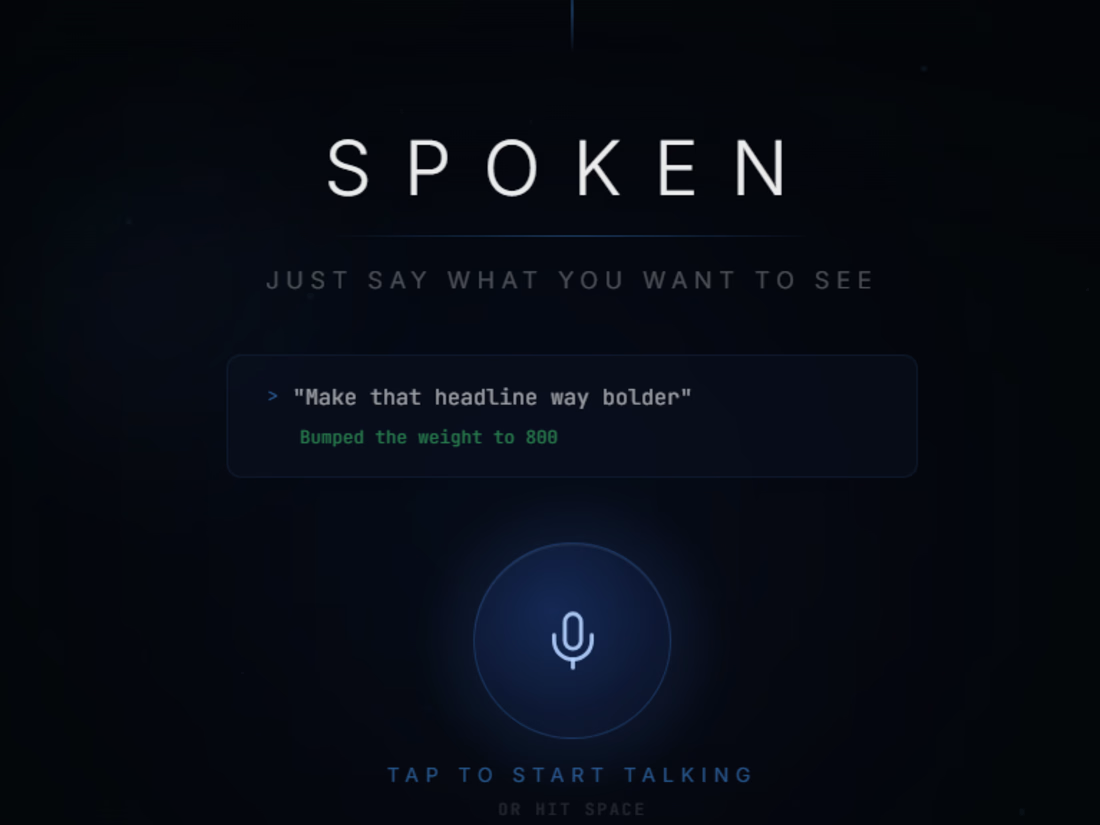
Spoken - Design at the Speed of Conversation
Design tools have always spoken the language of interfaces, menus, panels, dropdowns. Spoken flips that. It speaks your language.
Built entirely in @Figma (https://contra.com/company/figma) Make, Spoken turns voice into a first-class design input. Say "create a landing page" and it appears. Say "make it bold and cinematic" and it transforms. No menus, no hunting just intent to output, instantly.
Figma Make gave us the canvas. We used it to remove the barrier between having an idea and seeing it exist. Now anyone can describe what they imagine and watch it materialize; design becomes a cultural tool accessible to every voice.
Try it yourself: https://half-dried-14132219.figma.site (https://half-dried-14132219.figma.site/)X: https://shorturl.fm/70gwl LinkedIn: https://shorturl.fm/byooC
1
1
148
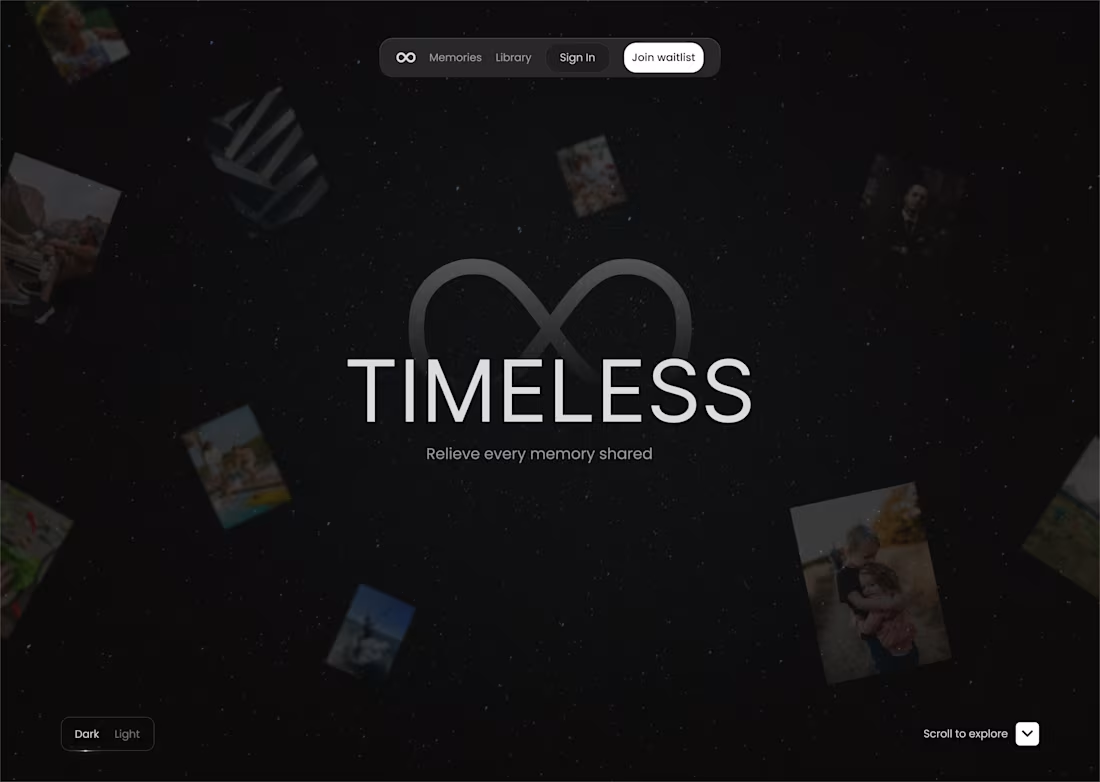
A design for an app that helps you re live and experience every moment in the past as if you are presently there.
0
76

Just a creative graphics design for a design gig that illustrates the app as the perfect partner for your logistics.
0
70