
Gayathri Tk
I can turn any raw data into a clean,analysis-ready workbook
New to Contra
Gayathri is building their profile!

Overview
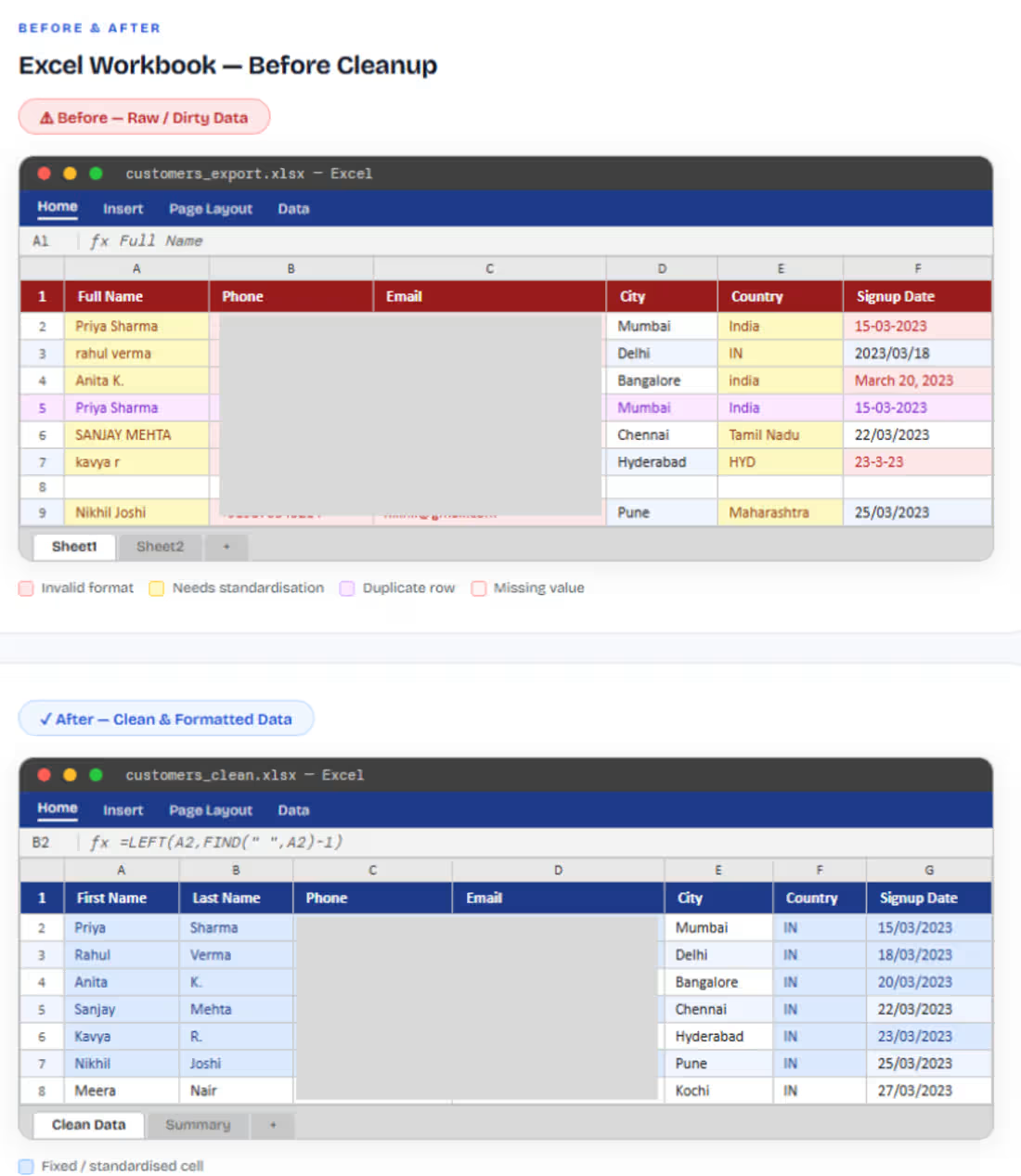
A CRM export of 1,840 customer records with full names merged in one column, phone numbers in inconsistent formats, email addresses with trailing spaces and wrong cases. The data was unusable for mail merge, segmentation, or any automated outreach without a full cleanup pass.
Goal
1.Split "Full Name" into separate First Name and Last Name columns
2.Standardise all phone numbers to requested format
3.Clean email addresses, trim spaces, fix capitalisation, remove invalid entries
4.Apply table formatting, filters, and freeze panes for easy browsing
What I Did
1.Split Full Name into First Name & Last Name columns
2.Standardised all phone numbers to requested format
3.Cleaned email addresses, trimmed spaces & fixed casing
4.Unified date formats and applied table styling & filters
0
6
Overview
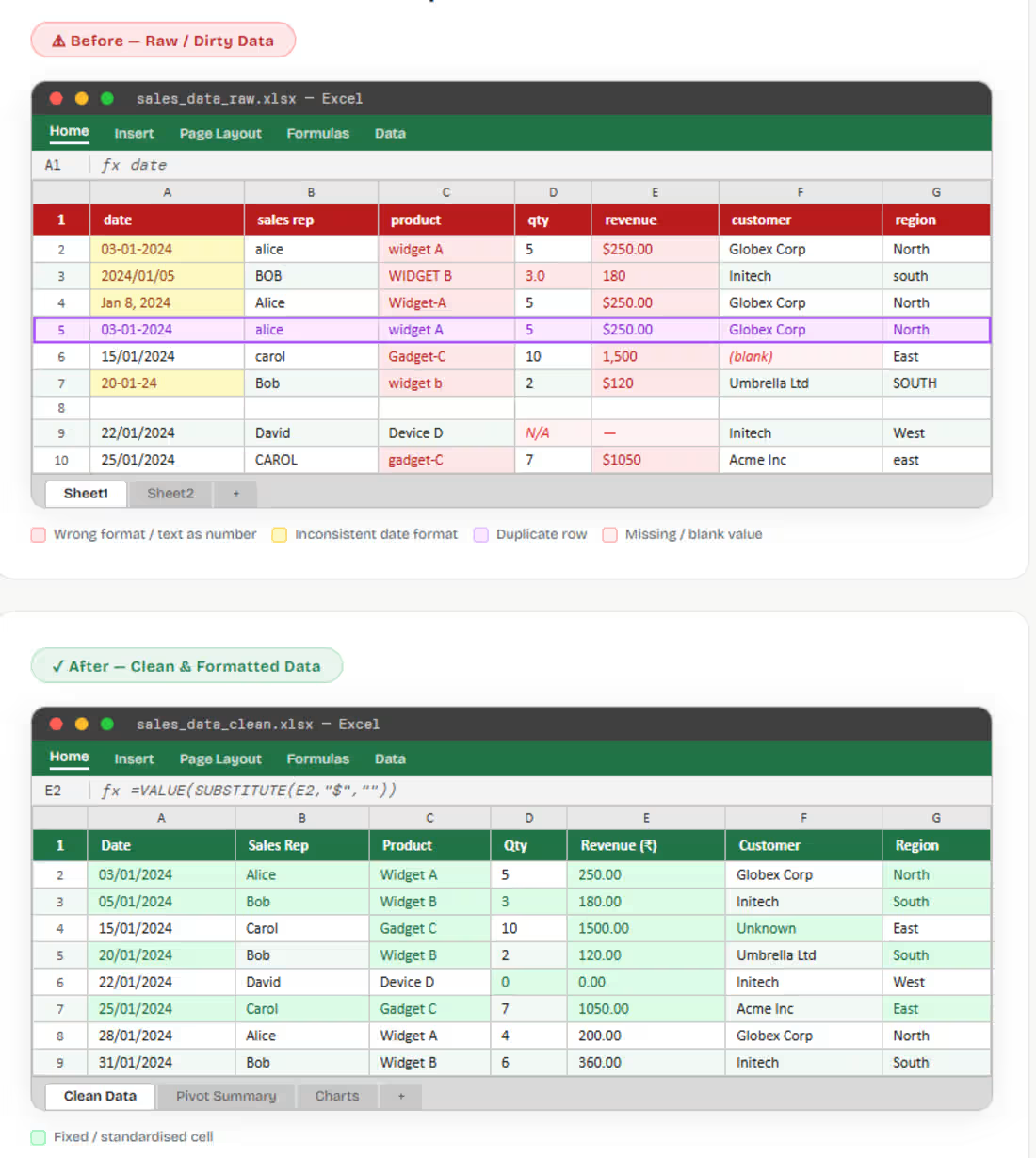
The client provided a monthly sales report exported from their CRM system. The data covered Q1–Q2 sales transactions across 5 regional sales reps, containing product names, quantities, revenue figures, dates, and customer names. The raw export was completely unformatted — inconsistent date formats, mixed-case text, and currency values stored as plain text made it impossible to build pivot tables or charts directly.
GOAL
1.Remove all duplicate rows and standardise date formats
2.Convert revenue and quantity columns from text to proper format
3.Apply consistent column headers, freeze panes, and conditional formatting
4.Make the sheet ready for pivot table analysis and charting
What I Did
1.Removed Duplicate Rows
2.Standardised Date Formats
3.Fixed Text-Stored Numbers
4.Standardised Text Values
5.Formatting & Final Polish
0
22
Excel Data Cleaning, Formatting & Dashboard Reporting
This case study demonstrates an end-to-end Excel workflow applied to a generic business dataset covering raw data clean-up, structured formatting, formula-driven analysis, and an interactive dashboard for decision-ready reporting.
The problem
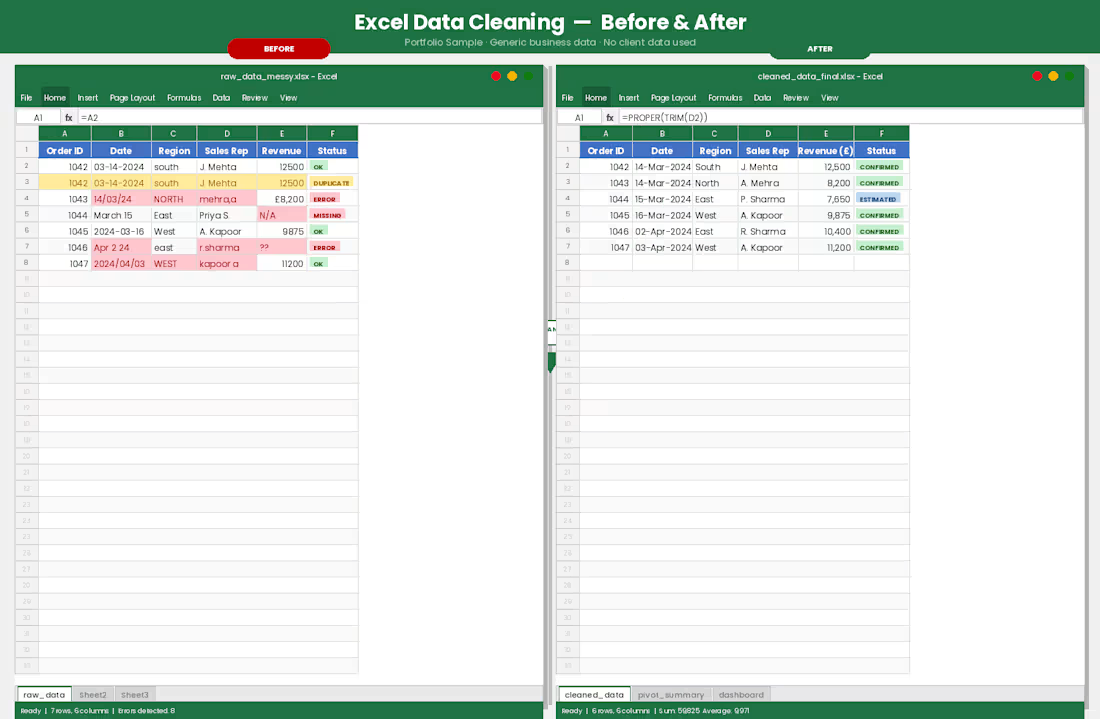
The raw dataset arrived with common but critical issues: inconsistent formatting, duplicate entries, mixed date formats, broken formulas, and columns that could not be reliably filtered or sorted.
What was done
1.Data cleaning
2.Formula work
3.Formatting & structure
4.Pivot tables & analysis
5.Interactive dashboard
Outcome
The delivered workbook included a clean data sheet, an analysis tab with pivot tables and charts, and a page of interactive dashboard enabling the client to filter, explore, and report on their data independently.
1
1
57