
Faraz Tariq
Aspiring Automation Engineer | n8n & API Workflows
New to Contra
Faraz is building their profile!
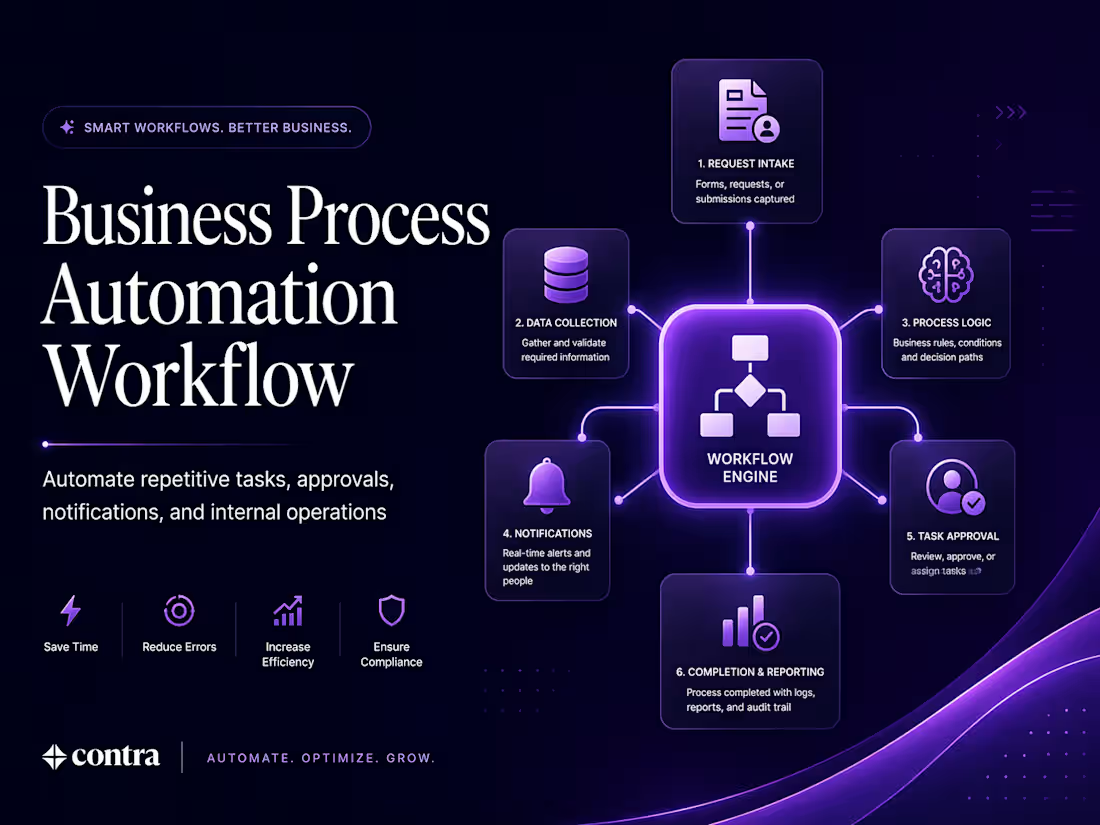
Business Process Automation Workflow
Project Type: Demo Project
This project was created to demonstrate how internal business processes can be automated using n8n, APIs, and custom workflow logic.
Many internal operations rely on repeated manual actions such as checking submissions, sending updates, assigning next steps, and tracking status. That usually slows work down and creates inconsistency. This demo focuses on solving that with workflow automation.
I designed a process where a request enters the system, the workflow applies logic, sends the right notifications, moves the task forward, and updates the next step automatically. The purpose was to show how internal processes can become faster, cleaner, and more reliable.
What this workflow does:
Handles internal requests automatically
Triggers updates and notifications
Moves tasks from one step to the next
Applies business rules through workflow logic
Reduces manual effort and process delays
0
3
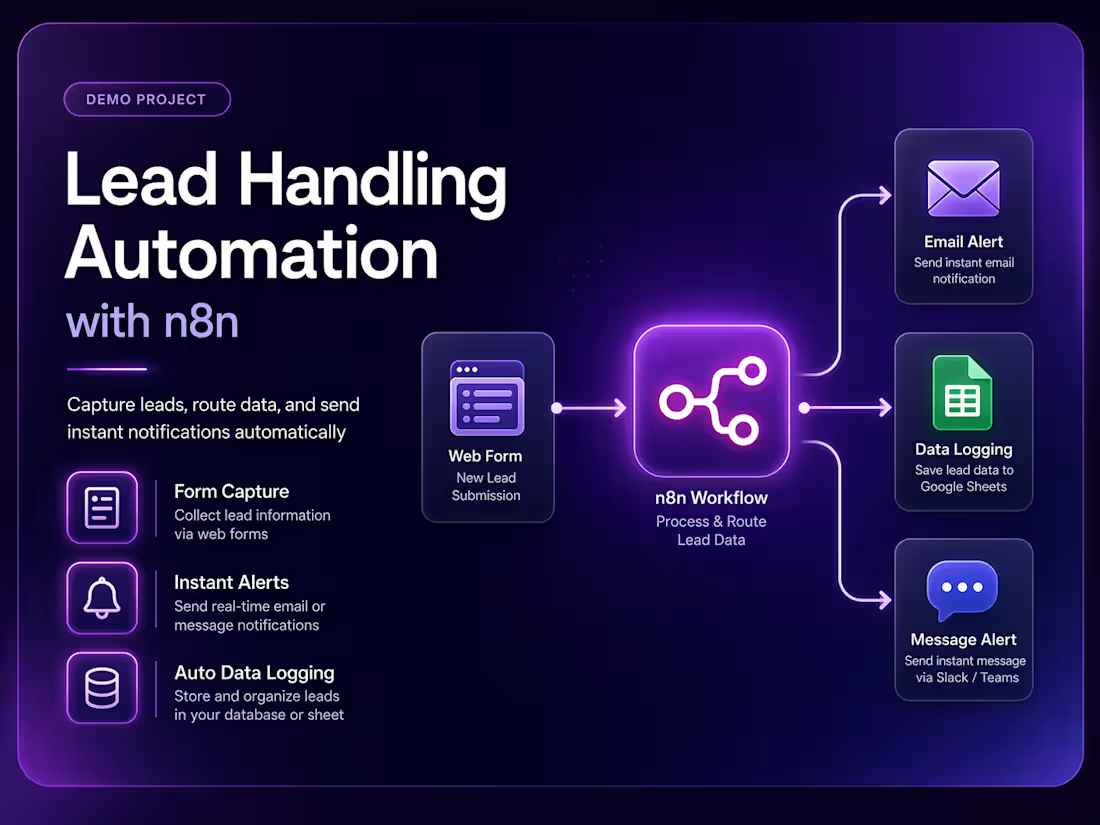
Lead Handling Automation with n8n
Project Type: Demo Project
This project was created to show how lead handling can be automated using n8n and webhook-based workflows.
The problem was simple: when new leads come in through a form, handling them manually can be slow and inconsistent. Important submissions can be missed, follow-ups can be delayed, and data often ends up scattered.
To solve this, I built a workflow that automatically receives form submissions, processes the data, sends instant notifications, and stores the information in the right place. The goal was to reduce manual effort and make sure every lead is handled quickly and consistently.
What this workflow does:
Captures incoming form submissions
Validates and organizes submitted data
Sends instant notifications for new leads
Stores lead information automatically
Reduces manual follow-up delays
0
7
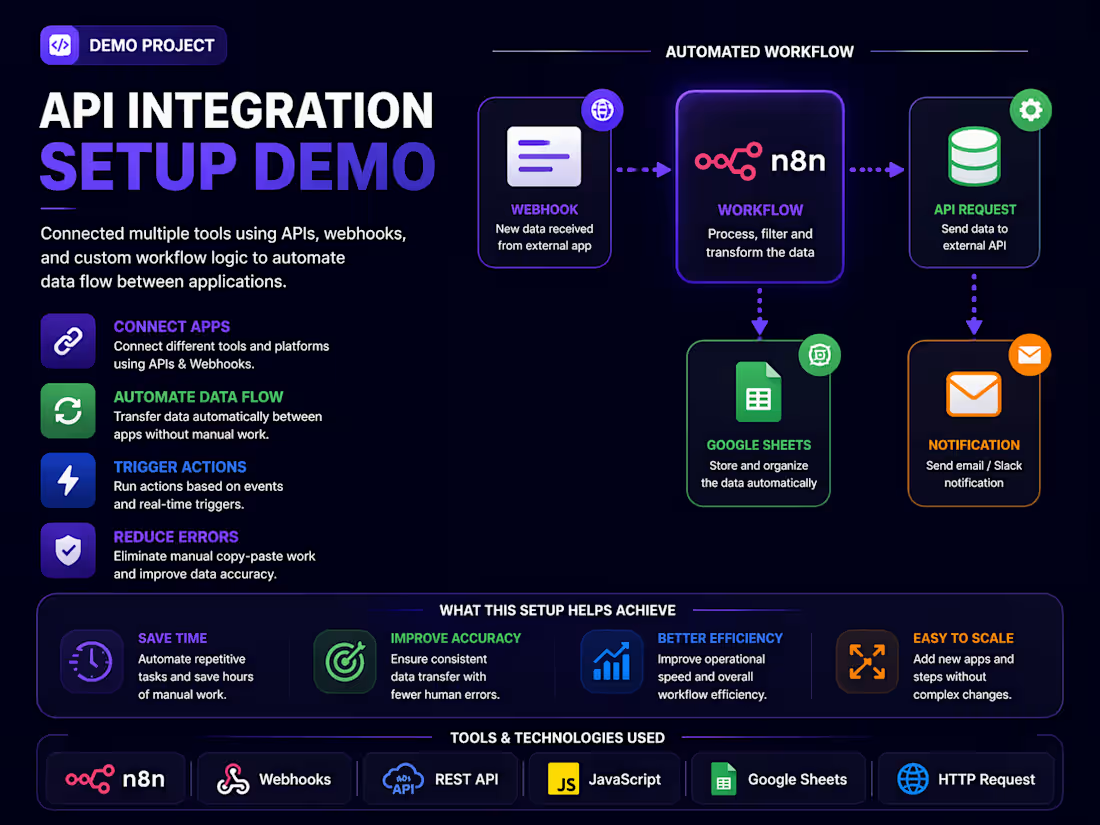
API Integration Setup Demo
Project Type: Demo Project
This project was built to demonstrate how API integrations can connect different tools and automate the movement of data between them.
Many businesses use multiple apps that do not naturally talk to each other. This creates delays, duplicate work, and unnecessary manual updates. The purpose of this demo was to show how APIs and webhooks can solve that problem.
I created a workflow that connects multiple tools, listens for events, processes the data, and sends it where it needs to go automatically. This kind of setup helps businesses reduce errors and make daily operations more efficient.
What this workflow does:
Connects tools through APIs and webhooks
Transfers data automatically between platforms
Triggers actions based on events
Reduces repetitive copy-paste work
Improves workflow consistency
0
11