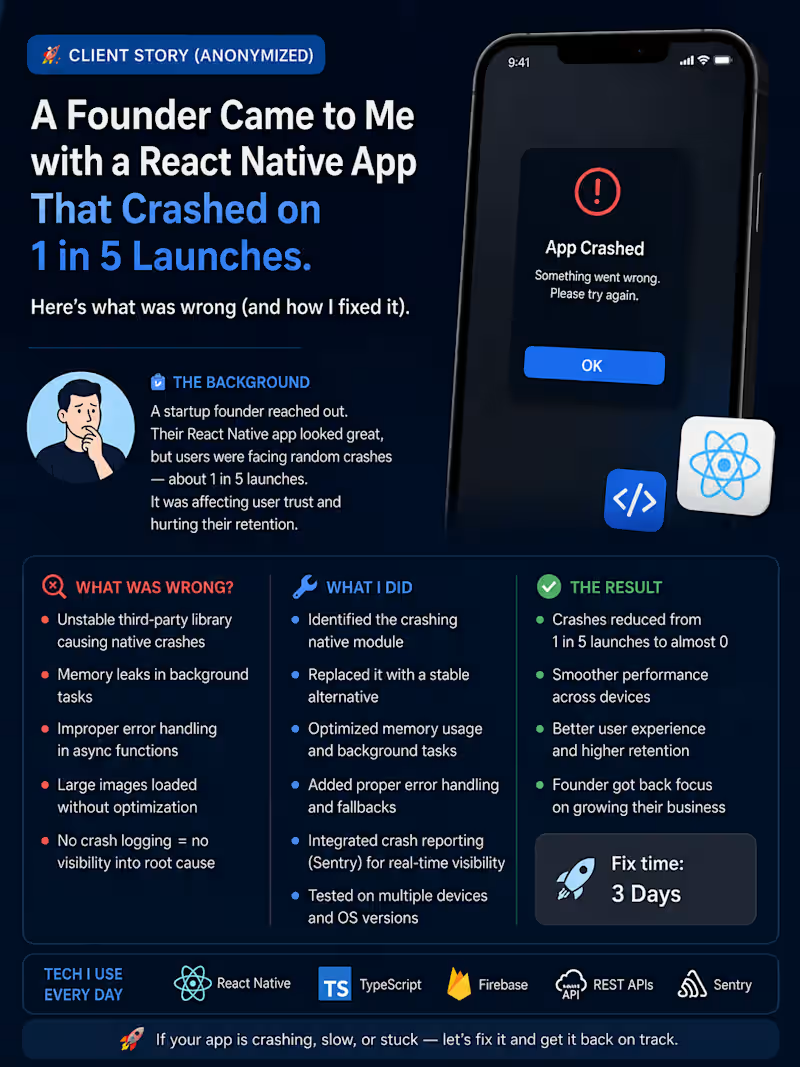
Projects using Android Studio in SuratProjects using Android Studio in SuratA founder came to me with a React Native app that crashed on 1 in 5 launches.
At first, it looked like a normal production bug.
But after checking the crash logs, build config, and app startup flow, the real issue was deeper:
The app was loading too many things at startup.
Firebase, API calls, SDK initialization, storage checks, navigation setup, and analytics were all running at the same time.
Result?
The app became unstable before the first screen even loaded.
Here’s what I fixed:
✅ Moved non-critical SDK setup after app launch
✅ Added safer error handling during startup
✅ Optimized API calls on the first screen
✅ Reduced unnecessary re-renders
✅ Cleaned up native build warnings
✅ Tested launch behavior on real Android and iOS devices
After the fix, the app opened smoothly and the crash rate dropped.
This is why React Native production work is not only about writing screens.
Sometimes the real value is finding the hidden issue that users never explain clearly.
They just say:
“The app crashes sometimes.”
But behind that one sentence, there can be startup performance issues, memory pressure, SDK conflicts, bad API handling, or native build problems.
That’s the kind of problem I help founders and startups solve.
If your React Native app is crashing, slow, stuck in review, or hard to maintain, I can help you find the real issue and fix it properly.
#ReactNative #MobileAppDevelopment #iOSDevelopment #AndroidDevelopment #Firebase #AppPerformance #StartupApps #FreelanceDeveloper