Freelancers in Suceava CountyFreelancers in Suceava County
Web Dev Expert | A/B Testing & CRO
5.0
Rating
8
Followers
Web Dev Expert | A/B Testing & CRO
Cover image for Something simple but efficient. Mobile
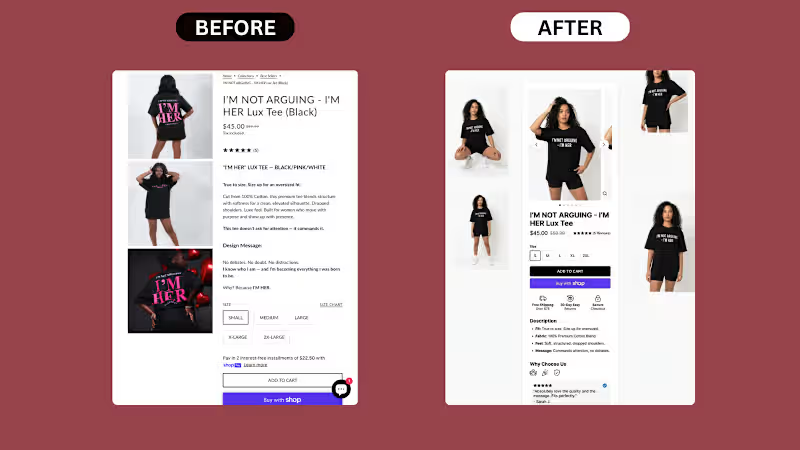
Something simple but efficient. Mobile PDP rebuild for a Shopify apparel brand: What was wrong with the original: 1. Images stacked vertically, eating mobile real estate 3 lifestyle shots stacked on top of each other forced buyers to scroll 4+ times before reaching the buy section. Mobile attention dies fast. 2. Title in all caps, hard to scan "I'M NOT ARGUING - I'M HER LUX TEE (BLACK)" on one line in caps. Caps look loud but read slower. Buyers skim, they don't decode. 3. Description wall before the buy decision 5 paragraphs of brand voice — "This tee doesn't ask for attention," "Design Message," "Why? Because I'M HER." — placed between the price and the size selector. Cold buyers stopped reading. 4. Size buttons cramped, no visual hierarchy Size options shown as plain rectangles with no spacing logic. Felt secondary. 5. Add to Cart was an outlined button Looked passive. The "Buy with Shop" button below it was more prominent than the primary CTA. 6. Reviews buried 5 reviews shown only as stars near the top. The actual review text was nowhere to be found on mobile. 7. No trust signals near the buy decision No shipping. No returns. No security. Buyers had to scroll the footer to find any reassurance. What we shipped: – Rebuilt the image gallery into a horizontal carousel with thumbnails (less scroll, more product) – Restructured the title into proper case for faster scanning – Moved the description into a clean bullet block: Fit, Fabric, Feel, Message – Surfaced reviews directly on the PDP with a real customer quote + name + verified badge – Redesigned size selector with clear spacing and proper touch targets – Made Add to Cart the dominant CTA (solid black, full width) – Kept Shop Pay button as a clear secondary option – Added a horizontal trust row right under the buy section: Free Shipping Over $75, 30-Day Easy Returns, Secure Checkout – Built a "Why Choose Us" section to handle objections before the buyer leaves Sometimes a PDP doesn't need a redesign. It needs the same content, restructured for how buyers actually scan on mobile. Is your Shopify PDP built for the way buyers read, or just the way you wrote it? DM if your mobile PDP needs a sharper layout.
1
53
Cover image for Project Overview
Holy Moly is an
Project Overview Holy Moly is an Utrecht-based social media agency that produces bold, deliberately unpolished short-form content for brands like Karwei, Triodos, and Bauhaus. They needed a website that matched the irreverent energy of their work, showcased a heavy library of video output, and converted brand-side visitors into booked calls — across both Dutch and English audiences. Our Approach Designed a high-energy, motion-led brand site reflecting their "niet gelikt, wel geliket" positioning Built a custom WordPress + Elementor implementation with reusable, editable sections Engineered a video-first portfolio using self-hosted MP4 clips and lightbox playback for fast, frictionless viewing Implemented a bilingual (NL/EN) structure with a clean language switcher Optimized media-heavy pages for performance with SVG assets, font-display swapping, and external CSS delivery The Solution The final site leads with personality: animated marquees, looping reels, and a clear service breakdown guide visitors from first impression to contact without friction. Client logos and behind-the-scenes footage build credibility, while a single, repeated call-to-action keeps the conversion path obvious. The result is a fast, scannable site that feels as distinctive as the content the agency produces. Services Provided UI/UX Design Website Design WordPress Development Conversion Rate Optimization (CRO) Performance Optimization Responsive Development CMS Setup Tech Stack WordPress, Elementor, HTML, CSS, JavaScript, SVG, self-hosted video, YouTube embeds, multilingual setup, Google Fonts:
1
113
Cover image for Before / After of a
Before / After of a Shopify PDP we rebuilt for a kids clothing brand last month: What was actually wrong with the original: 1. The page didn't sell — it just listed It treated visitors like they were already convinced. No emotion. No benefits. No proof. Just SKU, price, and a button. 2. Hierarchy was inverted The product code was more visible than the product name. Social share buttons got more attention than reviews (which didn't exist). 3. Zero objection handling Parents buying kids clothes online have specific concerns: fabric quality, sizing, return policy, shipping speed. None of it was answered. 4. The Add to Cart felt broken The dashed border made it look like a dev placeholder. Buyers hesitate when buttons don't feel finished. 5. No proof. Anywhere. A store with no reviews above the fold is leaving conversions on the table from the first scroll. What we shipped: – Rebuilt the entire above-fold for emotional + rational buying – Added a "Bestseller" tag above the title for instant social proof – Wrote a 2-line emotional benefit line under the product name – Pulled in real reviews above the fold with a star rating + review count – Added a "10,000+ happy parents" trust badge – Enabled Afterpay for payment flexibility on impulse buys – Built a 4-icon benefit row: Birthday Ready, Soft & Breathable, Adorable Details, Picture Perfect – Added a horizontal trust row: Free Shipping, Easy Returns, Secure Checkout, Loved by Parents – Replaced the broken-looking CTA with a clean, high-contrast Add to Cart button – Restructured the image gallery with larger product imagery and a "100% Soft Cotton" tag on the photo Most Shopify PDPs aren't broken because of the theme. They're broken because nobody asked: "If I landed here cold, would I buy?" Is your PDP selling, or just listing?
1
161
UX/UI Designer Turning Complexity Into Clarity
New to Contra
UX/UI Designer Turning Complexity Into Clarity
Cover image for Introduction
Running projects, managing invoices, tracking
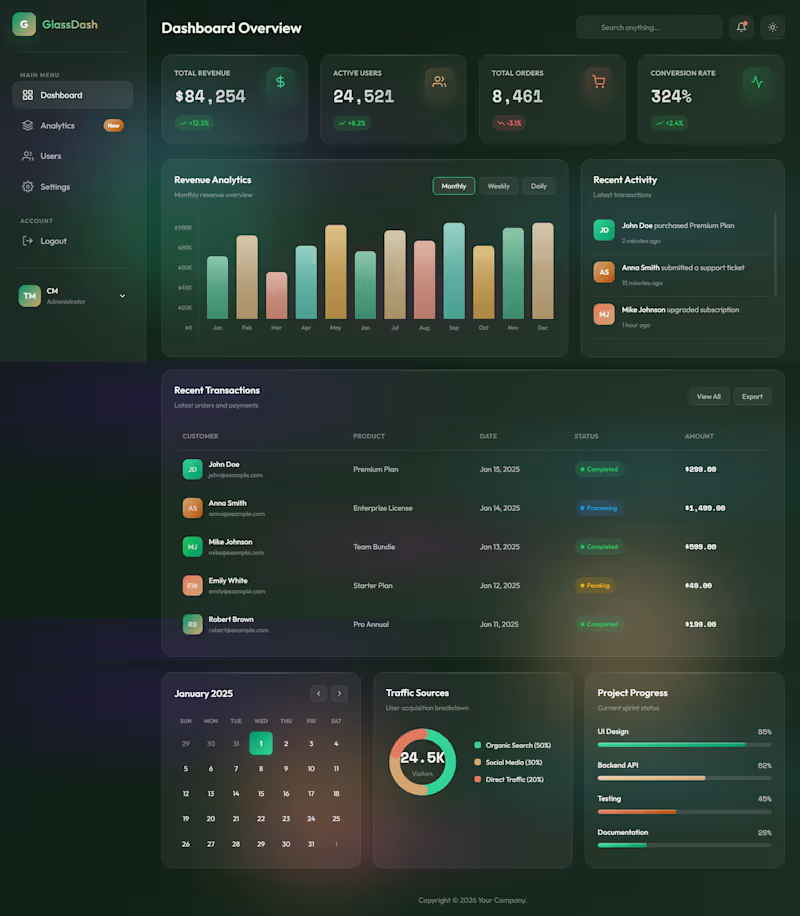
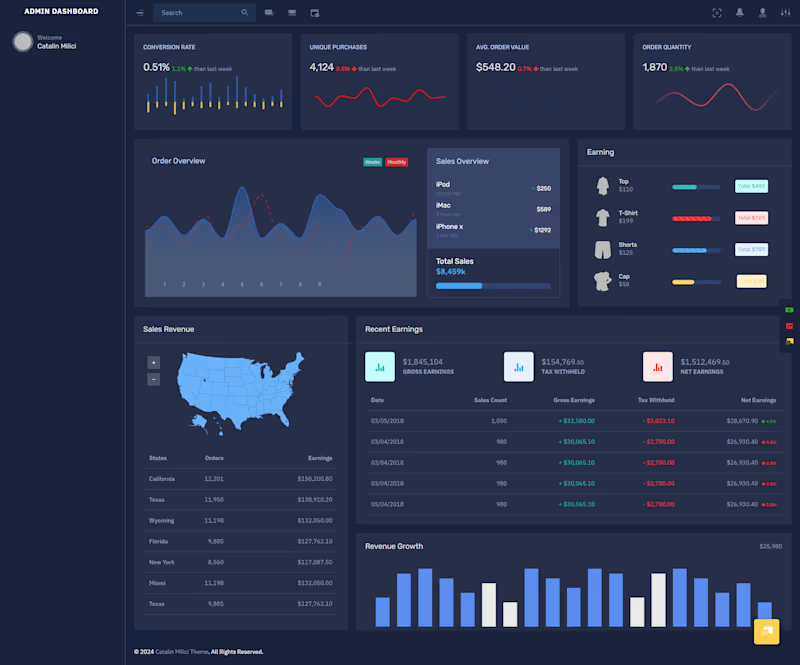
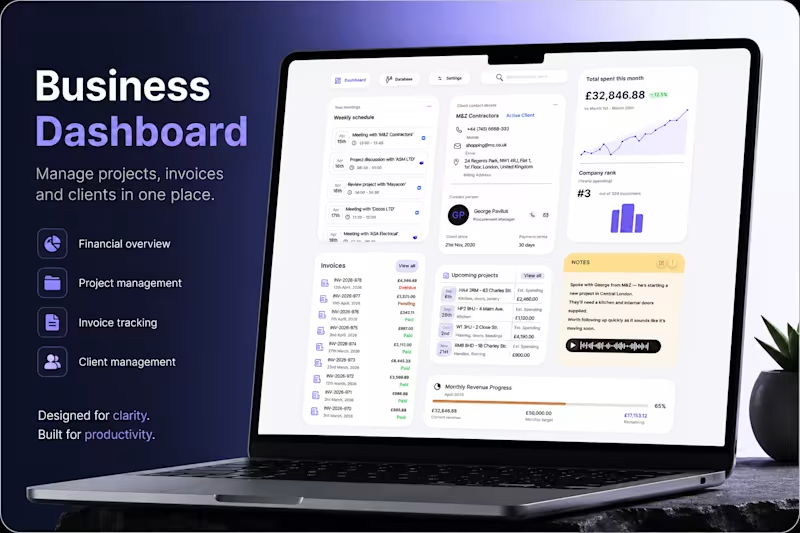
Introduction Running projects, managing invoices, tracking clients, and staying on top of meetings can quickly become overwhelming for small businesses and contractors. Important information often ends up scattered across spreadsheets, notes, emails, and multiple tools - creating unnecessary friction in everyday operations. This project explores a centralized dashboard experience designed to simplify business management. A workspace where users can monitor projects, track payments, manage client relationships, and stay organized from a single interface. At its core, the product is built around one idea: bring business operations into one clear, actionable system. Problem Many business management platforms focus heavily on functionality but fail to create a truly usable experience. Users are often faced with: Too much fragmented information across different sections Poor visibility of priorities, deadlines, and financial progress Interfaces that feel dense and difficult to navigate quickly Administrative workflows that interrupt productivity instead of supporting it What this creates: Instead of staying focused on their work, users spend time searching, checking, and manually organizing information. Simple daily actions become mentally exhausting, especially for contractors and small business owners juggling multiple projects at once. Over time, the experience feels reactive rather than controlled. Goal The goal was to design a business dashboard that feels structured, intuitive, and easy to manage at a glance. Rather than overwhelming users with complexity, the interface was designed to surface the most important information first while keeping actions accessible and predictable. The experience was designed to: Centralize projects, invoices, meetings, and client information Improve visibility of business performance and financial progress Reduce friction in day-to-day administrative workflows Create a cleaner and calmer workspace that supports productivity Every design decision followed one guiding principle: “Can users quickly understand what matters and act without interruption?” My role I led the product design process from concept to final UI, defining both the user experience and the visual direction of the platform. The focus was placed on creating a scalable dashboard system with strong information hierarchy, clear spacing, and fast scannability across different types of business data. I designed workflows for project tracking, invoice management, client communication, scheduling, and revenue monitoring while ensuring the interface remained visually simple and easy to navigate. The final result is a modern SaaS dashboard experience tailored for contractors and small businesses - balancing functionality, usability, and clarity in a way that supports real everyday workflows.
0
8
Cover image for Introduction - Defining the Experience
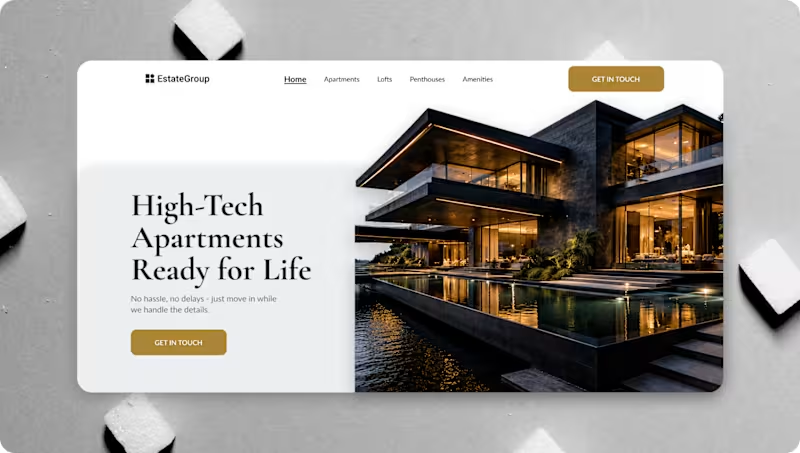
Introduction - Defining the Experience Before the Interface Estate Group offers minimalist, high-tech, fully furnished apartments through an end-to-end service model. Because the physical product is already carefully designed, the digital experience had to match the same level of intentionality, simplicity, and control. From a UI/UX perspective, this meant one thing: The website’s content had to behave like the service itself — structured, predictable, and reassuring. This case study focuses on how content, layout, and visual hierarchy were designed to communicate clarity and reduce user anxiety. Problem-Too Much Information, Not Enough Structure Initial analysis showed that the problem was not lack of information, but how information was presented. Users entering the website typically experienced: Cognitive overload from feature lists Unclear service boundaries (what’s included vs. optional) Marketing language without process explanation Difficulty understanding where they are in the journey From a UX standpoint, the problem was clear: The content lacked hierarchy and narrative flow. This insight led directly to defining UX-driven goals. Goal-Turning Content Into Guidance Instead of adding more content, the goal was to design content behavior. Primary UX objectives: Guide users step-by-step through the service Reduce decision fatigue through progressive disclosure Use layout and spacing to imply confidence and control Make the final outcome visible before technical details These goals informed all subsequent UX decisions. My role-Owning the Experience End to End I worked as the UI/UX Designer, responsible for shaping the experience from strategy to handoff. Responsibilities: UX strategy and content structuring User research and mental model analysis Information architecture and wireframing UI design and visual hierarchy Style guide and design system creation Developer handoff and UX documentation My role was to ensure that every design decision served clarity, and that the final experience communicated Estate Group’s promise without unnecessary explanation.
0
16
Cover image for Introduction
Wedding photography is more than
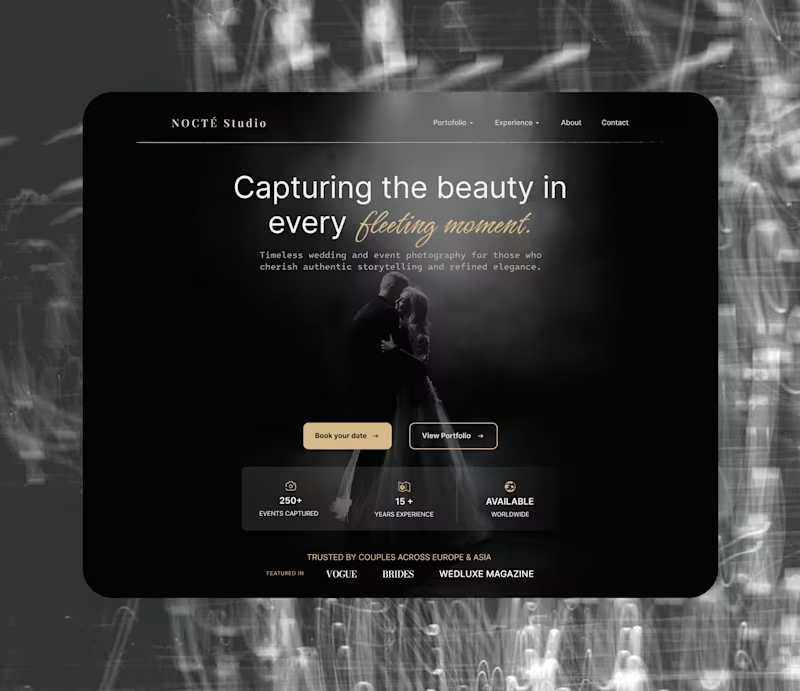
Introduction Wedding photography is more than documenting an event. It’s about capturing emotion, atmosphere, and moments people want to remember for the rest of their lives. Yet many photography websites focus heavily on showcasing images while overlooking the overall experience behind them. The result often feels visually impressive, but emotionally disconnected and difficult to navigate. This project explores a more refined digital experience for a luxury photography studio. A website designed to combine elegance, storytelling, and clarity - allowing visitors to connect with the brand while exploring the work in a calm and immersive way. At its core, the experience is built around one idea: make every interaction feel as timeless and intentional as the moments being captured. Problem Many portfolio websites in the photography space prioritize aesthetics without considering usability and emotional flow. Users are often faced with: Overdesigned layouts that distract from the photography itself Weak visual hierarchy and unclear navigation Generic presentation that lacks emotional connection Interfaces that feel static instead of immersive What this creates: Instead of feeling emotionally drawn into the work, visitors browse passively and leave quickly. The experience fails to communicate trust, personality, and the premium nature of the service - all critical factors in an industry built on emotion and connection. For luxury photography brands, the website should feel like an extension of the experience itself, not just a gallery. Goal The goal was to design a photography portfolio experience that feels elegant, cinematic, and emotionally engaging while remaining simple to navigate. Rather than relying on excessive visual effects, the focus was placed on atmosphere, typography, spacing, and storytelling. The experience was designed to: Create a strong emotional first impression Let photography remain the primary focus of the interface Build a premium and trustworthy brand presence Guide users naturally toward exploration and booking actions Every design decision followed one guiding principle: “Does the experience feel emotional, effortless, and memorable?” My role I led the creative direction and UI/UX design process from concept to final interface. The project focused heavily on visual storytelling, composition, typography, and interaction balance - creating an experience that feels immersive without becoming overwhelming. I structured the layout to support natural content flow while maintaining a refined and minimalist visual language throughout the website. The final result is a luxury portfolio experience that blends emotion, elegance, and usability -designed to help the studio communicate both artistic identity and professional credibility.
0
19
UI/UX & Senior Graphic Designer + Webflow developer
10
Followers
UI/UX & Senior Graphic Designer + Webflow developer
simple web dev