Projects in Owode
Projects in Owode
Sign Up
Post a job
Sign Up
Log In
Filters
1
Projects
People
Message
1
Basit Adewusi
Shopify Landing Page Design for Hike Footwear
1
1
17
Message
5
Faidurrahmaan Ogunkanmi
Divvi It - Bubble Dev
5
29
Message
0
turkson isaac
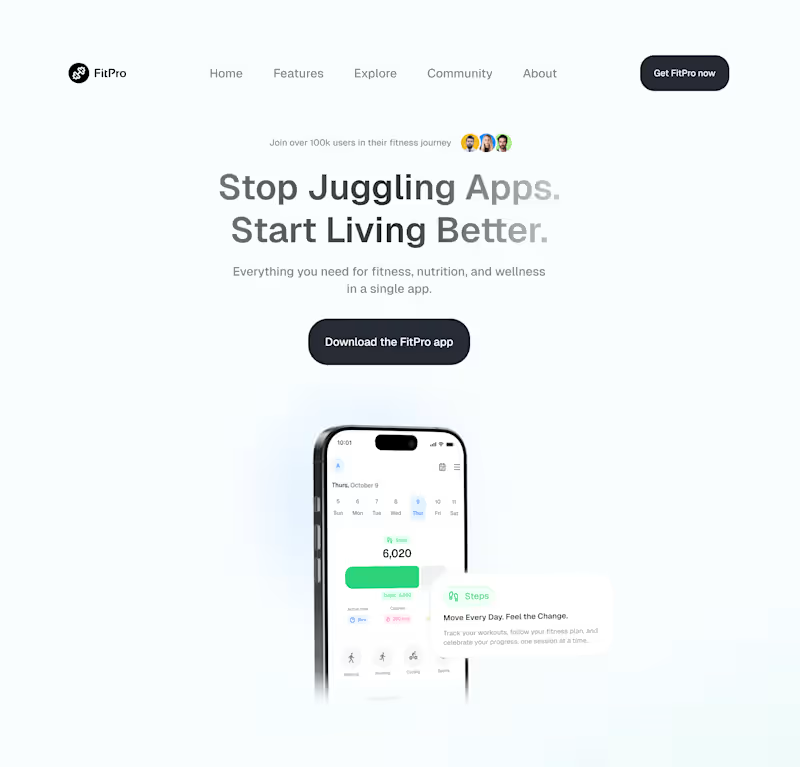
FitPro fitness app
0
8
Message
1
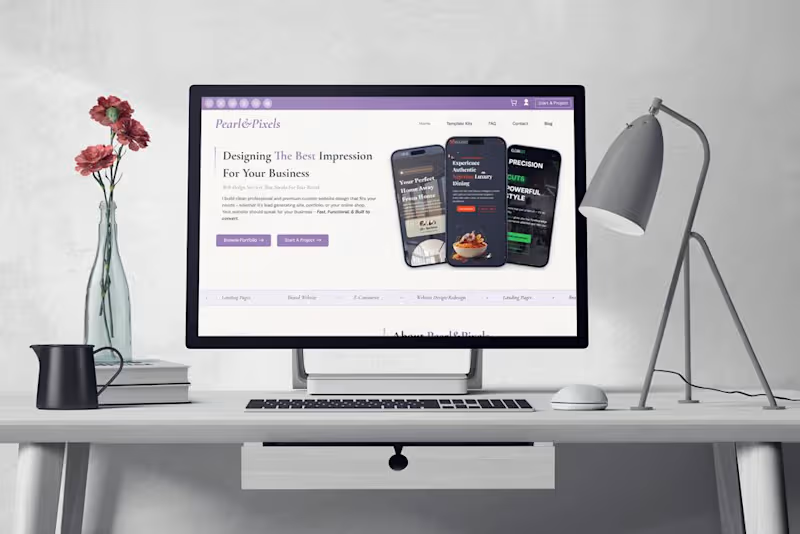
Maryam Akande || Pearl&Pixels
Do you really need a website?? I mean you already have IG, Tiktok and you post your product/services regularly on WhatsApp so why bother with a website?? Your IG/Tiktok page might be organised but it's not the same as having a website. With a well crafted website your visitors can get their answers (who you are, your services, pricing, previous work, how to book or buy from you) now on IG your visitors have to scroll through tons of reels/highlights to have their questions answered and thereby may lose interest. Many people are impulsive buyers, they don't have the patience to go back and forth just to make a purchase or book a service. Most times the desire to buy is the strongest the moment they discover the product. An instance is someone that sells products, and your customers have to wait for a reply after they asked you a question...
2
1
150
Message
0
Usman Balogun
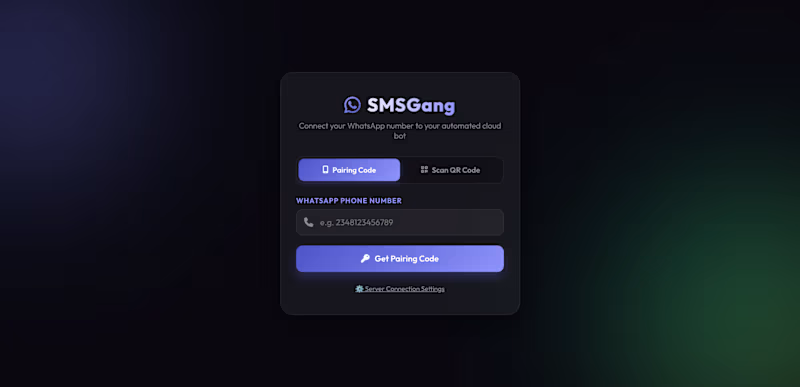
⚡ SMSGang WhatsApp Cloud Assistant A premium, feature-rich Go-based WhatsApp automation bot that turns your personal WhatsApp account into a smart virtual assistant. Unlike typical bots that require expensive official Business APIs, this bot securely runs as a linked web device on your account, enabling you to manage features directly by "messaging yourself" 🛠️ The Tech Stack: How it's Built The bot is constructed using a high-performance, lightweight, and modern stack designed for speed, ease of deployment, and low memory consumption: Programming Language: Go (Golang v1.25) - guarantees ultra-low CPU/RAM usage, concurrency safety, and fast compilation. WhatsApp Gateway: whatsmeow (go.mau.fi/whatsmeow) an unofficial Go library that implements the WhatsApp Web protobuffer-based E2E protocol. It links your WhatsApp account via a simple terminal QR code scan. AI Engine: Grok AI (xAI API) - powers all automated chat responses, homework solving, translation, and birthday greetings. Database: SQLite (modernc.org/sqlite) - a pure Go, zero-dependency embedded SQLite database. No CGO required, ensuring the binary remains highly portable across systems. Protocol Serialization: Google Protocol Buffers (protobuf) handles message parsing and serializing directly into WhatsApp's internal structure. Deployment Options: Docker & Docker Compose for containerized high-availability. Systemd Service (babebot.service) for running as a background service on any Linux VPS. 🌟 Key Features 1. 🤖 Multi-Contact Auto-Reply (AI Texting Style) Smart Inactivity Window: If you receive a message and don't reply within a customized time (e.g., 60 seconds), the bot steps in. If you reply yourself first, the auto-reply is automatically cancelled. Texting Style Adaptation: Uses Grok AI to analyze your conversation context and reply in a natural, human-like voice that mimics your messaging style. 2. 💕 Per-Contact Personality Profiles Customize how the bot interacts with different people in your life: babe: Calm, soft, sweet, affectionate, and uses pet names. (Includes protection filters to prevent accidentally removing your babe from the bot's system). friend: Casual, warm, and friendly. formal: Professional and business-oriented. chill: Short, concise, and direct answers. 3. 👁️ Auto Status Viewing Automatically views all your contacts' statuses as soon as they are uploaded. Keep your presence active without manually scrolling through status pages. Toggleable with /statusview on|off. 4. ⏰ Advanced Message Scheduling Schedule messages to send to any contact at any specific time (e.g., /schedule mybro 14:30 Join the video meeting). A background worker processes pending schedules every 30 seconds. 5. 🎂 Automated Birthday Greetings Store birthdays for your contacts. The bot runs a check every hour and automatically drafts a unique, AI-generated birthday greeting in the exact tone matching the recipient's personality profile (e.g., sweet for babe, chill/casual for friends). 6. 📞 Anti-Call & Blocker Automatically rejects incoming voice and video calls when enabled, preventing unexpected interruptions. Toggleable via /anticall on|off. 7. 🛡️ Anti-Spam Filters Filter and ignore unknown numbers that aren't on your registered whitelist, protecting your account from spam. Toggleable via /antispam on|off. 8. 🌙 AFK (Away From Keyboard) Mode Activate a custom away message (e.g., /afk Studying for exams 📚). The bot will instantly inform anyone who messages you of your status and can be turned off simply by typing /afk off. 9. 🔓 ViewOnce Media Extractor (.vv / /vv) Never lose ephemeral media. By quoting/replying to any ViewOnce image, video, or voice note with .vv or /vv, the bot extracts the media and sends a permanent copy directly to your direct message (DM). 10. 🖼️ Instant Sticker Maker Reply to any image in any chat with /sticker and the bot will instantly convert it into a WhatsApp sticker. 11. 📣 Marketing Campaign Automation Bulk Campaign Tool: Broadcast marketing campaigns to target lists with ease. Target Selection: Load targets from harvested contacts, manual JIDs, joined groups, or file uploads (.txt, .csv, .vcf). Media Support: Send both text and custom image payloads (by quoting an image with /campaign image). Anti-Ban Safety: Fixed delay interval (30 seconds per message) ensures WhatsApp's rate limiters aren't tripped. 12. 👥 Contact Harvesting & Management Harvest contacts automatically from group chats or status viewers. Export your entire harvested database directly in your chat as a .vcf vCard contact card file. Use /tagall in group chats to mention/ping every group participant with a custom message. Broadcast custom messages to all registered contacts. 13. 🧠 Smart Utilities (Smart Ask, Translate & Homework Solver) /ask <question>: Query Grok AI for instant answers to general questions in chat. /translate <lang> <text>: Fast AI-powered language translation. /solve <question>: Academic step-by-step homework helper. It parses questions (or quoted messages) and outputs clear, student-friendly tutorials. SMSGANG Integrations (/cheapdata): Promotes and displays cheap student data bundles (MTN, Airtel, Glo, 9mobile) from smsgang.org (http://smsgang.org) to keep students online affordably. 📲 Command Directory You control all these features directly from your WhatsApp "Message Yourself" chat: ⚙️ Core Controls /bot status — Check bot health, active toggles, tracked presence, and settings. /bot on | /bot off Globally toggle auto-replies on/off. /anticall on|off Toggle automatic call blocker. /antispam on|off Toggle filtering for unknown numbers. /statusview on|off Toggle auto-viewing of contact statuses. /help Render the custom interactive help menu. 👥 Contact Management /add <number> <profile> [nickname] Add contact to auto-reply. /remove <number|nickname> Remove contact. /list View all configured contacts and birthdays. /profile <number|nick> <profile> Update a contact's AI personality profile. /pause <nick> | /resume <nick> Pause/resume auto-reply for a single contact. /birthday <nick> <MM-DD> Add birthday for automated greetings. ⏰ Scheduling & Summaries /schedule <nick> <HH:MM> <msg> Schedule a message. /schedules View list of pending scheduled messages. /summary Get a manual summary/digest of unread messages over the last 24 hours. /summarize <nick> Let AI analyze and summarize your recent chat history with a contact. 📣 Campaign & Marketing (Admin Only) /export Export harvested contact database as a .vcf document. /broadcast <msg> Send a message to all registered contacts. /tagall [msg] Mention everyone in a group chat. /campaign text <msg> | /campaign image — Configure campaign text and media. /campaign contacts <harvested|groups|status|nums> — Load target numbers. /campaign file Load target numbers by quoting a .txt/.csv/.vcf file. /campaign start|pause|stop|status Execution and monitoring of the marketing campaign. 📝 Utility & AI /ask <question> Ask Grok AI a question. /solve <question> Get step-by-step explanations for homework questions. /cheapdata Check affordable student data bundles available via SMSGang. /translate <lang> <text> Translate text to any language. /note <text> | /notes | /delnote <id> Keep scratchpad notes directly in chat. /sticker Reply to an image to make a sticker. /bio <text> Remotely change your WhatsApp About/Status bio. to connect the bot dm me
0
55
Message
0
Favour Igbinedion
Vasto Business Card
0
6
Message
0
Victor Manuwa
How to earn cryptocurrencies in 2022
0
26
Message
4
Daniel Tijesuni
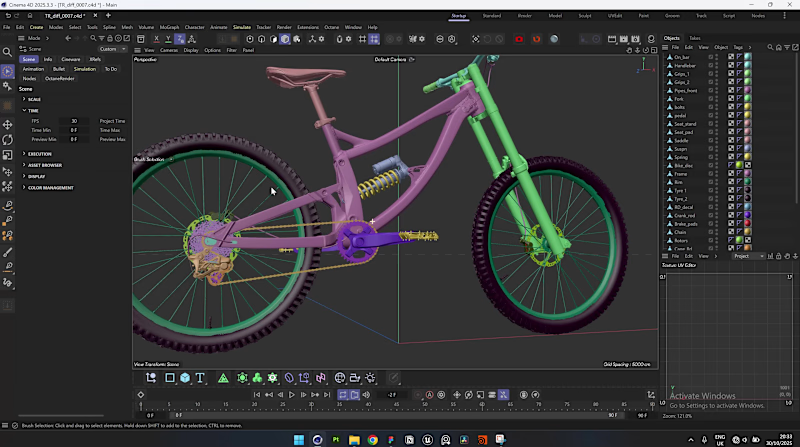
Here's the BTS of a Real-time 3D Photorealistic Configurator I just completed. Case study soon! Software Stack: Cinema4D + RizomUV + SubstancePainter + Figma + UnrealEngine Process Summary: Topology corrections were made in #Cinema4D (https://www.instagram.com/explore/tags/cinema4d/), unwrapped UVs with #rizomuv (https://www.instagram.com/explore/tags/rizomuv/), and entirely textured in #SubstancePainter (https://www.instagram.com/explore/tags/substancepainter/). For the User interface, I made the designs in #Figma. All UI was re-created again in Unreal Engine. Finally, the connections, lighting, composition and real-time interactions were setup inside #UnrealEngine (https://www.instagram.com/explore/tags/unrealengine/), all Lumen. Grateful to the HOLYSPIRIT for helping me all through❤️
1
4
80
Message
0
Olanrewaju Bolajoko
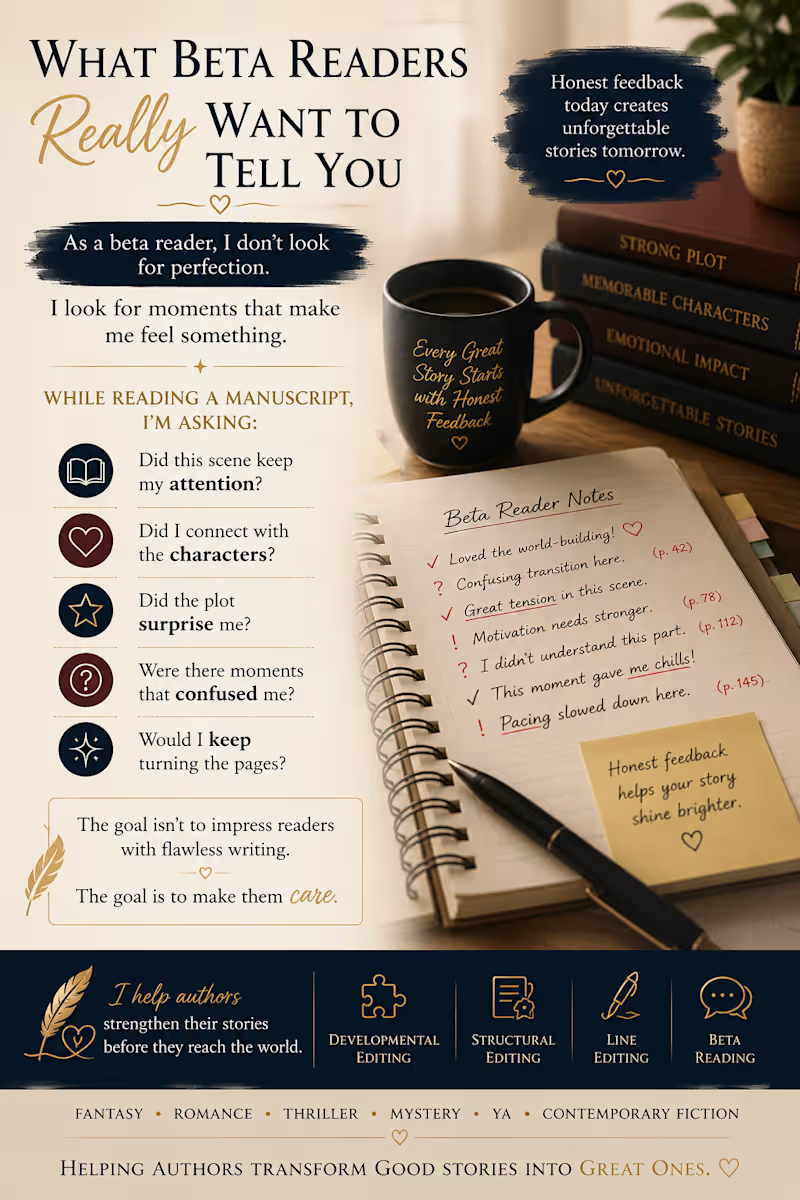
As a beta reader, I don't look for perfection. I look for moments that make me feel something. While reading a manuscript, I'm asking: 📖 Did this scene keep my attention? 💔 Did I connect with the characters? 😲 Did the plot surprise me? 🤔 Were there moments that confused me? ✨ Would I keep turning the pages? The goal isn't to impress readers with flawless writing. The goal is to make them care. That's where honest beta feedback can make a huge difference before a manuscript reaches editors, agents, or publishers. Writers: What's one piece of feedback that helped improve your story the most?
0
68
Message
0
Ayomide Ariyibi
NIGERIAN FOOD VENDOR IN ACCRA (@queenieskitchenaccra) • Instagr…
0
4
Message
0
Oshiomah Oshioke
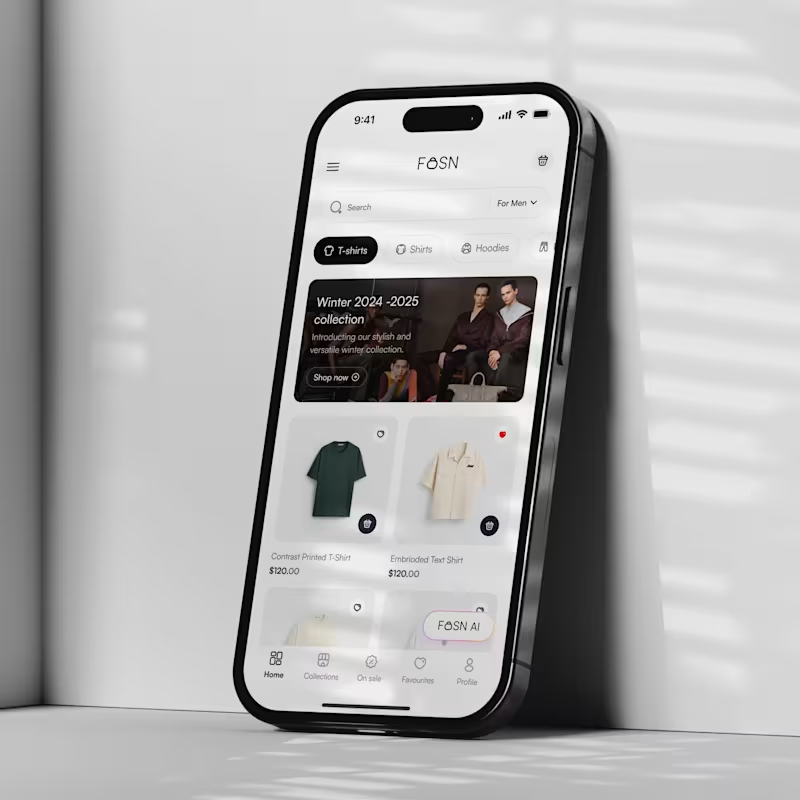
Fosn App (fashion app with AI integration)
0
4
Message
0
Dan Tech
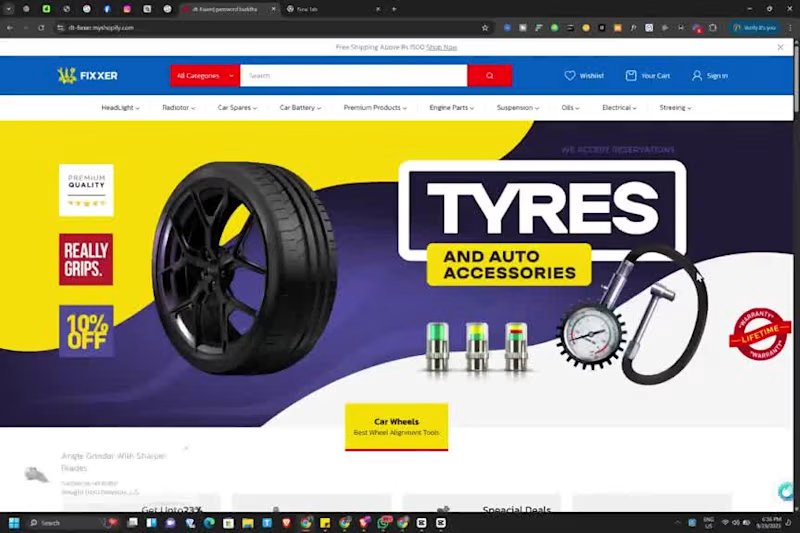
Amazing store design for my client
0
18
Message
0
Ajayi Peace
E-commerce Content Creation: Higgsfield vs Pikes AI
0
13
Message
0
Sayo Odufuwa
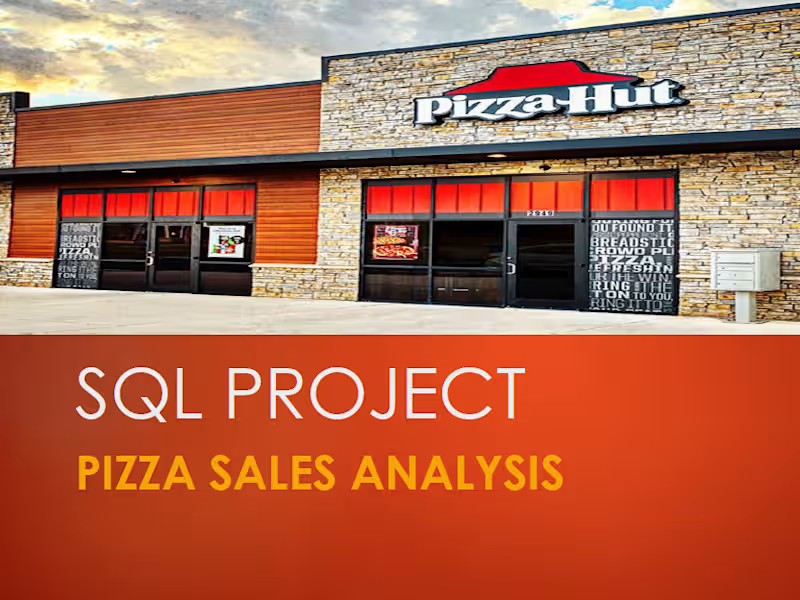
Pizza-Sales-Analysis
0
23
Message
0
Ololade Bello
I will cold email campaign lead generation email blast linkedin…
0
21
Message
2
Ibiangake Nyong
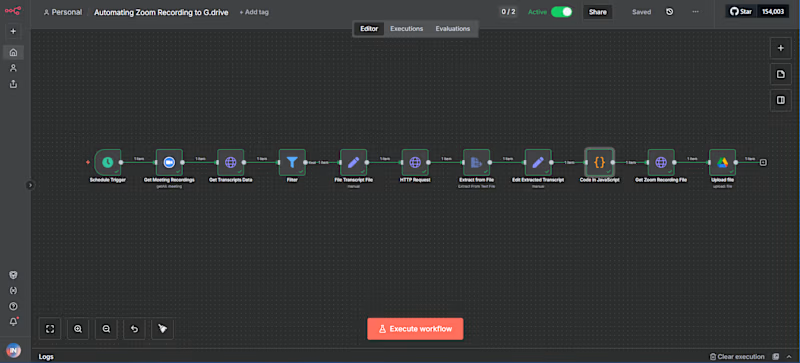
I built a workflow on n8n that: - Retrieves latest Zoom meeting recordings and transcripts - Filters out meetings without transcript files - Analyzes transcript text to extract key topics and generate descriptive file names - Downloads and uploads recording video files to Google Drive with dynamic folder and file names This automation saves hours of manual work every week, ensures consistent file naming, & is scalable to any number of meetings. 100% reduction in manual upload & renaming time. If you need a similar solution, feel free to send me a DM, and I'd be happy to help automate your workflows, save time, & focus on what really matters. #workflowautomation (https://www.youtube.com/hashtag/automation) #n8n (https://www.youtube.com/hashtag/n8n) Watch full demo here: https://youtu.be/9XT3flkP-Kc?si=QZwEbpPJV483O0g1
2
44
Explore projects