Freelancers using YouTube Ads in LagosFreelancers using YouTube Ads in Lagos
Facebook(Meta) & Google Ads Expert | AI Automation
5.0
Rating
11
Followers
Facebook(Meta) & Google Ads Expert | AI Automation
Cover image for The BEST Way To Scale
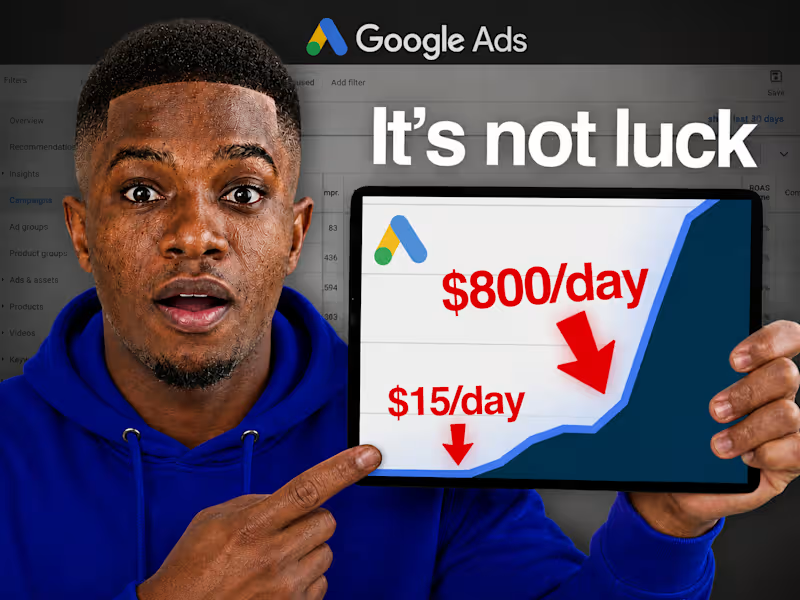
The BEST Way To Scale Google Ads in 2026 Okay, this is one of my favorite Google Ads strategies because it's basically hands-off scaling, you set it up once, and your budget grows automatically as long as your results actually stay good. Let me walk you through it. Inside your Google Ads account, at the campaign level, there's an option to create an Automated Rule. Here's the setup for scaling UP: First, name your rule (something simple like "Budget Increase 3%"). Select which campaign(s) it applies to. Then set your condition, this is the important part. Pick a metric that reflects actual performance: cost per conversion if you run leads, return on ad spend if you're eCommerce. Let's say you know from your numbers that anything under £30 cost per lead is genuinely profitable for your business. You set the rule: "if cost per conversion is less than £30, increase budget." For the actual increase, go with a percentage, not a fixed amount. Why? Because a flat £2-3/day bump becomes meaningless once your budget scales up, a percentage keeps increasing proportionally as you grow. 3% is a solid, conservative default. You can go more aggressive if you're trying to capitalize on something time-sensitive, like a seasonal sale or a promo that's crushing it right now. One setting people get wrong constantly: the data timeframe Google uses to evaluate your condition. Don't leave it on "all time." If your campaign performed great for two months and then conditions changed recently (seasonality, fatigue, competition), an "all time" average will mask that and keep scaling even when current performance has actually dropped. Set it to the last 7 days instead, so the rule reacts to what's happening NOW, not historical performance. If you're getting tons of conversions daily, you can shorten this window even further. If you're only getting one conversion a day, you might need it slightly longer for the data to mean anything. Also worth doing: set an upper spending cap so you don't wake up in a few months having scaled way past your actual budget comfort zone. Now here's the part that makes this strategy really powerful, the reverse rule. Create a second automated rule that DECREASES your budget when performance drops. Same logic, opposite direction: if cost per conversion goes above, say, £40, decrease budget by 3%. This way you're automatically spending more when things are working and pulling back when they're not, without having to babysit the account daily. Leave a buffer zone in the middle (like £30-40 in this example) where nothing changes. That gives your account some breathing room instead of constantly adjusting on every small fluctuation. The real value here: your budget starts responding to actual, current performance automatically. You're not manually checking in every few days trying to decide whether to scale, the system does it for you, based on rules built around your actual numbers. And you're never locked in, you can always override manually. Big news event nobody's paying attention to your ads because of? Pull the budget down yourself. Seasonal sale about to pop off? Bump that increment up temporarily. This is genuinely one of the lowest-effort, highest-leverage setups you can put in a Google Ads account. Follow along, more scaling strategies like this coming. 👀
1
12
Cover image for Okay, if you're running Google
Okay, if you're running Google Ads with a Target CPA or Target ROAS goal AND your campaign is limited by budget, you need to read this before August 17th. This one actually matters. Here's the deal: right now, if your campaign has a budget cap and a performance goal, Google's bidding algorithm quietly goes after the CHEAPEST conversions it can find within your budget. So if your Target CPA is set to $10, you might actually be getting $5 conversions. Feels great, right? Free upside. Starting August 17th, that's going away. Google is changing this so your campaign will actually trend TOWARD your set target, not undercut it. So if you're sitting at a $10 target but actually getting $5 CPA right now, expect that number to start creeping up toward $10 after the change. Same logic applies to ROAS, if your target is 200% but you're actually hitting 350%, expect that to drift back down toward 200% if you don't do anything. Why is this happening? Google says it's about stability, apparently a lot of advertisers get spooked when they raise budgets and performance suddenly fluctuates. Might be true. It's also probably going to make Google more money, because more advertisers will end up bidding closer to what they said they were willing to pay, instead of quietly getting a discount. Both things can be true at once. Here's the part that actually matters for you: this only affects campaigns that are BOTH limited by budget AND currently over-performing their goal. If your campaign isn't capped by budget, this change doesn't touch you. So what do you actually do about it? If you're happy with your current performance (the good CPA/ROAS you're getting right now): → Increase your budget. That locks in more volume at the rate you're already happy with, instead of watching that rate quietly disappear. If you're fine either way: → Adjust your target closer to what you're actually currently achieving. If your target's $50 but you're really getting $30, move the target down to $30 gradually — don't jump all at once, step it down over a week or two. If you do nothing: → Your CPA/ROAS will likely drift toward your original target, meaning fewer conversions for the same spend. Quiet performance loss, no warning bells. One more thing worth knowing, this could create a mild ripple effect across competitive auctions. If everyone bidding on the same keywords adjusts down to their real performance, things stay stable. But if even one competitor decides to keep their higher target and increase budget instead, they get more competitive in the auction, which can nudge costs up for everyone else too. Basically: how your competitors react matters just as much as how you react. The businesses most likely to get blindsided by this are the ones NOT paying attention to their account regularly. If that's not you (and clearly it's not, you're reading this), you've got time to adjust before it happens. Bottom line: go check your account today. Anything limited by budget with a goal that's over-performing, decide now: raise the budget, or adjust the target. Don't wait until August 17th to find out the hard way. Follow along, more of these timely breakdowns coming. 👀
0
45
Cover image for Okay so let's talk about
Okay so let's talk about something painfully simple that a lot of Google Ads accounts get wrong, nobody's clicking your ads. Doesn't matter how good your product is, how great your deal is, how well-optimized your campaign structure is. If people aren't clicking, none of it matters. So let's break down why this happens and how to actually fix it. 1. Your ad copy might be the problem Most beginners write ad copy ABOUT their business instead of about what the customer actually wants. If your headline reads like a company brochure, nobody's stopping to click. Lead with the benefit, not the feature, "save 2 hours a day" beats "advanced scheduling software" every time. And try to mirror the actual language people are typing into Google. If your headline echoes their exact search, it instantly feels more relevant. 2. You might be targeting the wrong keywords Showing up for more searches isn't automatically good, if those searches aren't actually relevant to your offer, you're just burning impressions with zero clicks. A bakery running ads that show up for "cake recipes" is wasting money on people who were never going to buy a cake, they wanted a recipe. This is where negative keywords come in. Adding even 10 well-chosen ones can dramatically clean up who actually sees your ad, which directly improves CTR. 3. Your offer might just not be compelling enough Sometimes the copy's fine, the keywords are right, but the offer itself doesn't give anyone a reason to choose you over the next ad. Go Google your own product category right now and screenshot the top 3 competitor ads. What are they offering that you're not? A free trial, a guarantee, faster delivery, no contract, even small differentiators can tip a click in your favor. Fix this before touching your budget or your bids. 4. You're probably not using ad extensions (and you should be) This one's honestly a bit of a cheat code. Sitelinks, callouts, structured snippets, call and location extensions, they're free, and they make your ad physically bigger and more informative. Google actually rewards ads using extensions with better ad rank, even with an identical bid to an ad without them. More space = more visibility = more clicks. Set it up once and it just works in the background. 5. Wrong place, wrong time Even a great ad won't get clicked if it's shown at 3am to someone who was never going to buy right then. Look at what days/hours actually convert and shift spend accordingly. Check your location targeting, too broad wastes budget, too narrow limits reach. And don't forget device performance, mobile and desktop CTR can look completely different, so check both. Quick benchmark for you: average CTR across Google Ads in 2024 was 6.42%, probably higher than you'd guess. Arts & entertainment topped out around 13%, while legal services sat closer to 5.3%. Worth knowing where your industry typically lands before you panic over your own numbers. None of these fixes cost extra ad spend. They just require you to actually look at what's happening and adjust. Small, unglamorous changes, but they compound fast. Follow along, more of these breakdowns coming your way. 👀
0
88
Cover image for This is genuinely underused Google
This is genuinely underused Google Ads move; targeting your competitor's customers directly. Let me walk you through it. Inside your Google Ads account, there's a setting most people never touch: Tools → Audience Manager → Custom Segments. From there you create a custom audience, and instead of the usual interests/behaviors targeting, you go to "people who browse types of websites" and this is the key part, you plug in your competitor's website(s). So say you're a premium brand and your competitors are more budget/mass-market. You can build a custom audience of people who've been browsing your competitor's site, and put your ads in front of them instead. You're essentially saying "hey, before you buy from them, check us out." It's not a perfect science, it's not exactly the same as remarketing straight to their customer list, but it does guarantee a chunk of the people seeing your ad have shown interest in exactly what you sell, from a business you're actively trying to beat. And if you want to take it further (this is the part that actually moves the needle), you get aggressive with your ad copy and creative. Directly call out the competitor. "Better than [competitor]." "Same quality, better price." "We include what they charge extra for." When you write copy like this, Google's smart enough to pick up on it and specifically show your ad to people who are already customers of, or considering that competitor. It knows exactly who to target based on what your ad is actually saying. Now, how aggressive you want to get is up to you and depends on your industry, your relationship with competitors, and honestly your risk tolerance. But if you're comfortable with it, this works especially well inside Performance Max campaigns. Bottom line: if your product or service genuinely is better than the competition, this is one of the most direct ways to say so, and get Google to put that message in front of exactly the people who need to hear it. Small setup, potentially big payoff. Worth testing if you've got a genuine edge over a specific competitor. Follow for more, this isn't the last strategy breakdown coming your way. 👀
1
145
High-end Short & Long Form Video Editor
5.0
Rating
30
Followers
High-end Short & Long Form Video Editor
YouTube Video Editor & Clipper | Twitch Growth Specialist |
New to Contra
YouTube Video Editor & Clipper | Twitch Growth Specialist |

I am an expert in promoting youtube channel
New to Contra
I am an expert in promoting youtube channel
Marketing Specialist | Google Ads • Meta Ads • TikTok Ads
8
Followers
Marketing Specialist | Google Ads • Meta Ads • TikTok Ads
Cover image for Mastering Brand Reflex: Achieve Business Recognition Permane...
I saw a post from Michael Miebach’s Linkedln profile yesterday. Before I read a single word, I already knew which company the post was from. Not because I searched for it. Just two overlapping circles in red and yellow. And my brain did the rest. That stopped me in my tracks. —————————————————— Because that moment right there is the entire lesson. Mastercard didn't just build a logo. They built a "reflex." And that reflex wasn't created by branding alone or marketing alone. It was created by both. Working together. For decades. —————————————————— "Branding" is the identity your business owns. The feeling people carry about you when you're not in the room. The visual. The voice. The promise. Nike didn't become a swoosh by accident. They decided who they were "the brand of human potential" and they never blinked. Every product. Every campaign. Every athlete they signed. All of it said the same thing without saying anything. "That's branding doing its job." —————————————————— But branding alone doesn't make you unforgettable. Apple had a clean logo and a bold identity from day one. But it was their "Think Different" campaign their "brand marketing" that planted them inside an entire generation's mind. They didn't just sell computers. They marketed a belief system. And people bought the belief before they ever bought the product. "That's brand marketing doing its job." —————————————————— Now watch what happens when both work together. You see two circles, you think Mastercard. You see a swoosh, you think Nike. You see a half-eaten fruit, you think Apple. No words. No context. No introduction needed. "Recognition became reflex." That's not luck. That's not budget. That's what happens when your identity is clear and your marketing never stops reinforcing it. —————————————————— Branding builds the impression. Brand marketing makes it permanent. One without the other is a business people see but never remember. Both together? That's a business people can't forget even when they try. —————————————————— And here's the part that gets ignored the most. It's not always a branding problem. It's not always a marketing problem. Most times it's a "consistency problem." Every few months the message changes. The visuals shift. The positioning moves.🤦‍♂️🤷‍♂️ And then the question becomes "why doesn't anyone remember us?" Because you never gave them a chance to. The brands that become reflexes? They showed up the same way ,long after most people would've gotten bored and switched it up. Consistency isn't boring. Inconsistency is invisible. —————————————————— The real question isn't "are you marketing enough?" It's "if everything except your logo disappeared tomorrow, would people still know it was you?" That's the standard worth chasing. — Hammed Alabede #Branding #BrandMarketing #BusinessGrowth #DigitalMarketing #MarketingStrategy #AlabedeBizscale
0
33