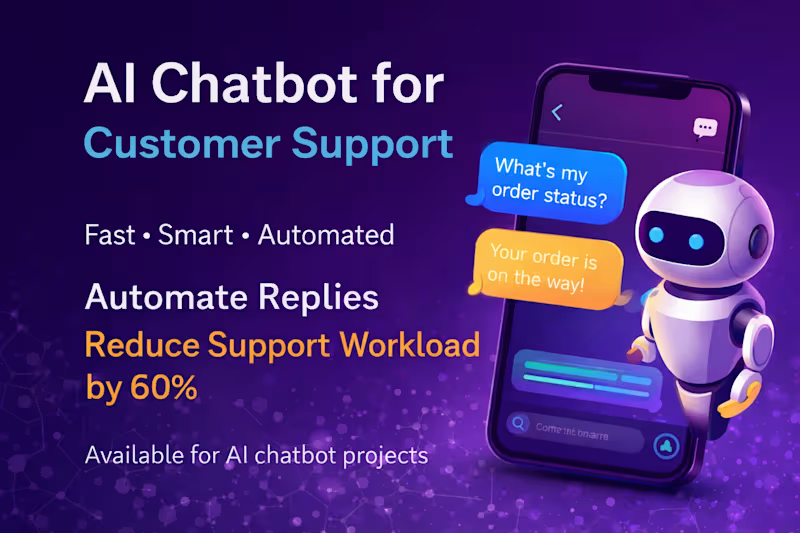
AI Chatbot for Customer Support Automation
This AI chatbot helps businesses automate customer queries and reduce response time by up to 60%.
🔹 Problem:
Businesses often struggle with delayed responses, repetitive queries, and high support workload.
🔹 Solution:
Developed an AI chatbot using NLP that can understand user intent and provide instant, accurate replies.
🔹 Key Features:
• Handles common customer queries automatically
• Basic intent recognition using NLP
• Fast and real-time responses
• Easy integration with web/mobile apps
🔹 Result:
• Reduced response time
• Improved customer experience
• Lower support workload
1
517
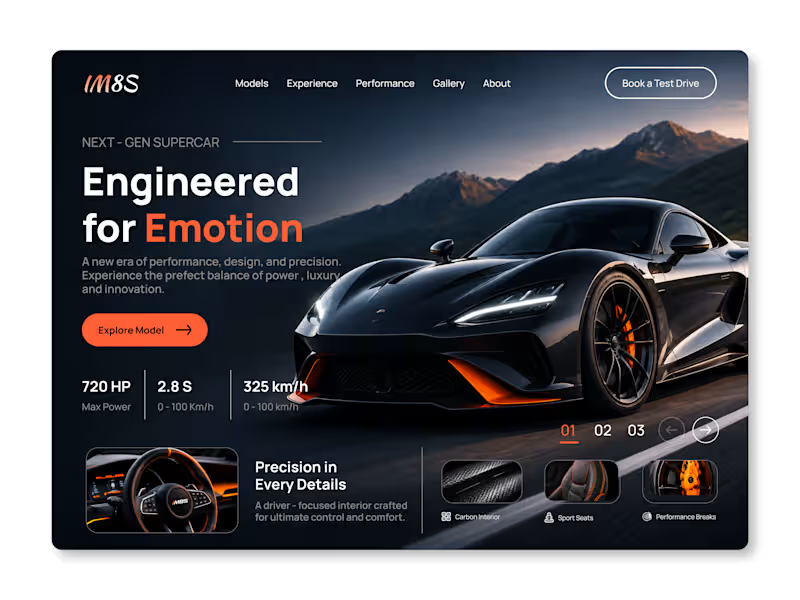
Automotive Web Design: Next-Gen Supercar
Description: Concept UI for a luxury supercar brand focusing on the "Engineered for Emotion" aesthetic.
1. Design Focus: Dark UI to highlight the sleekness of the vehicle and establish a premium, high-octane feel.
2. Key Features: Prominent hero section with clear CTAs ("Explore Model"), clean visual hierarchy for car stats (720 HP, 2.8s), and a sophisticated navigation layout.
Tools Used: Figma
0
64
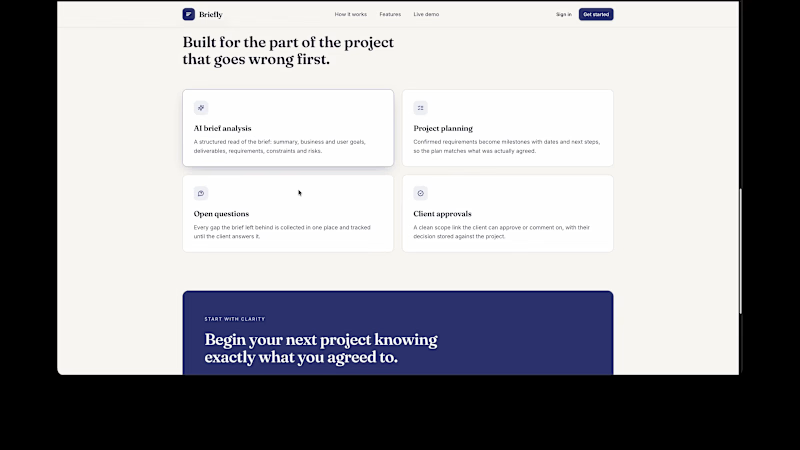
Briefly From Messy Brief to Crystal-Clear Project Plan
An AI-powered project-planning and client-alignment workspace for designers, developers, freelancers, and agencies.
The problem
Great projects don't always start with great briefs.
A client sends a few messages, shares a rough idea, or explains their requirements across emails and calls. Important details are missing. Deliverables are unclear. Deadlines and expectations haven't been confirmed.
Designers, developers, freelancers, and agencies end up spending valuable time chasing information, organising requirements, defining scope, and trying to get everyone on the same page before the actual work can begin.
When these early conversations aren't structured, misunderstandings can turn into scope creep, delayed timelines, and difficult client conversations.
The solution
Briefly helps turn an unstructured client brief into a clear, actionable project plan.
Instead of starting from a blank document, users can bring their client's initial requirements into one workspace, use AI to analyse the brief, identify missing information, and organise the project into a structured plan.
Briefly also supports client review and approval, helping teams create a clearer starting point before moving into delivery.
Who is Briefly for?
Briefly is designed for:
Freelance designers and product designers who need to turn client requests into clear scopes, milestones, and deliverables.
Developers and independent consultants who need to clarify requirements and expectations before building.
Small and mid-sized agencies that want a more consistent way to structure project intake and align teams with clients.
Creative studios and cross-functional teams working on websites, digital products, branding, and other client projects.
Whether you're working alone or coordinating a small team, the goal is the same: reduce ambiguity before the work begins.
How it works
1. Start with the brief
Bring in the client's initial project description, even when it is incomplete or loosely structured.
2. Analyse with AI
Briefly helps organise the requirements, identify project goals and deliverables, and surface unanswered questions that need clarification.
3. Create a project plan
Turn the analysis into a structured plan with milestones and relevant project details. Review and edit the plan before saving it.
4. Save and organise the project
Keep the project plan and its key information in a dedicated workspace, where you can return to it and continue refining the work.
5. Share for client review
Generate a private review link so the client can review the proposed plan and submit an approval. The goal is to establish clearer expectations before delivery begins.
What makes Briefly different?
Briefly focuses on the often-overlooked moment between receiving a client's idea and starting the actual work.
It's not just about generating text with AI. It's about creating a practical bridge between an unclear request and an agreed project direction.
The experience brings brief analysis, project planning, editing, saved project information, and client review into one workflow.
Built with Base44
Briefly was built as a responsive web application using Base44. The product includes a public landing page, an authenticated workspace, project and brief workflows, AI-powered brief analysis, saved project plans, and private client review links.
During testing, I verified the core journey: authentication, brief analysis, editing and saving a project plan, persistence after refresh, client review and approval, and protected workspace access. I also addressed a navigation issue and refreshed the editor's mobile preview to verify the responsive layout.
Product vision
I want Briefly to become a practical starting point for better client projects helping independent professionals and agencies spend less time chasing clarity and more time delivering great work.
The bigger vision is simple:
Every project deserves a clear beginning.
Briefly turns messy briefs into clearer plans, better questions, and more confident project kickoffs.
Live application: https://briefly-plan-pro.base44.app
4
4
670
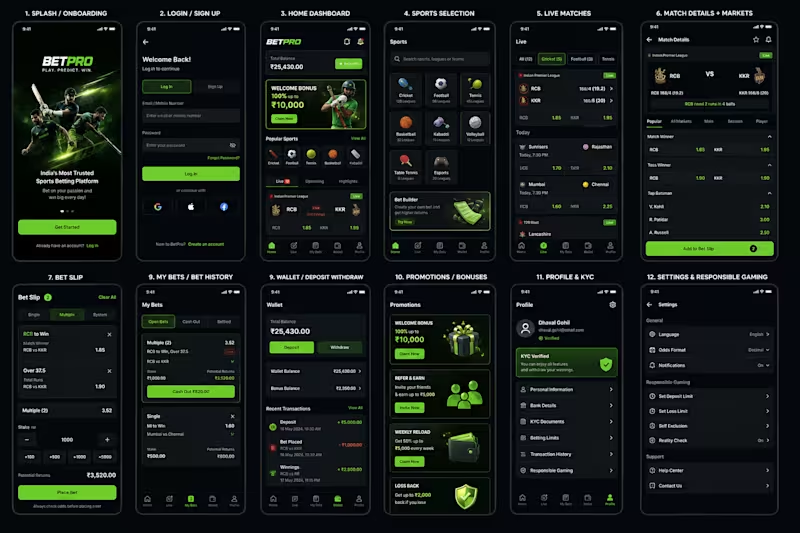
BetPro is a modern sports betting mobile application designed to provide users with a fast, intuitive, and engaging way to discover live sporting events, explore betting markets, place bets, and manage their accounts and wallet.
🎯 Project Objective
The goal was to simplify the sports-betting journey while creating a premium, trustworthy, and high-energy digital experience. The interface focuses on quick access to live matches, easy odds comparison, seamless bet placement, and transparent wallet management.
🎨 Visual Direction
The design uses a dark premium UI with electric green accents, creating a visual language associated with sports, energy, and technology.
Primary: Neon Green #31C24A
Background: Deep Navy / Black
Typography: Poppins
UI: Rounded cards, high contrast, subtle gradients
Design system: 8px spacing, reusable components, consistent states
Navigation: Bottom-tab navigation for quick access
⚡ Core UX Features
Live sports & real-time odds
Multiple betting markets
Single and multiple bets
Quick stake controls
Potential-return calculation
Live match tracking
Wallet & transaction management
Promotions and bonuses
KYC verification
Responsible-gaming controls
💡 UX Focus
The main UX principle is “Bet faster, understand more.”
The interface minimizes unnecessary steps between discovering a match → selecting odds → reviewing the bet → placing the bet, while keeping important information such as odds, stake, potential returns, and account balance highly visible.
0
72
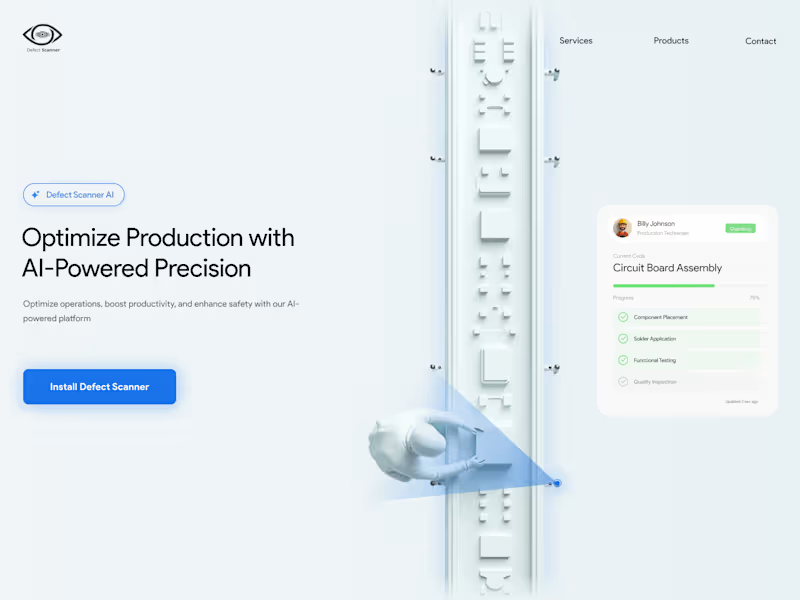

Academic Web Portal Modernization (DAVV)
I completed an institutional internship focusing on overhauling and upgrading the official web platform for the School of Life Sciences at DAVV. The goal was to transform a legacy system into a responsive, fast, and user-friendly portal for academic content delivery. My work ensured better layout hierarchy, clean frontend structure, and seamless navigation for high-volume user traffic.
1
62
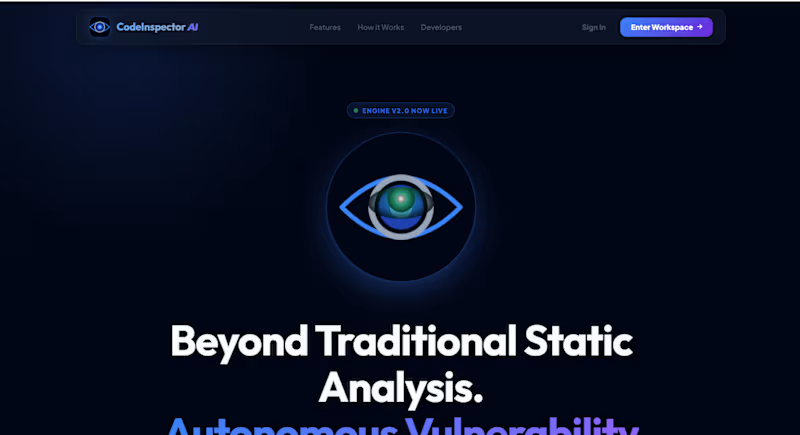
Code Inspector AI
Overview - AI-powered static code analysis platform for vulnerability detection, secure code review, and automated patch generation. Code Inspector AI is an AI-powered Static Application Security Testing (SAST) platform designed to identify vulnerabilities, visualize code security risks, and generate intelligent remediation suggestions.the project demonstrates how modern AI-assisted security tools can improve secure software development through automated code inspection and vulnerability analysis.
Features - 1.) AI-powered code inspection Static Application Security Testing
2.)Interactive Monaco Code Editor
3.)Vulnerability Detection Dashboard
4.)Automated Patch Suggestions
5.)Secure Code Review Interface
6.)Modern Glassmorphism UI
7.)Dark Mode Support
8.)Real-time Security Metrics
9.)Developer Collaboration View
1
93
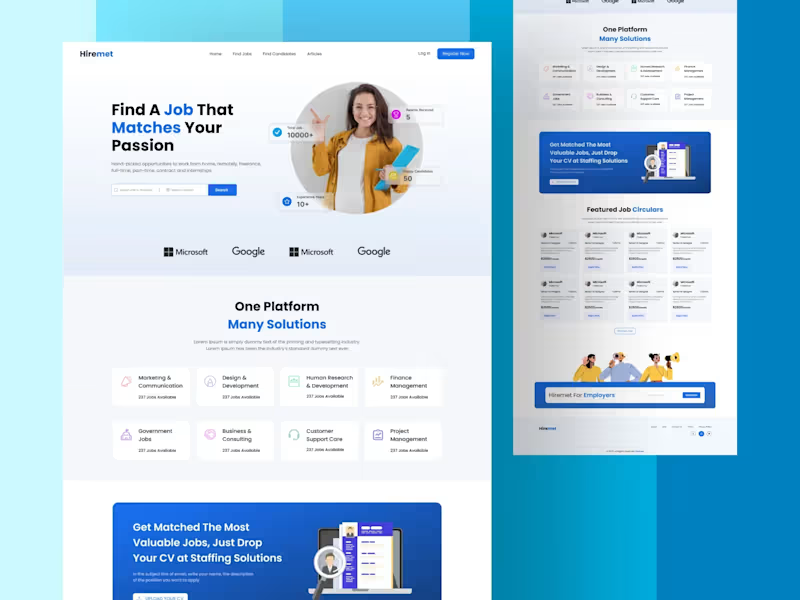
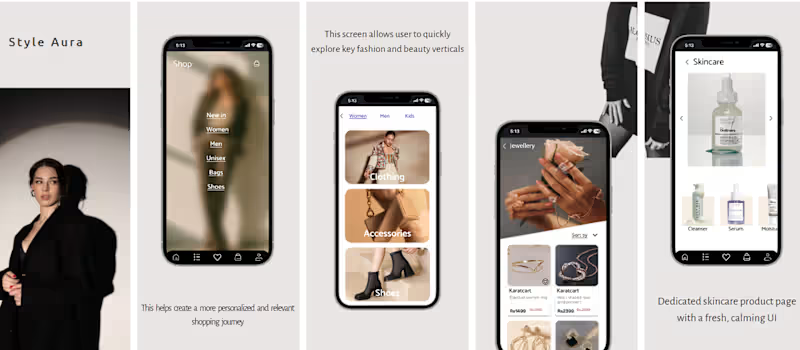
Designed a modern fashion e-commerce mobile application in Figma focused on delivering an intuitive and engaging shopping experience. Created user flows, wireframes, and high-fidelity UI screens for browsing clothing, jewelry, skincare, and makeup products. The app includes personalized product recommendations, wishlist functionality, seamless checkout, and a clean, responsive interface. The design emphasizes usability, visual hierarchy, and a consistent design system to enhance user engagement and simplify the shopping journey.
0
39