
Dakarapu Adhitya
DevOps engineer | CI/CD, Azure, Docker, cloud deployments
- 1
- Followers


What it is
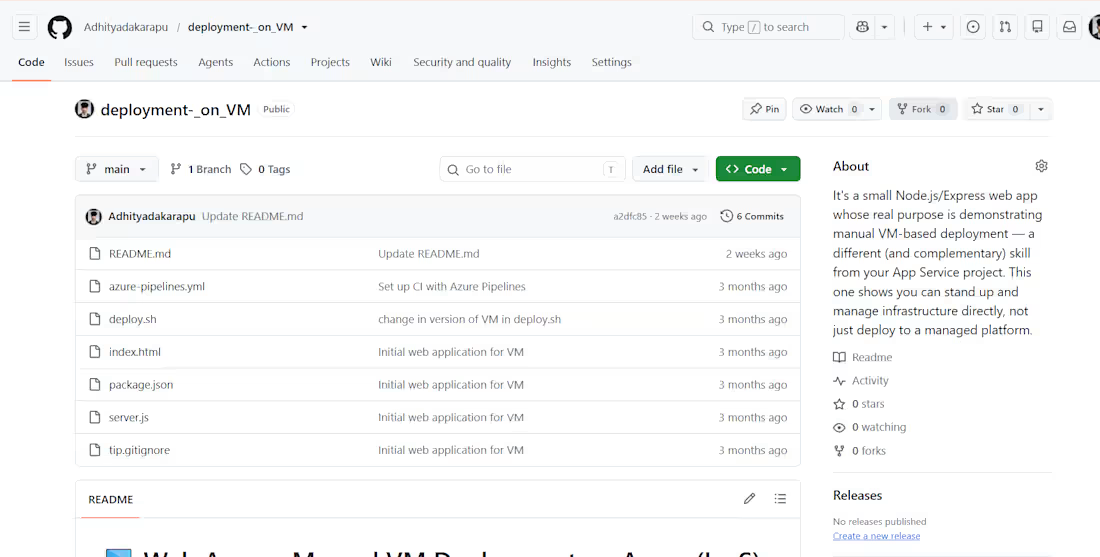
A small Node.js/Express web application, deployed and managed on an Azure Virtual Machine — built specifically to demonstrate manual VM-based deployment as a distinct skill from PaaS-style deployments (like App Service).
What I built
A Node.js/Express app (server.js, index.html, package.json) as the deployment target
An azure-pipelines.yml file to set up continuous integration through Azure Pipelines
A deploy.sh (http://deploy.sh) script to handle the actual deployment onto the VM
Iterated on the deployment script over time (version updates reflected in commit history) to handle VM-specific deployment steps
Why it matters
Most "deploy to Azure" tutorials stop at managed platforms like App Service, where a lot of the infrastructure work is abstracted away. This project instead proves I can stand up and manage infrastructure directly — provisioning, configuring, and deploying onto a VM I control — which is closer to what real infrastructure/ops work looks like, and complements my other project that uses Azure Container Registry + App Service.
Tech stack
Node.js · Express · Azure Pipelines · Azure Virtual Machines · Bash · Git
1
135
What it is
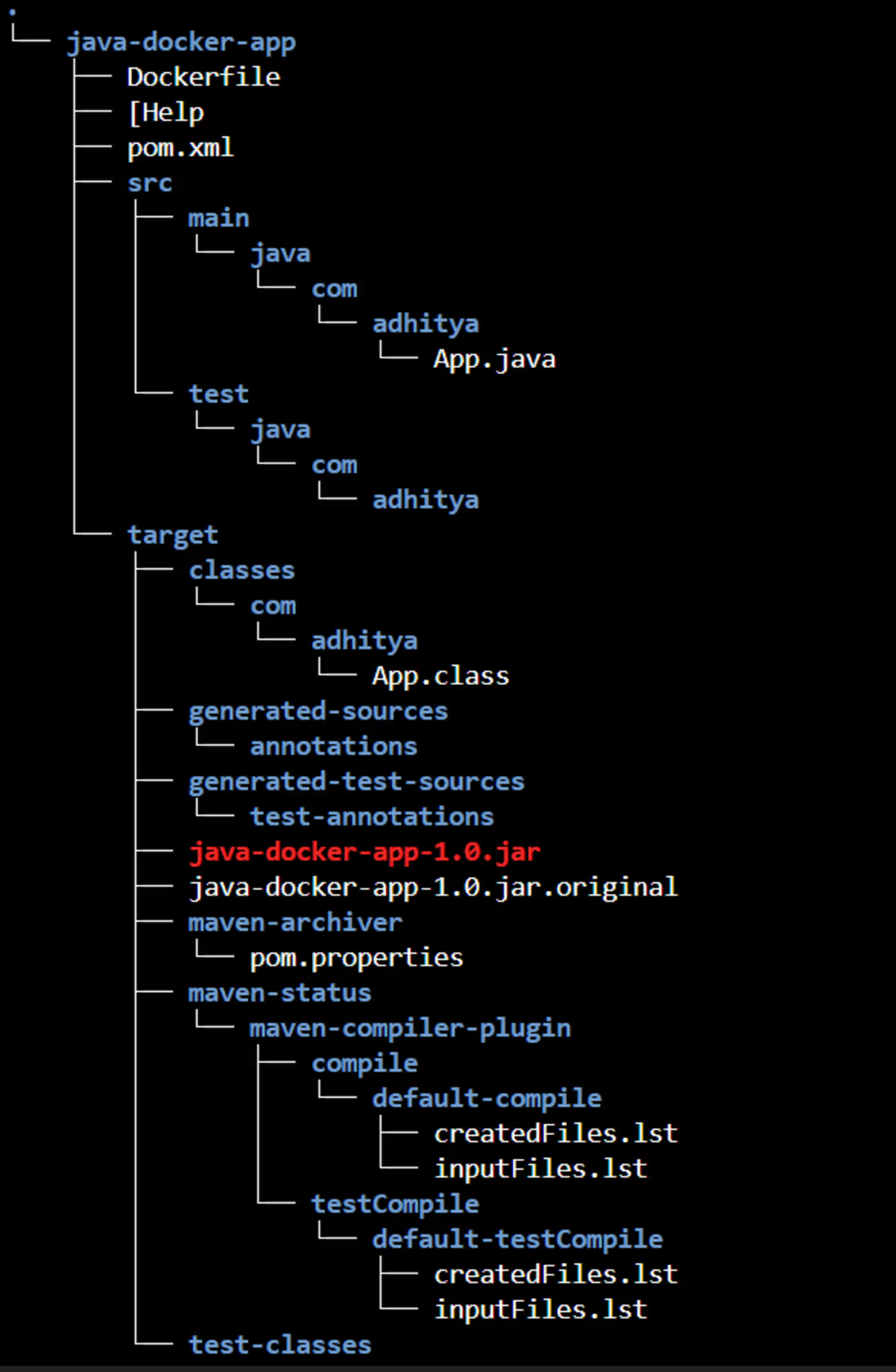
A Java web application (Maven-based, with both a plain Java app and a Servlet/JSP webapp structure) built, packaged into a WAR/JAR, and containerized for deployment.
What I built
Set up the project structure with Maven (pom.xml, src/main/java, src/main/webapp) — including a servlet-based structure (HelloServlet.java (http://HelloServlet.java), index.jsp, web.xml) generated in one version, and a standalone Spring Boot app scaffolded via Spring Initializr in another
Ran mvn package to build the application — confirmed a clean BUILD SUCCESS, producing a deployable WAR file
Wrote a Dockerfile to containerize the app on top of a Tomcat base image
Built the Docker image (docker-java-webapp:v1) and verified it locally — confirmed the container was running and mapped to port 8080 (docker ps showing the container Up and healthy)
Tagged and pushed the image to Docker Hub (mnqw1209/java-docker-app:v1) so it could be pulled and deployed from anywhere — including by my separate deployment automation script
Result
Verified with docker images and docker ps that the image built correctly and the container ran successfully on the expected port. Pushed all image layers to Docker Hub successfully, confirmed by the registry digest.
Why it matters
This is the "build and publish" half of a full CI/CD-style workflow: the app is built once, containerized, and pushed to a registry — after which any server can pull and run it consistently, which is exactly what my [[server automation project]] does on the deployment side. Together they form a complete build → publish → deploy pipeline.
Tech stack
Java · Maven · Spring Boot · Docker · Docker Hub · Tomcat
1
155
What it is
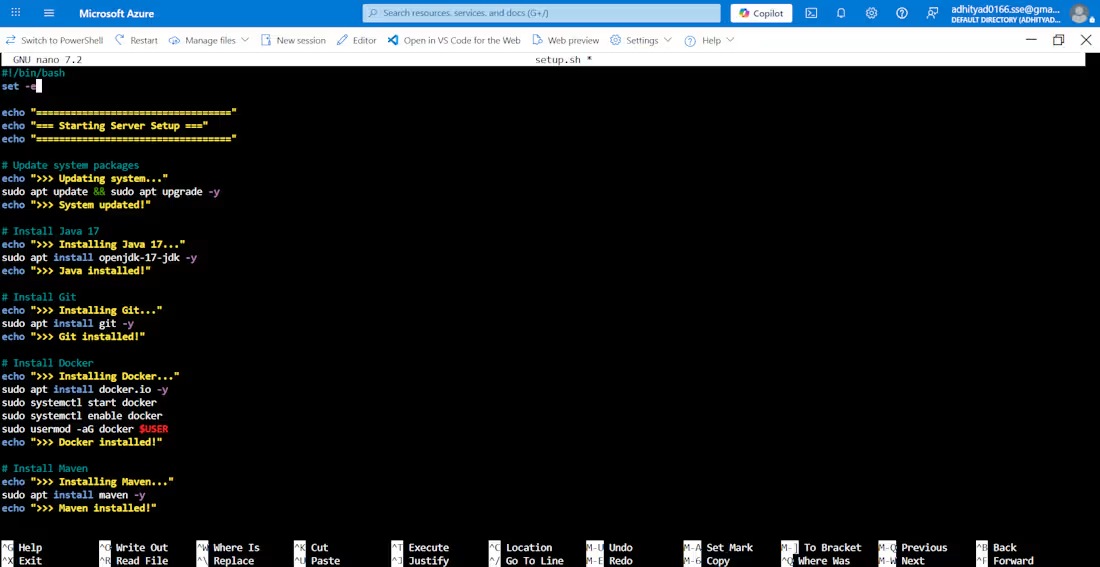
A pair of Bash scripts that automate server provisioning and application deployment on an Azure Ubuntu VM: setup.sh (http://setup.sh) prepares the server, and deploy.sh (http://deploy.sh) pulls and runs a Dockerized Java application.
What I built
setup.sh (http://setup.sh) — provisions a fresh Ubuntu 24.04 VM: updates system packages, installs Java 17 (OpenJDK), Git, Docker (and enables/starts the Docker service), and Maven — all with status logging at each step (>>> Installing X... / >>> X installed!) and set -e so the script stops immediately if any step fails.
deploy.sh (http://deploy.sh) — handles the deployment: pulls the latest Docker image from Docker Hub, stops and removes any existing container safely (using || true so it doesn't fail on a first run), starts the new container mapped to port 8080, fetches the VM's public IP automatically, and prints the live URL where the app is running.
Result
Ran both scripts on a live Azure VM (aditya-vm, Central India region). Setup completed cleanly — confirmed Java, Git, Docker, and Maven versions installed. Deployment pulled the container, started it, and the app was live and reachable in the browser within seconds, serving a working response from the container.
Why it matters
This removes all manual setup and deployment steps a developer would otherwise repeat by hand — install packages, configure Docker, pull the image, restart the container correctly. It's the same pattern used to onboard new servers or push updates quickly and reliably, without SSH-ing in and typing commands one by one.
Tech stack
Bash · Docker · Azure Virtual Machine · Ubuntu 24.04 · Git · Java/Maven
1
134

I designed and implemented the full deployment pipeline for SyncBeat using Azure DevOps:
Source control & pipeline trigger — code pushed to the repo automatically kicks off the CI/CD pipeline in Azure DevOps
Build & containerization — the app is built and packaged into a Docker image
Azure Container Registry (ACR) — the image is pushed to ACR as the central image store
Azure Web App — the pipeline deploys the container directly to Azure App Service, so every merge results in an automatically updated live app
Why it matters
This setup means zero manual deployment steps — a code change goes from commit to live in minutes, with a consistent, repeatable process. It's the same workflow small teams use to avoid "it works on my machine" problems and reduce deployment risk.
Tech stack
Azure DevOps · Docker · Azure Container Registry · Azure App Service · Git
1
116