
Craig Yeates
Operations, compliance, and systems optimization specialist.
New to Contra
Craig is ready for their next project!

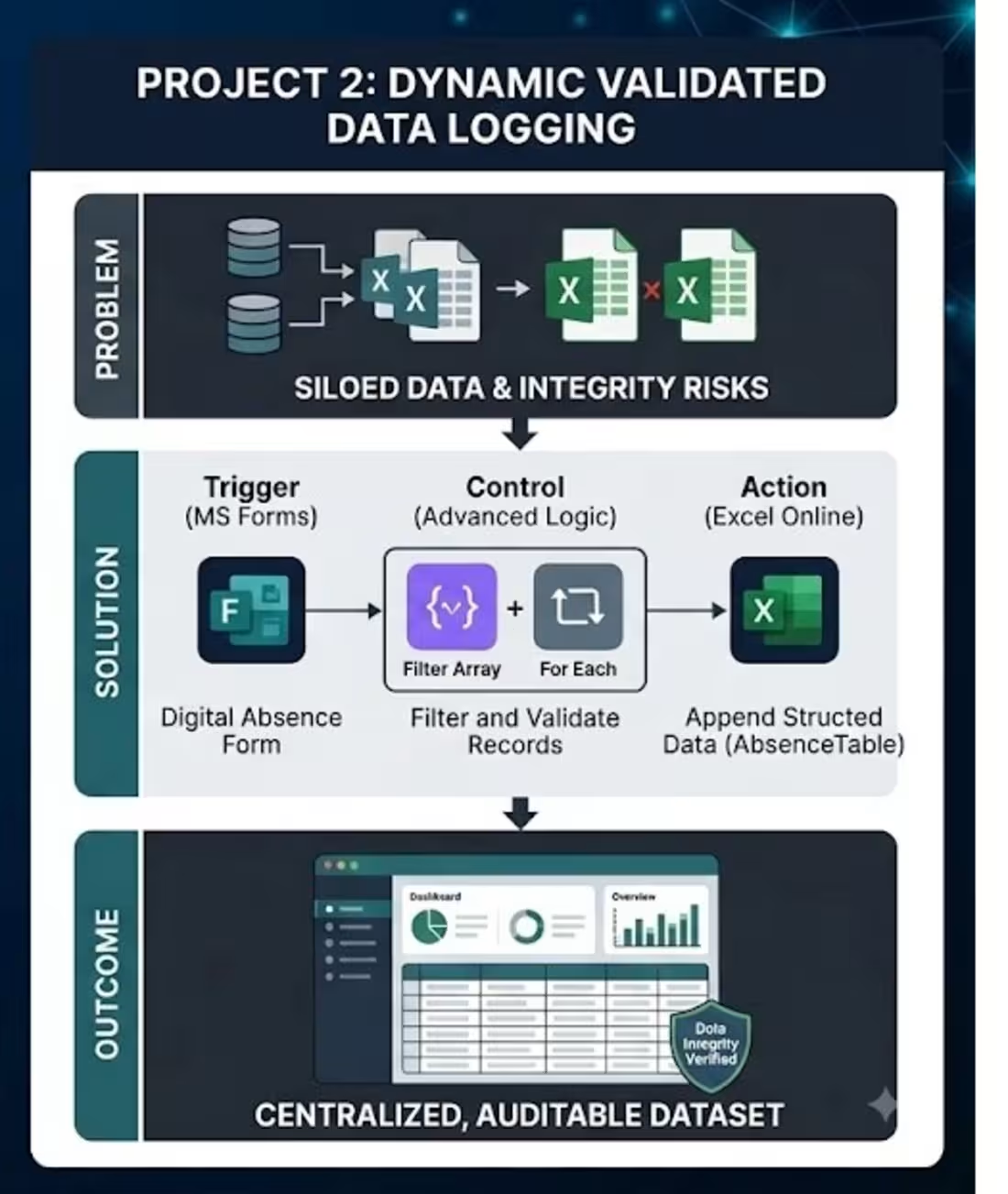
Dynamic Absence Data Logging System
The Challenge (Problem): Tracking staff or student absences was manual, siloed, and often prone to errors. Reports would come in via form, but the data was not dynamically appended to a central master dataset. Managing multiple overlapping datasets created data integrity risks and delayed consolidated reporting.
The Automation (Solution): I designed an advanced automated logic flow.
Trigger: It launches upon a digital absence form submission.
Data Processing: Instead of just saving the raw data, the flow uses advanced actions: it accesses the centralized group document library, lists the current folder contents, and uses a Filter Array function to isolate and validate relevant records before proceeding.
Integration: It then dynamically loops through the validated results using a 'For Each' control block, and appends the structured absence details (e.g., Student Number, Dates of Absence, Reason) directly into a master Absence Table in Excel.
The Result (Outcome): This modernized the entire reporting workflow. It ensures absence records are dynamically validated against a master database before being logged, guaranteeing data integrity. The centralized, up-to-date dataset now allows for immediate, accurate absence analytics and cross-department reporting.
Tools Used: Microsoft Forms, Power Automate (Advanced Logic, Filter Array, For Each Loops), Excel Online (Structured Table Logging).
1
6
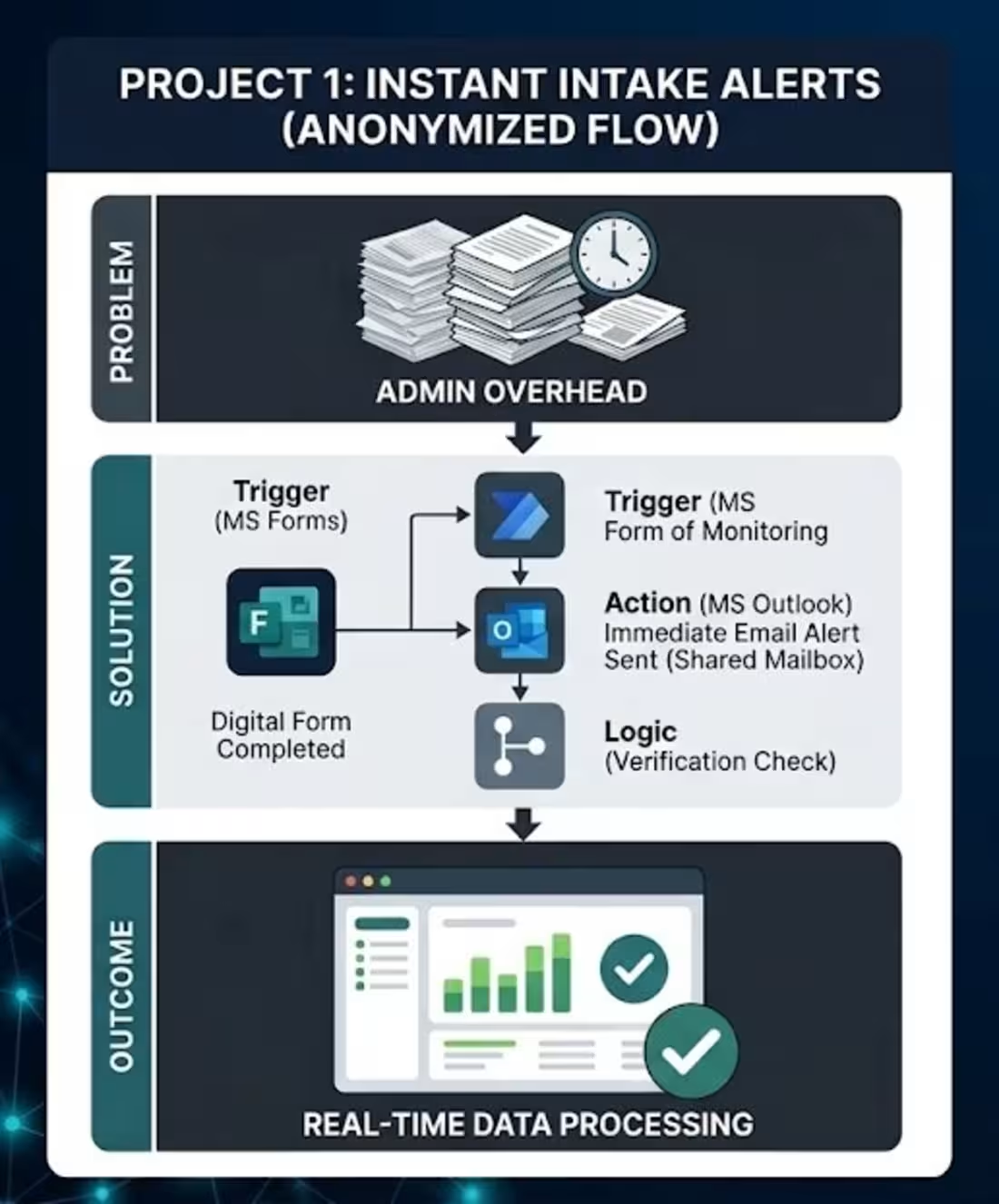
Automated Placement Form Notifications
Instant Placement Intake Alerts
The Challenge (Problem): When a crucial 'Placement Information Form' was completed by a partner organization, the administrative team relied on manual monitoring or delayed alerts to know a submission was waiting. This lag meant new placement data wasn't processed immediately, slowing down the operational workflow.
The Automation (Solution): I built a multi-step Power Automate cloud flow.
Trigger: It initiates instantly when a new response is submitted via Microsoft Forms.
Logic: It automatically grabs the detailed form contents.
Action: It formats that data and uses a shared mailbox to send an immediate, structured email notification to the correct stakeholder group (e.g., the 'Early Childhood Studies' team), confirming who submitted the form and what the data is.
The Result (Outcome): This eliminated a manual monitoring step, ensuring the operations team is alerted to new data in real-time. It significantly reduced lead times for processing new placement requests and provides a traceable confirmation audit trail.
Tools Used: Microsoft Forms, Power Automate (Shared Mailbox), Data Ingestion logic.
1
12
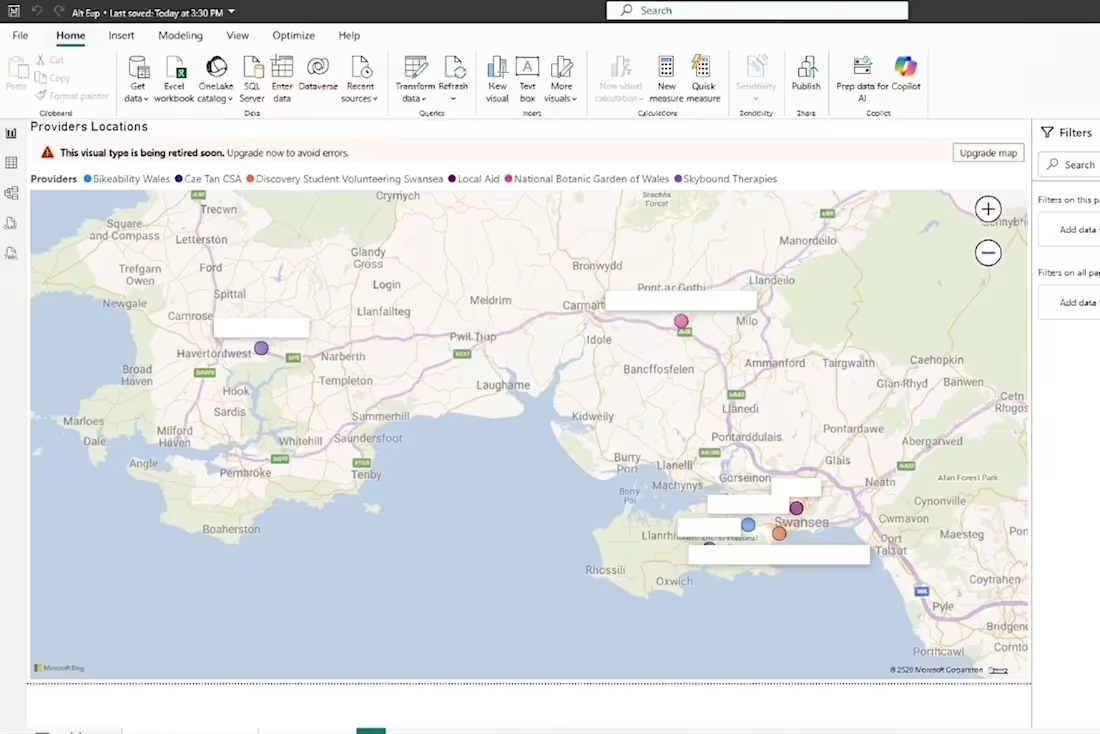
Geographic Placement Allocation Map
To streamline the student allocation process for alternative experience placements, I developed a custom Power BI interactive dashboard. Previously, identifying the proximity of available placement providers required manual lookups, creating inefficiencies and a risk of poor allocation.
My solution integrates placement provider data with an interactive mapping visual. It dynamically plots the exact geographical location of each active provider across the region. This enables the placements team to instantly visualize placement concentrations, filter providers based on specific criteria (such as proximity to a student's home or accessibility via public transport), and make informed, data-driven decisions when assigning students. This tool modernized a manual administrative process, significantly reducing allocation time and improving strategic planning for diverse cohort needs.
0
13
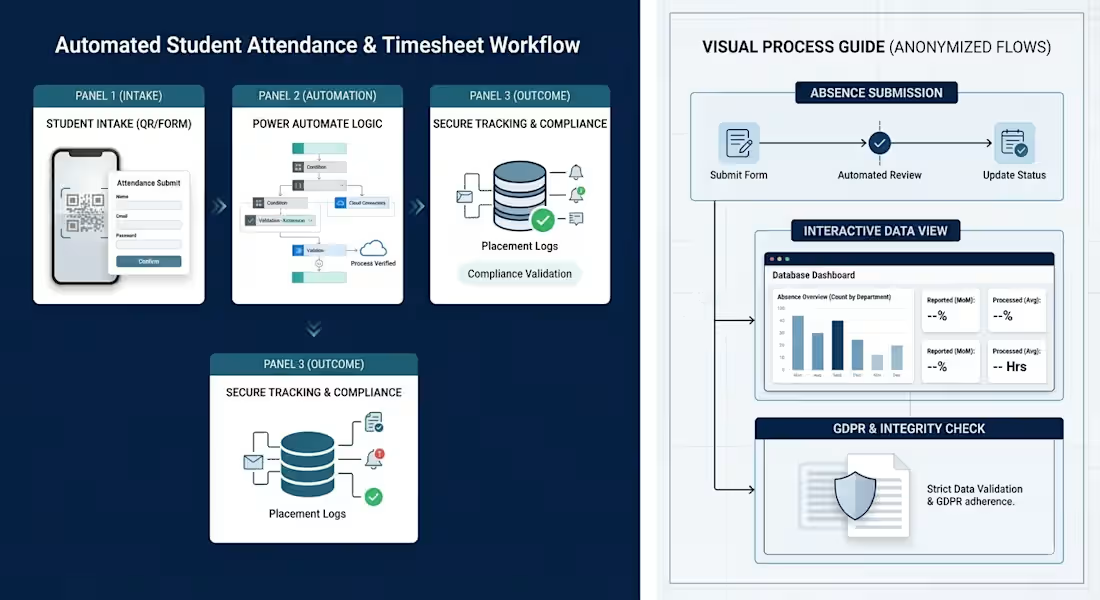
My recent projects that I have created are within a University institution so GDPR is preventing me from showcasing fully. The core systems and guides I have built focus on automating operational workflows and streamlining student processes. Below is a structural representation of those key projects.
1. Automated Student Attendance & Timesheet Workflow
Core Architecture: Designed using Microsoft Forms, Power Automate, and QR code check-ins to manage student attendance, timesheets, and placement monitoring.
Process Flow:
- Students submit attendance or log placement hours via digital forms or QR code check-ins.
- Power Automate workflows automatically validate submissions against cloud directories and route data into secure tracking systems.
- Automated triggers handle notifications and compliance checks.
Impact: Eliminated manual spreadsheet tracking, reduced administrative error rates, and ensured strict adherence to institutional duty-of-care regulations.
2. Visual Walkthrough Guide for Database Tracking & Absence Reporting
Core Purpose: Developed a structured student and staff guide explaining interactive database tracking and absence reporting procedures.
Visual Layout Elements:
- Step-by-step process flowcharts mapping out absence submissions.
- Clear visual distinctions between user-facing intake forms and background database operations.
- Standardized navigation steps designed around strict institutional data protection and GDPR requirements.
Impact: Streamlined administrative communication, improved cohort compliance, and provided a repeatable reference manual for academic departments and external partners.
1
20