The network for creativity
Join 1.25M professional creatives like you
Connect with clients, get discovered, and run your business 100% commission-free
Creatives on Contra have earned over $150M and we are just getting started
Back to feedPost

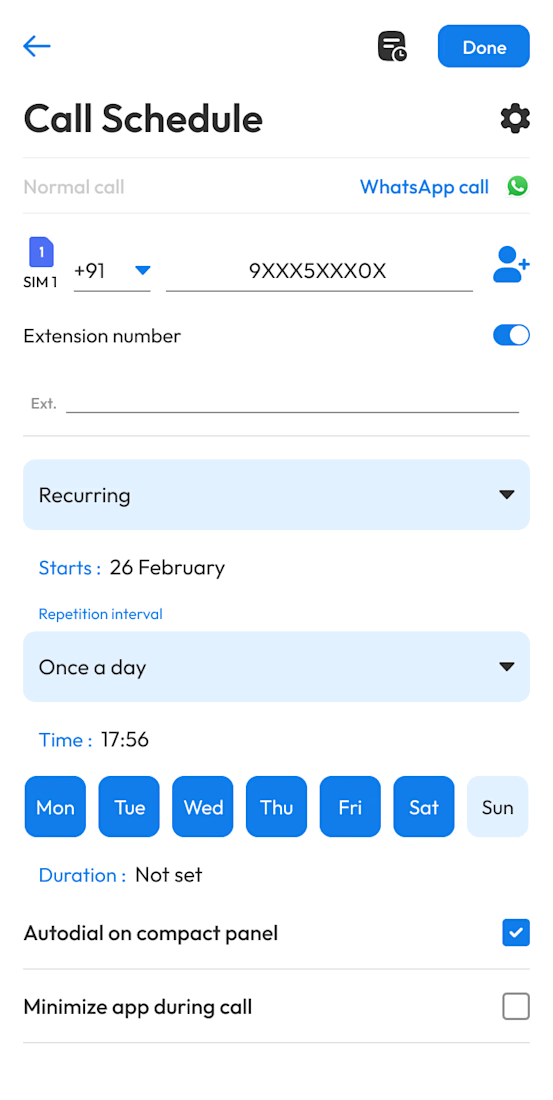
A productivity-focused Android application designed to help users schedule and manage phone calls instead of relying on manual reminders.
I developed the application using Kotlin, XML layouts, Android SDK, and modern Android development practices, focusing on a clean and intuitive scheduling experience. The app allows users to schedule calls for specific dates and times and manage their scheduled calls from a centralized interface.
The project involved working with Android background processing, notifications, scheduling logic, local data management, application state, and system-level phone functionality to make the scheduling workflow reliable and practical.
I also focused on creating responsive XML-based UI layouts, handling Android lifecycle requirements, managing scheduled tasks, and integrating the application's core functionality with Android's phone and notification systems.
This project demonstrates my experience building practical Android applications that combine custom UI development, system integrations, background functionality, scheduling, and reliable user workflows.


The network for creativity
Join 1.25M professional creatives like you
Connect with clients, get discovered, and run your business 100% commission-free
Creatives on Contra have earned over $150M and we are just getting started



Related posts


Amazing work

Every day, local businesses have good food left unsold, while people nearby are looking for affordable meals.
Leftly connects the two through a food rescue marketplace. Users can browse discounted local offers, find them on a map, reserve a meal, and pick it up using clear reservation details and a QR code.
The mobile experience combines colorful food cards, location-based discovery, and a straightforward pickup flow to make saving food feel convenient and rewarding.


Crypto Portfolio Dashboard
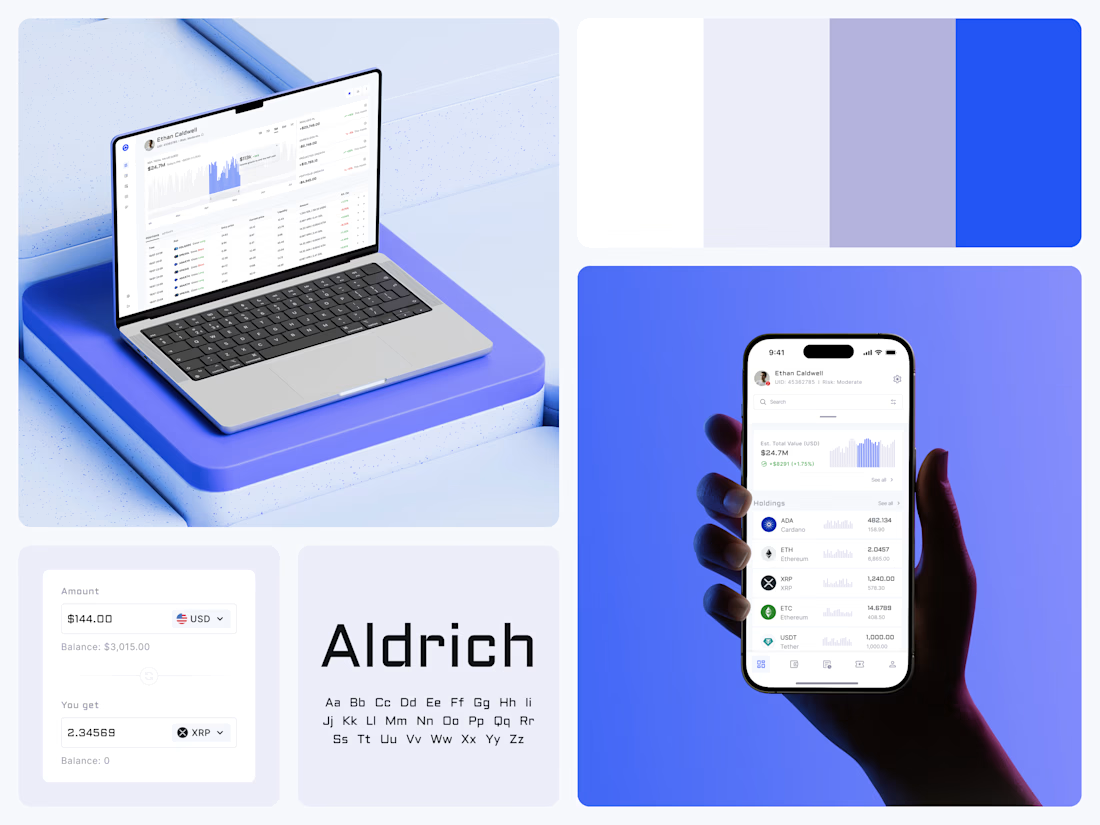
Blue means one thing here: the range you are looking at.
The value chart is a row of thin gray bars, and only the selected date range fills in blue. You read the period that matters and keep the months around it as context.
The phone carries the same chart above the holdings list. Each coin gets its own small bar chart between the name and the amount, so you can scan the whole portfolio for movement without opening a single coin.
Trading screens get busy fast. This one stays light and calm, so the numbers lead: total value, realized and unrealized P&L and open positions, all on one screen.
Designed by the Hue & Machine team.
#Crypto #Fintech #DashboardDesign #TradingPlatform #DataVisualization #UIDesign #ProductDesign #WebApp #MobileDesign #FigmaDesign



Nice Ui Dmytro