The network for creativity
Join 1.25M professional creatives like you
Connect with clients, get discovered, and run your business 100% commission-free
Creatives on Contra have earned over $150M and we are just getting started
Back to feedPost

Project title
TMDB Movie Explorer : Responsive Movie Discovery Web App
Preview description : A responsive movie discovery website built with HTML, CSS, JavaScript, Bootstrap, and the TMDB API.
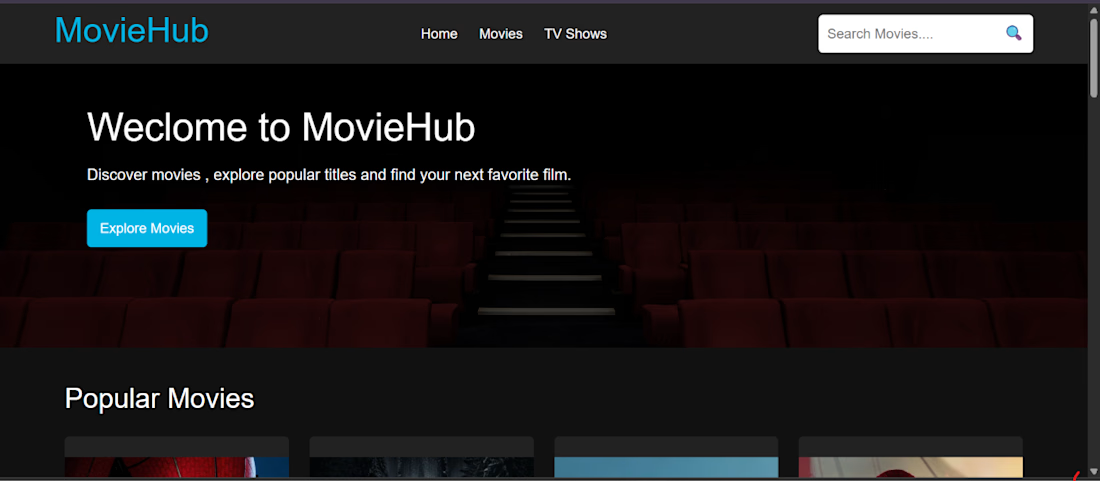
Project Overview : I built a responsive movie discovery website inspired by modern movie streaming and discovery platforms. The project uses the TMDB API to fetch real movie data and display dynamic search results, movie cards, and detailed movie information.
The goal was to practice building a real-world frontend application that works with an external API while keeping the interface clean, responsive, and easy to navigate.
What I Built :
1. Dynamic movie search using the TMDB API
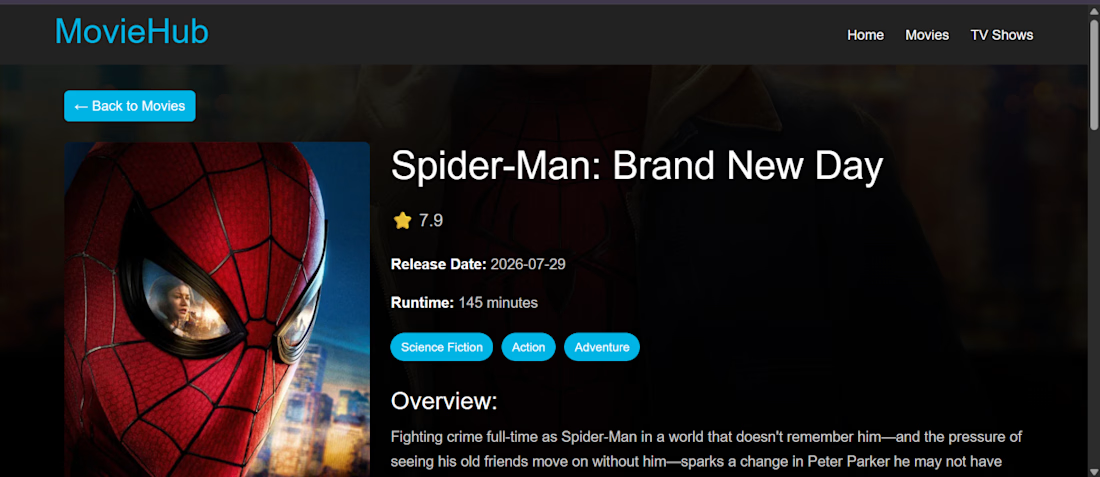
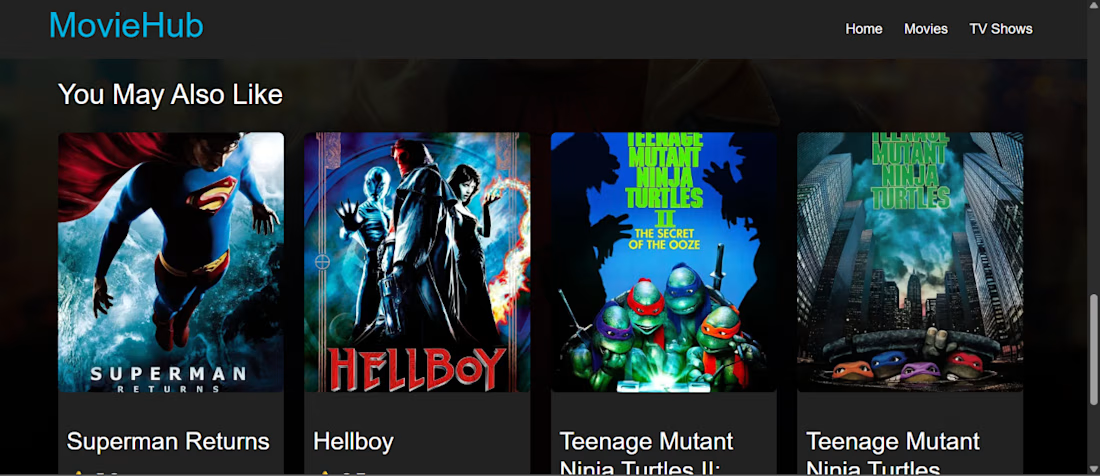
2. Movie cards with posters, titles, ratings, and release information
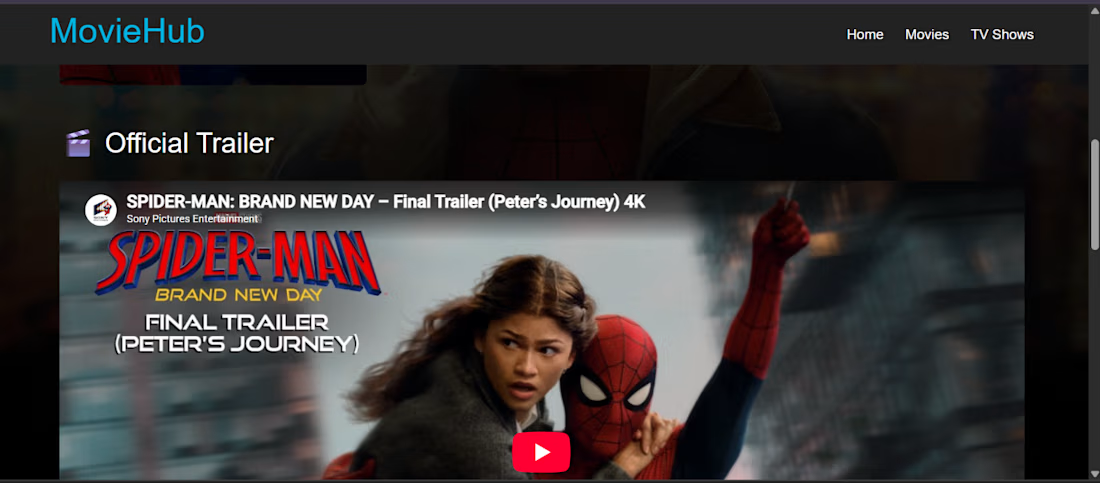
3. Dedicated movie details page
4. Dynamic movie backdrop and detailed information
5. Responsive layout for desktop and mobile screens
6. Navigation with movie and TV show sections
7. Search bar with search functionality
8. Bootstrap-based responsive components
9. Clean and modern movie-focused UI
10. Deployed the project using Vercel
Tech Stack : HTML5 · CSS3 · JavaScript · Bootstrap 5 · TMDB API · Vercel
What I Learned : This project helped me improve my understanding of working with REST APIs, handling dynamic data with JavaScript, building responsive layouts, and creating multiple pages that work together as a complete web application.
I also focused on improving the mobile experience and organizing the project so that the UI remains simple and easy to use across different screen sizes.
Live Demo : https://tmdb-clone-indol.vercel.app/
The network for creativity
Join 1.25M professional creatives like you
Connect with clients, get discovered, and run your business 100% commission-free
Creatives on Contra have earned over $150M and we are just getting started





Related posts

Title: Nexa Electronics: Premium E-Commerce Website with Interactive 3D Exploded Views
Description:
Nexa Electronics is a demo e-commerce website I designed and built to show my skills in modern web design, front-end development and interactive 3D experiences. This video is a walkthrough of the site.
What’s in the video
The home page, with a cinematic hero section and a 3D device showcase
Browsing by category: Smartphones, Laptops, Audio, Gaming, Smartwatches, Smart Home and Accessories
Product pages with configuration and colour options, a zoom inspection view, pricing, stock status and customer reviews
The interactive 3D exploded view (“Explore Inside in 3D”), where you can take products apart layer by layer to see their internal components
Quick View, the device comparison matrix, the shopping bag and a full checkout flow (shipping details, payment, order review and confirmation)
Customer sign-in and an admin dashboard for managing the store
Website features
Interactive 3D exploded views of products, with labelled internal parts and an explode slider
A mega-menu navigation and fast category browsing
Product configuration (storage and colour variants) with live pricing
Wishlist, compare and shopping bag functionality
Device comparison matrix
A simulated checkout with order confirmation
Customer accounts (sign-in)
An admin dashboard with store stats and inventory and price management
A newsletter signup section
A toggle to turn the 3D experience on or off
A responsive, dark and light themed premium UI
Note: I made this video with the help of AI, and it is just a demo to show my skills. To see my work properly, I recommend visiting the live website here: https://nexaelctronics.netlify.app/
Thanks for watching. I’m open to freelance projects, so get in touch if you’d like something similar built for you.


The dark theme and 3D device views look sharp.

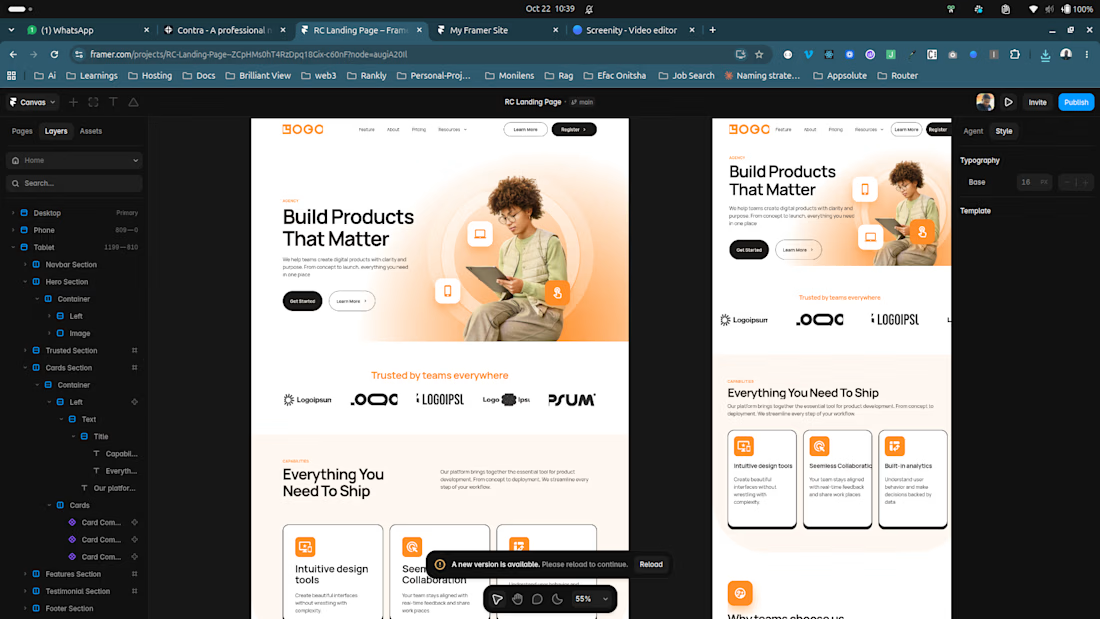
Following up on my recent dive into Framer, I decided to put the concepts into practice by designing and building a complete agency landing page from scratch.
Working directly in the canvas helped me better understand how Framer bridges the gap between layout design and responsive web production.
Here is what this build covers:
Structured Layouts: Organizing nested sections—from the Navbar and Hero Section down to Cards, Testimonials, and Footer navigation.
Multi-Device Responsiveness: Ensuring fluid adaptation across Desktop, Tablet, and Mobile viewports directly inside the builder.
Visual Polishing: Crafting a clean agency aesthetic with balanced typography, subtle gradients, and interactive component states.
Each project makes the workflow smoother and faster.
Have you been building with Framer lately?
I'd love to hear what tips or workflows have sped up your design process! 👇
Setting up component variants early sped up my Framer builds a lot.

Engineered an interactive commerce platform for autonomous multi-channel retail.
Built with high-conversion frontend craftsmanship:
• Bespoke warm-linen editorial palette with tactile state micro-interactions
• Dynamic live telemetry console with real-time budget calibration sliders
• Reactive 4-step autonomous pipeline with live event stream toasts
• 60 FPS performance, fluid responsive architecture & clean component hierarchy
Stack: React • TypeScript • Tailwind CSS

The budget sliders update live, which makes the pitch feel tangible. Nice React work.