The network for creativity
Join 1.25M professional creatives like you
Connect with clients, get discovered, and run your business 100% commission-free
Creatives on Contra have earned over $150M and we are just getting started
Back to feedPost

So, here's what my sound design for the @TonyElumeluFDN Cinematic Teaser Video looks like…
I did the composting and animation in After Effects, but the Sound design was done inside Premiere Pro.
Also here are a few pro tips for editors👇
1. Your music choice is the bedrock for your SFX, good SFX will not salvage your bad music choice. Pick a music, that fits the video, and communicates the feeling you want your viewers to have.
2. Balancing the audio levels of your music, SFX, and Voiceover is also important. you don't want your SFX to be louder than the Voiceover, or your music overshadowing the Voiceover. Recommended, Voiceover: -6dB to -12dB, SFX: -15dB to -20dB, Music Bed: -22dB to - 30dB…Note that this is not universal, or absolute.
3. Let your animations match the beats in your music. Its the fastest and easiest way to make your videos feel premium, and retain your viewers…
See you on the next one…✌️

The network for creativity
Join 1.25M professional creatives like you
Connect with clients, get discovered, and run your business 100% commission-free
Creatives on Contra have earned over $150M and we are just getting started





Related posts

in this video you would see that, i created a video effect i call "Staggered Splice" using the Invideo AI editing agent (Agent Two).
a horizontal and vertical splice bar effect, that flashes while entering the next clip


Nice work!!

CRAZY MAN
A clip with no beginning and no end, no backstories and no context.
In a crazy guy's crazy world, this clip revolves around primarily a MINIMALIST effect with added touches of DISTORTION and SLICE SHIFT (barely).
Here's the link to the invideo editor timeline:- https://invideo.io/share/CRAZY-MAN-y4EvDkuqMnh
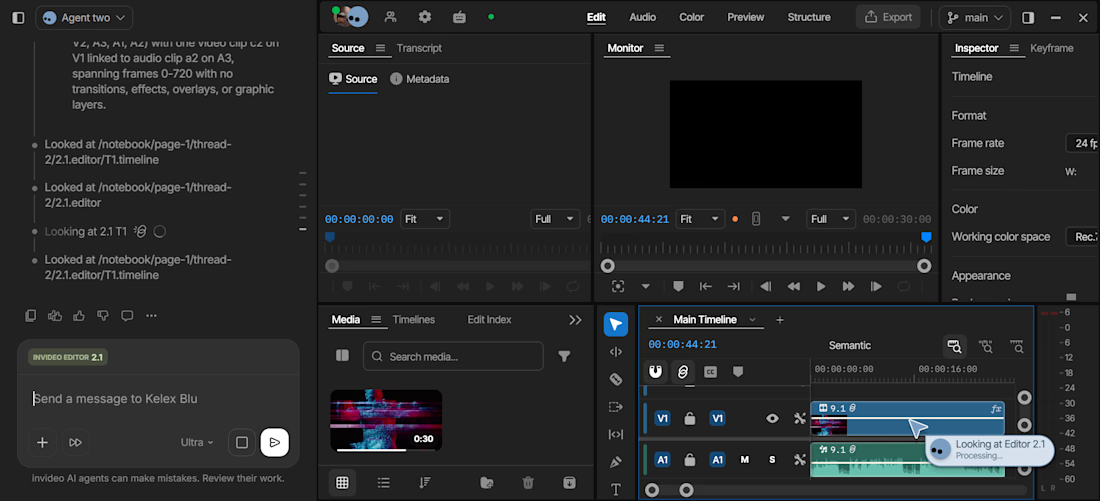
I used Seedance 2.5 to get me a clip that suited my vision , simple prompt based clip further rendered in 4k afterwards in the editor. I went on to work on it in the timeline where my personal agent Kelex Blu helped out. I did not add in the minimalist effect initially so he helped me place exactly that in the beginning, fed in suggestions for color grading and refinement and smartly explained what he saw and suggested what would work best. Smart guy !

Woww


I wanted to test whether an AI Timeline Agent could transform ordinary, flat mobile footage into a viral, cinema-grade VFX shot that would normally take hours of node compositing in After Effects.
Using raw 1080×1920 60 FPS golden-hour sunset footage shot on my Samsung Galaxy S21+, I directed Invideo Editor's Timeline Agent to build a dynamic "Hail Mary Highlight Trails" effect, layering anamorphic light streaks, atmospheric cloud dispersion, and a punchy cinematic grade directly onto an editable multitrack timeline.
PROMPT: Build a cinematic 'Hail Mary Highlight Trails' effect on this sunset clip: duplicate the clip on a secondary layer with Screen blend mode, apply a high-intensity anamorphic lens flare with light streaks across the clouds, add an aurora glow shader, and finish with a rich golden-hour contrast grade.


Nice work