The network for creativity
Join 1.25M professional creatives like you
Connect with clients, get discovered, and run your business 100% commission-free
Creatives on Contra have earned over $150M and we are just getting started
Back to feedPost

0 to 17,947 Google impressions in about three months.
That is the new Llandeilo Town Council website, which I built in Framer.
Honest caveat: last year's 0 is because the domain only started pointing at the new site on 8 May 2026. Search Console, 10 Jul to 8 Oct, against the same dates in 2025.
This year: 17,947 impressions, 255 clicks.
"llandeilo town council" averages position 4.1. That one search gave 73 clicks, a 74% click-through rate.
Also: the hero video went from 39 MB to 5.1 MB, same footage. The clerk adds news and minutes in the CMS without touching the design. It is bilingual and accessible.
The page for "llandeilo" has 10,324 impressions but sits at position 11. What would you fix first?


The network for creativity
Join 1.25M professional creatives like you
Connect with clients, get discovered, and run your business 100% commission-free
Creatives on Contra have earned over $150M and we are just getting started



Related posts

10 days on Contra. Honest numbers.
What I did:
followed 200+ designers, marketers and founders
left 220+ comments, each one on a post I actually looked at
liked 220+ posts
answered 35+ replies in threads
applied to 10 jobs
What happened:
followers: 76
2 replies from job applications
a few real conversations with media buyers and designers about working together
earned: $0
clients: 0 so far
I don't know yet how fast this turns into clients. I'll keep showing up every day and report again in 10 days.
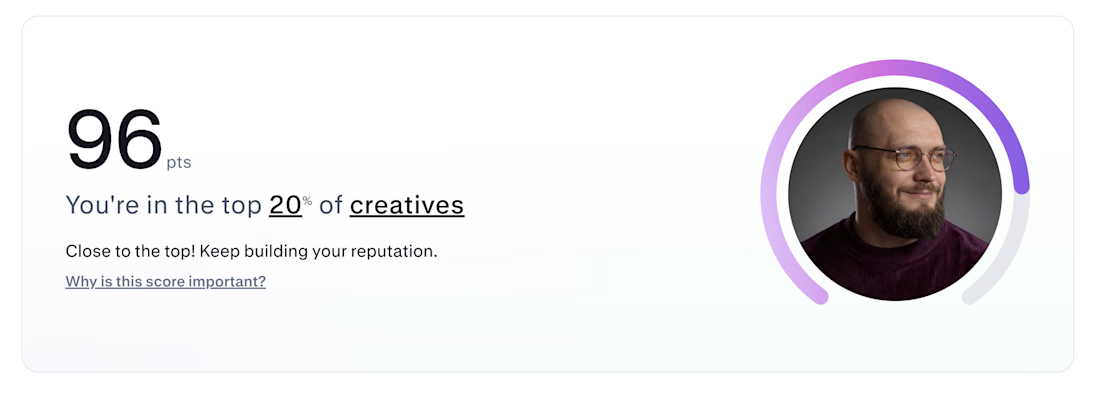

Pure consistency! Hitting top 20% creatives in 10 days by simply showing up and adding real value. Great hustle, Ivan!

Introducing MapFlow 2.0: map, sidebar and popups in one Framer component
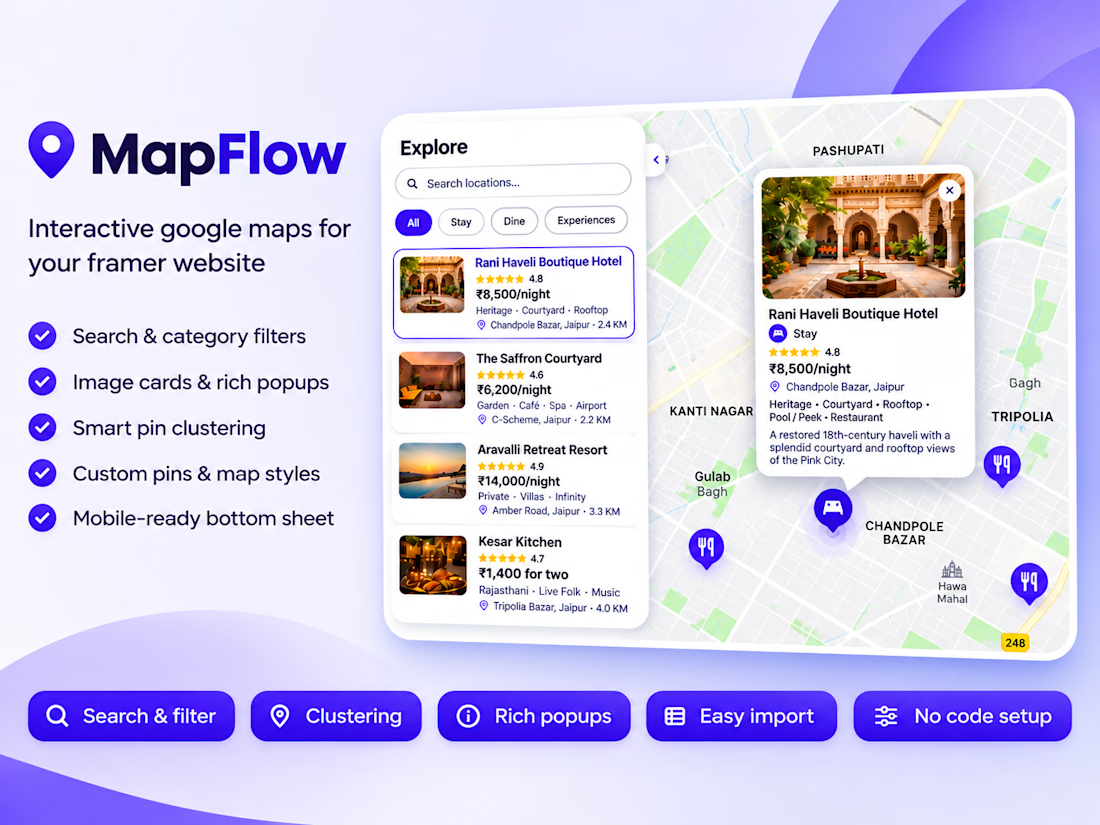
MapFlow 2.0 is a custom Google Maps component for Framer. Add locations with images, ratings, prices and details, then show them with category filters, search, clustering and polished popups. Everything is set from the property panel, no code.
Built for Framer, fully controlled from the property panel.
What’s new in 2.0
Sidebar with Image Cards or Category List. Show locations as image cards with rating, price and address, or as a clean drill-down list by category.
Search and category filters. Visitors search by name and filter with pills; the map reframes to match.
Rich popups. Image, category badge, star rating, price, address, details and a call-to-action button, each one toggled on or off.
Standard or Group markers. Use plain markers for a simple map, or group locations into categories with their own pin style and color.
Primary Location. Highlight your HQ, store or event venue with its own star pin and popup.
Smart clustering. Dense areas collapse into clean bubbles and expand as you zoom.
Auto distance. Show how far each place is from your primary location.
Bulk import. Paste a JSON or CSV list and add dozens of locations at once.
Easy coordinates. Type decimal degrees or degrees and minutes (21° 36' N).
Mobile-ready. On small screens the sidebar becomes a bottom sheet.
Full styling control. Map presets (Silver, Minimal, Grayscale, Night, Retro), custom JSON styles, native font controls, colors, radius and more.
Great for
Travel guides, real estate listings, restaurant and store locators, coworking and healthcare directories, event maps and city guides.
Demo data
The preview uses a fictional Jaipur City Guide (hotels, restaurants and experiences) to show every feature.
How to use it
- Drop MapFlow onto your canvas.
- Add your Google Maps API key.
- Add locations or paste an import list.
- Pick a sidebar layout and style it.


Clustering plus category filters in a no-code component is a big deal for location-heavy sites. The image card sidebar with ratings and prices makes it feel like a proper directory.

Redesigned and developed a premium WordPress website for Luxeline Chauffeurs Services, a UK-based executive chauffeur company, with a complete booking and customer management experience built around the business's daily operations.
The project involved extensive WordPress customisation, bespoke plugin development, booking automation and technical SEO, connecting the customer-facing website with the operational systems behind it.
Key Development Work:
1- Premium Website Design: Created a refined, responsive website with a professional presentation of chauffeur services, vehicle categories and a clear customer booking journey.
2- Custom Booking System: Developed a streamlined booking experience allowing customers to enter journey details, select vehicles, review pricing and submit booking requests.
3- Dynamic Pricing: Configured journey-based pricing with distance calculations, vehicle-specific rates, airport transfer requirements and configurable pricing rules.
4- VIP Client Accounts: Built dedicated customer account functionality, allowing clients to access booking information, monitor journey statuses and manage their booking records.
5- Bespoke WordPress Plugins: Developed custom functionality connecting booking activities, payment information and journey status updates between the WordPress administration dashboard and customer accounts.
6- Booking & Status Management: Improved the administrative workflow so booking progress and journey status changes could be managed centrally and reflected within the relevant client accounts.
7- Payments & Automated Communication: Integrated payment functionality alongside automated invoicing, booking-related emails and professional customer notifications.
8- Google Search Console: Set up and configured Google Search Console to support search performance monitoring, indexing management and the identification of technical search issues.
9- Technical SEO: Worked on the website's technical SEO foundations, including search engine crawlability, indexing configuration, XML sitemaps, metadata and mobile usability.
The Outcome
A tailored WordPress platform that brings the website, booking process and back-office operations together, reducing repetitive administration while providing customers with a clearer, more convenient way to arrange their journeys.
The project also established a stronger technical foundation for search visibility and ongoing website optimisation.
Rather than relying entirely on standard plugin features, the development was adapted to Luxeline's booking requirements, operational workflows and long-term website needs.


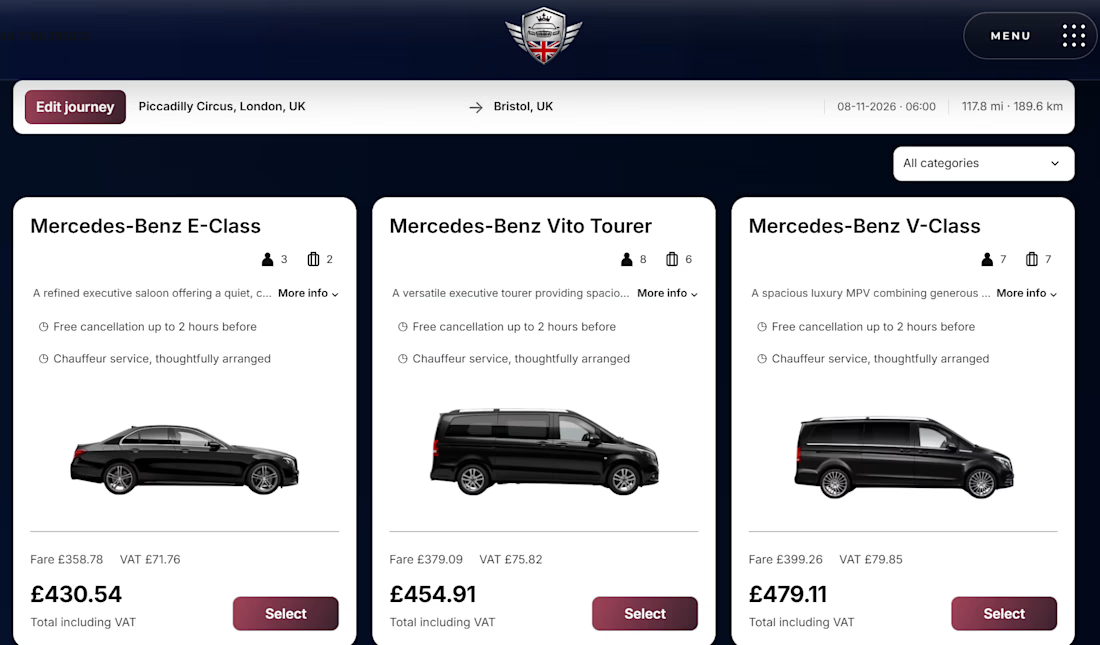

Seeing pricing before booking helps.