The network for creativity
Join 1.25M professional creatives like you
Connect with clients, get discovered, and run your business 100% commission-free
Creatives on Contra have earned over $150M and we are just getting started
Back to feedPost

Zapier Training Recap: Formatter, Paths & Email Automation
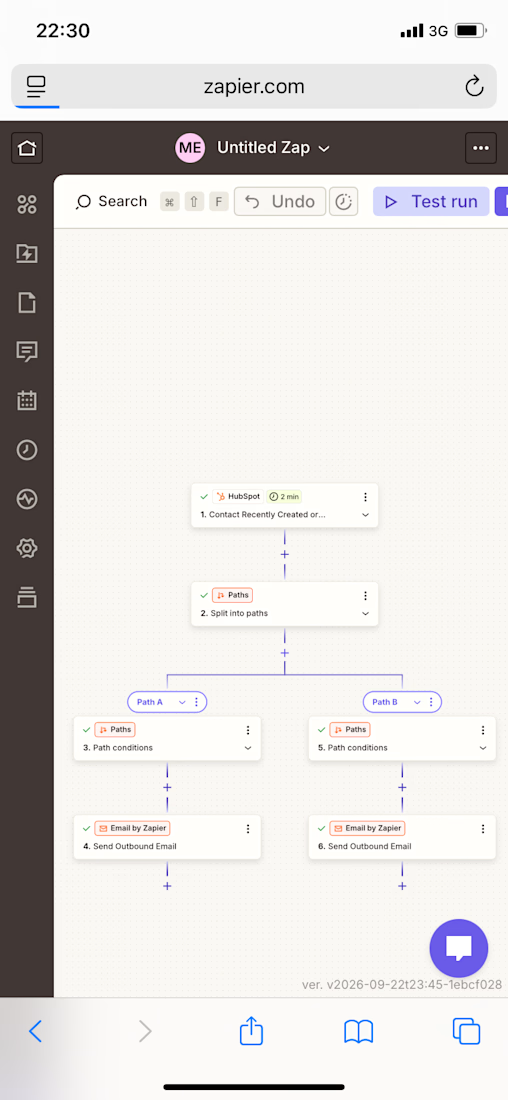
Today I went deeper into Zapier, Zapier’s no-code automation platform, working entirely from my phone. I extended a HubSpot-to-Email automation I’d already built by adding a data-formatting step and confirming my conditional logic and final email delivery all work correctly.
What I Practiced
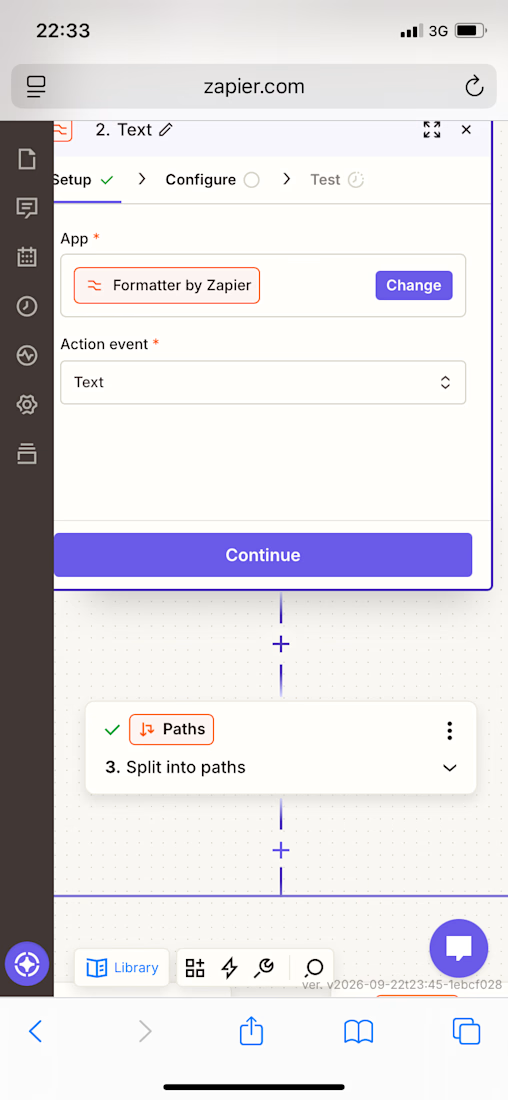
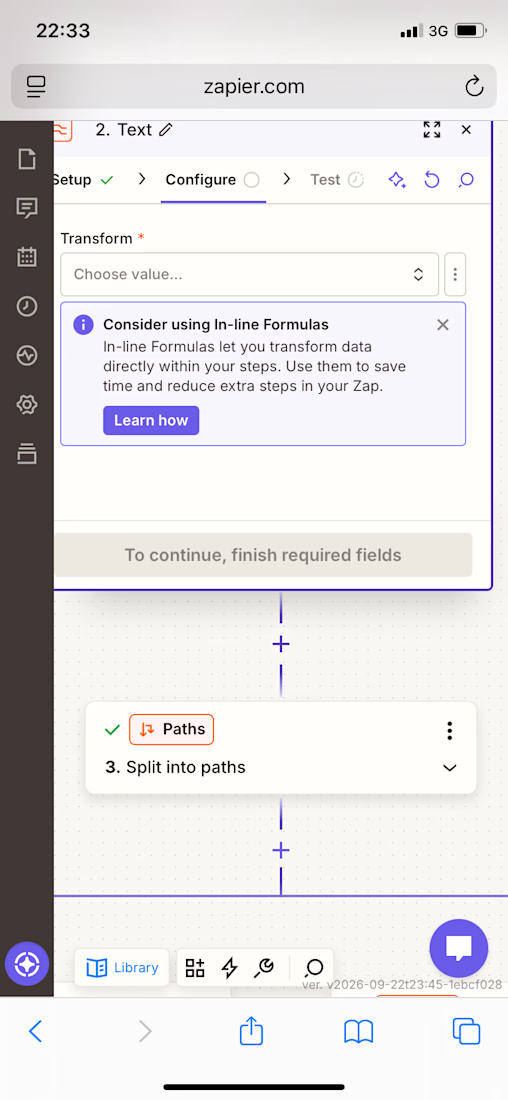
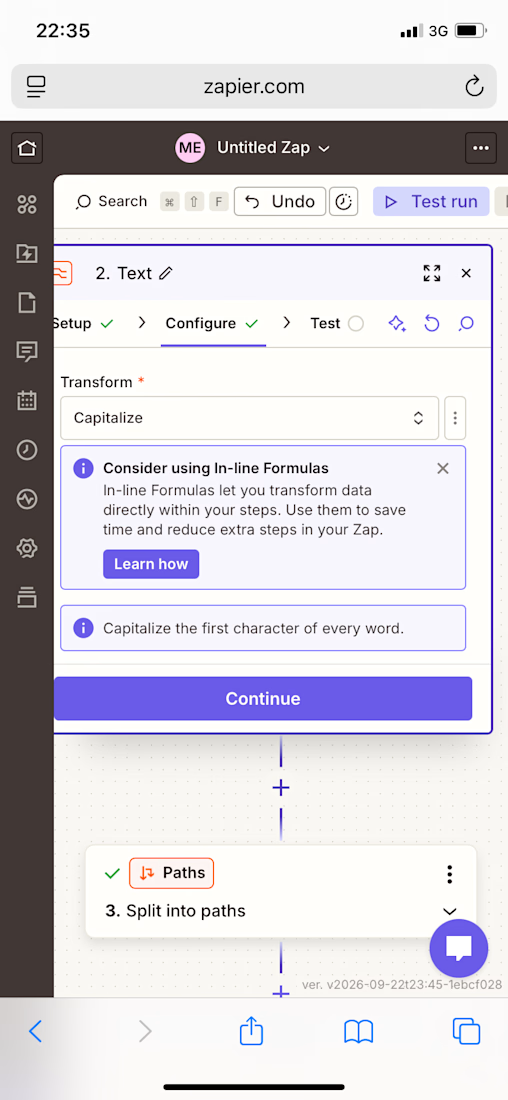
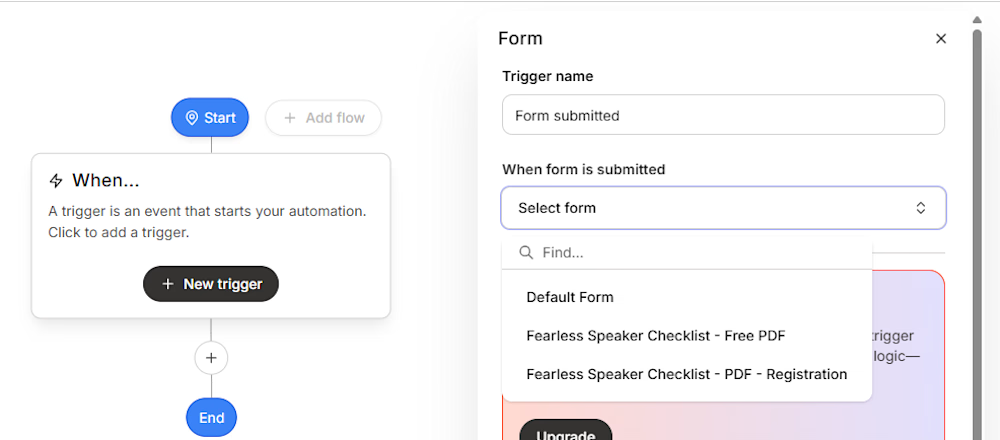
✅ Added a Formatter by Zapier step to the automation, using the “Text” action event with a Capitalize transform
✅ Connected the Formatter step to pull in the Firstname field from a HubSpot contact
✅ Tested the Formatter step and confirmed it correctly capitalized the first letter of the name
✅ Placed the Formatter step before my existing Paths step, so data gets cleaned before the automation branches
✅ Re-tested my Path conditions step (City exactly matches “New_York”) and correctly interpreted a “path would not have continued” result when the test record’s city didn’t match
✅ Reviewed and confirmed the final Send Outbound Email step — recipient, subject line, and a dynamic body pulling in both Firstname and Email fields from HubSpot
✅ Ran a full test of the email step and confirmed successful delivery
✅ Made the intentional decision to keep the Zap unpublished while still testing and refining it
Skills Practiced
• Data transformation / text formatting in automation workflows
• Conditional logic (Paths) and interpreting automation test results
• Dynamic field mapping between connected apps
• End-to-end automation testing before going live


The network for creativity
Join 1.25M professional creatives like you
Connect with clients, get discovered, and run your business 100% commission-free
Creatives on Contra have earned over $150M and we are just getting started

Challenges
View all


Related posts



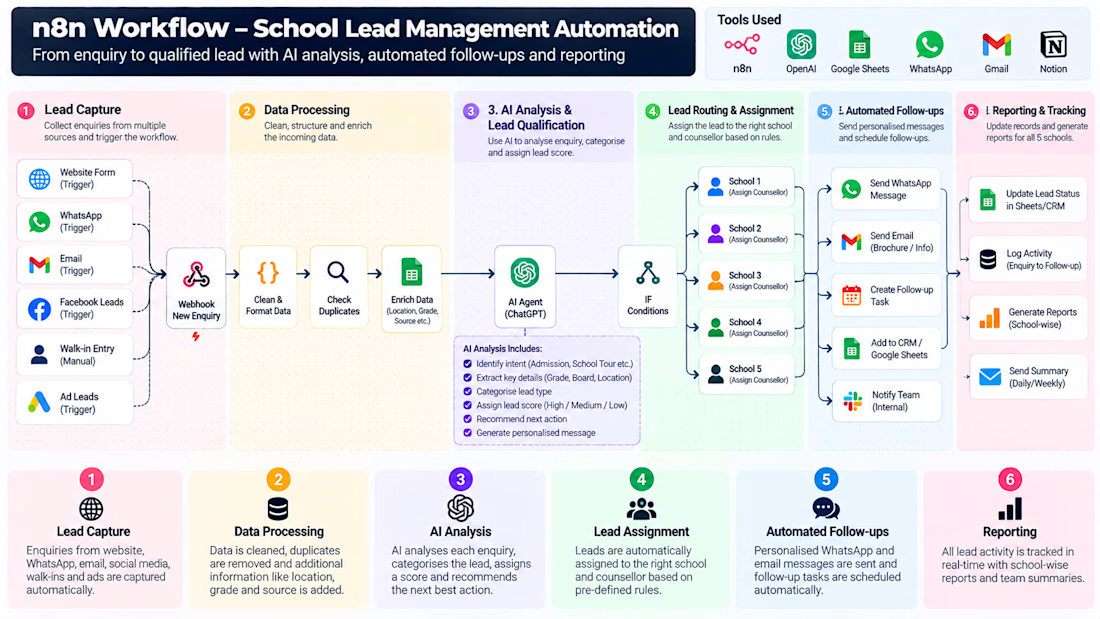
Most businesses don't need more AI tools.
They need fewer repetitive tasks, better workflows, and clearer decisions.
I've been exploring how AI and automation can improve everyday business processes - from lead management and follow-ups to research, reporting, and internal operations.
One thing I'm learning: the difficult part isn't connecting tools. It's understanding the business problem well enough to automate the right thing.
A workflow that saves time but creates more complexity isn't a good solution.
The real objective is simple:
→ Reduce manual work.
→ Improve consistency.
→ Give people more time for decisions that actually matter.
I'm building and documenting practical AI-powered business solutions, one workflow at a time.
What is one repetitive task in your business that you'd automate first?
#AIAutomation #WorkflowAutomation #BusinessOperations



The point about workflows creating complexity is a common trap. I often see teams automate a simple task only to find that maintaining the logic takes more time than the original manual process did.

Most lead generation tools collect leads.
Mine scores them, analyzes them, and logs them automatically.
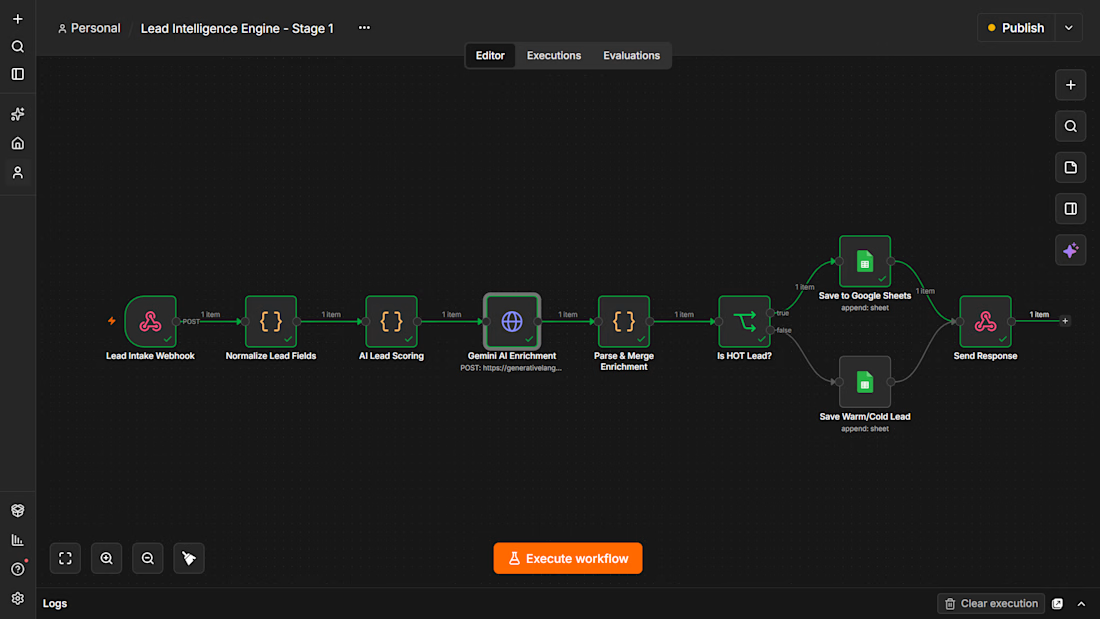
I built an AI Lead Intelligence Engine using n8n that triggers the moment a form is submitted. It normalizes the data, runs it through an AI scoring model, detects industry and buying intent using Gemini, assigns a HOT/WARM/COLD tier, and saves everything to a live CRM sheet.
Built for businesses that are tired of chasing cold leads manually.
This is Stage 1. Stage 2 adds automated personalized outreach. Stage 3 adds an AI voice call within 60 seconds.
If you run a business and lose leads because follow-up is slow, this system fixes that.


Love this Lead Intelligence flow! I also build lead scoring with n8n + OpenAI + Google Sheets. Clean execution — how do you handle duplicate leads? Let's connect!