The network for creativity
Join 1.25M professional creatives like you
Connect with clients, get discovered, and run your business 100% commission-free
Creatives on Contra have earned over $150M and we are just getting started
Back to feedPost

I can finish a technical plan. I stall on the first screen. That has
stopped side projects of mine before.
Glowdays is a skincare diary that tells you if a product is actually
working.
Mobbin > Kiro agent > design guidelines > Flowstep MCP > prototype >
code back out
I planned it before I designed it. A spec, an architecture, and one set
of real numbers that every screen used. Then I took styles I liked from
Mobbin and my agent in Kiro turned them into Flowstep's design
guidelines file.
Editing that file changes every screen generated after it. Screens
already on the canvas stay as they are. I rewrote it five times, and
each rewrite changed the design that followed. Trying a new direction
took minutes.
With Flowstep connected over MCP, the agent wrote the screen
specifications instead of me. About three hundred words per screen, with
exact colours, exact spacing, and every state named. Detailed
specifications produce more accurate screens than short prompts.
It also caught design mistakes. The skin analysis API returns pore
readings for four areas of the face. My design showed one and left out
three.
The workflow:
1 Plan in Kiro > spec, architecture, real data
2 Mobbin > style direction
3 Agent > design guidelines file
4 MCP > screens on the canvas
5 Check the render > patch the code
6 Pull the code out > build on any stack
A hundred screens, covering every flow the app needs plus error and
empty states: sign in, capture, consent, analysis, results, diary,
calendar and deletion.
The coding agent can now read those screens back through MCP and start
building, without deciding what any state should look like.
Prototype and canvas:
https://app.flowstep.ai/file?activeFileId=0bd549b0-9dbb-4f13-8493-34fda5415127
Walkthrough:
https://www.youtube.com/playlist?list=PLBQEAHCFVJds
The network for creativity
Join 1.25M professional creatives like you
Connect with clients, get discovered, and run your business 100% commission-free
Creatives on Contra have earned over $150M and we are just getting started





Related posts

From tattoo enquiry to confirmed appointment.
UNTITLED is a fictional independent tattoo studio in Amsterdam, built around a very real problem: tattoo bookings often live in DMs.
Clients ask about prices, availability, placement, references and custom ideas, while artists spend time managing the same back-and-forth manually.
UNTITLED brings that entire process into one connected experience.
The product has two sides:
CLIENT VIEW
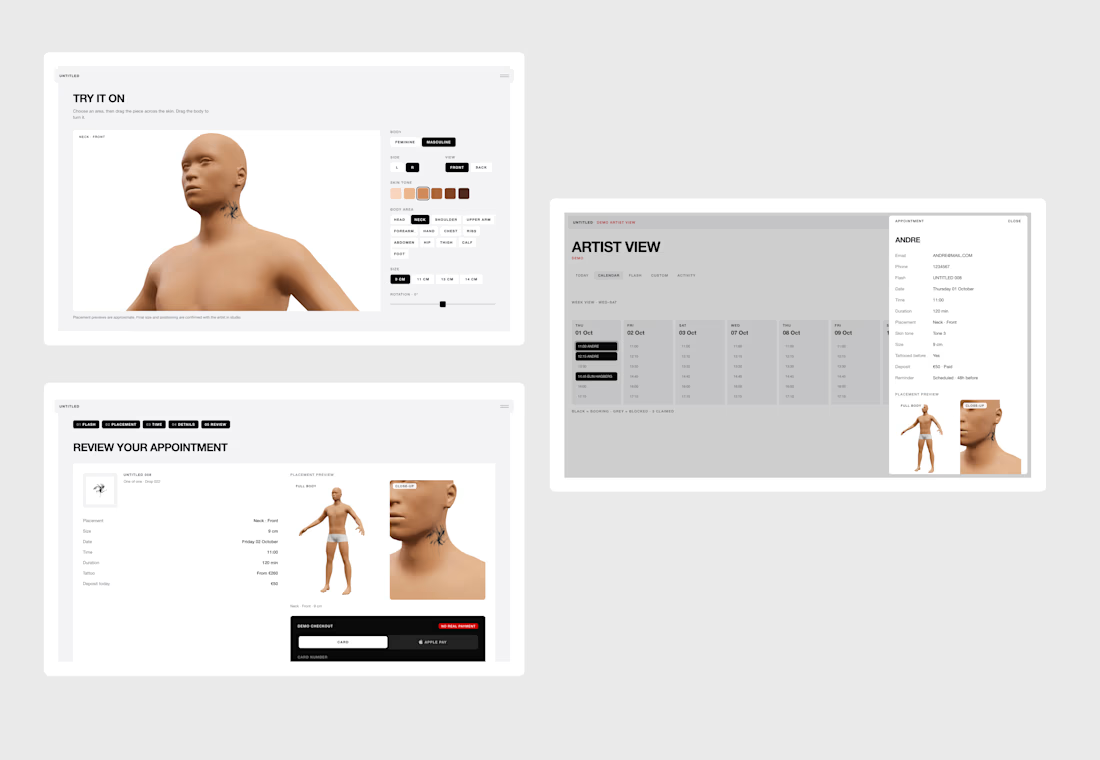
Clients can browse available flash, place tattoos on a 3D body model, choose a date and time, complete a demo checkout, or submit a custom tattoo request with references, placement, size, budget and preferred availability.
ARTIST VIEW
The artist dashboard brings together bookings, payments, calendar availability, flash management, custom enquiries, quotes and activity in one place.
Both views are connected, creating a fully working end-to-end demo.
A flash booking updates the artist calendar and design availability, while a custom request appears in the dashboard for the artist to review, quote and turn into a confirmed appointment.
3D PLACEMENT
The booking flow includes an interactive 3D tattoo placement system, allowing clients to choose body type, skin tone and body area, then position, scale and rotate the selected tattoo before booking.
This replaces part of the placement conversation that would normally happen through messages.
CUSTOM REQUESTS
Not every tattoo starts from an existing design.
Clients can switch from FLASH to CUSTOM and send a structured enquiry with reference images and project details.
The artist can then review the request, create a quote and propose an appointment directly from the dashboard.
Custom request → quote → approval → booking.
FULLY RESPONSIVE
The complete experience is responsive across desktop, tablet and mobile, including the website, booking flow, 3D placement interface and artist dashboard.
DEMO
UNTITLED is a functional demo built for the Lovable Challenge.
Payments are simulated and the data is session-based so the full experience can be tested repeatedly, but the core product logic is fully interactive across both Client and Artist views.
BUILT WITH LOVABLE
I built UNTITLED entirely in Lovable, from the client-facing website to the booking logic, 3D placement experience and artist dashboard.
I also applied to the Lovable Partner Program during the challenge and I’m now officially a Lovable Partner!
Live website: https://untitledamsterdam.lovable.app/
X Post
Walkthrough video (for product and process) below.

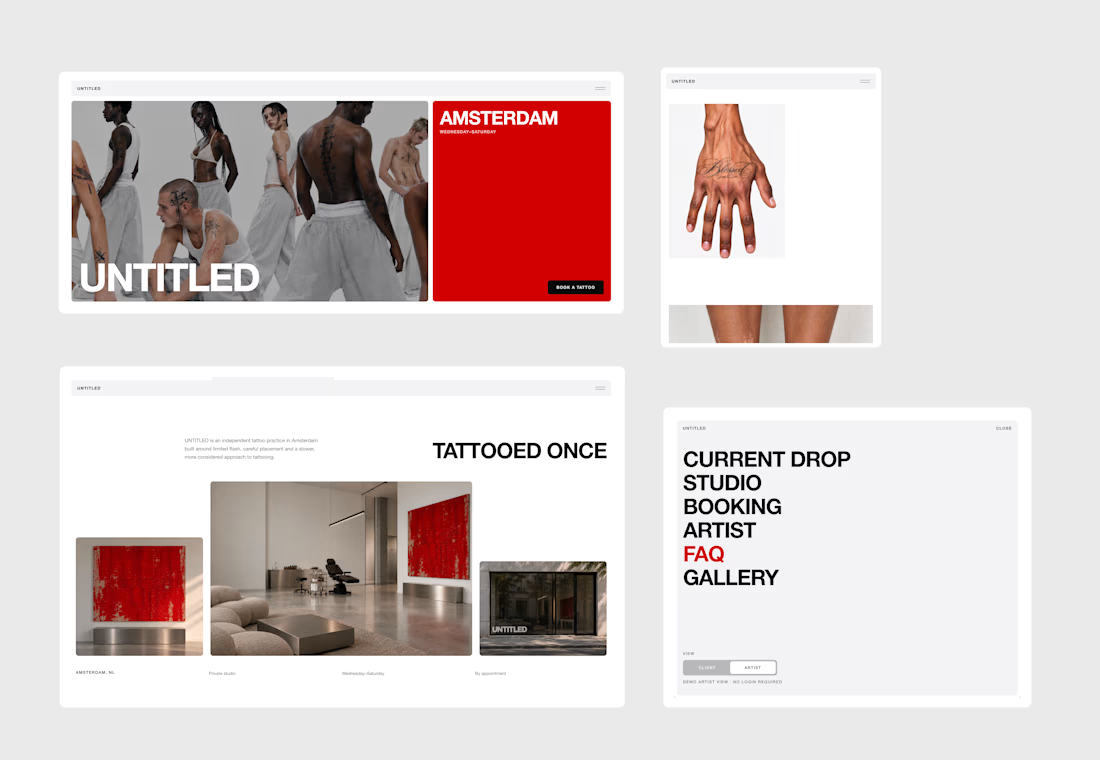

Looks amazing, pretty clean, but a product menu in a tattoo studio feels kind of odd. But it looks nice..

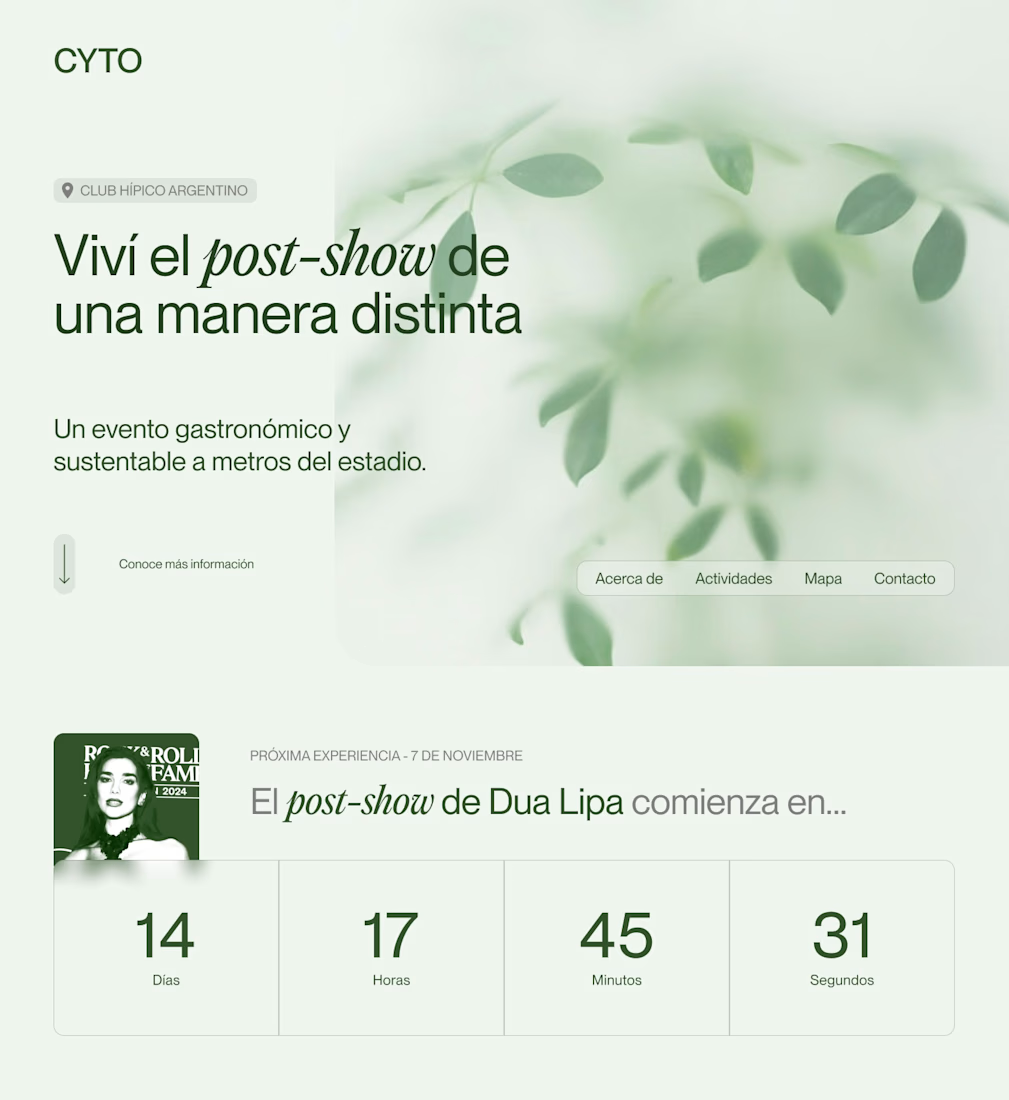
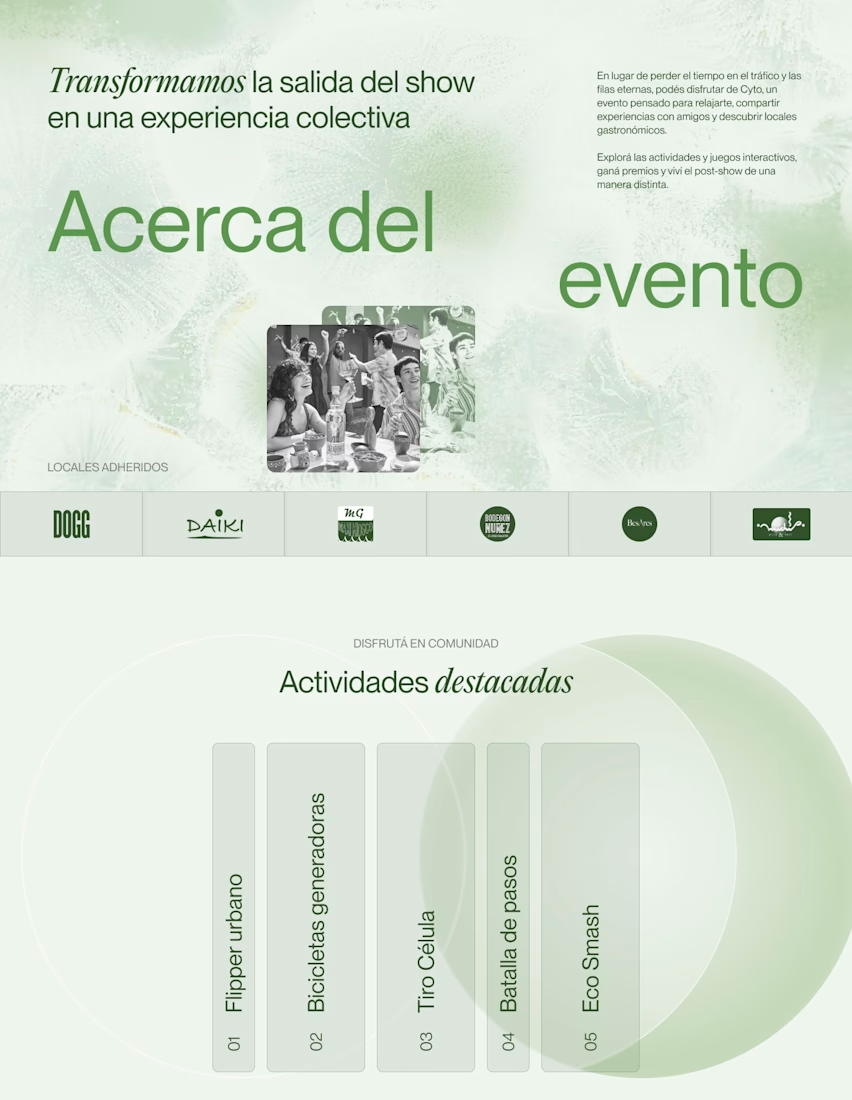
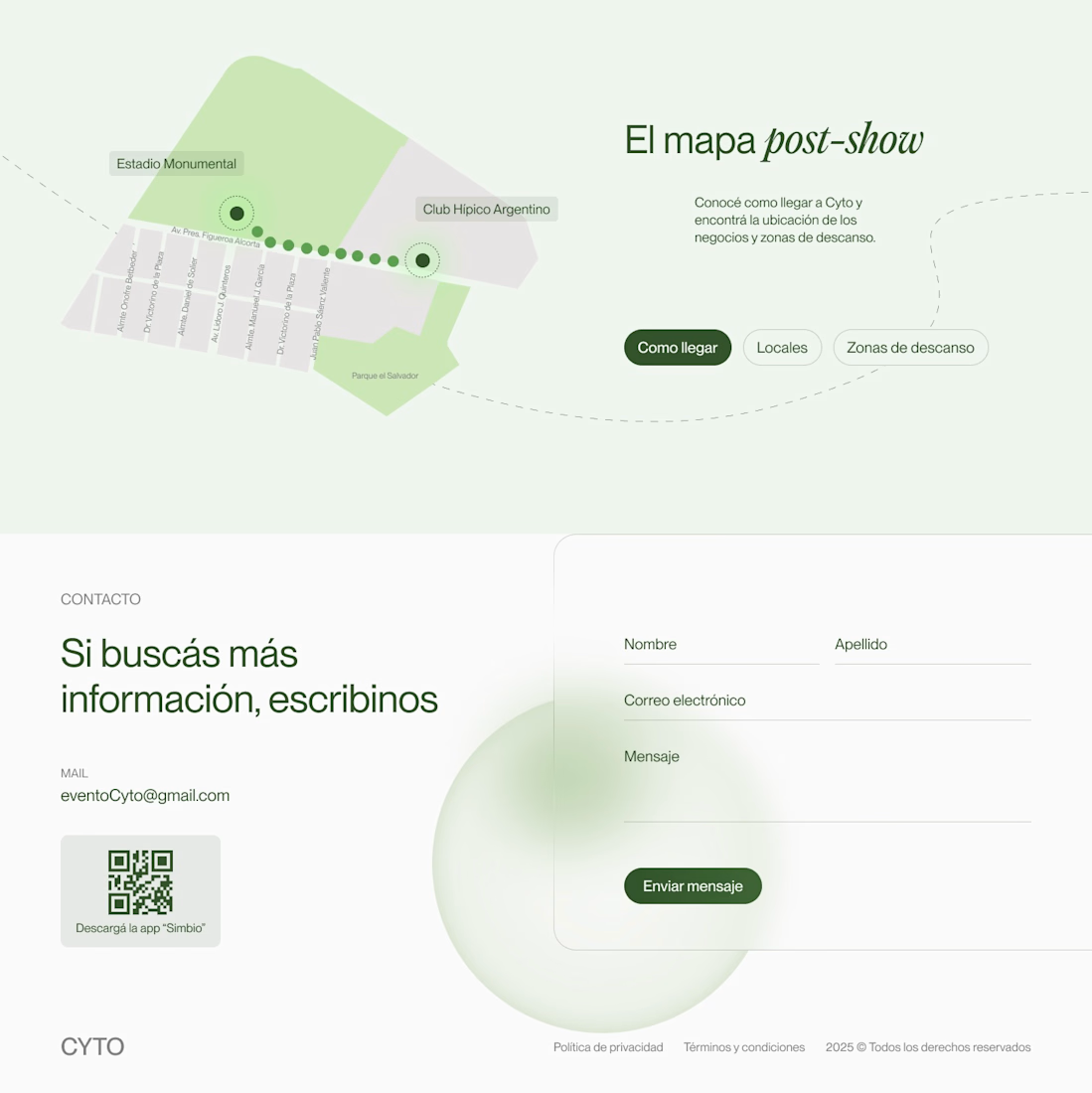
I’m working on a new project. About a year ago, I designed a landing page for an event. Now, I’m translating that design into Framer to challenge myself.
#webdesign #landingpage #framerdesigner #figmadesign

Nice design

I built a full booking app in 2 days with @Lovable. Here are 4 things I learned.
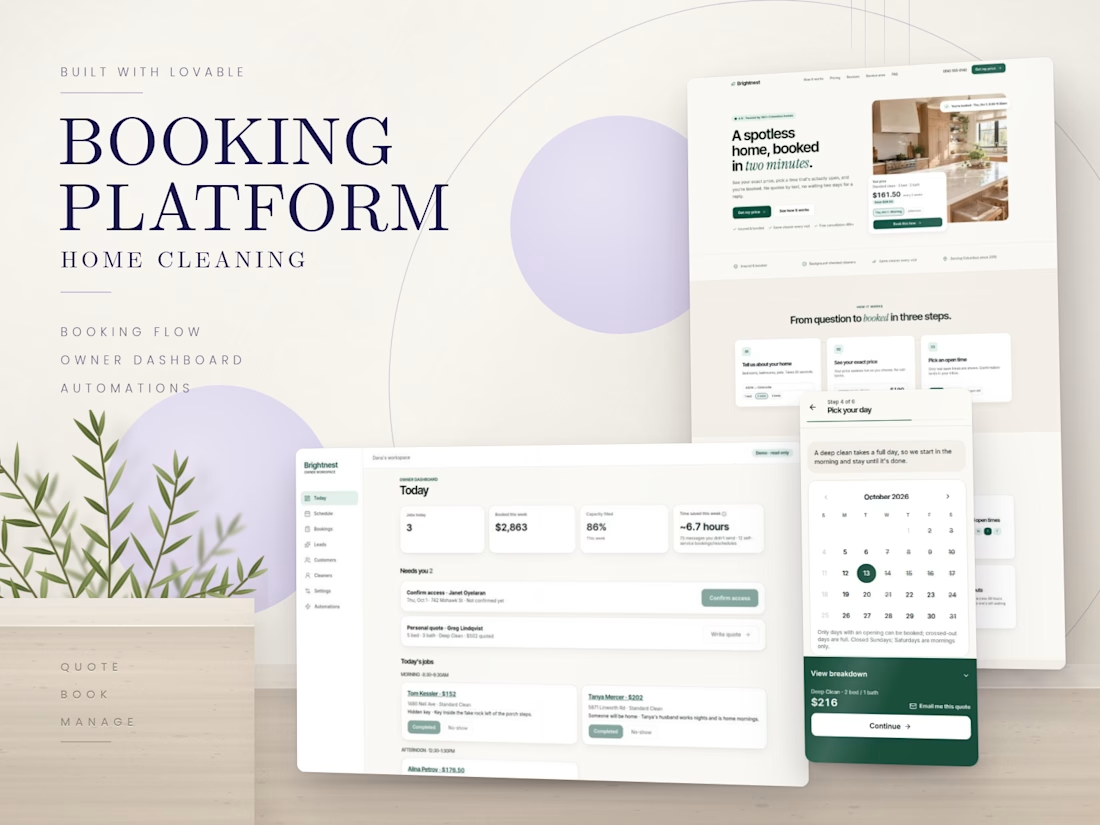
The project: Brightnest Cleaning Co., a booking app for a (fictional) two-person cleaning team in Columbus, Ohio, built for the #lovablechallenge by @Lovable and @Contra.
Write the first prompt like a client brief.
I didn't write "build a booking app." I described the owner, her problem (8 texts and 2 days per booking), her prices and her quirks: new clients book a Deep Clean first, a locked door costs half a day, and far suburbs pay a travel fee. The more real the brief, the more real the app.
Change one thing at a time.
Almost every fix prompt ended with "Don't change anything else." Small, focused prompts kept working parts working.
Design takes rounds.
The look went black-and-white, then bold green and lime, then calm and premium. Each round showed me what the brand should not be.
Test it like launch day.
I tested the live site as a customer and as the owner, on phone and laptop. 4 rounds found 27 issues, and 25 were fixed before launch.
The result: customers see an exact price, pick a real opening and book in about two minutes, while confirmations, access checks and follow-ups run on their own.
#lovablechallenge #Lovable #BuildInPublic #WebDevelopment