The network for creativity
Join 1.25M professional creatives like you
Connect with clients, get discovered, and run your business 100% commission-free
Creatives on Contra have earned over $150M and we are just getting started
Back to feedPost


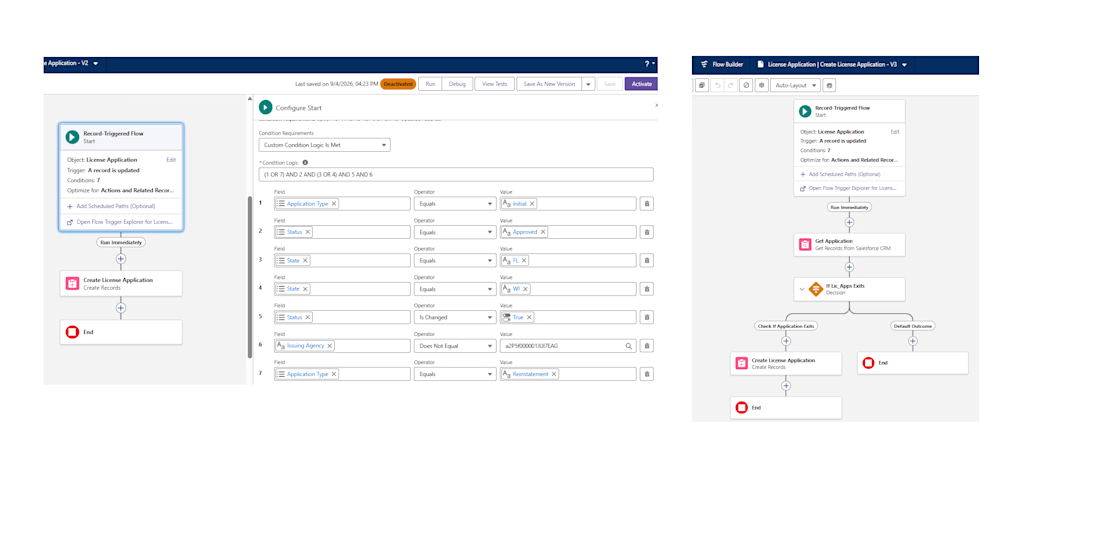
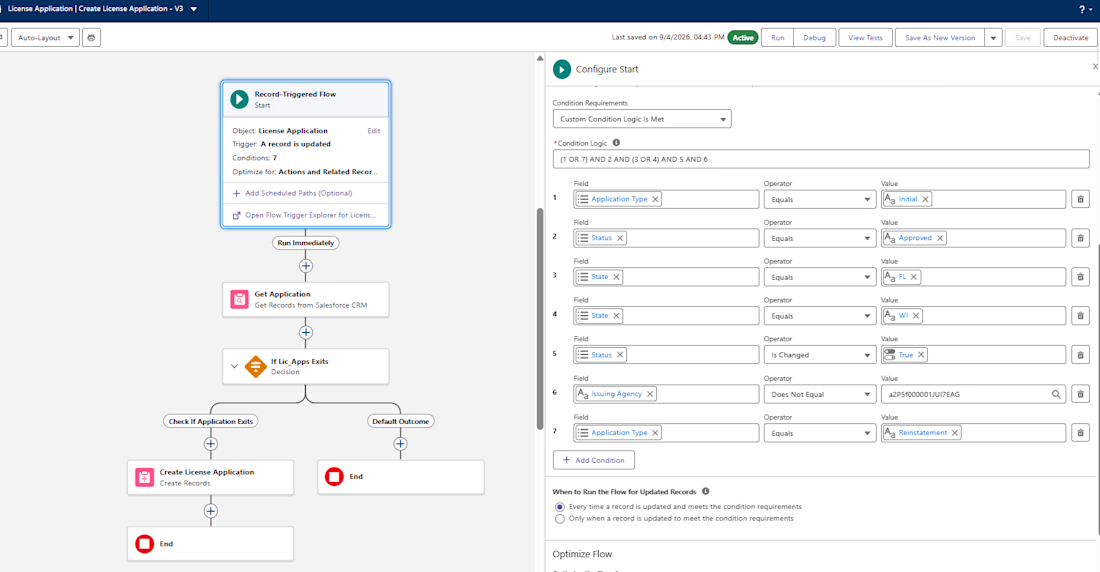
Optimized a Salesforce Flow Automation to prevent the creation of duplicate records when the flow runs. Previously, the automation did not perform duplicate checks, which could result in unnecessary and inaccurate records.
As a Salesforce Developer, I implemented Salesforce best practices to improve data quality, streamline Salesforce automation, and reduce manual effort. I also focused on clean Salesforce CRM data and scalable automation.
This solution helps the client maintain a clean database, improve team efficiency, and ensure users work only on the records that require their attention, helping the business scale faster.
Salesforce Developer | Salesforce Flow Automations | Salesforce Apex | Salesforce LWC Expert | HubSpot Expert | HubSpot CRM | HubSpot Setup | HubSpot Automation | HubSpot RevOps


The network for creativity
Join 1.25M professional creatives like you
Connect with clients, get discovered, and run your business 100% commission-free
Creatives on Contra have earned over $150M and we are just getting started



Related posts

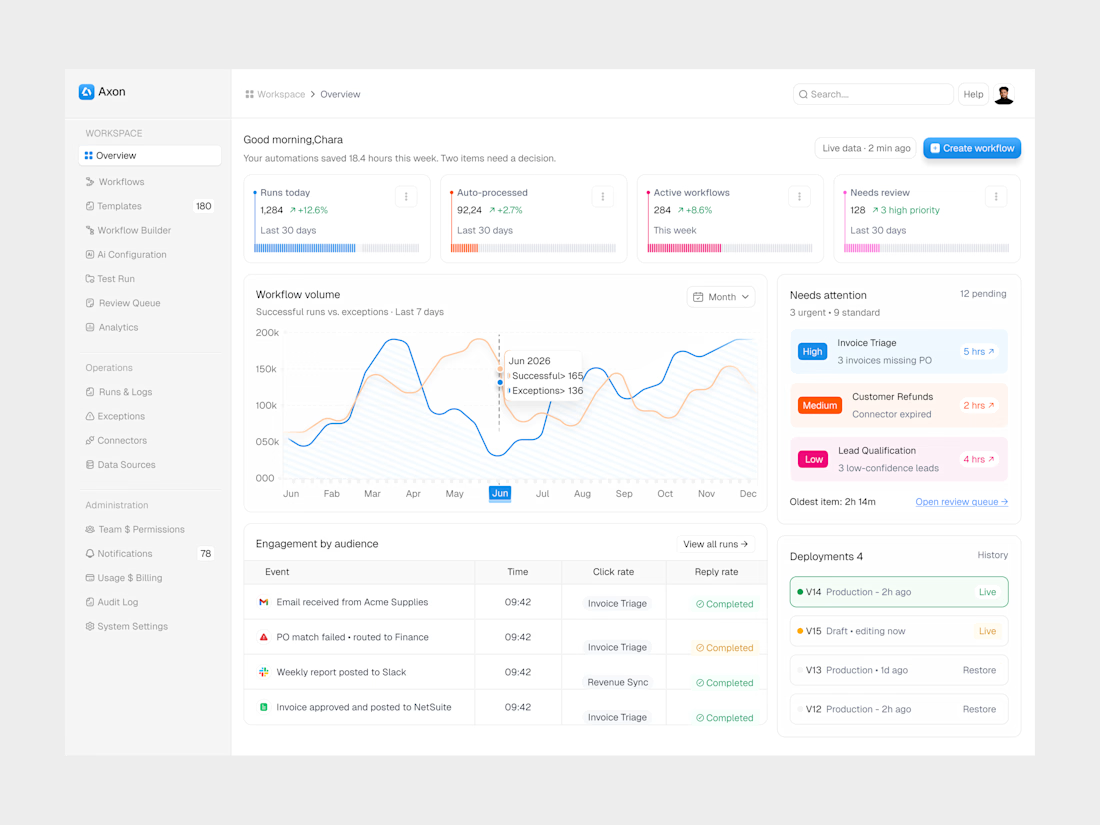
Workflow Automation SaaS Dashboard UI Design
Workflow automation dashboard UI for a SaaS platform. Run volume charts, a review queue, deployment history and exception triage.
Designed in Figma.


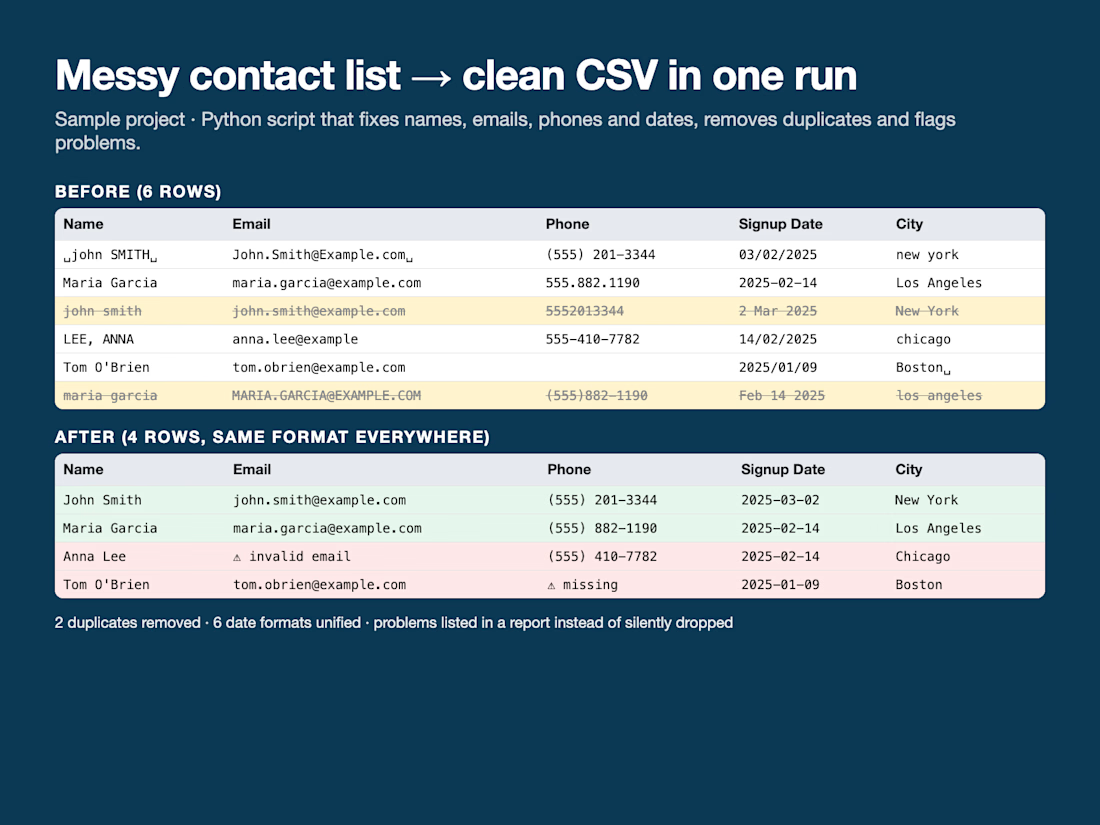
Exported contact lists are almost always messy. Extra spaces, "LAST, FIRST" names, phone numbers in four formats, dates in six, and the same customer entered twice.
I wrote a small Python script that fixes all of that in one run and, instead of silently dropping bad rows, lists the ones that still need a human look (invalid email, missing phone). In this example 6 rows became 4 clean ones.
If your CRM or shop export looks like the "before" table, happy to help clean it up.


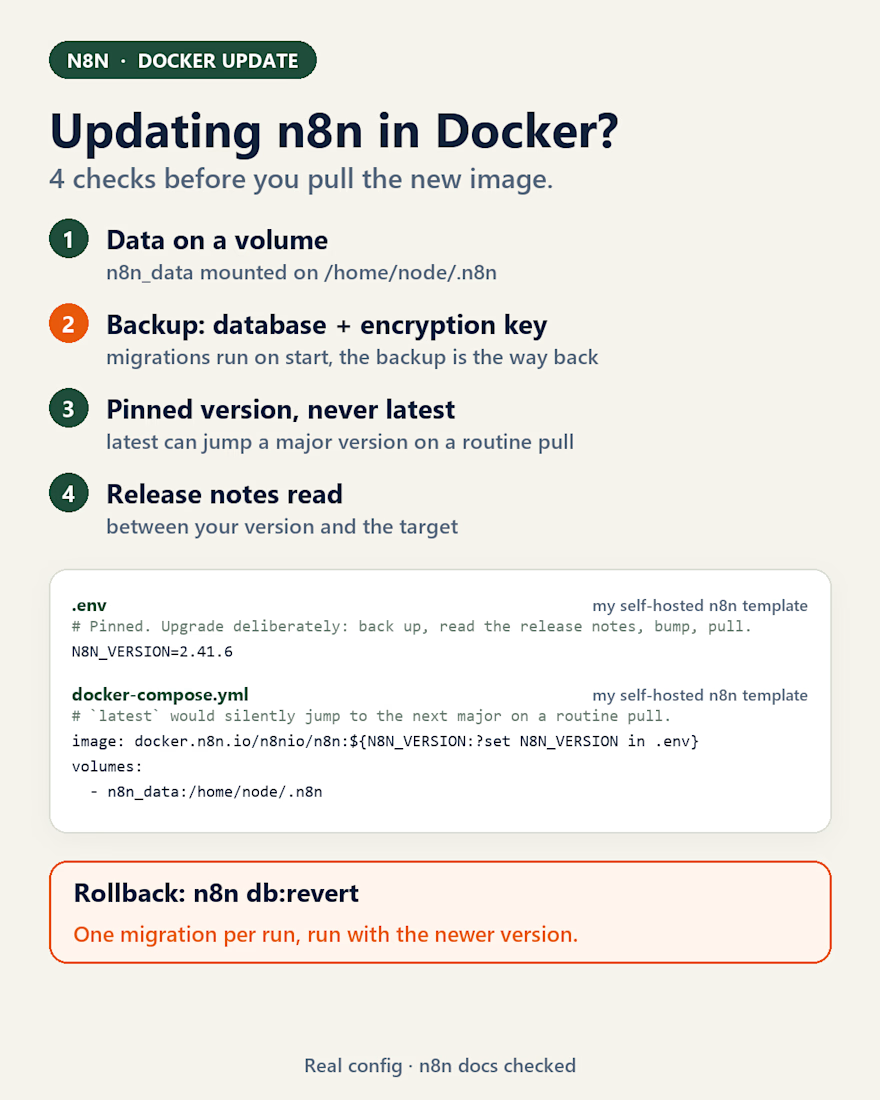
How to update n8n in Docker without losing data, and what to do before you pull the new image.
The update itself is short. With Docker Compose: pull the new image, then recreate the container (docker compose pull, then docker compose up -d). Your workflows only survive if the data sits outside the container. Here is what my self-hosted template does, checked against the n8n docs:
Before the update
• Check where the data lives. The n8n_data volume must be mounted on /home/node/.n8n. Even with PostgreSQL, that folder still holds the encryption key. No volume means the new container starts empty.
• Back up the database and the encryption key. Migrations run when the new version starts. If one can't be reverted, the backup is the only way back.
• Pin the version. My .env says N8N_VERSION=2.41.6, never latest, because latest can jump a major version on a routine pull.
• Read the release notes between your version and the target. The docs advise updating at least once a month, so you never jump many versions at once.
If it goes wrong
• n8n db:revert undoes one migration per run, and it has to be run with the newer version.
• If that fails, restore the backup and go back to the old tag.
One more trap: after the update the n8n container gets a new IP, and a reverse proxy that cached the old one answers 502. Mine resolves the container on every request.
How do you update n8n today: pinned version, or latest and hope?