The network for creativity
Join 1.25M professional creatives like you
Connect with clients, get discovered, and run your business 100% commission-free
Creatives on Contra have earned over $150M and we are just getting started
Back to feedPost

Real Estate CRM Data Migration: Challenges and Best Practices
Real estate businesses rely on customer information, property listings, sales pipelines, agent records, and transaction histories to manage daily operations. When a company switches to a new customer relationship management (CRM) system, transferring this information accurately becomes a critical step. Poor data migration can lead to duplicate leads, missing property details, disrupted follow-ups, and lost sales opportunities.
A well-planned migration helps real estate agencies, brokers, and property developers move to a modern CRM without interrupting their business operations. With the right real estate CRM software development strategy, businesses can improve data quality, streamline workflows, and build a scalable system for future growth.
What Is Real Estate CRM Data Migration?
Real estate CRM data migration is the process of transferring business information from an existing CRM, spreadsheet, database, or property management platform into a new CRM system.
The migration may include:
Customer and lead records: Names, contact details, preferences, inquiries, and communication history.
Property information: Listings, prices, locations, availability, and ownership details.
Sales pipeline data: Lead stages, assigned agents, scheduled visits, and follow-up tasks.
Transaction records: Deal histories, agreements, and relevant supporting documents.
Marketing data: Campaign responses, lead sources, and customer engagement records.
Agent and team information: User accounts, roles, assignments, and performance history.
The goal is to preserve important information while making it compatible with the new CRM's data structure.
Common Challenges in Real Estate CRM Data Migration
1. Duplicate and Inconsistent Records
Real estate businesses often collect leads through property portals, websites, social media, email campaigns, and offline inquiries. The same customer may appear multiple times with different phone numbers, email addresses, or property preferences.
Migrating these records without proper validation can create duplicate leads and confuse sales teams.
Best practice: Run duplicate detection before migration. Use reliable matching rules, normalize phone numbers and email addresses, and establish a clear process for merging records without losing important activity history.
2. Incompatible Data Structures
Legacy CRM systems and new platforms may organize data differently. One system might store property details and customer information in separate tables, while another links them through custom records.
This mismatch can cause missing fields, broken relationships, or incomplete reporting.
Best practice: Create a data mapping document before migration. Map every source field to its destination, define conversion rules, and test how relationships between customers, properties, agents, and deals will be preserved.
3. Missing or Outdated Information
Old databases may contain invalid email addresses, inactive property listings, incomplete customer profiles, or outdated agent assignments. Transferring these records without checking them can reduce the usefulness of the new CRM.
Best practice: Audit the source data before migration. Identify missing fields, expired listings, obsolete records, and inconsistent values. Correct essential information and define which records should be archived instead of transferred.
4. Data Loss During Migration
Incomplete exports, incorrect field mappings, failed imports, and unsupported file formats can result in lost records or missing attachments. Even a small error can affect active deals and customer follow-ups.
Best practice: Maintain secure backups, use validation scripts, and compare source and destination record counts. Verify critical records, relationships, documents, and transaction histories before approving the migration.
5. Integration and Workflow Disruptions
A new real estate CRM may connect with property portals, MLS platforms, email marketing tools, accounting software, telephony systems, or website lead forms. Changing the CRM can interrupt these integrations if they are not updated correctly.
Best practice: Inventory all existing integrations and document their data flows. Test API connections, authentication, field mappings, and automation rules in a staging environment before switching production systems.
6. Security and Privacy Risks
CRM databases can contain personal contact details, financial information, identity documents, and confidential transaction records. Unprotected exports or excessive access permissions can expose sensitive information.
Best practice: Encrypt data during transfer and storage, restrict migration access to authorized personnel, and maintain audit logs. Apply appropriate retention and deletion policies, and review applicable privacy requirements, such as GDPR where relevant.
Best Practices for Successful Real Estate CRM Data Migration
1. Define Clear Migration Goals
Start by identifying why the business is moving to a new CRM. Goals may include improving lead management, centralizing property information, automating follow-ups, or supporting multiple branches.
Define measurable success criteria, such as record accuracy, integration availability, and the percentage of active deals successfully transferred.
2. Audit and Clean the Existing Database
Review all available data sources, including spreadsheets, legacy CRMs, databases, and third-party tools. Classify records according to their importance and relevance.
Standardize formats, remove confirmed duplicates, validate required fields, and identify records that need manual review. Keep a documented backup before changing or deleting source data.
3. Create a Detailed Data Mapping Plan
A field mapping plan explains how information moves from the old system to the new one. For example, a source field called “Inquiry Status” might map to “Lead Stage” in the destination CRM.
Also document field types, mandatory values, date formats, unique identifiers, and relationships between records. This step is especially important in custom real estate CRM software development projects.
4. Test Migration with a Sample Dataset
Avoid moving the entire database in one attempt. First, migrate a representative sample that includes new leads, old customers, active properties, closed deals, attachments, and custom fields.
Check whether the records display correctly and whether users can access the information they need. Resolve errors before proceeding with the complete migration.
5. Choose the Right Migration Method
The best approach depends on database size, system complexity, and acceptable downtime.
CSV or spreadsheet migration: Suitable for smaller datasets with straightforward structures.
API-based migration: Useful when systems support structured data exchange and automated validation.
ETL tools: Help extract, transform, and load larger datasets from multiple sources.
Custom migration scripts: Appropriate for complex databases, specialized workflows, and custom CRM architectures.
A real estate CRM software development team can help select the appropriate approach based on the business's technical requirements.
6. Plan the Cutover Carefully
The cutover is the transition from the old CRM to the new one. Schedule it during a lower-activity period when possible, communicate the plan to agents, and decide how new inquiries will be handled during the transition.
For large systems, a phased migration may reduce disruption. If both systems temporarily receive updates, establish reconciliation rules to prevent duplicate or conflicting records.
7. Validate Data After Migration
Successful imports do not automatically mean that the migration is complete. Verify record counts, mandatory fields, property availability, lead assignments, customer histories, and active deal stages.
Test important workflows, including lead capture, follow-up reminders, property searches, reporting, and third-party integrations. Keep a documented issue log and obtain business-user approval before retiring the old system.
8. Train Employees and Monitor Performance
Agents and managers need to understand the new CRM's interface, workflows, and reporting features. Provide role-specific training and clear instructions for reporting errors.
Monitor the system after launch for failed integrations, duplicate records, missing notifications, and performance issues. Keep the old data securely available for an agreed period if business and compliance requirements permit.
How Custom Real Estate CRM Software Development Helps
Custom development can make migration more reliable when a business has complex property data, specialized workflows, or multiple third-party integrations.
A development team can create tailored data transformation scripts, automated validation checks, role-based access controls, API connectors, and migration dashboards. It can also configure the destination CRM to support the business's specific sales process rather than forcing employees to adapt to unsuitable workflows.
When evaluating a real estate CRM software development partner, ask about its migration methodology, rollback planning, security controls, data reconciliation process, and experience with the systems your business currently uses.
Conclusion
Real estate CRM data migration requires more than exporting records and importing them into a new platform. Businesses must clean existing data, map fields correctly, protect sensitive information, test integrations, and validate results before fully switching systems.
Following these best practices helps reduce downtime, preserve customer relationships, and maintain accurate property and sales records. Whether you are upgrading a legacy CRM or building a custom platform, a structured migration plan can support smoother operations and long-term business growth.
Frequently Asked Questions
1. How long does real estate CRM data migration take?
The timeline depends on data volume, data quality, integration complexity, and the migration method. A small, clean dataset may take a few days, while a complex enterprise migration can take several weeks or longer.
2. What data should be migrated to a new real estate CRM?
Common data includes customer profiles, leads, property listings, agent assignments, communication history, sales pipeline records, transaction details, and relevant attachments. Businesses should prioritize active and operationally important records.
3. How can real estate businesses prevent data loss during migration?
Maintain secure backups, test the process with sample records, validate field mappings, compare source and destination data, and keep a documented recovery plan.
4. Should a real estate company use custom CRM migration services?
Custom migration services can be valuable when a business has complex data structures, specialized workflows, multiple integrations, or a large volume of records. Simpler migrations may be handled through standard import tools.
5. What should businesses look for in a real estate CRM software development company?
Look for relevant CRM and integration experience, secure data-handling practices, a documented testing process, transparent project milestones, rollback planning, and post-migration support.
Meta Title: Real Estate CRM Data Migration: Best Practices
Meta Description: Explore real estate CRM data migration challenges and best practices for data cleaning, secure transfers, integration testing, and accurate records.
The network for creativity
Join 1.25M professional creatives like you
Connect with clients, get discovered, and run your business 100% commission-free
Creatives on Contra have earned over $150M and we are just getting started



Related posts

Hey guys,
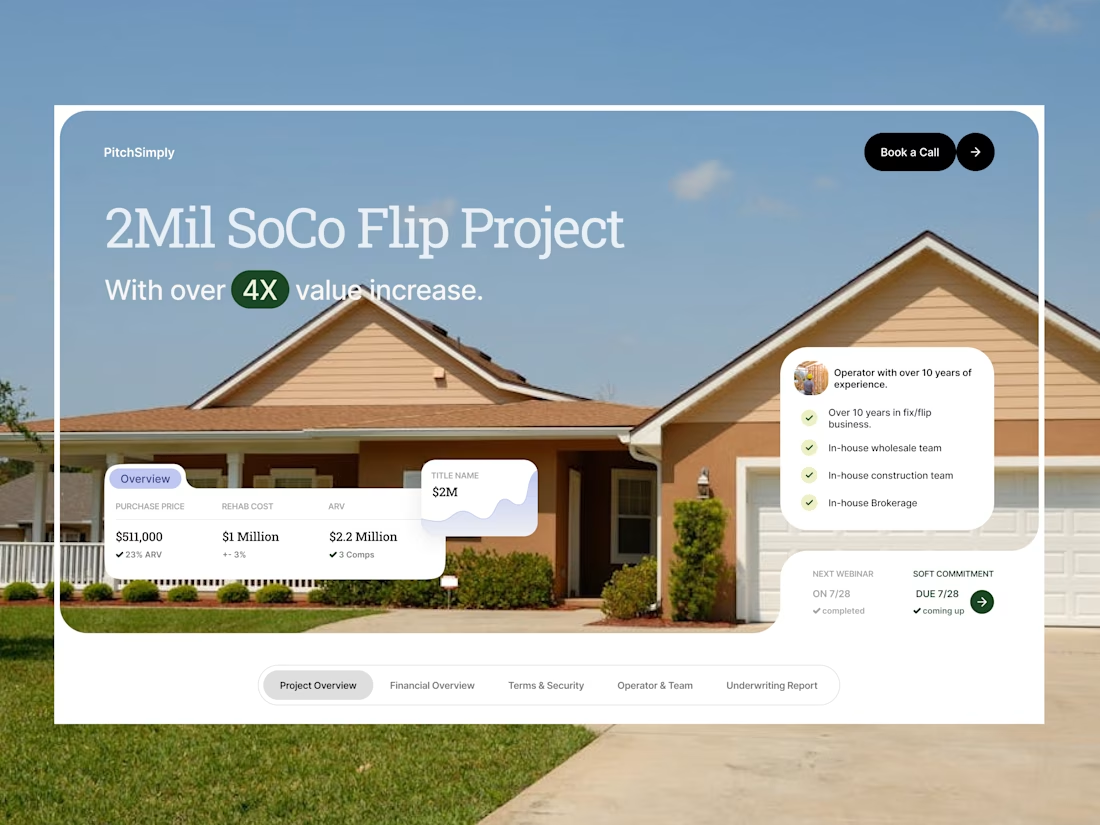
Welcome the new work - investor pitch landing page for real estate industry. The goal was simple: get investors from landing on the page to booking a call. I kept it focused, proof and the ask up top, no fluff.


Putting the 4X right under the project name is how I'd open a real estate deck too. Investors decide on that number before they scroll anywhere.

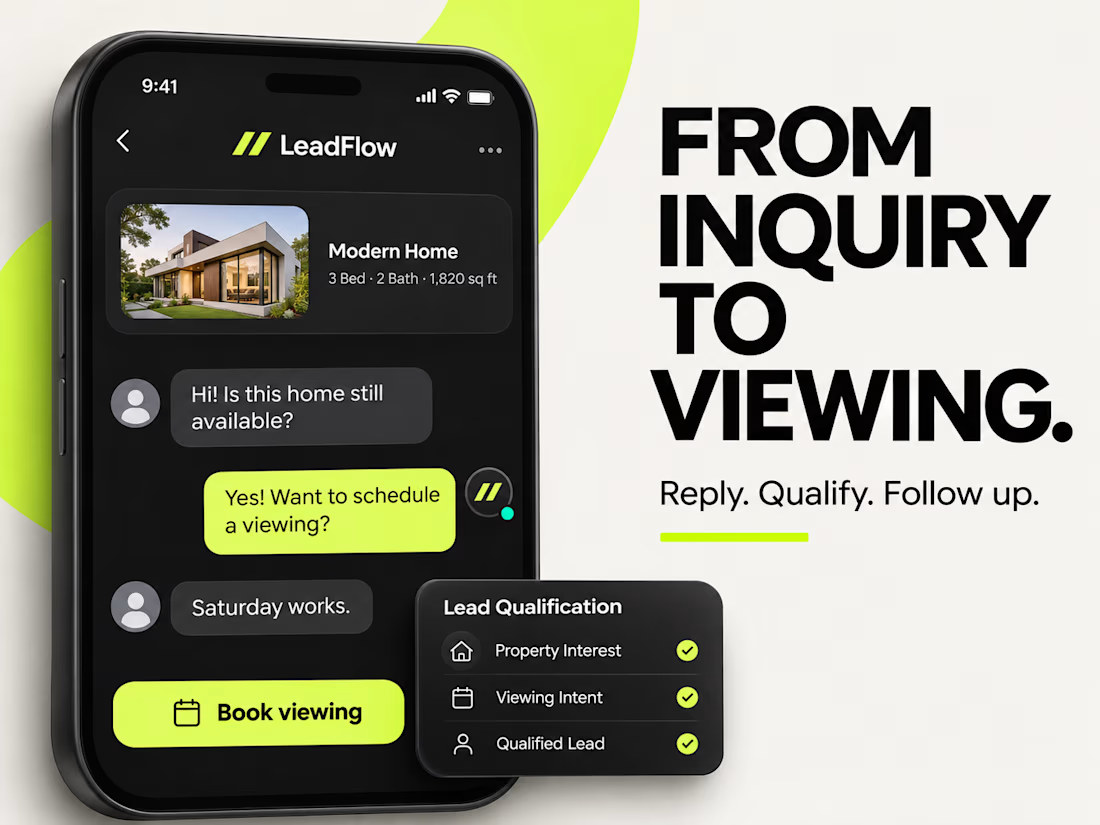
A great lead can get lost between two notifications.
A buyer messages while an agent is showing a property. Another asks about availability. Someone else is still waiting for a viewing confirmation.
The problem isn't always a lack of leads. Sometimes, it's simply losing track of what needs to happen next.
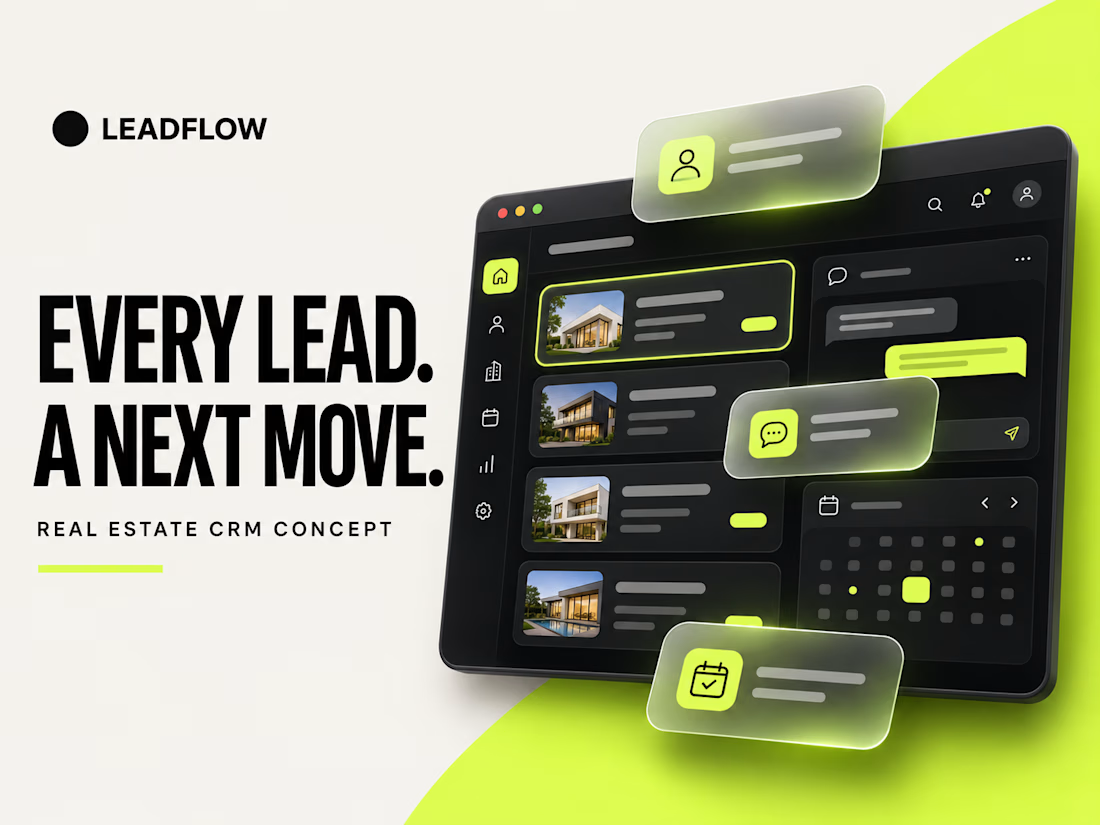
That inspired LeadFlow, my latest real estate CRM UI/UX concept.
I wanted to explore a simple idea: What if your CRM made the next action obvious?
Instead of overwhelming agents with information, I designed an experience focused on clarity, faster responses, and meaningful client relationships.
What I explored:
⚡ Priority Dashboard: See new inquiries, pending follow-ups, and upcoming viewings in one place.
💬 AI-Assisted Conversations: Explore how buyer inquiries could be answered and qualified through smarter workflows.
🏡 Buyer Intelligence: Keep property interests, conversations, and relevant buyer details together.
📅 Clear Next Actions: Make


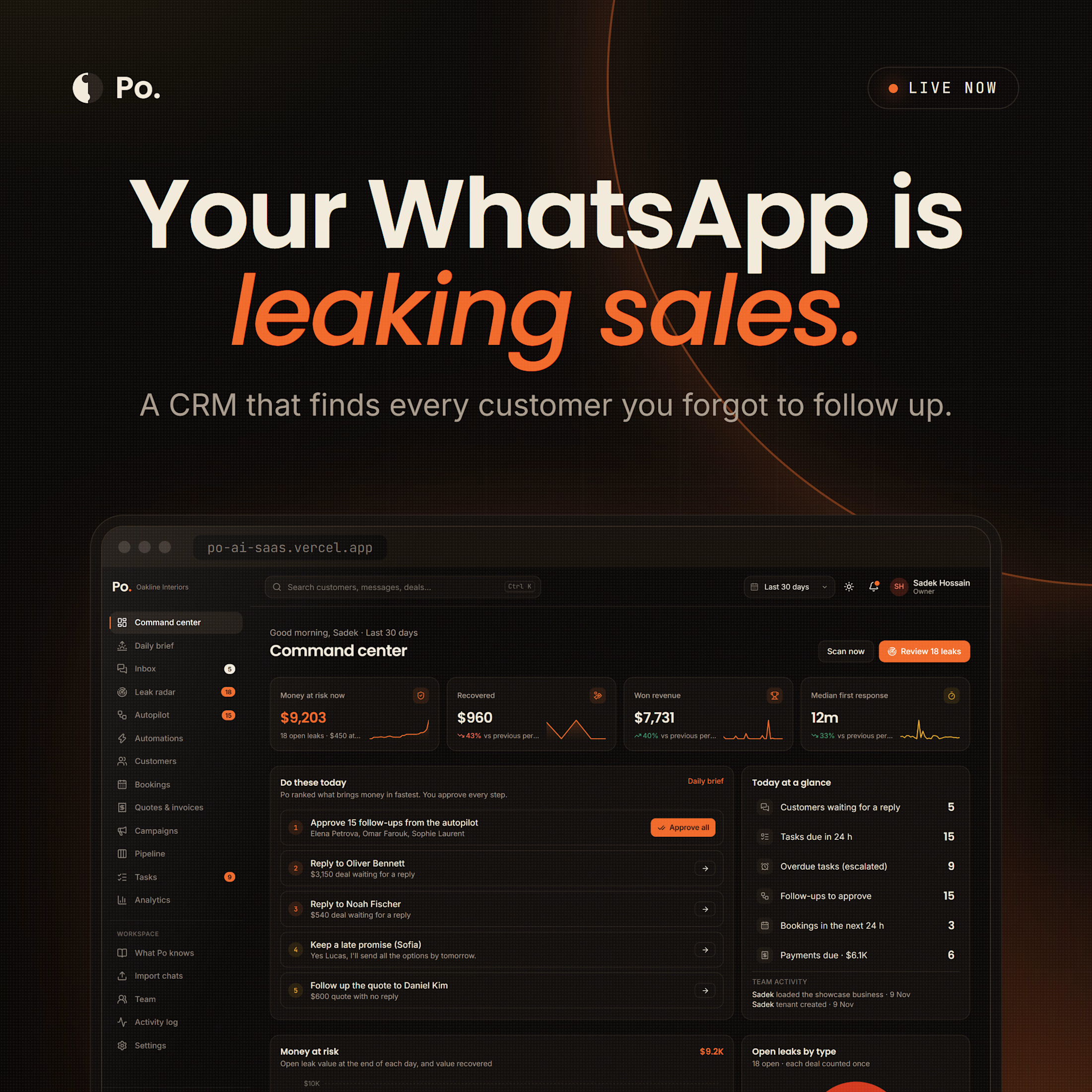
A CRM for small businesses that sell on WhatsApp. I designed and built it from scratch.
Most small businesses don’t lose sales because of price. They lose them because nobody followed up.
A customer asks for a price on WhatsApp and waits hours for an answer. A quote is sent and nobody checks back. Someone promises to send details tomorrow, and forgets.
Po is a WhatsApp CRM and sales follow-up tool that catches these moments before the sale is lost.
Here is what it does:
| Reads your WhatsApp Business chats and builds your customer list, quotes and sales pipeline for you. No manual data entry.
| Shows which customers are waiting for a reply, which quotes went quiet and which promises are late, and how much money each one is worth.
| Writes a reply using your own prices and policies. You check it before it is sent.
| Sends customer follow-up messages on a schedule and stops as soon as the customer answers.
| Sends the business owner one short sales summary on WhatsApp every morning.
You stay in control. Po prepares the work, and you decide what goes out.
The full UI/UX case study is on Behance. The link is in the first comment. 👇
If you run a small business on WhatsApp, how do you keep track of follow-ups today?
#WhatsAppBusiness #CRM #SmallBusiness #ProductDesign #UIUXDesign #AIsolution #Aumation #Solution