The network for creativity
Join 1.25M professional creatives like you
Connect with clients, get discovered, and run your business 100% commission-free
Creatives on Contra have earned over $150M and we are just getting started
Back to feedPost

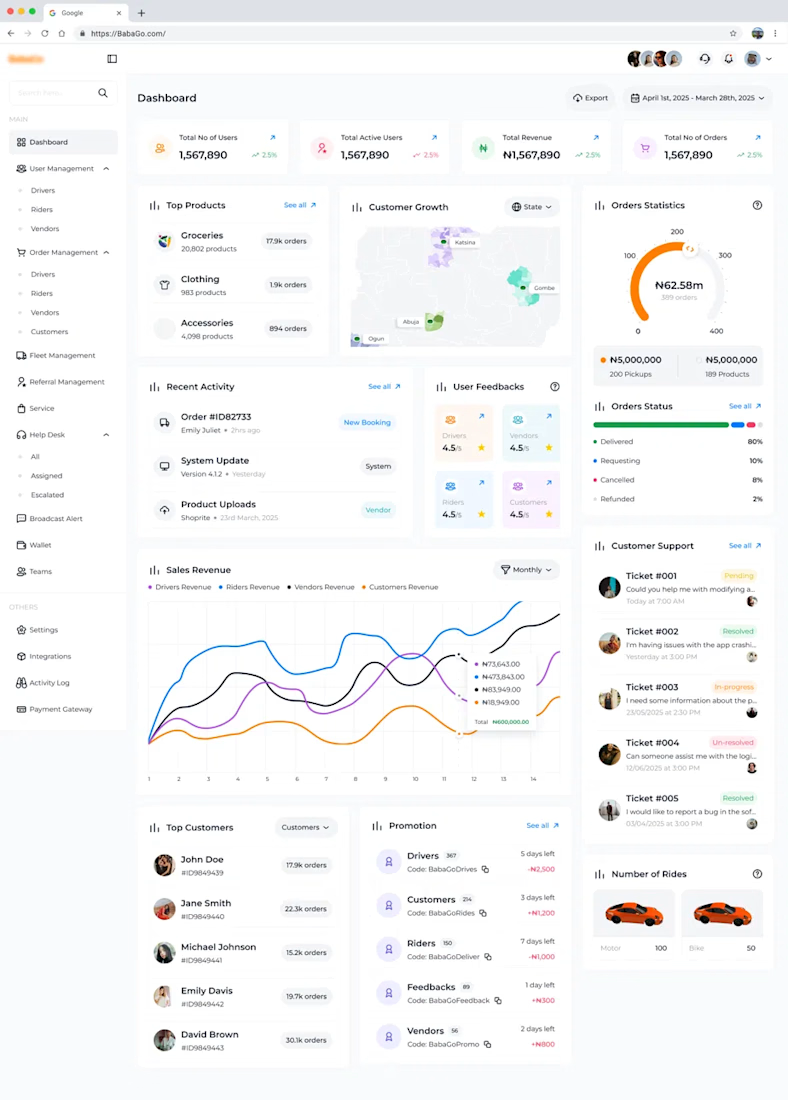
BabaGo has four kinds of users, each with their own orders, payments and support needs. The admin team needs to see the health of the whole business at a glance and still drill into one person quickly. That tension shaped every screen.
The main dashboard answers “how are we doing?” in layers. Headline numbers sit at the top, followed by top products, a customer growth map, an order gauge, live status breakdowns and recent activity. Support tickets, promotions and feedback scores sit alongside, so problems surface early instead of waiting in a report.
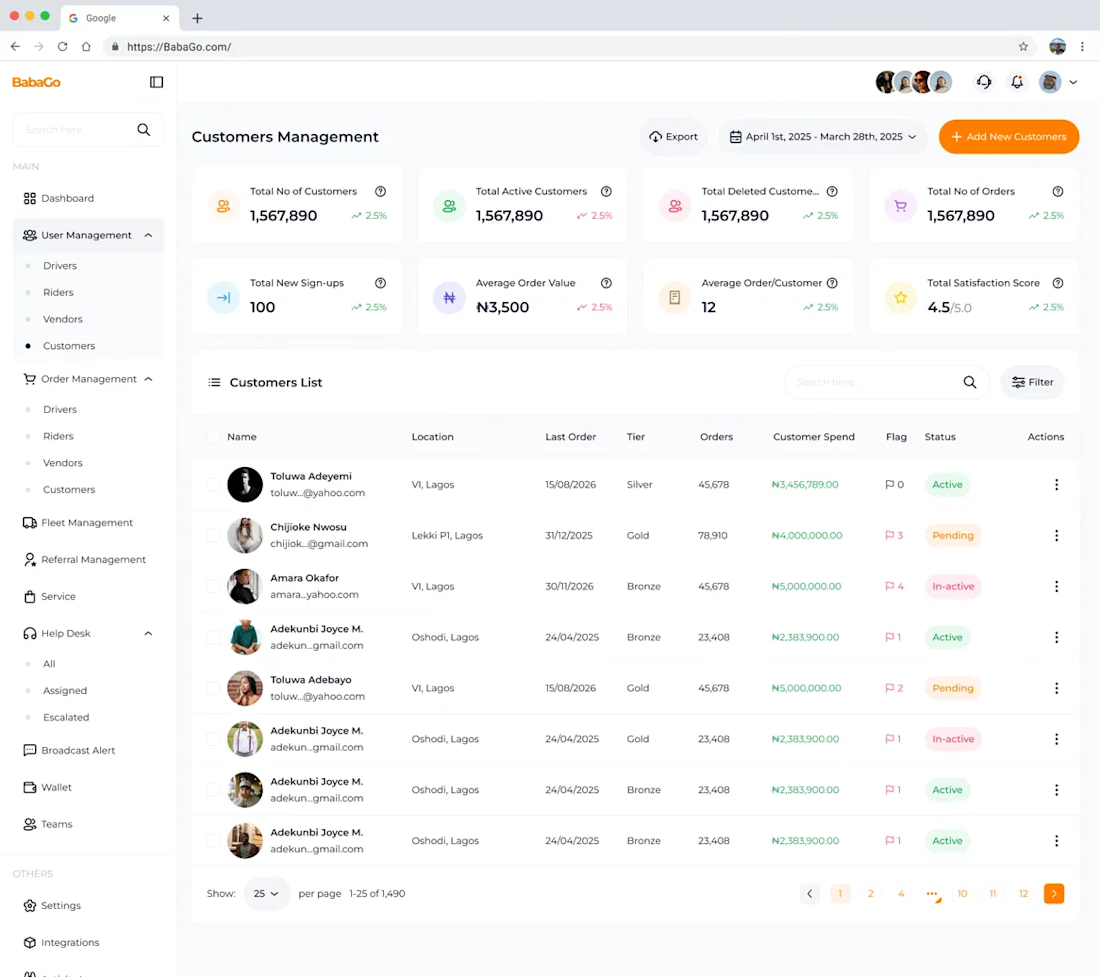
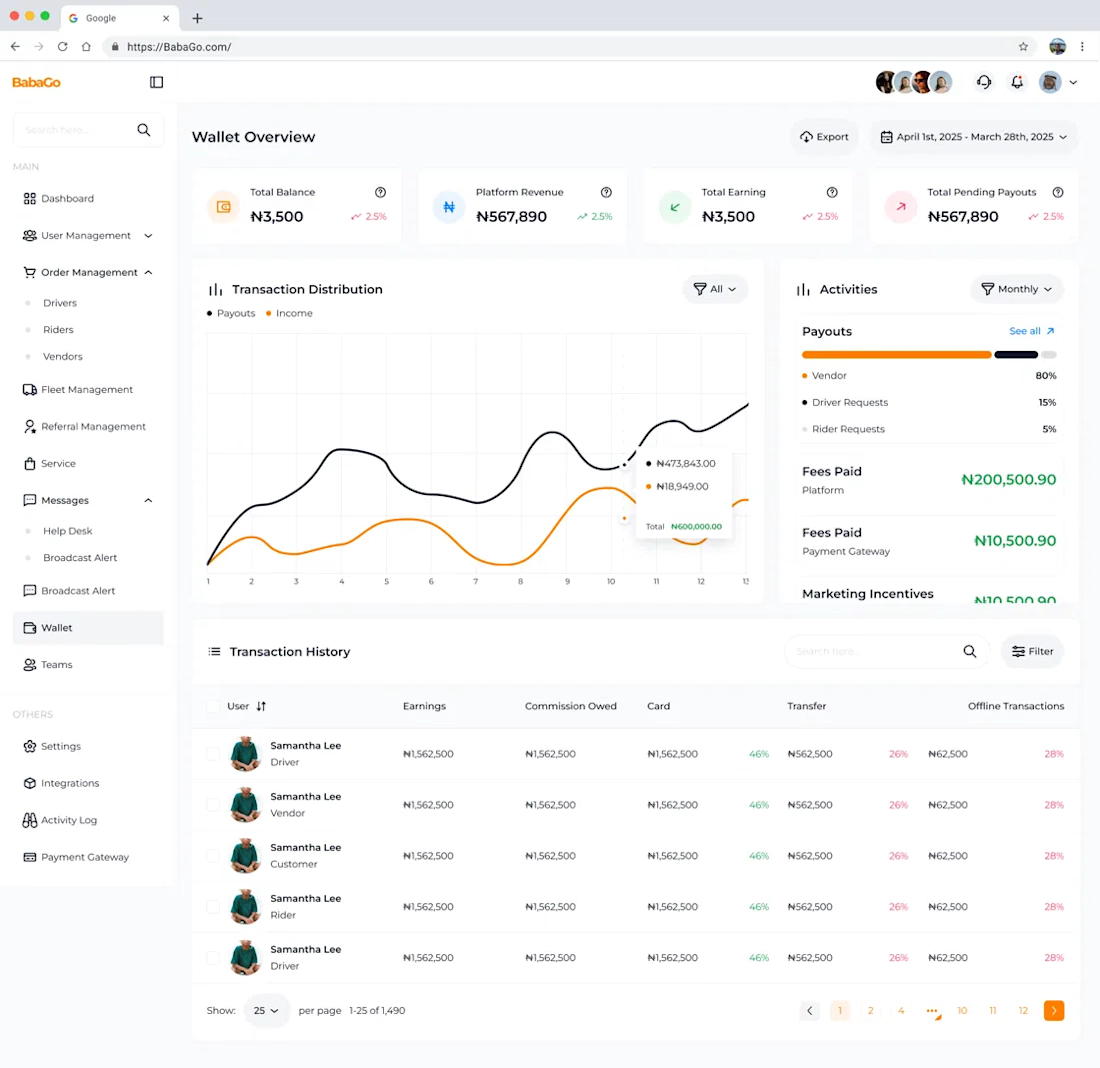
The Customers Management screen pairs eight summary metrics with a searchable, filterable table. Tier, spend, flags and status are color coded, so the people who need attention stand out in a long list. The Wallet Overview applies the same thinking to money: balance, revenue, earnings and pending payouts on top, a transaction chart and payout split beside it, and a detailed history below that breaks down card, transfer and offline payments.
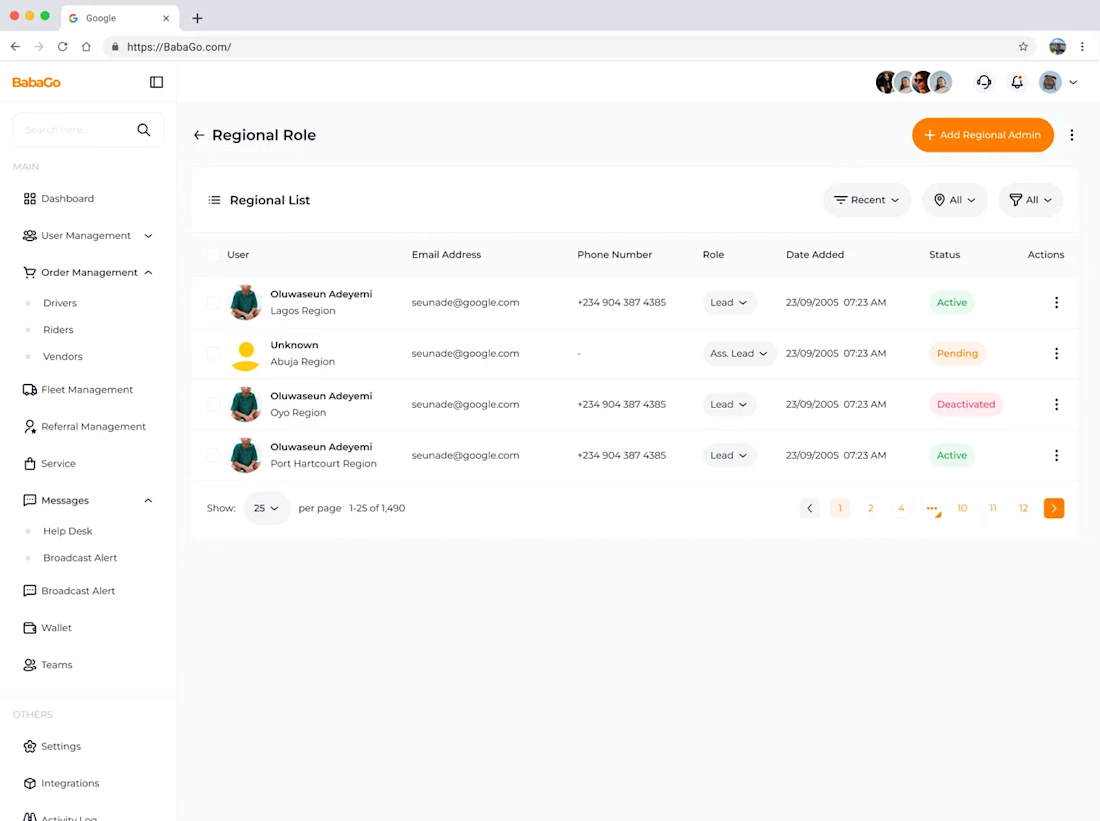
The Regional Role screen keeps a heavy permissions task simple. Admins add regional leads, switch roles from inline dropdowns, and see who is active, pending or deactivated, filtered by region.
Across all four screens I kept one consistent sidebar, one table pattern and one set of status colors, so an admin who learns one screen already knows the rest.


The network for creativity
Join 1.25M professional creatives like you
Connect with clients, get discovered, and run your business 100% commission-free
Creatives on Contra have earned over $150M and we are just getting started
Related posts


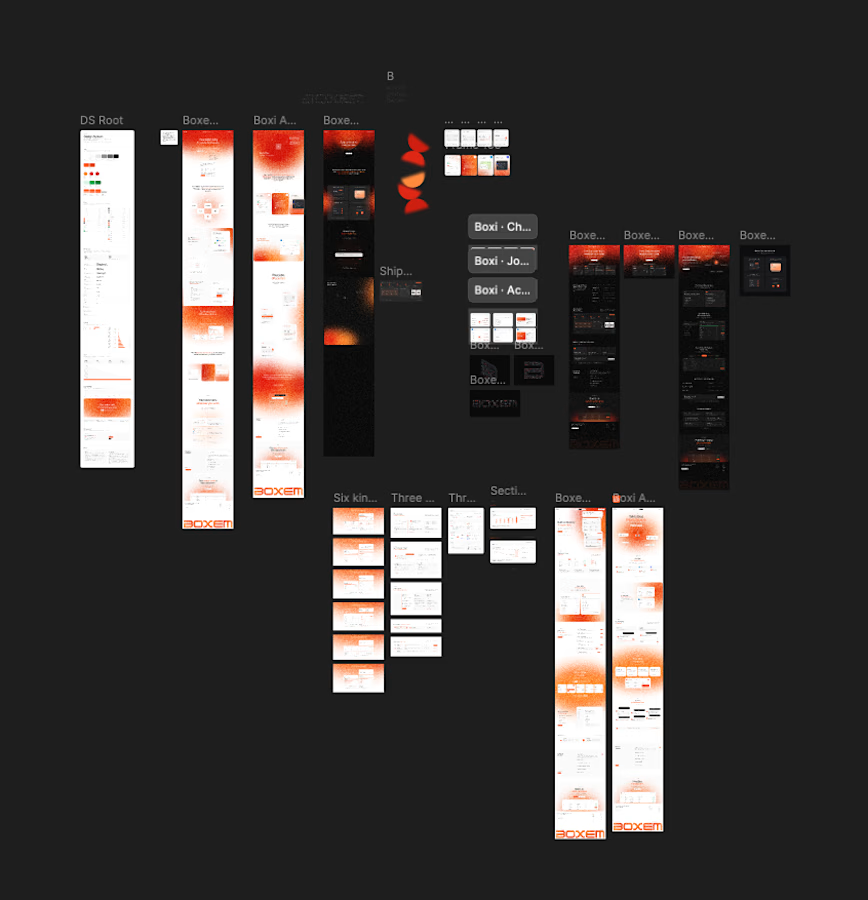
3 Page landing btw. Somehow ended up with dark versions, light versions, a whole DS and like 6 card explorations.
Is this overexploring or is this just the job? Genuinely asking. 🧠

Stunning


Keeping the Halloween-inspired concepts coming! 🕯️✨
This time, we're sharing Ovelle — a luxury candle e-commerce website with warm tones, elegant typography, and a moody editorial aesthetic. Would love to hear your thoughts! 🎃


