The network for creativity
Join 1.25M professional creatives like you
Connect with clients, get discovered, and run your business 100% commission-free
Creatives on Contra have earned over $150M and we are just getting started
Back to feedPost

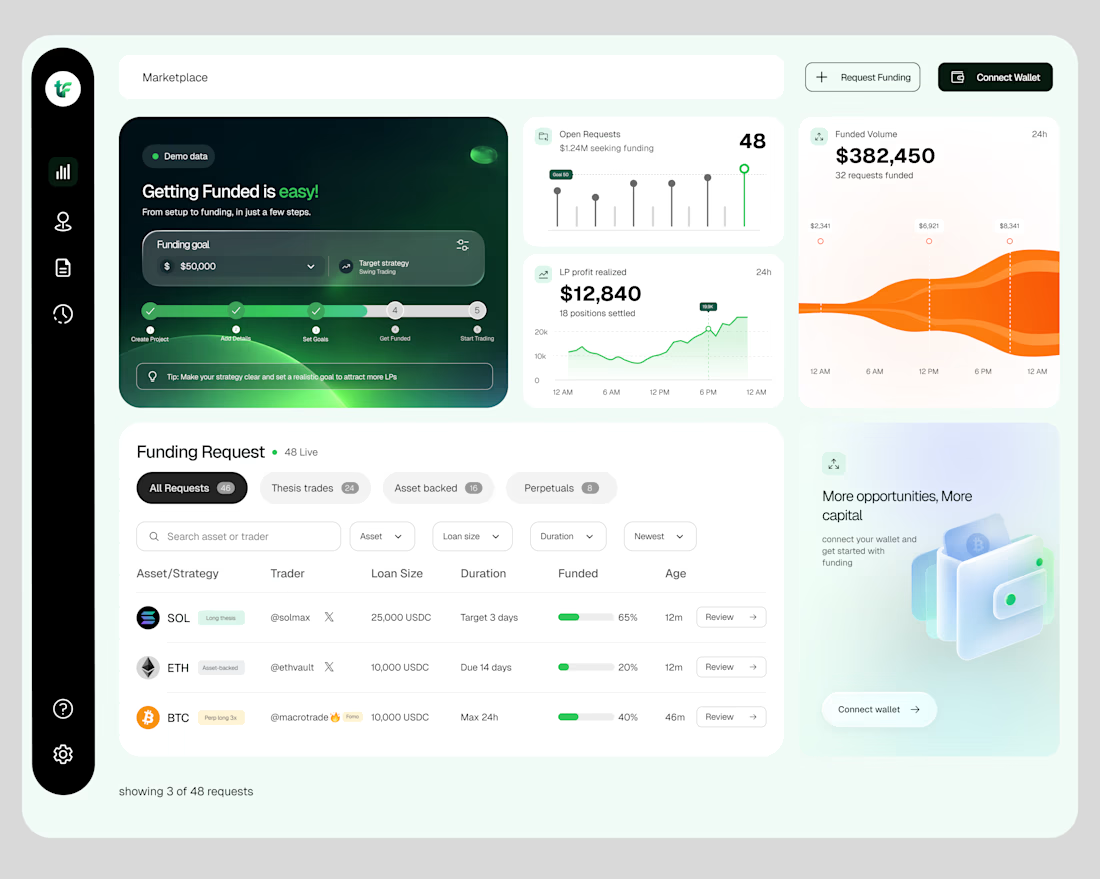
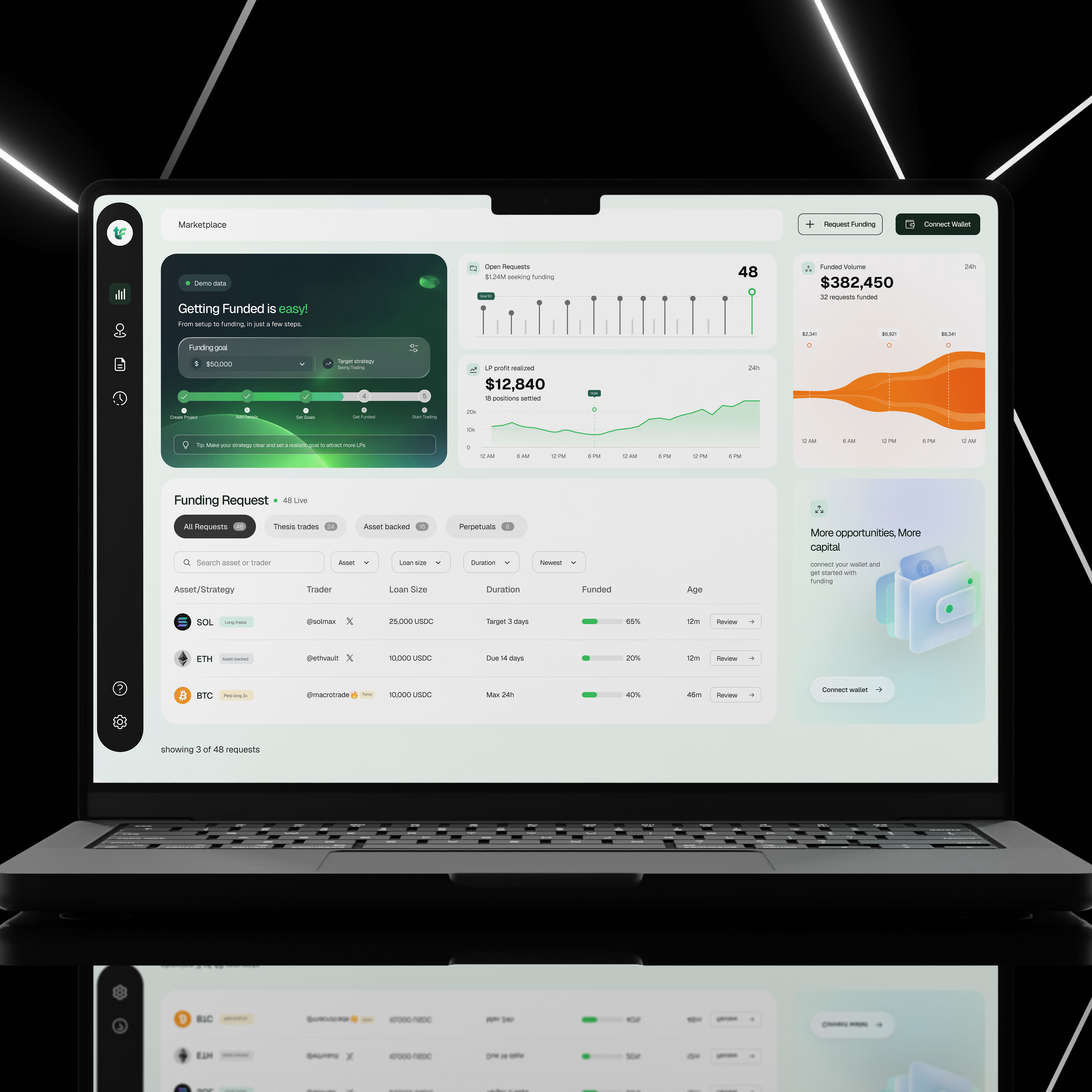
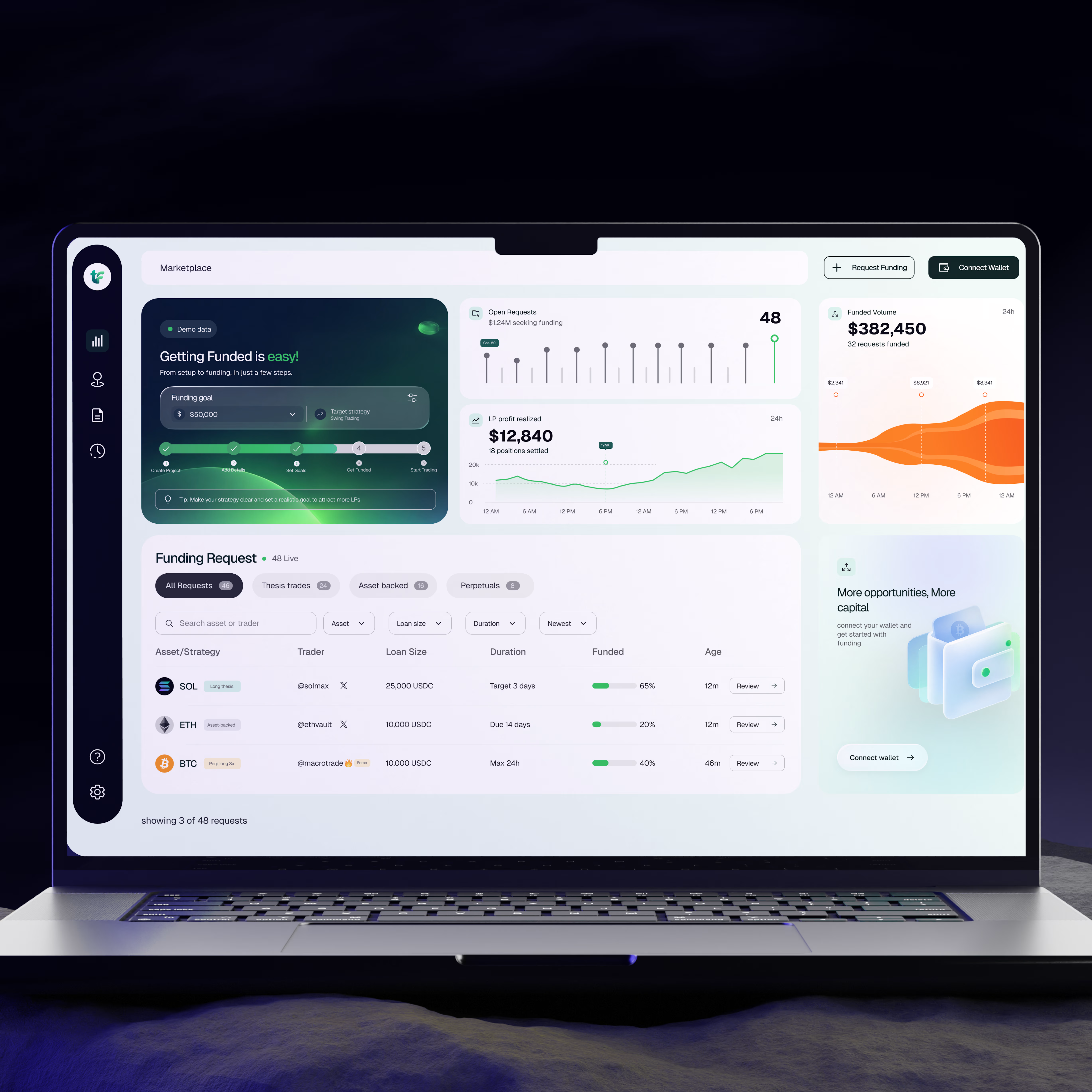
I designed a crypto funding dashboard that helps users explore funding requests, track market activity, and understand important financial information from one place.
Crypto platforms can be difficult to use, especially when users have to deal with numbers, charts, different assets, and funding options all at once.
My goal was to create an interface that makes these activities easier to understand, keeps important information within reach, and helps users find what they need without feeling overwhelmed.
The Challenge
Financial dashboards often contain too much information on one screen. When charts, numbers, filters, and tables are not properly organised, users can struggle to find important details or understand what is happening.
I wanted to solve this by creating a dashboard that feels clean, organised, and easy to navigate, even when displaying a lot of information.
My Design Approach
1. A clear overview of important information
I designed dashboard cards to show key figures, including open funding requests, funded volume, and realised liquidity provider (LP) profit.
This allows users to quickly understand what is happening without having to search through multiple pages.
2. A visual way to understand data
Instead of presenting financial information as numbers alone, I used charts and graphs to help users see changes and patterns over time.
The goal was to make complex information easier to understand at a glance.
3. An organised funding request section
I created a dedicated section where users can explore different funding requests.
Requests are grouped into categories, with search, filters, and sorting options to help users narrow down the information they need.
The table also displays important details such as the asset, trader, loan size, duration, funding progress, and request age.
This makes it easier to compare opportunities without opening every request individually.
4. A simple navigation system
I used a sidebar to keep the main navigation accessible and organised.
This helps users move between different sections of the platform without cluttering the main workspace.
5. Clear calls to action
Actions such as Request Funding, Connect Wallet, and Review are easy to find.
I wanted users to understand what they could do next without having to guess where to click.
6. A consistent visual design
I combined a clean layout, generous spacing, rounded cards, and a restrained colour palette to create a modern interface.
Green highlights important financial indicators and progress, while the darker sidebar creates a clear visual separation between navigation and the main dashboard.
The UX Thinking Behind the Design
For me, good dashboard design is not just about making numbers look attractive.
It is about helping people understand information, find what they need, and take action with less effort.
Every section of this interface has a purpose. The overview provides a quick summary, the charts help users understand activity, and the funding table makes it easier to explore individual requests.
The goal was simple: turn a screen full of financial information into an experience that feels clear, organised, and easy to use.
Key UX Principles Applied
Visual hierarchy: Important information stands out first.
Information architecture: Related information is grouped together logically.
Data visualisation: Charts make financial activity easier to understand.
Efficient navigation: Users can access key sections quickly.
Consistency: Reusable components create a predictable experience.
Usability: Search, filters, and clear actions help users complete tasks more easily.
This project is a reminder that a good user interface does more than look good. It helps people understand what they are seeing and what they can do with that information.
As a UI/UX designer, I focus on finding the balance between visual appeal, useful functionality, and a smooth user experience.
Have a dashboard or financial product that needs a better user experience? Let's work together.


Naming the challenge of too much information on one screen up front is what makes this case study strong, Oseh. The numbered design approach reads like a genuine method, not decoration. Cards for open requests, funded volume and LP profit give the overview real clarity.
The network for creativity
Join 1.25M professional creatives like you
Connect with clients, get discovered, and run your business 100% commission-free
Creatives on Contra have earned over $150M and we are just getting started



Related posts


I finally updated my personal website, and you can actually "dye" your own canvas on it! 🎨
I've been experimenting with how to bring something physical into a digital space. The idea came from my growing interest in natural dyes and traditional textile-making, which I've been exploring a lot lately.
I designed and built the whole experience in one day using Figma, Claude and Netlify. It's been pretty exciting to see how AI makes ideas that once felt technically out of reach something I can now experiment with and build on my own.
I'm also open to fractional creative director roles, so if you know a team building something meaningful, I'd love to connect!
Come play with it, and please let me know if you find any bugs 🐛
mya-nguyen.com


dyeing your own canvas on a personal site is such a nice idea. most portfolios just sit there, this one lets you play

MOTIF — From Words to Pixels to Code
What if you could see your dream website before writing a single line of code, then turn that vision into something real?
That's why I built Motif, an AI-powered visual design and website creation studio, built on Base44.
We turn words into pixels. Then we turn those pixels into real HTML and CSS.
Most AI website builders take a prompt and immediately generate a website. You get what the AI decides, and often spend ages prompting, regenerating and fighting to get something that resembles what you originally imagined.
I wanted to change that.
Motif puts visual creativity before code.
You start by describing your idea in plain English. Motif explores different visual directions, generating concepts that let you actually see what's possible before committing to a design.
Once you find something you love, Motif transforms that approved visual into a real, responsive website built with HTML and CSS. Not a flattened image pretending to be a website, but actual editable elements.
And that's where Motif becomes more than an AI generator.
Inside the visual studio, you can select elements, change typography, colours, spacing, imagery and layouts, preview desktop and mobile versions, and refine the design without starting over.
One of my favourite features is Shuffle, which can dramatically reimagine a design's composition and styling, allowing you to explore new creative possibilities without writing another lengthy prompt.
I also wanted people to understand what Motif could do before signing up or waiting for AI generation. So I built a product-focused homepage featuring real application footage, an explainer video and editable sample projects visitors can explore.
Why I built it
I've spent years working across software development, 3D design and interactive experiences, and I've always been fascinated by the gap between having a creative vision and actually bringing it to life.
AI has made building software more accessible, but great design still requires exploration, experimentation and creative control.
I believe AI should expand your imagination, not replace your creativity.
Motif is my attempt to bring those worlds together: the freedom of visual design, the intelligence of AI and the flexibility of real web development.
It's designed for entrepreneurs, developers, designers and anyone who's ever had a great idea but struggled to make it look the way they imagined.
Built with Base44, Motif demonstrates how far a creative application can go beyond traditional no-code tools.
Motif isn't about generating another template. It's about making something unmistakably yours.
Imagine it. Shape it. Make it real.
#Base44Challenge


Great idea, great output Mellis - goated
