The network for creativity
Join 1.25M professional creatives like you
Connect with clients, get discovered, and run your business 100% commission-free
Creatives on Contra have earned over $150M and we are just getting started
Back to feedPost

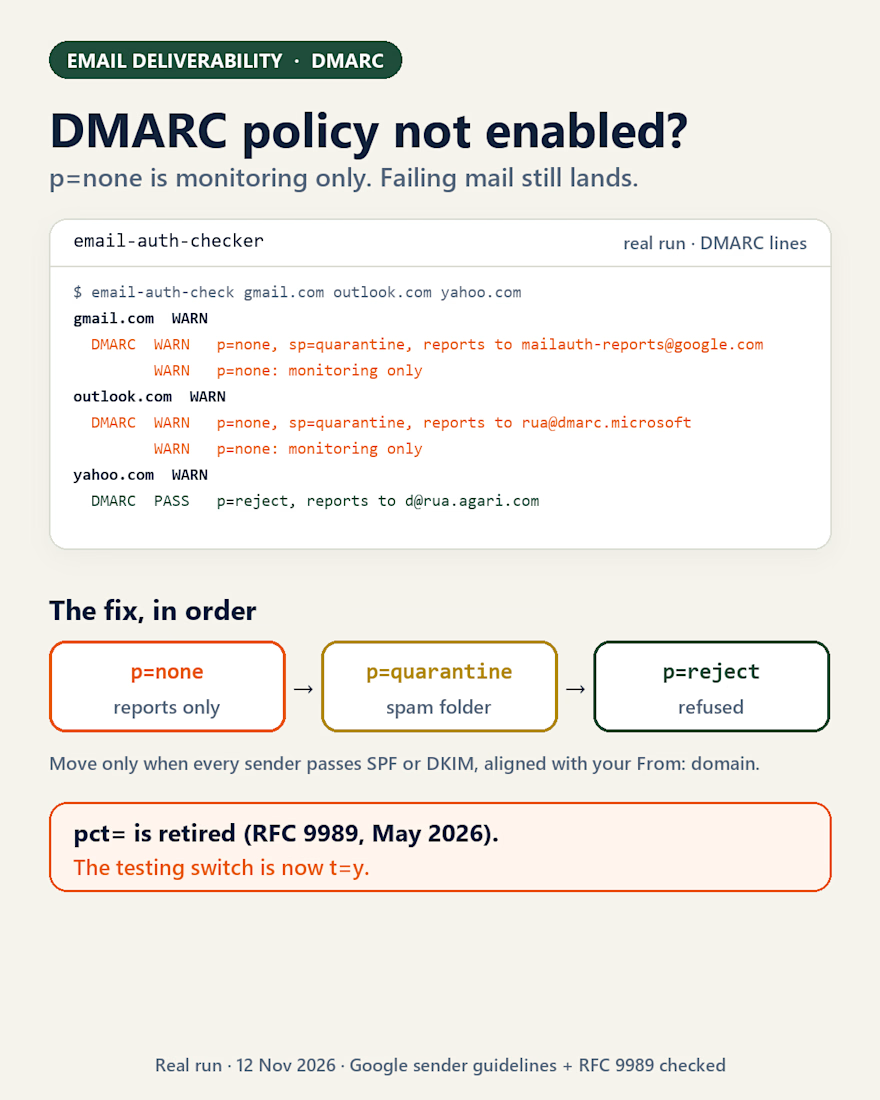
DMARC policy not enabled: what the warning means, and how to fix it without losing real mail.
Checkers show this warning when your domain has no DMARC record, or when the record says p=none. p=none asks receivers to send you reports and change nothing: mail that fails SPF and DKIM is still delivered.
You're in good company. I ran my email-auth-checker today: Gmail's own domain and Outlook's both publish p=none (with sp=quarantine for subdomains). Yahoo's is at p=reject.
Why so many stop there: Google's sender guidelines for 5,000+ messages a day say "Your DMARC enforcement policy can be set to none." That gets your mail accepted. It doesn't stop anyone from sending as you.
How to fix it without breaking anything
• Keep p=none for a few weeks with a rua= address, and read the aggregate reports.
• List every service that sends as you: mailbox, newsletter tool, CRM, invoicing, the shop. Each must pass SPF or DKIM on a domain that matches your From: address. That's alignment.
• Move to p=quarantine, then p=reject once the reports are clean.
• If rua= points to another domain, that domain has to publish an authorization record, or receivers send nothing.
• Ramping up with pct=20? RFC 9989 (May 2026) retired pct. The testing switch is now t=y.
Which sender showed up in your reports that you'd forgotten about?
The network for creativity
Join 1.25M professional creatives like you
Connect with clients, get discovered, and run your business 100% commission-free
Creatives on Contra have earned over $150M and we are just getting started



Related posts

How I rebuilt the email and SMS system for a DTC honey brand selling in 4 markets
This brand sells across the US, UK, EU and Canada, with a separate Shopify and Klaviyo account for each market. When I joined, the flows were overlapping, one customer got 8 emails in 24 hours from duplicate welcome flows, and nobody could clearly explain why SMS revenue was dropping.
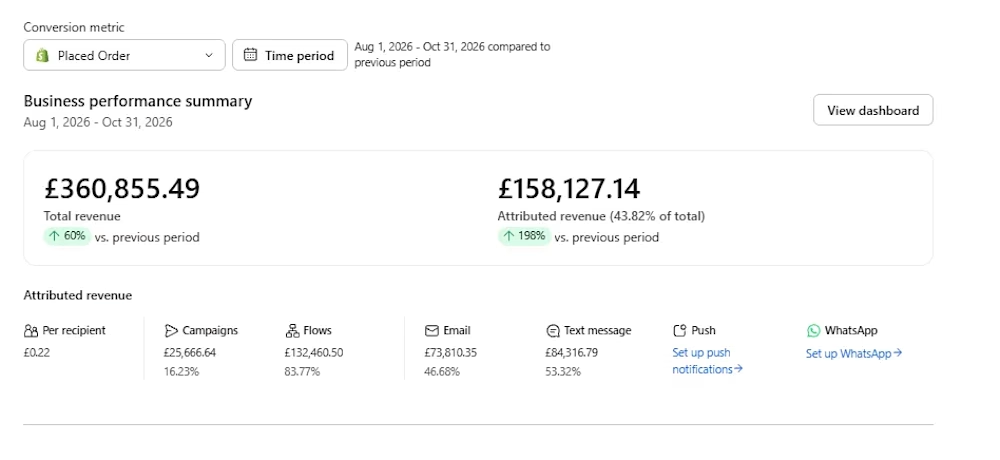
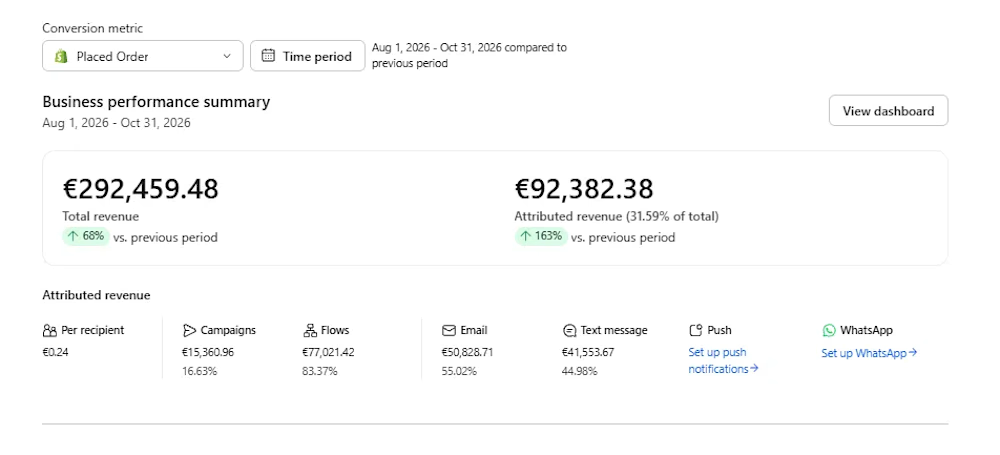
Results (Aug to Oct 2026 vs. the previous 3 months):
🇬🇧 UK: email and SMS revenue up 198%, now 43.8% of total store revenue
🇪🇺 EU: email and SMS revenue up 163%
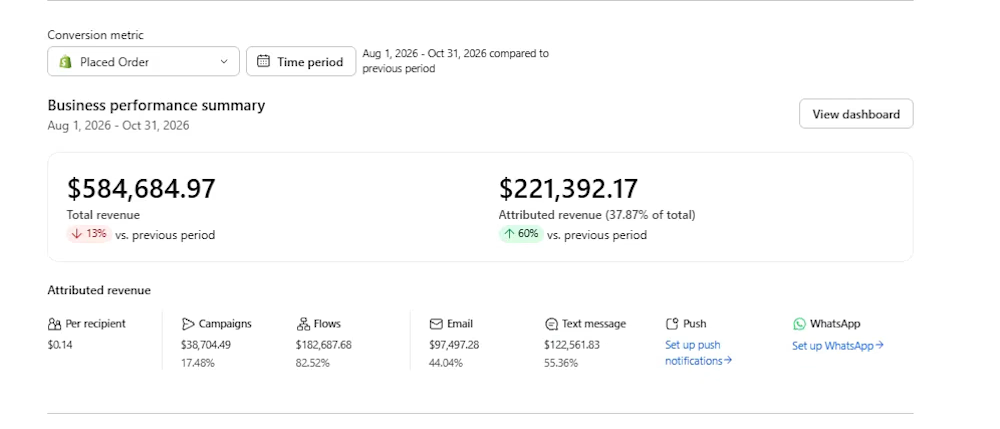
🇺🇸 US: email and SMS revenue up 60%, while total store revenue was down 13%
That’s $221K + £158K + €92K in attributed revenue in one quarter, with flows driving over 82% of it in every market. The system keeps selling even when no campaign goes out.
What I did:
📩 Rebuilt the full lifecycle flow set in all 4 markets: Welcome, Browse and Checkout Abandonment, Added to Cart, Post Purchase, Winback. I added Smart Sending and cross flow suppression so customers stop getting spammed.
🔁 Built subscription flows from scratch (New Subscriber, Renewal Reminder, Paused, Cancelled), connected to the subscription app and cloned across every market.
⭐ Set up a review engine that routes 4 and 5 star customers to Trustpilot and sends 1 to 3 star customers to a private feedback survey.
🔍 Diagnosed the problems behind the numbers. I traced the SMS revenue drop to fewer popup views, caught a 46% rise in discounting, and A/B tested popup offers in 3 markets.
🧹 Cleaned the lists by suppressing profiles unengaged for 180 days to protect deliverability and lower the Klaviyo bill.
📊 Built weekly and monthly reporting that leads with the story behind the numbers, so the founders know what to do next.
If your Klaviyo account feels messy or your flows haven’t been touched in a year, let’s talk. I’ve worked with 60+ DTC brands.
👉 Book a call: https://calendar.app.google/Y9KHXozxoYRSVeXG8
#Klaviyo #EmailMarketing #SMSMarketing #DTC #Shopify #Retention

Build-in-public: this week I changed how my SaaS charges. Shakehand used to limit how many email accounts you could connect, now you can connect as many as you want and you pay for the emails you send. The limit was charging people for the wrong thing, they were paying for seats while the value was in the sending. Lesson I keep re-learning: if customers keep hitting a limit that has nothing to do with the outcome they want, the limit is the product problem, not the customer. Remove it and price the thing they actually came for.
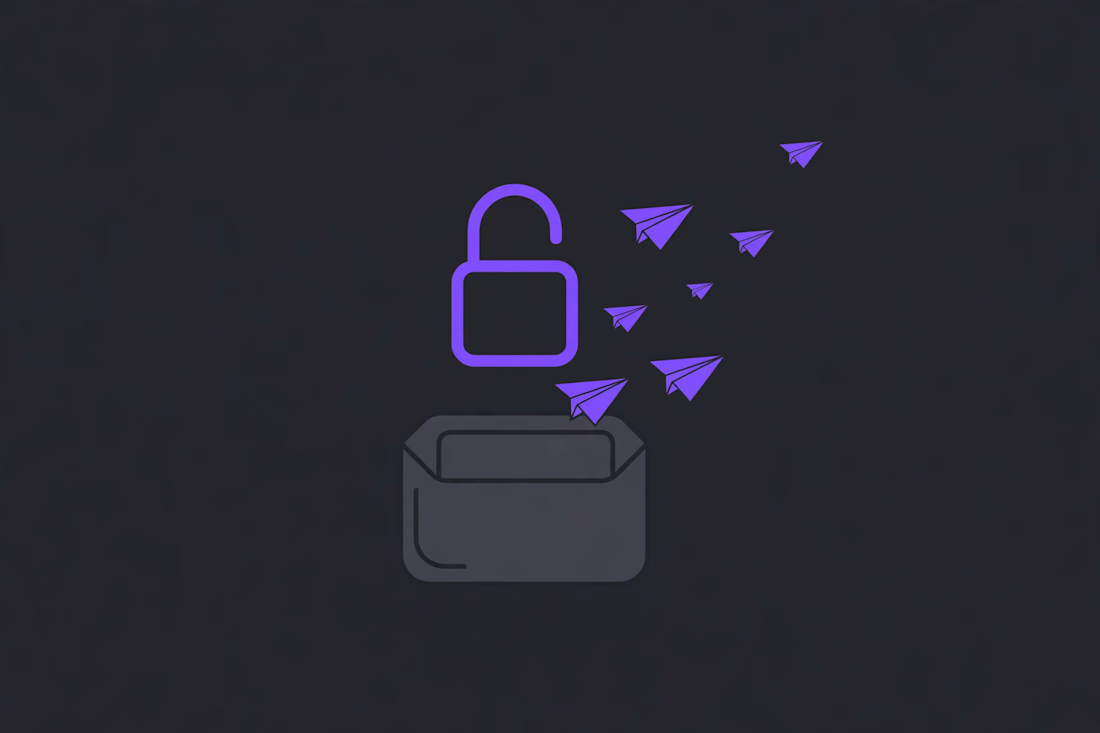

The open padlock with paper planes flying out of the envelope says it in one glance. Did people connect more accounts after you removed the cap?

A client messaged me with a launch date 9 days away and a Kajabi sales page that wasn’t finished. The developer before me had left in the middle of the project.
I opened the page and found the sections didn’t match each other. There were three different fonts, the pricing block was half built, and the checkout button went to a page that didn’t exist yet. Nothing was wrong enough to need a restart, but nothing could go live either.
I spent the first day writing a list instead of building. What already worked, what was broken, and what would stop a buyer from paying. The layout stayed. The pricing section I rebuilt from scratch, the fonts I fixed across the page, and I connected the checkout and the emails that go out after someone buys.
Before it went live I bought my own course through every path to make sure the access email arrived. It did, and the client launched on the date she wanted.
This isn’t the first unfinished Kajabi project I’ve picked up, and it won’t be the last. After 5 years on the platform I know where these builds usually break: checkouts, automations, and access emails. If you’re stuck with a half-built page and a launch date, send me a message. Most of them are closer to done than they look.