The network for creativity
Join 1.25M professional creatives like you
Connect with clients, get discovered, and run your business 100% commission-free
Creatives on Contra have earned over $150M and we are just getting started
Back to feedPost

Building a Calorie Tracking App with Flutter + Firebase 📱🥗
I recently worked on a Calorie Counter & Tracker app designed to make daily nutrition and fitness tracking simple, fast, and practical.
The goal wasn't just to build another calorie calculator.
The focus was to create a complete tracking experience where users can scan food, log meals, monitor calories and nutrition, track exercise, record water intake, and stay consistent with their daily goals.
🔗 Live on Google Play:
https://play.google.com/store/apps/details?id=com.app.calories.counter.appcrown.kkapptech
🛠️ Tech Stack
Frontend
• Flutter
• Dart
• Responsive UI
• Custom reusable widgets
• State management
Backend & Cloud
• Firebase Authentication
• Cloud Firestore
• Firebase Storage
• Firebase Cloud Messaging
• Firebase Analytics
• Firebase Crashlytics
APIs & Integrations
• Nutrition & calorie APIs
• Food database integrations
• Barcode scanning
• Image recognition / AI-based food analysis
• Exercise & activity data
🔍 Key Features I Built
📸 AI Food Scanning
One of the most interesting parts was making food logging faster through image recognition.
Instead of manually searching for every food item, users can capture an image of their meal and get estimated calorie and nutrition information.
The challenge here was designing the flow so that image analysis, API responses, loading states, errors, and user confirmation all worked smoothly together.
📊 Calorie & Nutrition Tracking
The app tracks daily food consumption and provides users with a clear overview of their calorie intake.
I worked on the underlying flow for:
→ Adding food
→ Managing meals
→ Calculating daily intake
→ Tracking nutrition values
→ Comparing intake against goals
→ Displaying progress clearly
🔎 Food Search
For cases where scanning isn't suitable, users can search for food and add it manually.
This required handling API-driven food data while keeping the experience fast and simple.
📦 Barcode Food Scanner
Packaged food can be added using barcode scanning, allowing users to quickly retrieve available nutrition information instead of entering everything manually.
🏃 Exercise Tracking
Food intake is only one side of the equation.
The app also allows users to log workouts and activities and view estimated calories burned based on the activity and duration.
💧 Water Tracking
I also implemented the daily water tracking flow so users can keep their hydration alongside their nutrition and exercise data.
🎯 Goals & Progress
Users can set calorie and activity goals and monitor their progress over time.
The challenge was keeping the dashboard informative without overwhelming the user with too much information.
🔥 Why Flutter + Firebase?
For this type of product, Flutter was a strong choice because it allowed us to build a consistent experience across Android and iOS while keeping the UI highly customizable.
Firebase handled much of the cloud infrastructure:
• Authentication
• Real-time/cloud data
• User-specific tracking data
• File storage
• Push notifications
• Analytics
• Crash monitoring
This allowed us to focus more of the development effort on the actual product experience and integrations instead of maintaining a large custom backend infrastructure.
⚙️ Some of the Engineering Challenges
Building a health & fitness tracking app isn't simply about creating screens.
Some of the important engineering work involved:
→ Designing scalable Firestore data structures
→ Connecting multiple third-party APIs
→ Handling asynchronous API responses
→ Managing image uploads and processing
→ Handling barcode scanning
→ Keeping calorie calculations consistent
→ Managing loading, empty and error states
→ Building reusable Flutter components
→ Implementing notifications and reminders
→ Monitoring crashes and production issues
→ Optimizing the app for a smooth mobile experience
📱 The Result
The final product brings multiple tracking workflows into a single mobile experience:
Food → Calories → Nutrition → Exercise → Water → Goals → Progress
The app is currently available on Google Play with features including food image recognition, barcode scanning, calorie tracking, exercise tracking, water tracking, and goal management.
For me, this project was a great example of how Flutter + Firebase + third-party APIs + AI-powered functionality can be combined to build a production-ready mobile product.
If you're building a health, fitness, nutrition, or AI-powered mobile app, I'd be happy to discuss how we can turn the idea into a working product.


So good! 👏
Thank you, Sevki! 🙌 Really appreciate it!

Food scanning and meal logging make a good offline test, since people log at the table and the signal is whatever the restaurant has. Firestore's offline persistence covers reads well, but the write side is where these apps tend to crack. Worth checking what the queue does if...
The network for creativity
Join 1.25M professional creatives like you
Connect with clients, get discovered, and run your business 100% commission-free
Creatives on Contra have earned over $150M and we are just getting started
Trending
retrofuturism
Share your favorite designs from the past exploring the distant future. Or your own take on the aesthetic 🚀
halftone
Dots. Texture. Grain. Let's see your designs using the halftone technique.

Midjourney
Creatives are showing off what they're making with Midjourney.
colorgrade
Video editors sound off: How do you enhance the mood of your video in color grading?





Related posts


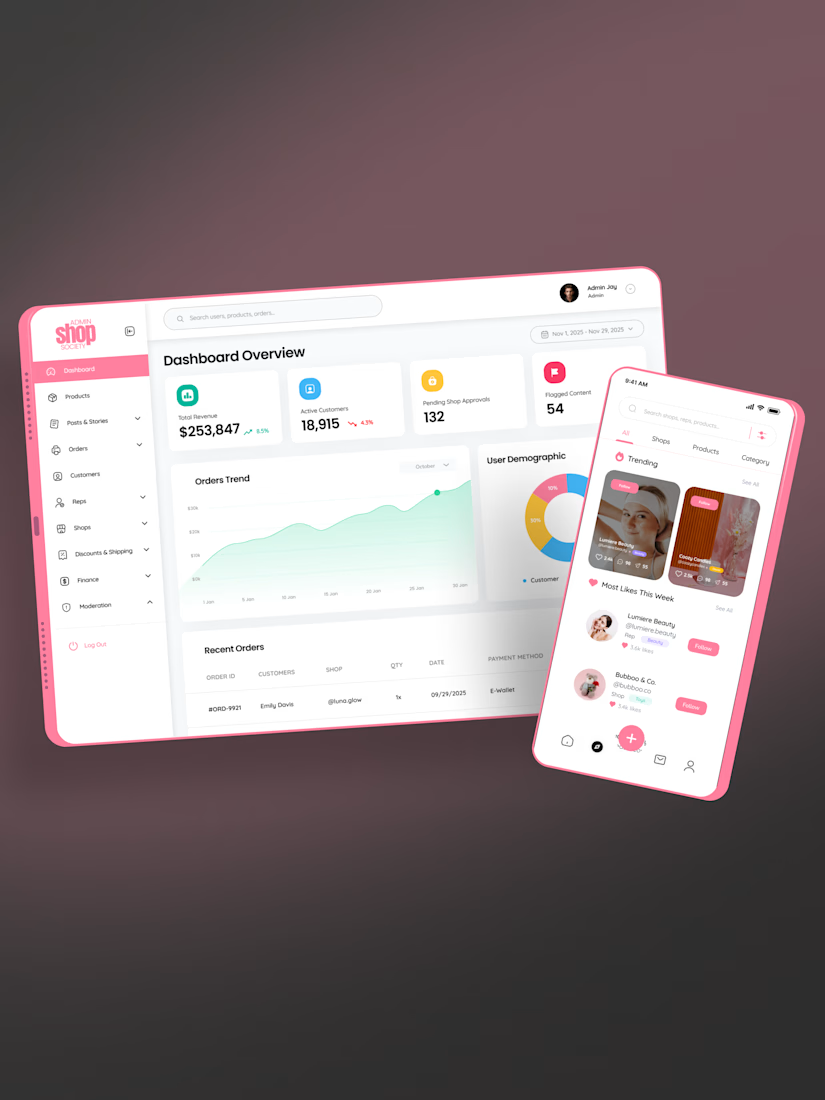
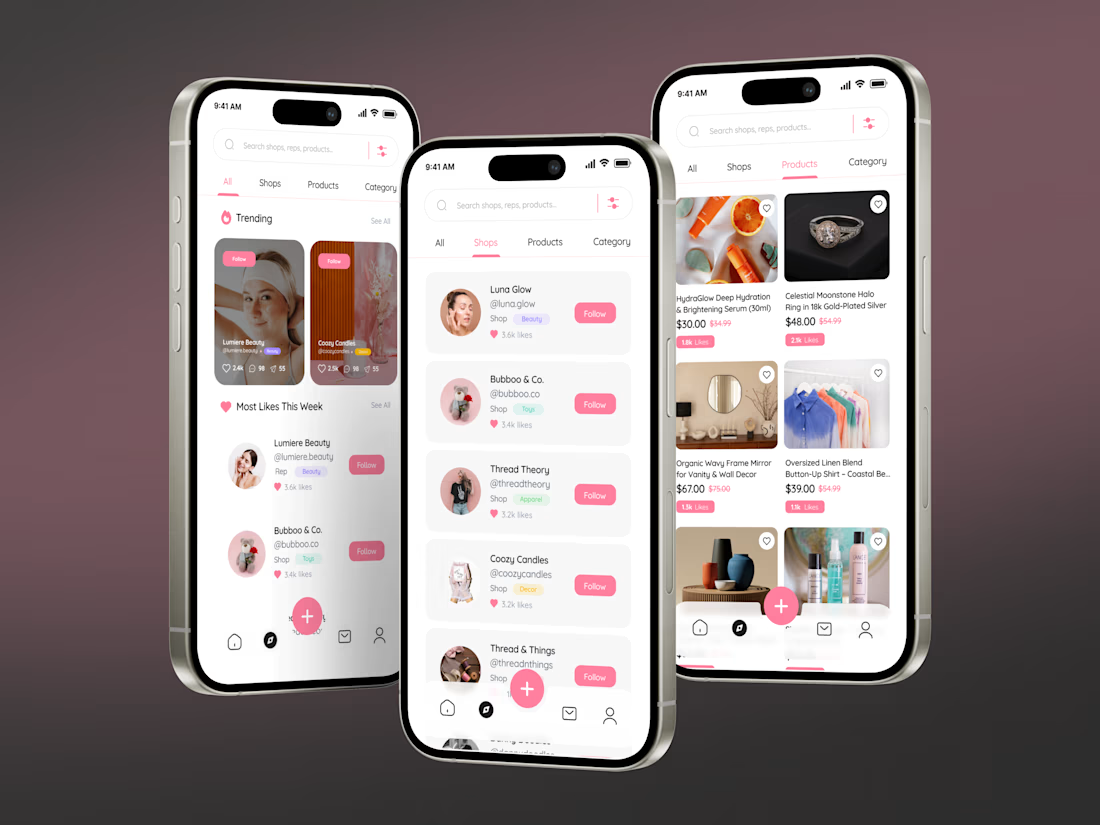
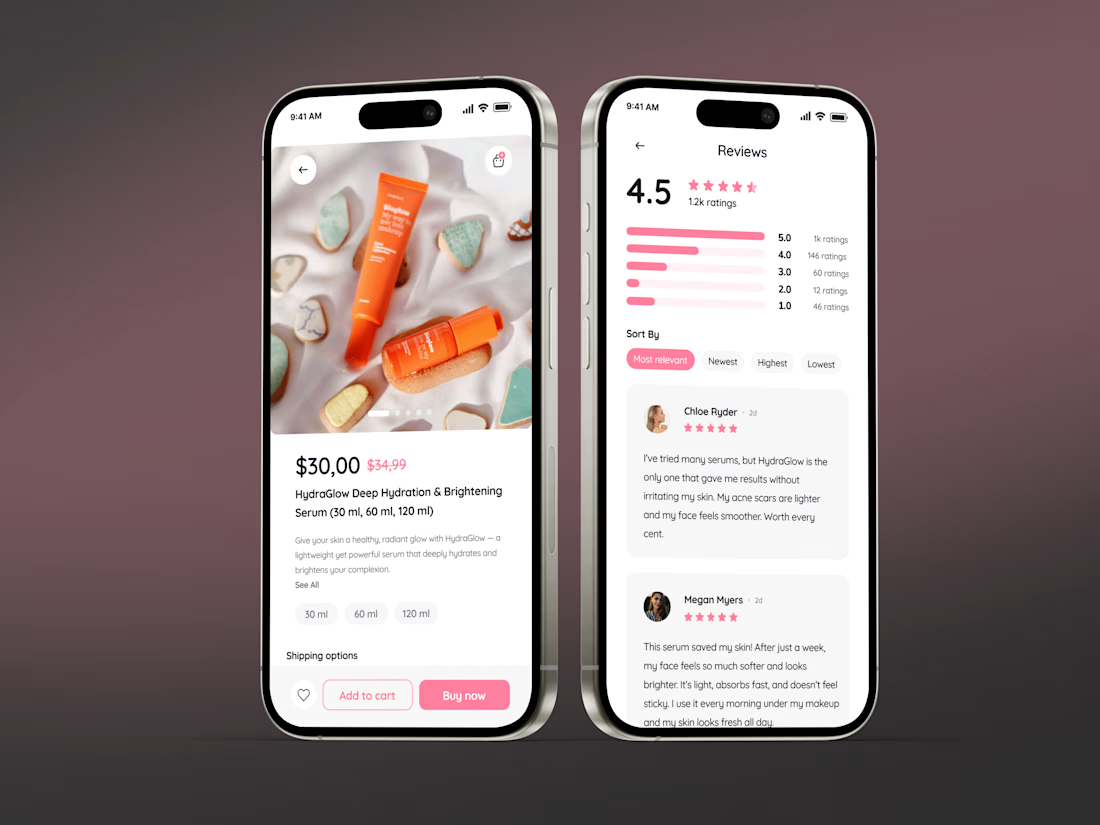
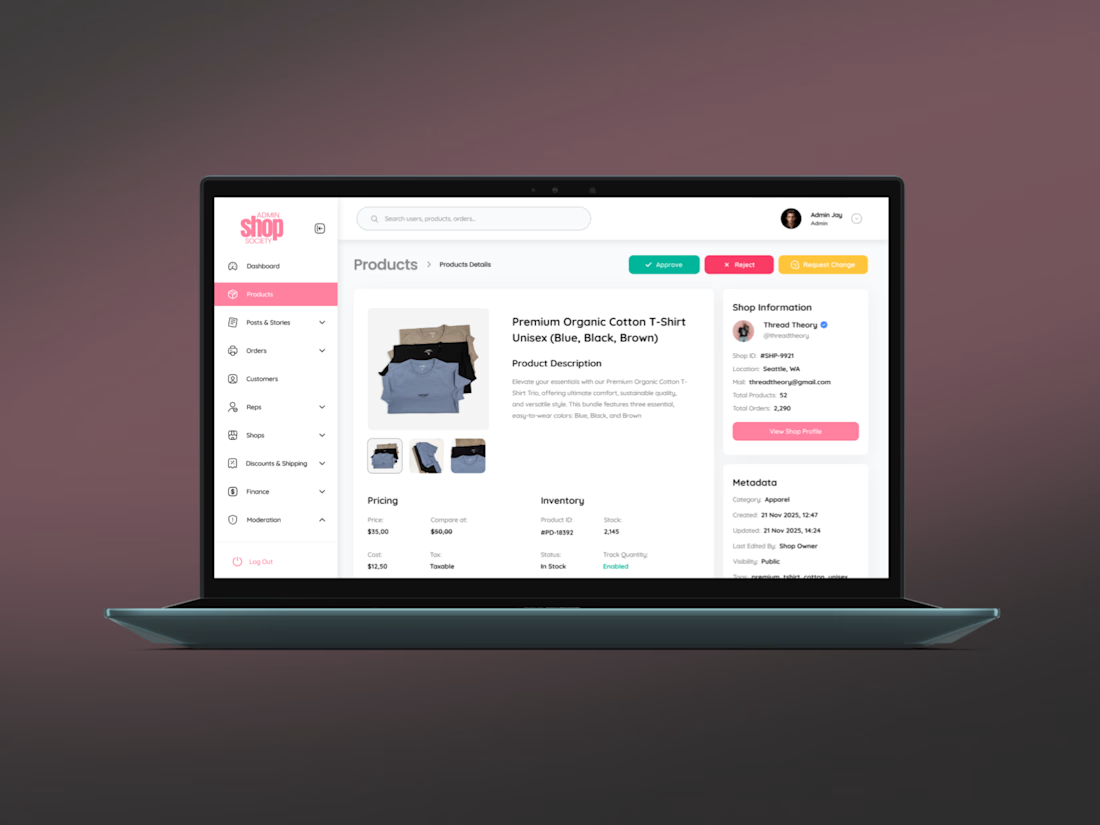
Shop Society from idea to a live social commerce marketplace 🚀
A US client came to us with an idea: an ecommerce app for small retail shops that works like a social network, not another catalog with a cart.
What was delivered, full cycle:
UX/UI in Figma → shopping that feels like scrolling: shop profiles, stories, trending feed
One Flutter codebase → native iOS and Android apps
Chat-first checkout → ask, reserve, buy inside the conversation
Admin dashboard → revenue analytics, orders, moderation, shop approvals
From MVP scope to live product, design, mobile app, backend, admin. One team.
Building an ecommerce app or marketplace? DM me rough scope within 24 hours.
#ecommerce #retail #flutter #marketplace #mobileapp #mvp



Keep going! 🔥 Your work is awesome!


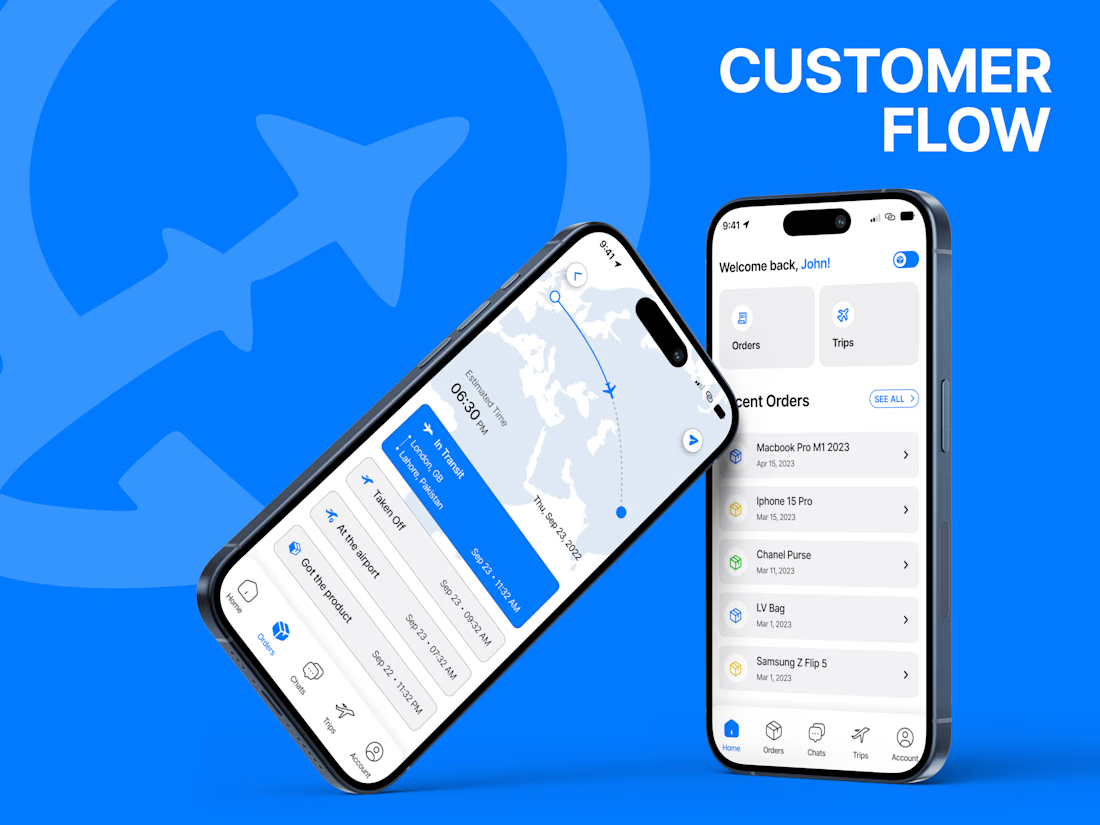
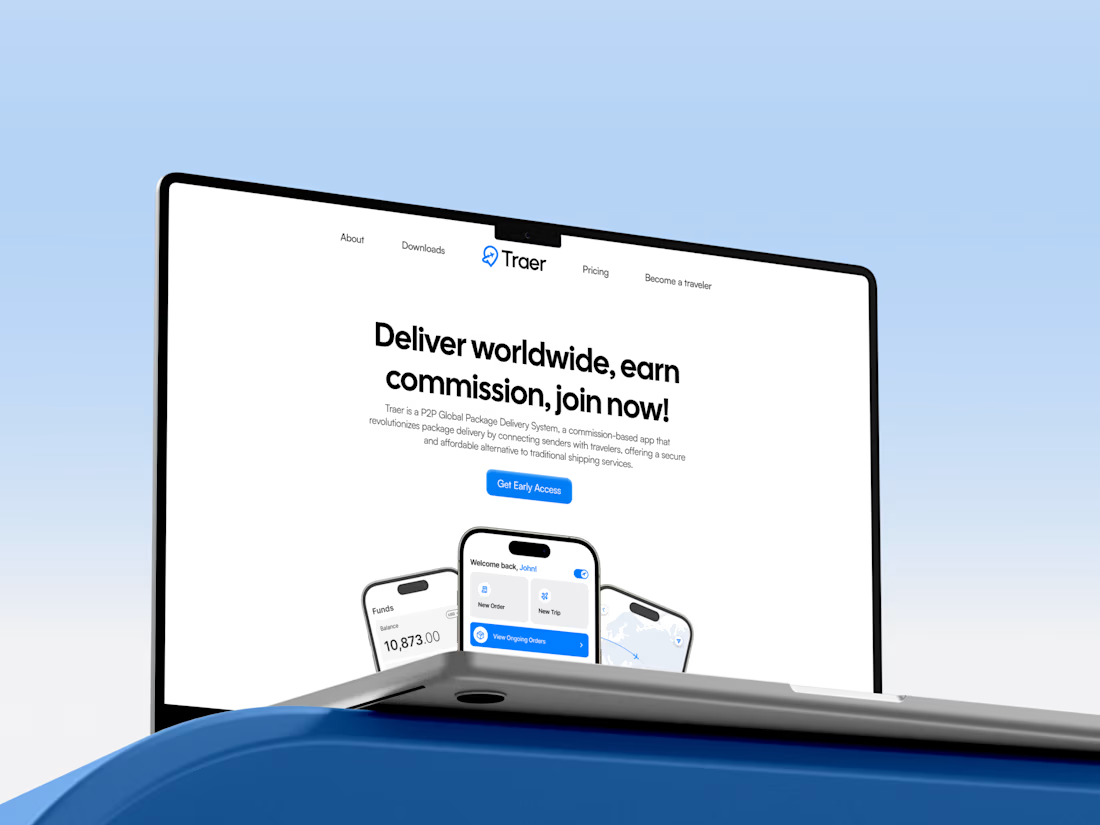
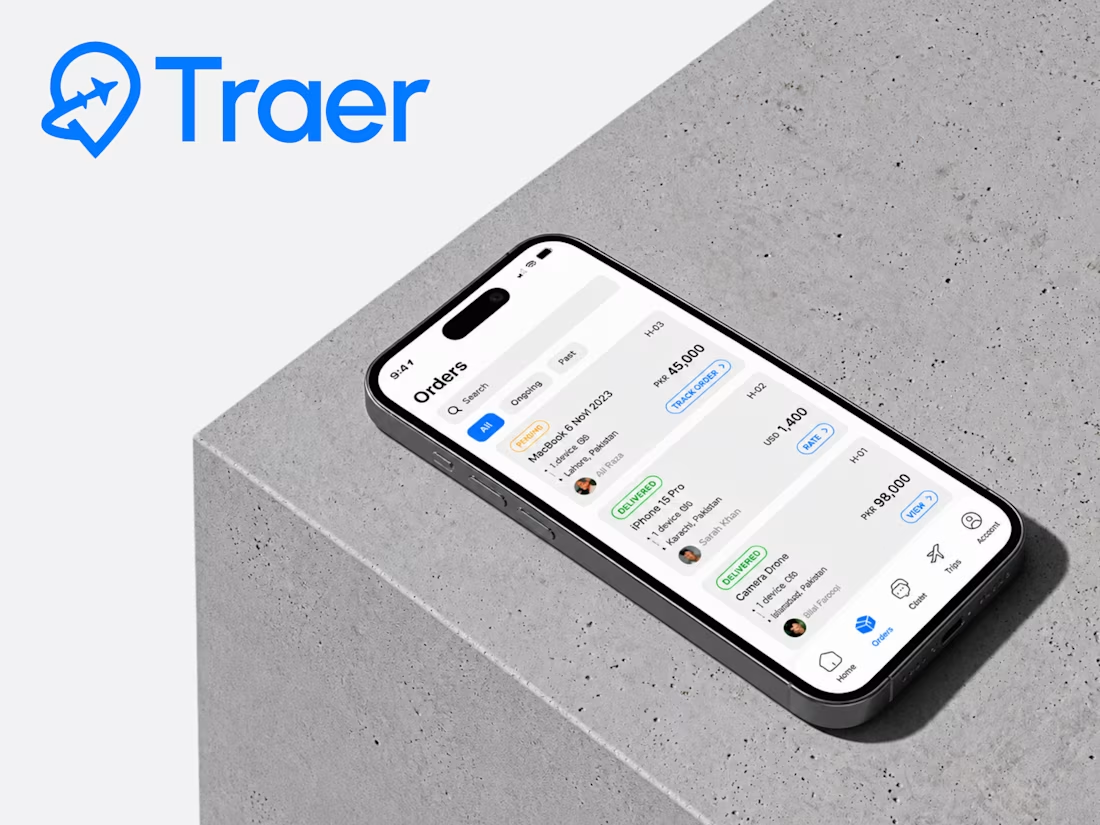
Traer Mobile App Design.
A clean and modern mobile app UI/UX design for Traer, a P2P global package delivery platform.
Designed the experience around package tracking, orders, trips, and delivery management, keeping everything simple and easy to navigate.
Also explored the visual identity, typography, colors, and responsive product experience to keep the app consistent across the brand.
Really enjoyed bringing this one together.



High-end design.


Meet a new concept for photo gallery mobile app 🖼️ Share your feedback


Looks great