The network for creativity
Join 1.25M professional creatives like you
Connect with clients, get discovered, and run your business 100% commission-free
Creatives on Contra have earned over $150M and we are just getting started
Back to feedPost

Your content may not be the reason your SEO traffic is stuck.
Before publishing more pages or targeting more keywords, I usually check whether the website’s technical foundation is actually helping Google crawl, understand, and index the right pages.
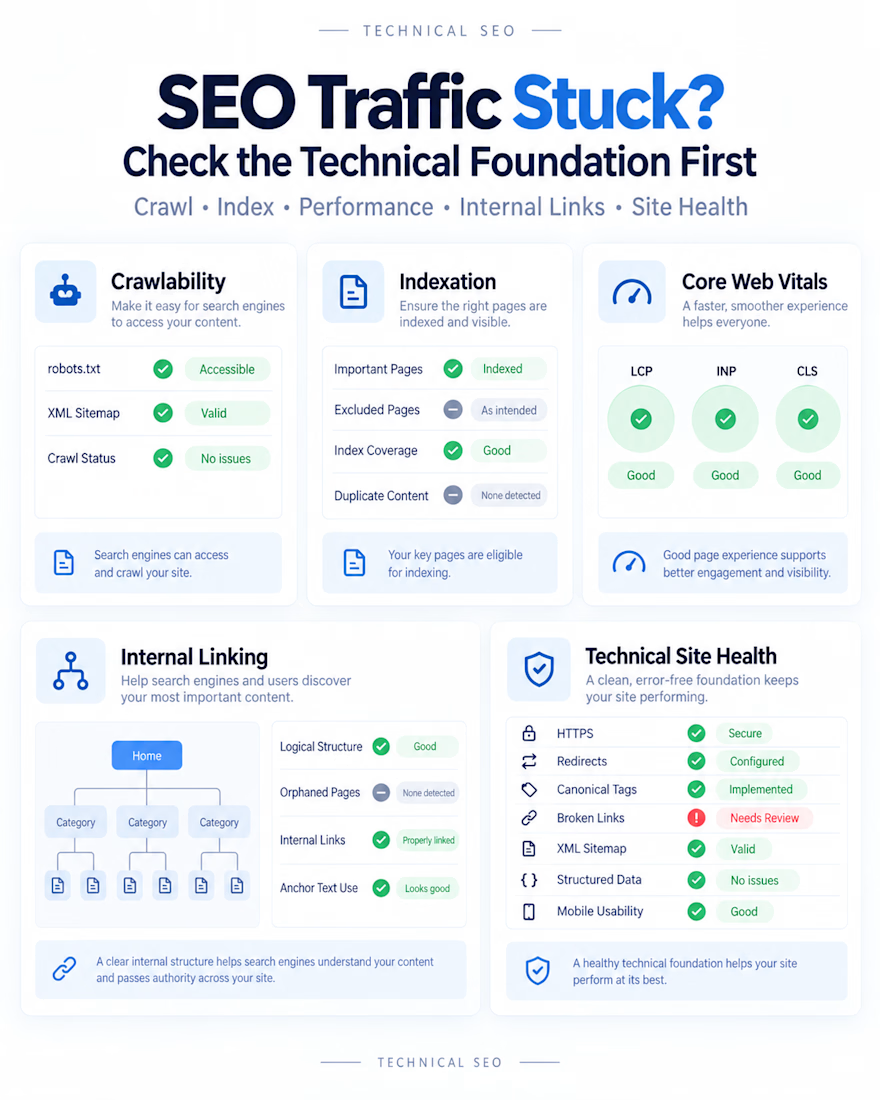
Here are 5 technical SEO checks worth reviewing first:
→ Crawlability
Can search engines efficiently access your important pages?
→ Indexation
Are valuable pages indexed while low-value or duplicate URLs stay out of the index?
→ Core Web Vitals
Are speed, responsiveness, and visual stability creating performance issues?
→ Internal Linking
Are your most important pages receiving enough internal authority and contextual links?
→ Technical Site Health
Check canonicals, redirects, sitemaps, broken links, duplicate pages, structured data, and other technical signals.
A Technical SEO Audit should not just produce a long list of errors.
It should tell you:
✓ What is actually affecting search performance
✓ Which issues should be fixed first
✓ Which fixes can create quick wins
✓ What needs developer support
✓ What should be monitored after implementation
That is the approach behind my Technical SEO Audit & Action Plan: identify the real technical barriers, prioritize them by impact, and turn the audit into clear next actions.
#TechnicalSEO #SEO #OrganicGrowth
The network for creativity
Join 1.25M professional creatives like you
Connect with clients, get discovered, and run your business 100% commission-free
Creatives on Contra have earned over $150M and we are just getting started





Related posts

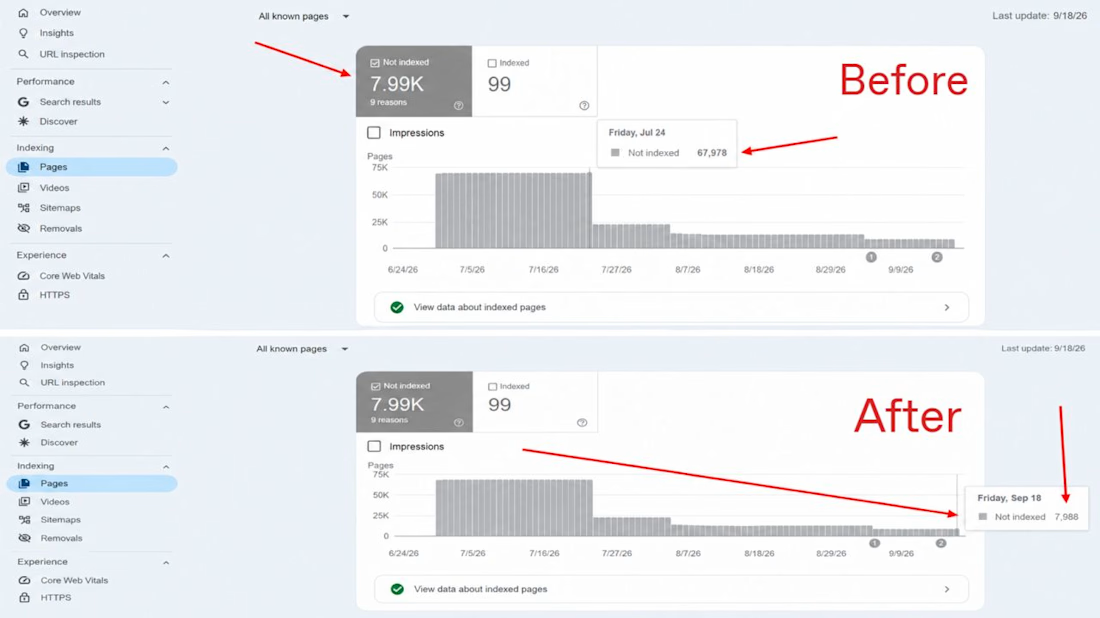
Seeing 67,978 "Not Indexed" pages in Google Search Console is every SEO's worst nightmare! 🤯
Most people think SEO is only about getting new pages indexed.
But here is the truth: Removing useless pages is just as important.
When Google spends time crawling thousands of junk pages (like broken links, duplicate tags, or empty filters), it ignores your main sales pages. This wastes your Crawl Budget.
So, we executed a 60-Day Index Cleanup Strategy.
Here are the results:
Before: 67,978 Not Indexed Pages
After: 7,988 Not Indexed Pages
How We Fixed It in 4 Simple Steps 👇
1. Removed Junk URLs
I found thousands of useless filter and search result pages that were wasting Google's time.
2. Fixed Canonical & Noindex Tags
I added noindex tags to low-value pages and made sure every main page pointed to the correct primary URL.
3. Cleaned Up Robots.txt & Sitemaps
I removed useless links from the XML sitemap and blocked unnecessary site paths in robots.txt.
4. Fixed Broken Internal Links
I fixed dead links so link authority flows directly to our high-value money pages.
SEO isn't just about adding more content. Sometimes, cleaning up the mess brings the biggest traffic boost!
Have you checked your GSC Indexing report lately? How many "Not Indexed" pages do you have?
Let's discuss in the comments! 👇
#SEO #TechnicalSEO #GoogleSearchConsole #SEOStrategy #CrawlBudget #DigitalMarketing #SearchEngineOptimization #SEOExpert #WebPerformance #OrganicGrowth


Nice result. One caution for anyone copying steps 2 and 3: don't noindex a page and block it in robots.txt at the same time. If it's blocked, Google can't crawl it to see the noindex, so it can linger in the index. Noindex first, let it drop out, then block if you still need to save crawl.
Are AI Search Engines & LLMs Diluting Your GSC Traffic Data? 🤖📉
If you’re seeing sudden spikes in impressions with 0 clicks in Google Search Console, you're not alone.
When LLMs like ChatGPT, Perplexity, Claude, and Gemini process user requests, their web-browsing agents run background searches (fan-out queries) using direct site: operators to find and verify official sources.
Want to isolate this AI-driven query data in your own accounts?
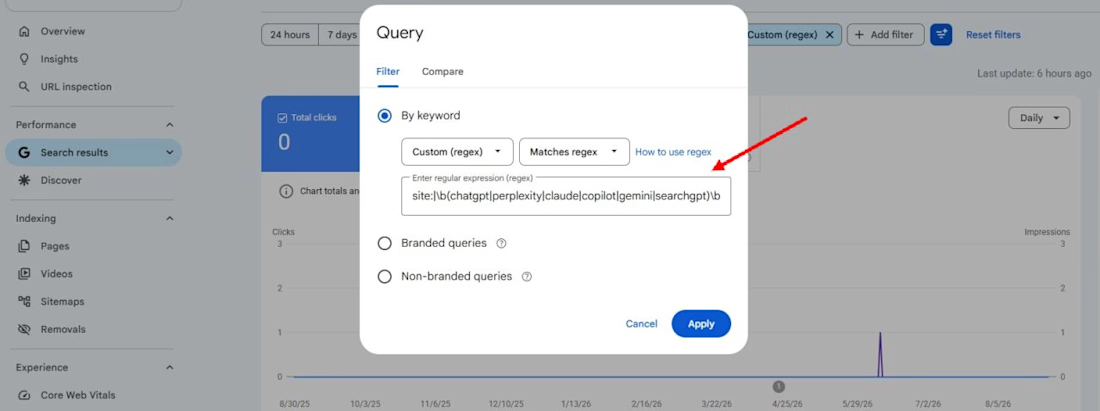
Run this custom Regex filter under Performance > Query > Custom (regex) in GSC:
site:|\b(chatgpt|perplexity|claude|copilot|gemini|searchgpt)\b
(Make sure to select "Matches regex" in the dropdown)
What this highlights:
• High-impression, zero-click fan-out searches generated by AI web-browsing bots
• Brand searches where users explicitly look for AI summaries or integrations • Clearer CTR data by identifying AI search noise from standard organic traffic
Have you checked for AI query footprints across your client sites yet?
What patterns are you seeing?
Drop your findings below! 👇
#SEO #SearchEngineOptimization #GoogleSearchConsole #GenerativeAI #AEO #TechnicalSEO #AISEO
Useful regex. Before blaming AI agents for every spike, it's worth checking the opposite effect: when Google stopped supporting the num=100 results parameter in September 2025, many sites saw desktop impressions drop overnight because rank-tracker scrapes stopped counting....

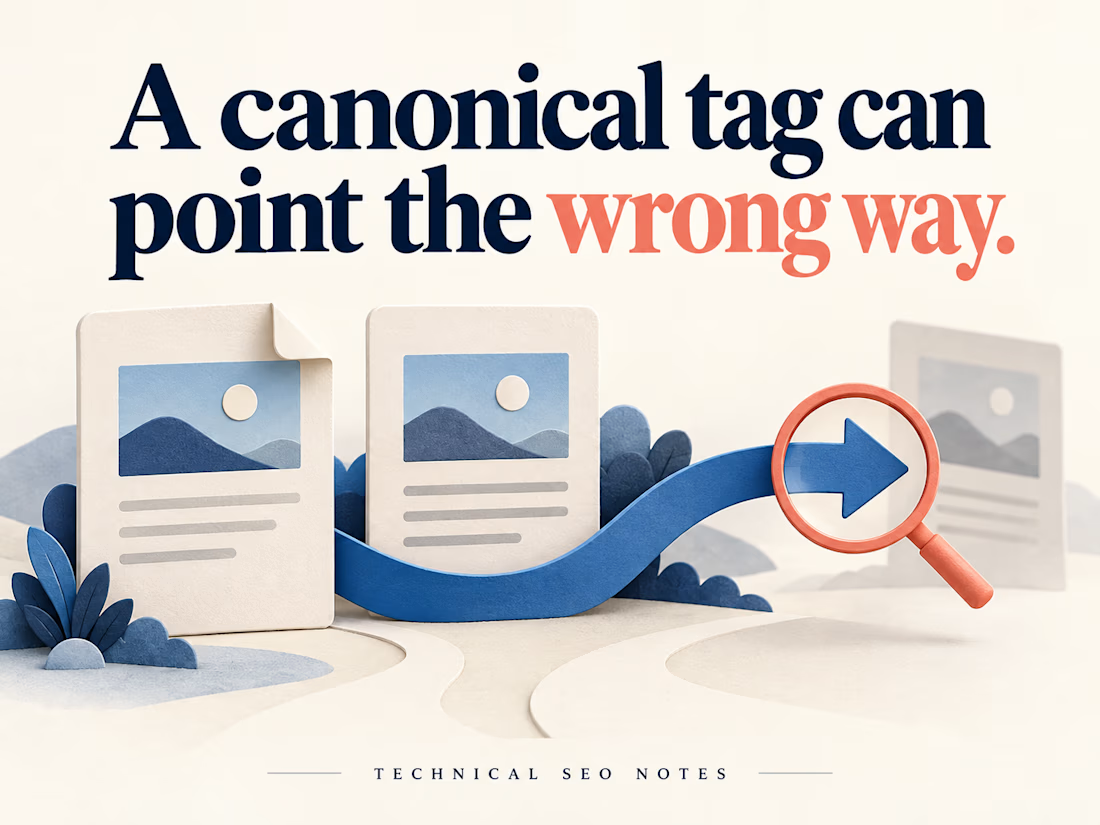
A Canonical Tag Can Be Present and Still Point to the Wrong Page
A redesigned page can look right while its canonical tag points to an old URL. A check that only asks whether the tag exists will miss that mistake.
Before signing off the release, define which URL should represent each page, then check what the deployed website actually declares.
For example, imagine a workshop page available at both its clean address and a newsletter URL with tracking parameters. If they show the same workshop, both should declare the agreed clean URL. A separate workshop with different content needs its own decision.
For each page type, check:
• The expected canonical is written down before testing.
• The declaration in the initial HTML points to that URL, and JavaScript does not replace it with a different one.
• The target opens the intended page, with suitable crawl and indexing settings.
• Internal links, redirects and sitemap entries support the same preferred address.
A correct value in the CMS settings is only part of the evidence. Test the public page, including any alternate URLs that visitors actually use. Include another page built from the same template to see whether the problem repeats.
Keep the handoff short: requested URL, expected canonical, actual declaration, target response and the person responsible for correcting it. That gives a developer enough information to reproduce the problem and QA a specific condition to retest.
Then compare the implementation with Search Console's indexed record. Check the crawl date before using an older result to judge a new deployment. Google's selected canonical is a separate observation; a correct declaration does not guarantee that Google will choose it, and the live test cannot predict that choice.
The release check can establish that the website sends the intended signals. Record Google's later selection separately so the team can distinguish a deployed defect from an indexing decision.
I put together the implementation checks and examples in the full guide on Technical SEO Notes:
https://technicalseonotes.org/canonical-tags-purpose-examples-and-implementation-checks/
Projects and client work: NikoCodes
https://nikocodes.com/