The network for creativity
Join 1.25M professional creatives like you
Connect with clients, get discovered, and run your business 100% commission-free
Creatives on Contra have earned over $150M and we are just getting started
Back to feedPost

Count each minute once before looking for a bottleneck.
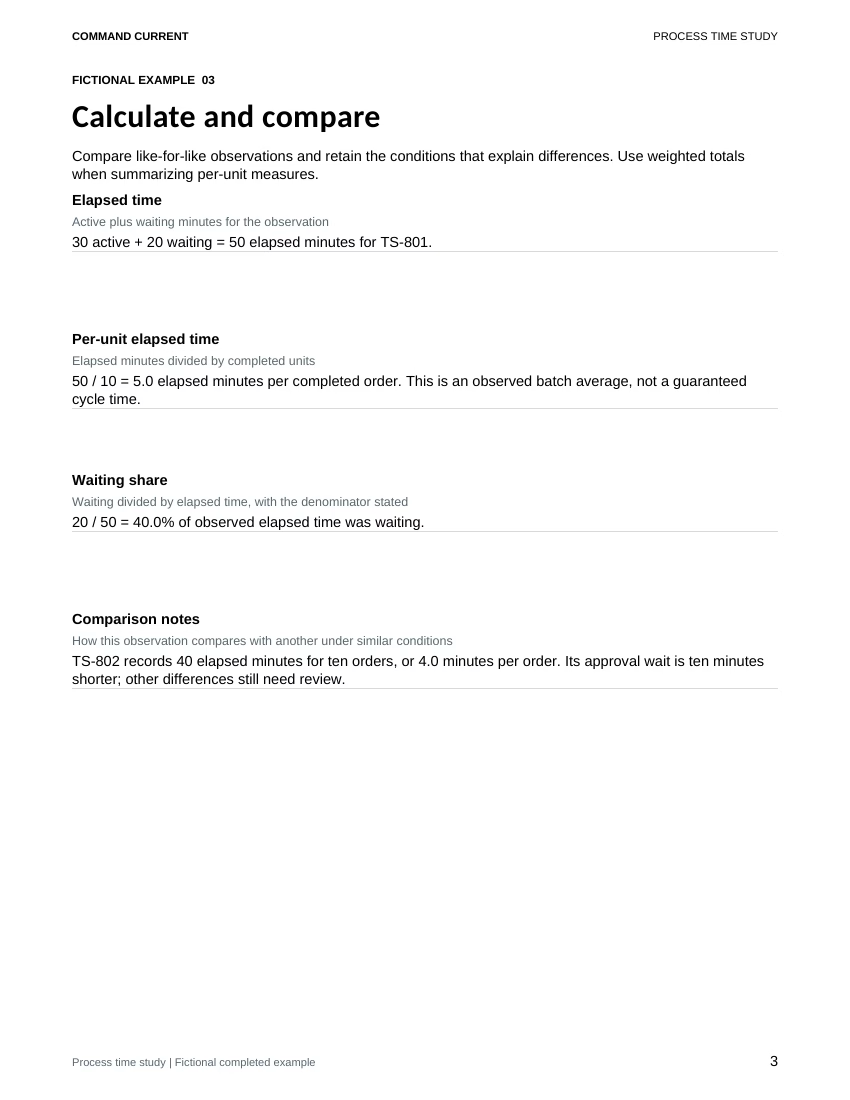
In this kit's fictional time study, batch TS-801 has 30 active minutes, including 4 minutes correcting labels, plus 20 minutes waiting for approval. Ten orders are completed.
That gives 50 elapsed minutes, 5.0 minutes per completed order and a 40% waiting share. The 4 rework minutes are already inside active time. Adding them again would overstate the observation.
Try this on one repeatable process:
• Define the start, finish and what counts as a completed unit before timing
• Record active and waiting minutes separately, with rework kept inside active time
• Follow the waiting evidence to its dependency. Here, the batch is waiting for label approval
• Test a small change, such as a scheduled label-file pre-check, while keeping required approvals and tracking label corrections
• Observe comparable batches again. Keep the original records and note changes in order mix before attributing a faster result to the trial
The preview is the actual Calculate and compare page from the kit's fictional completed example. The Process Time Study and Bottleneck Review Kit includes an editable Word packet, Excel tracker, matching print PDF, fictional completed example and Quick Start.
A short observation supports a process investigation. It does not establish a staffing level or an employee performance rating.

The network for creativity
Join 1.25M professional creatives like you
Connect with clients, get discovered, and run your business 100% commission-free
Creatives on Contra have earned over $150M and we are just getting started





Related posts

Process section
Done from my phone with claude connected to framer


Is this made in Claude?

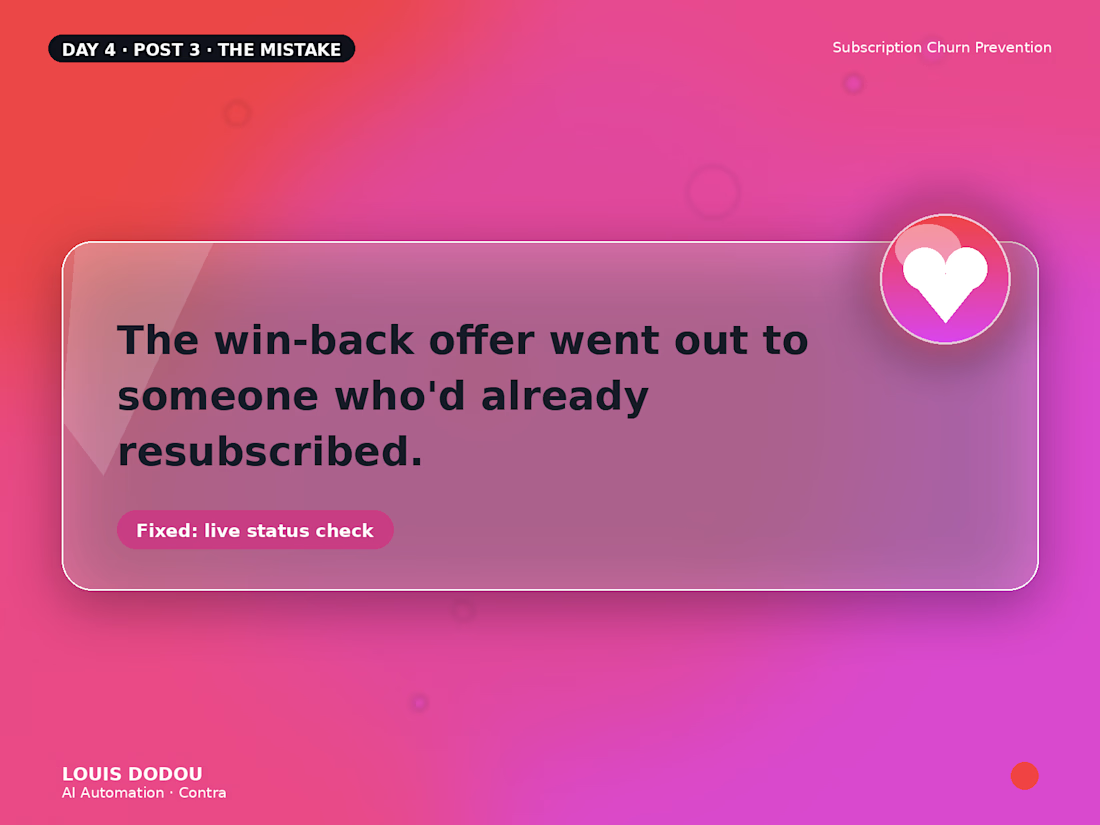
The win-back offer went out to someone who'd already resubscribed.
A batch job with a delay sent an offer to someone who'd already come back. Slightly awkward fixed by checking live subscription status right before every send.
→ Batch jobs and real-time decisions don't always mix well.



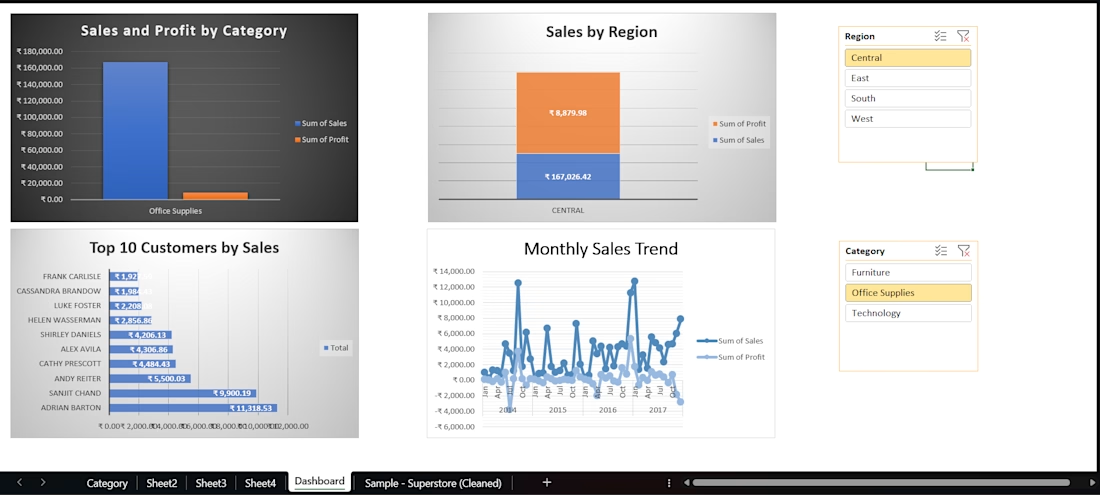
Created an interactive Excel sales dashboard using cleaned Superstore data. Used PivotTables, charts, slicers, and data analysis to track sales, profit, regional performance, top customers, and monthly trends.