The network for creativity
Join 1.25M professional creatives like you
Connect with clients, get discovered, and run your business 100% commission-free
Creatives on Contra have earned over $150M and we are just getting started
Back to feedPost

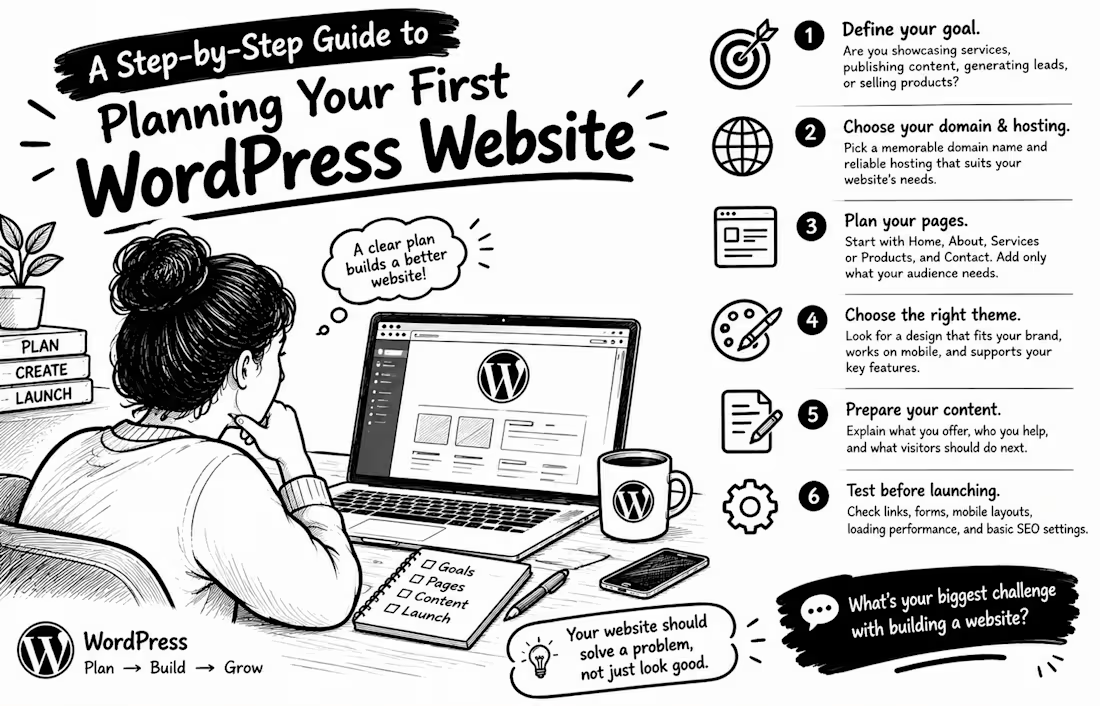
A Step-by-Step Guide to Planning Your First WordPress Website
Your first website doesn't have to be complicated. The real mistake is starting the design before knowing what the website needs to achieve.
Here’s a simple plan to follow:
1. Define your goal. Are you showcasing services, publishing content, generating leads, or selling products? Your goal determines the features you need.
2. Choose your domain and hosting. Pick a memorable domain name and reliable hosting that suits your website’s needs.
3. Plan your pages. Start with Home, About, Services or Products, and Contact. Add only what your audience needs to make a decision.
4. Choose your theme. Look for a design that fits your brand, works on mobile, and supports your essential features.
5. Prepare your content. Explain what you offer, who you help, and what visitors should do next. Clear content matters more than filling every section with fancy graphics.
6. Test before launching. Check links, forms, mobile layouts, loading performance, and basic SEO settings.
A useful reminder: Google recommends creating helpful, people-first content and organising your website so visitors can navigate it easily.
Don't build a website just to say your business has one. Build it to solve a problem for your audience.
Question: If you were planning your first website today, what would challenge you most: choosing a design, writing content, or understanding the technical setup?
Share your answer below!


The network for creativity
Join 1.25M professional creatives like you
Connect with clients, get discovered, and run your business 100% commission-free
Creatives on Contra have earned over $150M and we are just getting started
Related posts

A good-looking website is great. A website that actually brings in more leads? Even better.
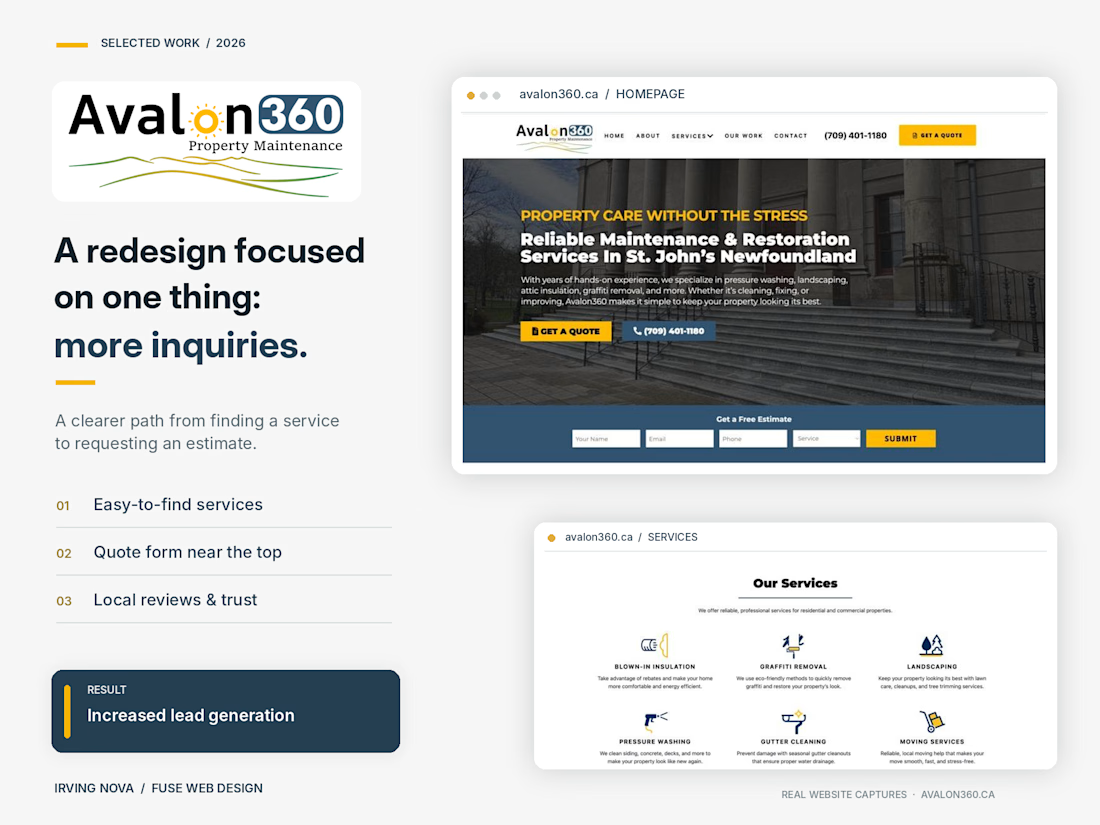
I recently redesigned the website for Avalon360, a property maintenance company based in St. John's, Newfoundland.
The goal wasn't just to modernize the design. It was to turn more website visitors into potential customers.
Here's what I focused on:
✅ A modern, professional design that builds trust
✅ Clear service pages that help customers find exactly what they need
✅ Strategically placed calls to action and easy-to-use quote forms
✅ A better mobile experience
✅ Real project photos, customer reviews, and local credibility
The result? Increased lead generation and a website that works harder for the business.
This is something I always emphasize with clients: your website shouldn't just be an online brochure. It should help grow your business.
🔗 Check out the live website: https://avalon360.ca
Designed & developed by Irving Nova | Fuse Web Design
What's the first thing you look for when deciding whether to trust a business website?
#WebDesign #WebsiteRedesign #LeadGeneration #WebDevelopment #SmallBusiness


So true for Shopify stores too. I'd add that on mobile, half those 10 seconds go to load time. A heavy hero video can cost you the visitor before the headline even shows.

𝗗𝗮𝘆 𝟮𝟭𝘀𝘁 𝗼𝗳 𝟯𝟬𝗱𝗮𝘆𝘀, 𝟵 𝗱𝗮𝘆𝘀 𝘁𝗼 𝗴𝗼
𝟯 𝗖𝗹𝗶𝗲𝗻𝘁 𝗪𝗲𝗯𝘀𝗶𝘁𝗲𝘀 𝗜 𝗕𝘂𝗶𝗹𝘁 𝗧𝗵𝗶𝘀 𝗠𝗼𝗻𝘁𝗵: 𝗕𝗲𝗳𝗼𝗿𝗲 𝘃𝘀 𝗔𝗳𝘁𝗲𝗿 𝗧𝗿𝗮𝗻𝘀𝗳𝗼𝗿𝗺𝗮𝘁𝗶𝗼𝗻
Redesigning an outdated website is about more than aesthetics, it’s about conversion performance.
In this carousel, swipe through 3 recent builds across Industrial Manufacturing, SaaS, and E-commerce, highlighting layout transformations, mobile optimizations, and live client feedback.
1. https://contra.com/community/nEdl2jXF-worked-on-a-website-redesign-for


Love the Rebuild for conversions