The network for creativity
Join 1.25M professional creatives like you
Connect with clients, get discovered, and run your business 100% commission-free
Creatives on Contra have earned over $150M and we are just getting started
Back to feedPost
I created a social post generator made in Wonder and the Claude MCP!
I know that Wonder is great for app or web design, but I wanted to use it in a different way.
Why? Because Wonder can create assets, templates, can follow guidelines, and be way more creative than a simple AI environment.
Here are the steps by step of what I did:
1- I created a template using Wonder. I used my brand assets, chose the font style, and general look.
2- I connected Claude MCP and created a small web platform to generate a good prompt.
3- I used the prompt on Claude, connected to Wonder, to generate the post. Wonder/Claude can choose the text, post length, which design of specific slides to take from the template, and also decide which image fits best!
4- I directly worked in Wonder to fix some small stuff and export!
Here you can find the link to my Wonder file where you can find some other tests (I would love to do more tests, but I finish the credits!!)
Youtube video (for 4K quality):
https://youtu.be/cLZiffEFq5A
Have a Wonder-ful challenge 🚀

Looks great 🔥🔥


Thank you!


I love the walkthrough!
Thank you so much!

Really smart use of Wonder beyond classic app or web design. I like how you turned it into a structured content system template, MCP workflow, then final refinement inside Wonder. It feels practical, creative, and very relevant to real brand workflows. Great entry and good luck 🚀
Thank you so much! I really just tried to avoid doing the typical landing page or app for this challenge. Other people did that, and they did a great job, but I just wanted to be original. I wanted to push the boundaries of the app and create something truly useful.
You are welcome. That originality definitely comes through and love that. Really strong angle 🚀

Great job and really interesting use case. Also loved the explanation about your process!
Thank you so much!!!

Cool usage of wonder, wish you the best Italian friend (i think)
Thank you so much!

nice one

nice one 🙌
Thank you so much!

Great visual balance

Well done for the great job

Great job

Looks great

Using MCP to shape the prompt before it ever hits Wonder is the part most people skip, and then they cannot work out why the brand keeps drifting. How are you stopping the template rules from getting overwritten as the prompt grows? I keep losing that fight.


This is so cool man
The network for creativity
Join 1.25M professional creatives like you
Connect with clients, get discovered, and run your business 100% commission-free
Creatives on Contra have earned over $150M and we are just getting started
Related posts

AI Mental Wellness Platform UI/UX Design
Designed a modern and intuitive AI-powered mental wellness website focused on emotional well-being and personalized digital experiences.
The platform features an AI therapist, mood tracking, meditation, sleep improvement, wellness plans, and data-driven insights. A calming blue color palette, immersive visuals, clean layouts, and thoughtful UI elements create a seamless and engaging user experience.
mentalhealthwebsitedesignartificialintelligenceAI VIsual DesignerResponsive DesignWeb DesignClaudeFigma


love how calm the mood tracking and meditation screens feel in this wellness design

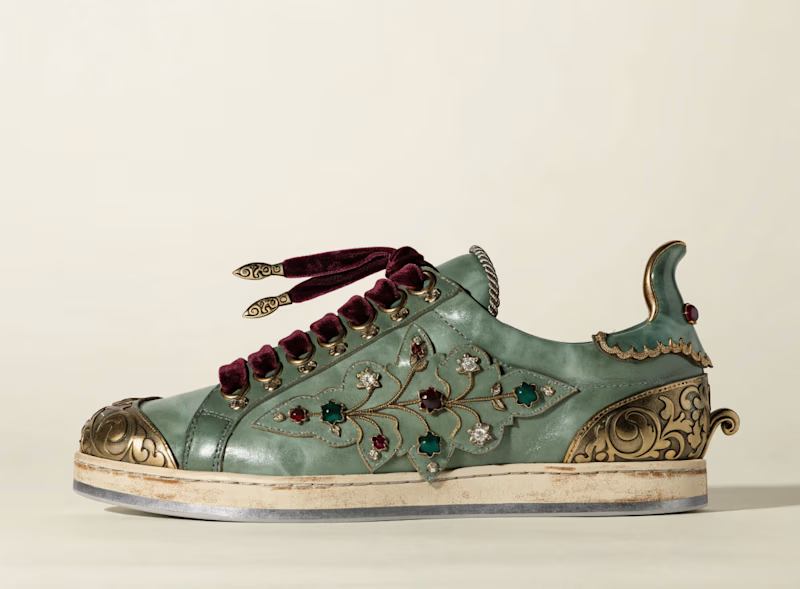
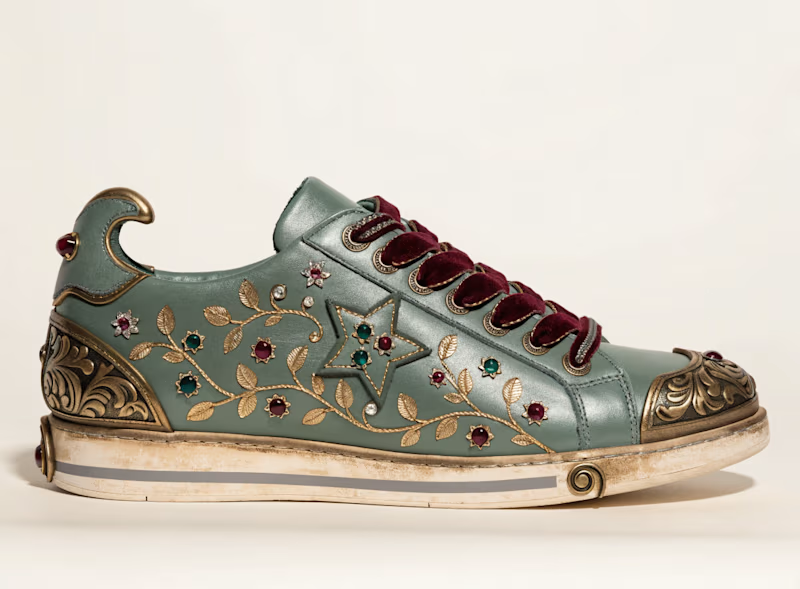
Which one you guys prefer.
A or B
I used recraft.ai today, and I have to say it’s the best AI tool for cohesive, pleasing designs. From just a prompt, I got such clear visuals. I was amazed! Check this out- this is my creation for a collection I’m working on.
3 voted
38%
5 voted
62%
8 votes
Closed


AI is booming nowadays, but so is the creativity of the minds who are behind it.
This one was a big challenge-constructing almost everything through AI generation, just enough to not make it look AI-generated. Hundreds of prompts at work, thousands of hours invested, and don't know how many nights were passed awake, with only one thought in mind...
"Can I make AI keep up with the creative intelligence that I, a human with limitless potential like every other human, possess?"

