The network for creativity
Join 1.25M professional creatives like you
Connect with clients, get discovered, and run your business 100% commission-free
Creatives on Contra have earned over $150M and we are just getting started
Back to feedPost
Taste Test

Light mode or dark mode, which do you actually use?
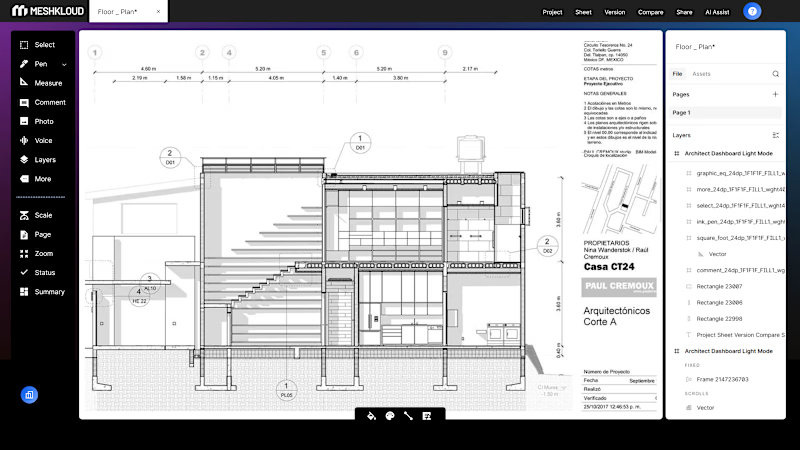
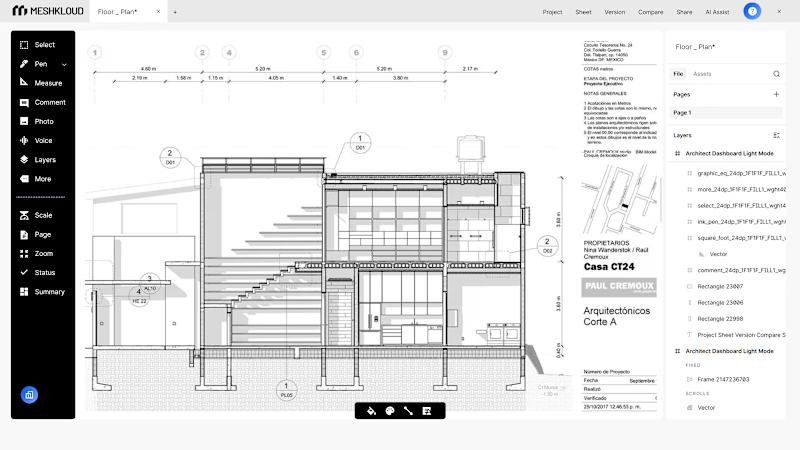
I designed both variants for the MESHKLOUD architect dashboard, and I genuinely cannot pick a favourite. Light mode reads cleaner against the technical drawings, the blueprint lines breathe better, feels more like working at a real desk. Dark mode though pulls the whole interface together differently.
The interesting challenge with this one was that the main content is always a black and white architectural drawing. So the surrounding UI has to complement it without competing. Light mode steps back and lets the drawing do everything. Dark mode wraps it, makes the tool feel like a product you want to sit inside.
What do you default to


7 voted
100%
0 voted
0%
7 votes
Closed

Dark mode — it wraps the drawing instead of competing with it. Feels like a proper design tool, not just a viewer.

Dark mode
Thanks 😍
You’re welcome 😇

Dark mode always stands out
The network for creativity
Join 1.25M professional creatives like you
Connect with clients, get discovered, and run your business 100% commission-free
Creatives on Contra have earned over $150M and we are just getting started
Trending
retrofuturism
Share your favorite designs from the past exploring the distant future. Or your own take on the aesthetic 🚀
halftone
Dots. Texture. Grain. Let's see your designs using the halftone technique.

Midjourney
Creatives are showing off what they're making with Midjourney.
colorgrade
Video editors sound off: How do you enhance the mood of your video in color grading?
Related posts

When designing a consulting agency website, most people lead with services.
We usually do too. It feels like the logical starting point.
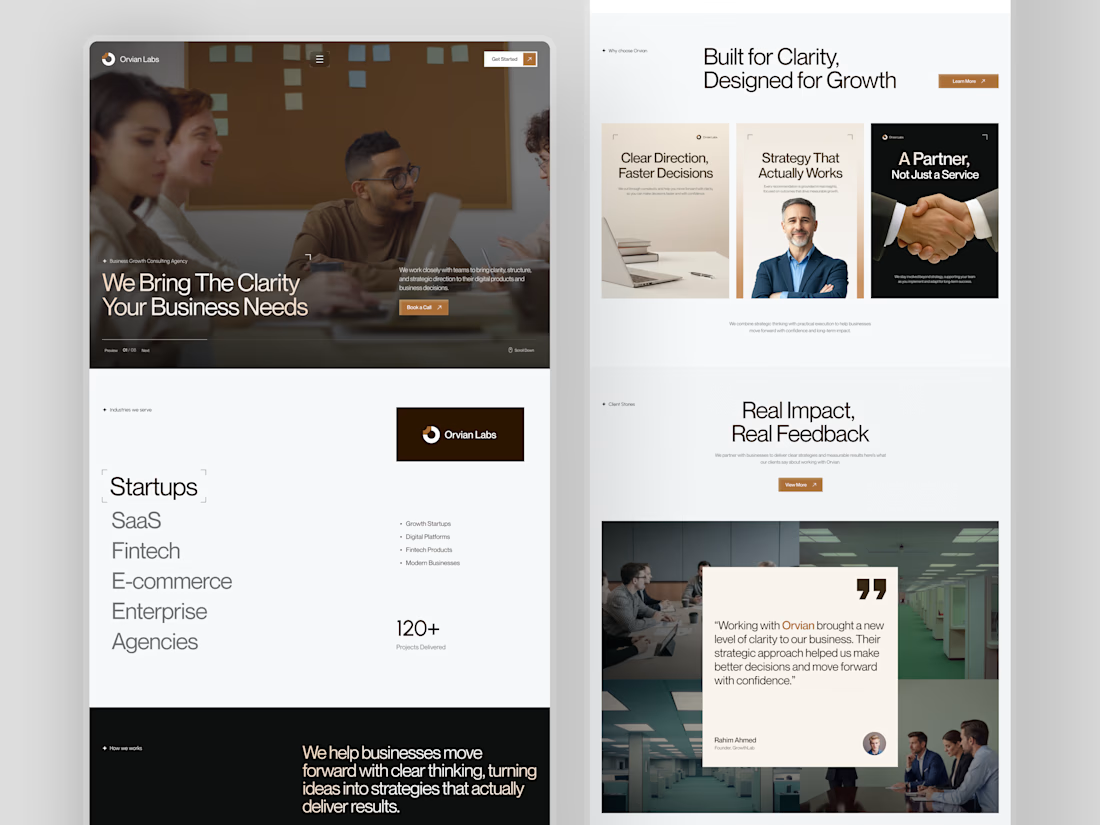
But when we worked on Orvian Labs, we tried something different.
Instead of opening with what they do, we led with what the client actually needs to feel before they read anything clarity and trust.
The hero doesn't list services. It just says "We Bring The Clarity Your Business Needs." And the rest of the page builds the case quietly a scrolling industry list, a three-card value section, 120+ projects as a single trust signal, and a dark manifesto block that finally tells you who they are.
The testimonial comes last. By that point, the visitor already believes it.
What we noticed was that leading with feeling before features made the layout decisions much easier. Every section had a clear emotional job to do, not just an informational one.
This was one of our website layouts to work through. Hope you like it.
#web design # ui-ux design

Premium quality work.

Branding & Hero Animation for Newly.app — AI App Builder
End-to-end branding and hero section design concept for an AI platform that turns ideas into native iOS and Android apps without writing a single line of code.
What we did:
→ Brand Identity: Visual language, color palette, and typography system.
→ Hero Section: Animation concept built around the metaphor of [insert your metaphor, e.g., "ideas transforming into live products"].
→ Motion & UX: Micro-interactions, transitions, and scroll behavior.
The Challenge:
Visually conveying the speed and "magic" of AI while maintaining a professional, tech-forward, and trustworthy image for founders and entrepreneurs.
The Result:
A high-impact hero animation that explains the product's core value proposition in under 3 seconds—capturing the feeling of [insert emotion, e.g., "turning a raw idea into a shipped product with total control"].
Tools: Figma, After Effects, Cinema 4D
Client: Newly


That hero animation is really clean. Love how quickly it shows what the product does.

XRS is a proprietary trading platform: traders pass a funded-account challenge, trade the firm's capital, and keep up to 80% of the profits. I designed the full landing page and supporting product screens — hero through checkout, FAQ, and onboarding.


Amazing work


