The network for creativity
Join 1.25M professional creatives like you
Connect with clients, get discovered, and run your business 100% commission-free
Creatives on Contra have earned over $150M and we are just getting started
Back to feedPost
Taste Test
Recently I made this tools to help me compress and convert media. The first one is MP4 optimizer, and the second one is image file to webp converter. What do you think? Wich one would be most used?

10 voted
67%
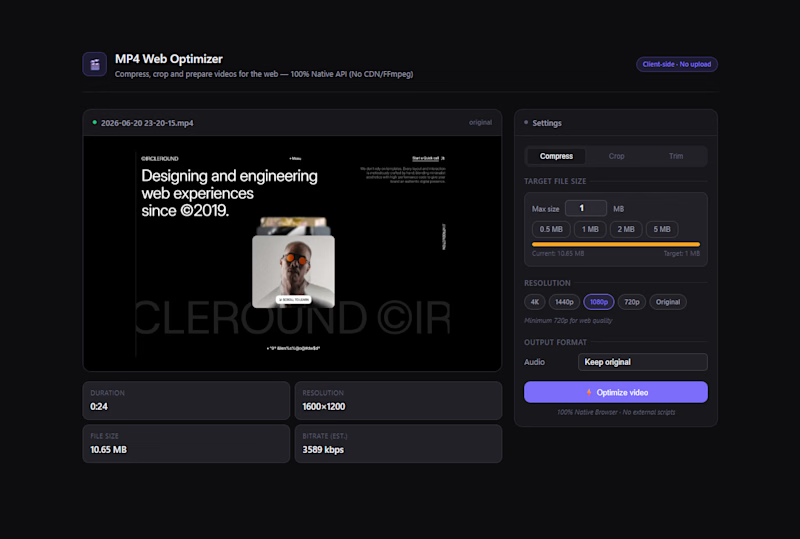
5 voted
33%
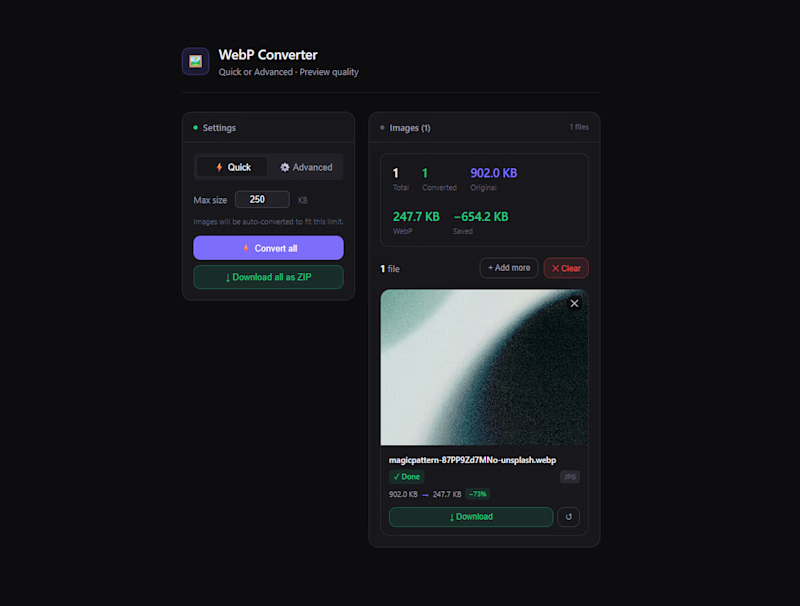
15 votes
Closed

Went with the WebP converter. Every frontend project eventually needs image optimization, and having a drag-and-drop tool for that would save a lot of time. The MP4 optimizer is useful too but I reach for image conversion far more often.

Agree with your statement, should I post it for the demo of this tools I've create? So people can use it. Thanks for the feedback!


Amazing Work Brother

Option 2 will be most used

I feel image optimization is the way to go

Great tools! I think the MP4 optimizer would be the most used onevideo files always seem to be too large when sharing portfolios, case studies, or social media content. 🚀
The network for creativity
Join 1.25M professional creatives like you
Connect with clients, get discovered, and run your business 100% commission-free
Creatives on Contra have earned over $150M and we are just getting started



Related posts

i built a semi-3D interactive website with @Base44 for a Creative Production Studio, called STORM STUDIO,. that drafts 3D Digital unique experience for Brands.
STROM STUDIO specializes indesign, motion, 3D and Technology, working together to turn ambitious ideas into immersive digital experiences.
At STORM STUDIO, We create 3D visual storytelling and interactive web experiences that help brands stand out.
STORM STUDIO - https://stormstudio.base44.app
also, check it out on mobile, to get the full mobile experience
my walkthrough process will be below in my comment section

my walkthrough process
PS; if you opened the STORM STUDIO website on a Mobile phone, Shaking the phone rattles the rubik cubes like a shaken jar.
and,
on PC/DESKTOP, moving the cursor rattles the rubik cubes, also slowly scroll through the home page to have a full experience of the scroll animate effects, etc.
try it out 😊


Clean! This minimal career section looks super premium. The glassmorphism + hierarchy is perfect. I'm also building career sections in Framer for healthcare products. Inspiring work!

Which Testimonial Placement looks better?
1 voted
17%
5 voted
83%
6 votes
Closed
Great question Nish! Honestly center aligned feels more balanced for this section - it lets the line "they care about what they leave behind" breathe, and the testimonials get more focus. First version feels a bit left-heavy. Framer build is looking clean though!