The network for creativity
Join 1.25M professional creatives like you
Connect with clients, get discovered, and run your business 100% commission-free
Creatives on Contra have earned over $150M and we are just getting started
Back to feedPost


When a rep is on the phone with a customer they need to orient quickly.
Is this a new customer or an existing one? What was the last thing that happened on this account? What are they likely calling about?
Switching between tools to find that information while someone is on the line creates delays and mistakes.
We designed this view around one principle: show the most recent and relevant information first without overwhelming the rep with the full history.
Documents, appointments, and activity are all accessible but the screen leads with what is important at the moment.
The rep can read the relationship in seconds and navigate to whatever the customer is asking about without losing the thread of the conversation.
The personal information on the right gives the rep everything they need to have an informed conversation from the moment they open the screen.

Keeping account context in one place can really help during a live call.

The split is working: documents and appointments stay in the left column, while the map, identity, and business sit on the right. Leading with the latest activity keeps that first glance scannable during a live call.
The network for creativity
Join 1.25M professional creatives like you
Connect with clients, get discovered, and run your business 100% commission-free
Creatives on Contra have earned over $150M and we are just getting started

Challenges
View all


Related posts


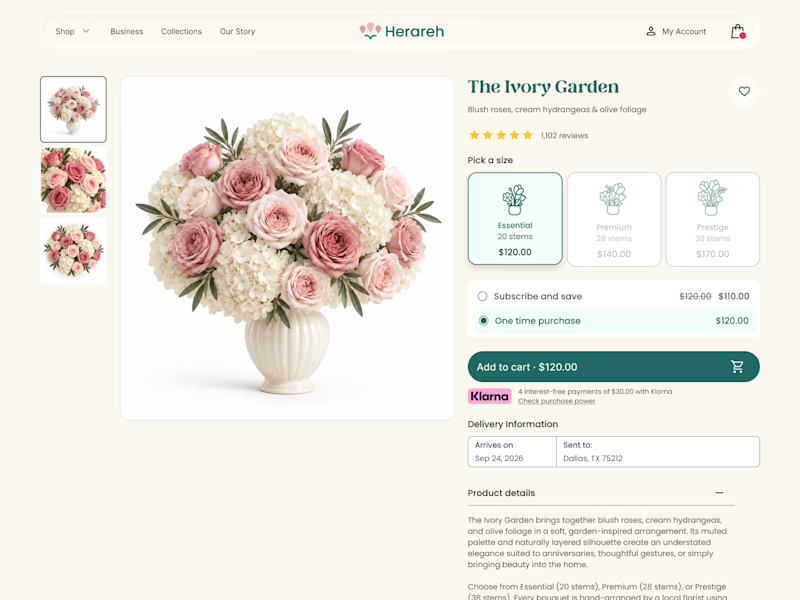
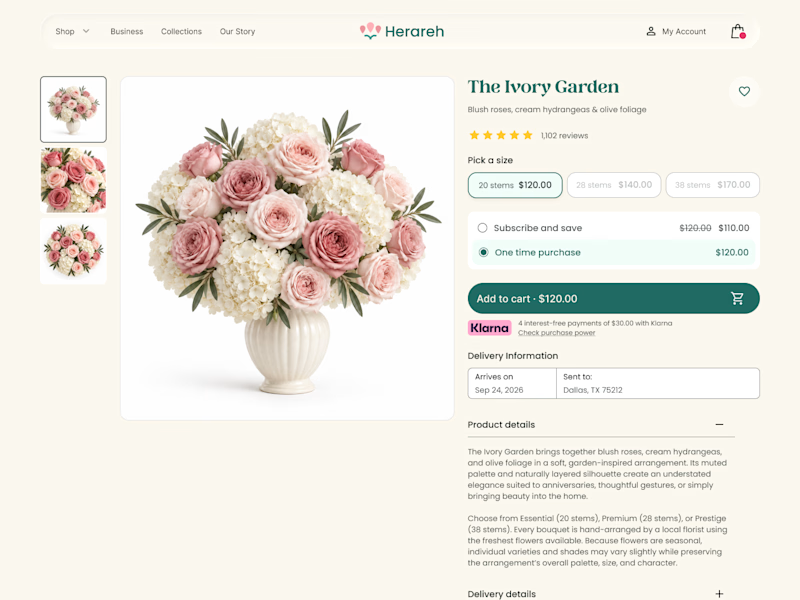

Icon cards for me, bouquets are such a visual purchase that a scannable icon beats reading "small/medium/large" every time. Did the compact chips version convert worse in testing, or are you still gathering data on that?

SENE car rental Website Projects
A car rental website shouldn't make people think too much. It should help them find the right car, understand the price, trust the service, and book with confidence.
I designed SENE around exactly that principle.
Need a website that turns visitors into customers?
I help businesses create modern, conversion-focused websites that look premium and make the user journey easier.
Available for website design & redesign projects.

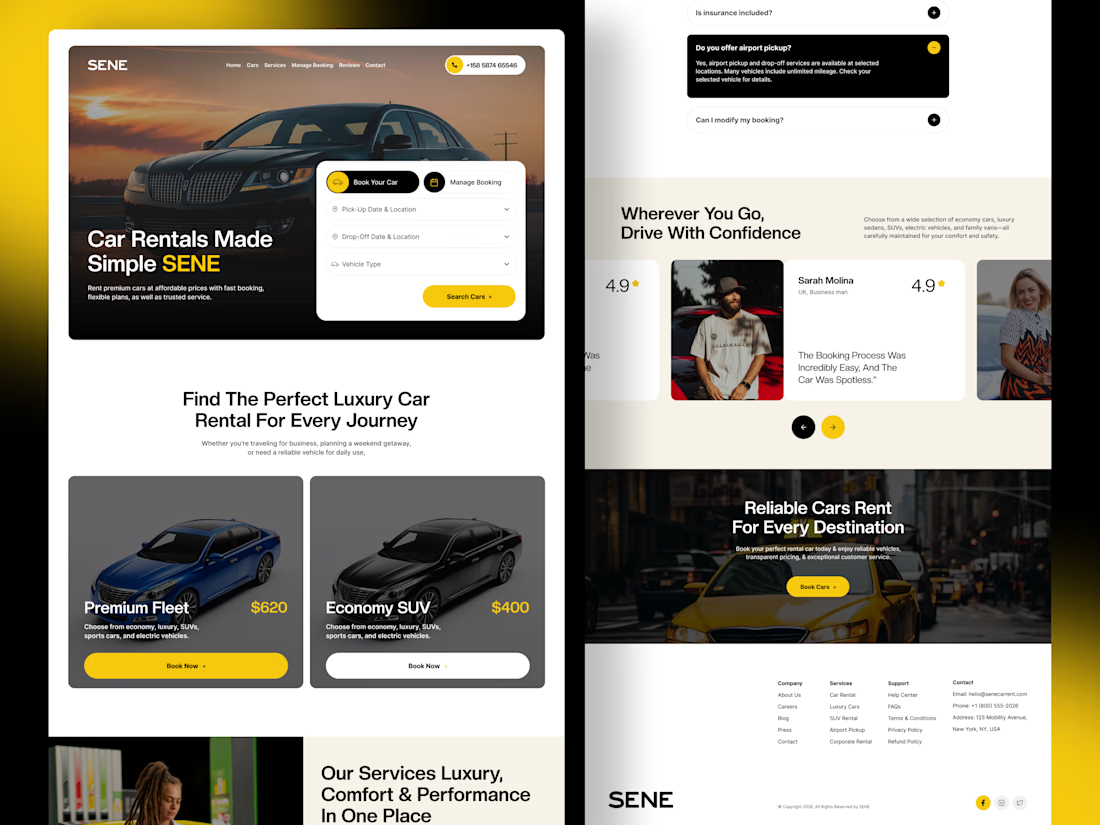

The composition is extremely clean and well organized. It’s impressive how you managed to fit so much information into the layout while keeping everything visually comfortable.

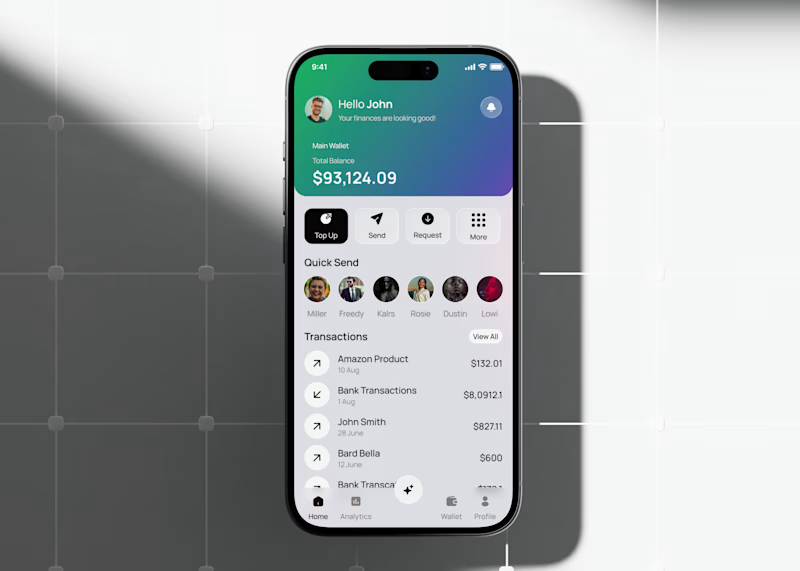
Fintech app home dashboard design
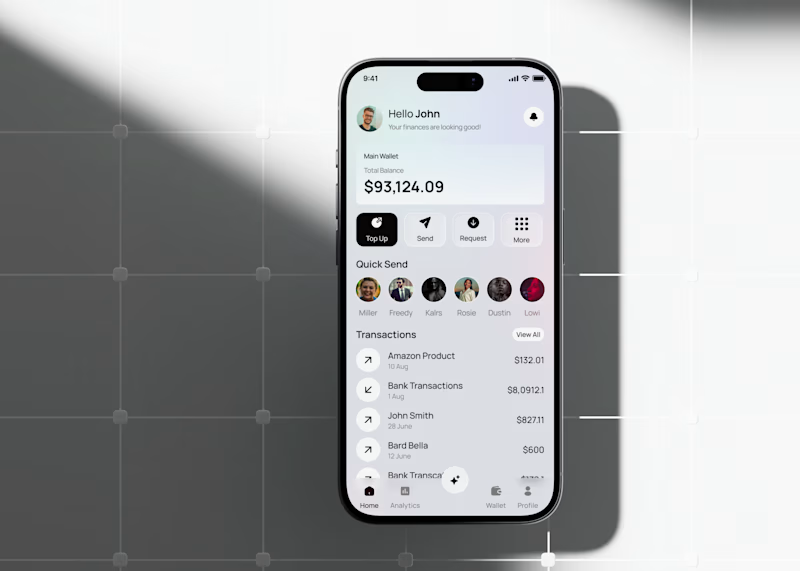
A mobile wallet app concept focused on everyday money management: checking your balance, sending money to people you pay often, and keeping an eye on recent transactions all from one home screen.
The layout keeps the essentials up top (balance, quick actions like Top Up, Send, Request) and moves frequent contacts and transaction history below, so the most-used actions stay within reach without extra taps.
This version tests a gradient treatment on the balance card to see if it helps the total stand out against the rest of the screen, versus a flatter, neutral card.
Would love to hear which balance card style feels more natural to use day to day.
3 voted
33%
6 voted
67%
9 votes
Closed

the gradient is cool