

maytecg.gumroad.com
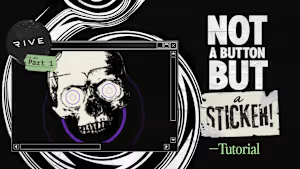
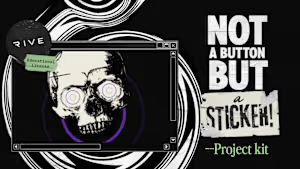
Not a button but a sticker! Project Kit (Educational License Only)
A free companion kit for the Not a button but a sticker! Build-along tutorial from my newsletter Entry State.This Project Kit includes the same artwork assets used throughout the tutorial, plus a companion reference guide called Tuning the liveInk Path Effect to help you explore and customize the Path Effect Script featured in the project.If you’d like to follow along using the exact same assets I’m using in the tutorial, this kit gives you everything you need to get started quickly. That said, I’d still encourage you to create your own artwork whenever possible. The techniques covered in the tutorial work with all sorts of visual styles, and you’ll likely get even more out of the project by adapting them to your own designs.📘 Access the tutorial for free:👉 Part 1👉 Part 2: Coming soon(Additional parts will be added here as they become available.)You get1. Project AssetsThe same artwork assets used throughout the tutorial: Sticker artwork Skull artwork Perfect if you’d like to follow the tutorial step by step using my exact same starting point.2. Reference: Tuning the liveInk Path Effect A companion PDF designed to help you customize the look and behaviour of the custom Path Effect Script used in the project.Is this for you?This Project Kit is designed for following along with the tutorial.It may be useful if you want to: Follow the tutorial using the same assets I used Focus on learning the Rive workflow rather than creating your own artwork Experiment with the public inputs of the liveInk Path Effect 📜 Educational License (Included)This Project Kit is provided exclusively under an Educational License.✅ You can doYou may: Study, inspect, and analyze the included assets and documentation Use the files for personal learning and self-education Use the assets as a reference while following the tutorial Recreate the techniques shown in the tutorial using your own original artwork Adapt the concepts, workflows, and scripting techniques for your own projects ⛔ You cannot doYou may not: Use the included artwork, compositions, or designs as-is in commercial projects Claim the included artwork or assets as your own work Sell, redistribute, sublicense, or repackage any of the included files Include the artwork in client work, advertisements, paid products, templates, or other revenue-generating projects Create derivative works that closely replicate the original design without meaningful original creative contribution SummaryThis Project Kit is shared for educational purposes only.You’re welcome to learn from it, study it, modify it, and build upon the techniques explored in the tutorial. However, the included artwork is not licensed for commercial use, redistribution, or resale.If you’d like to use the concepts, interaction patterns, State Machine setups, Data Binding architecture, or scripting techniques in your own projects, that’s perfectly fine. Just make sure the final visual design is your own!📘 Access the tutorial for free:👉 Part 1👉 Part 2: Coming soon(Additional parts will be added as they’re published.)








