The network for creativity
Join 1.25M professional creatives like you
Connect with clients, get discovered, and run your business 100% commission-free
Creatives on Contra have earned over $150M and we are just getting started
Back to feedPost

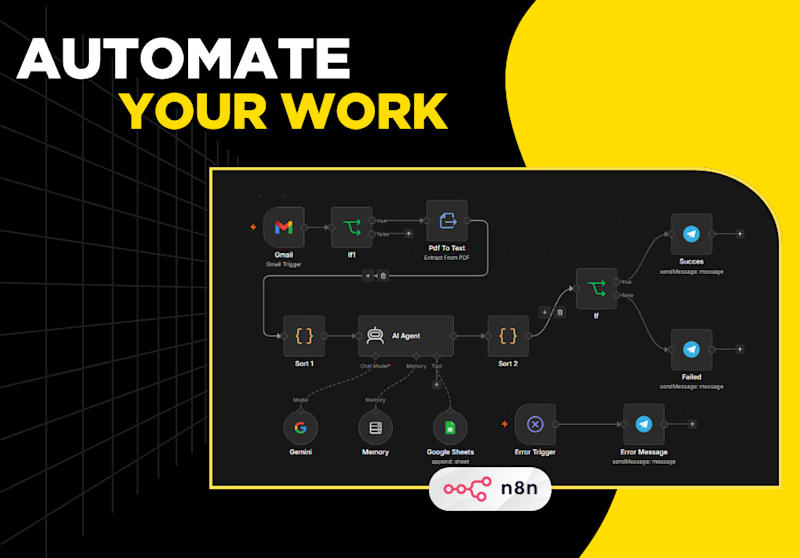
Every patient inquiry automatically scored 1-10 by AI based on urgency and booking intent. All users gets a confirmation mail. HOT leads (score 7+) trigger instant email alert to the clinic. All leads saved to Airtable CRM with priority labels — HOT, WARM, COLD.
Zero manual sorting. Clinic always knows who to call first.


The network for creativity
Join 1.25M professional creatives like you
Connect with clients, get discovered, and run your business 100% commission-free
Creatives on Contra have earned over $150M and we are just getting started



Related posts

AI-Powered Physiotherapy Clinic Dashboard | Smart Appointment Scheduling
A modern AI-powered dashboard concept designed for physiotherapy clinics to simplify appointment scheduling, therapist management, and daily operations. The interface focuses on improving workflow efficiency with an intuitive calendar, smart booking experience, patient scheduling, and a clean visual system.
The design features an elegant and minimal UI, helping healthcare professionals manage appointments, therapists, and patient availability with ease. Every screen is crafted to deliver a fast, accessible, and user-friendly experience while maintaining a premium SaaS aesthetic.


so nice work

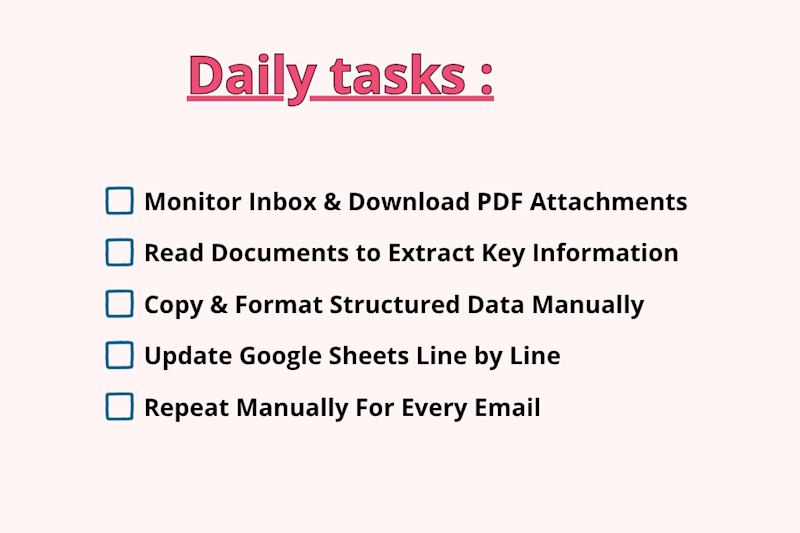
Processing incoming PDF attachments and logging key email data manually takes hours of tedious, repetitive work. Every time a new invoice, quote, or report lands in your inbox, you have to manually open the email, download the PDF, read through dense pages to extract important details, format the data, and log it into Google Sheets row by row.
Which one is faster, saves more time, and prevents mistakes?

1 voted
25%
3 voted
75%
4 votes
Closed

The manual-vs-automated framing is clear, but I'm curious how the workflow copes with PDFs that don't share a layout, like scanned invoices versus quotes. Do you parse them with a fixed template or an extraction step, and what happens to rows it can't read confidently?

Resolve: an AI support agent that answers from a company’s own policies, looks up orders, and escalates weak matches to a human instead of guessing. A human approves replies before they go out.
Live demo: support-resolver.vercel.app


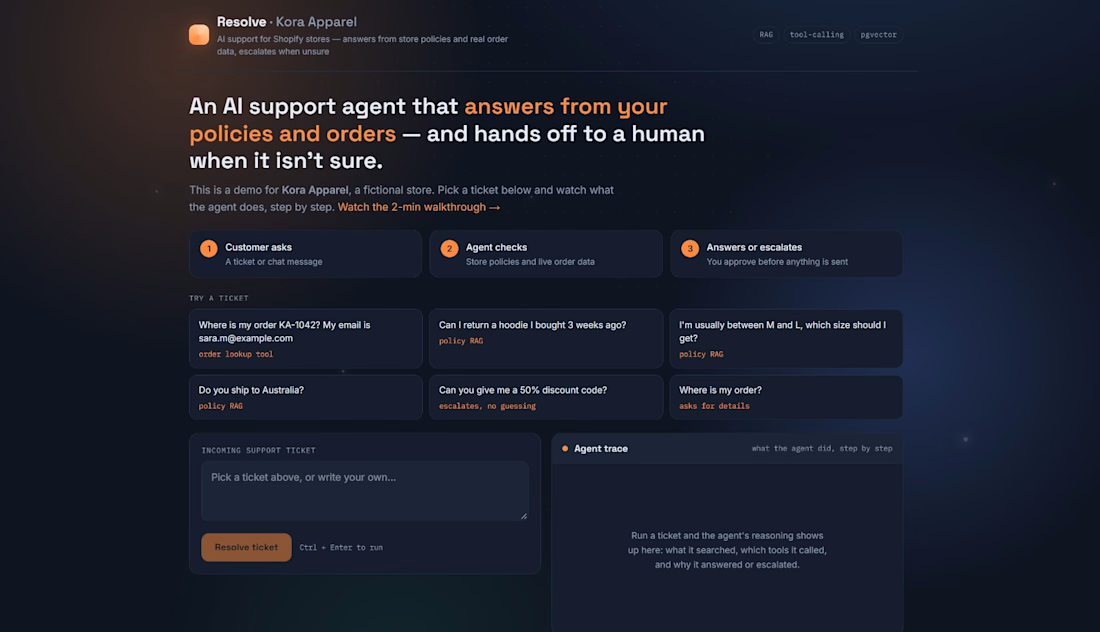

For the human approval step, I'd show the exact policy passage and its effective date beside the draft. Does Resolve flag a reply for re-review if the policy changes while it waits for approval?