The network for creativity
Join 1.25M professional creatives like you
Connect with clients, get discovered, and run your business 100% commission-free
Creatives on Contra have earned over $150M and we are just getting started
Back to feedPost

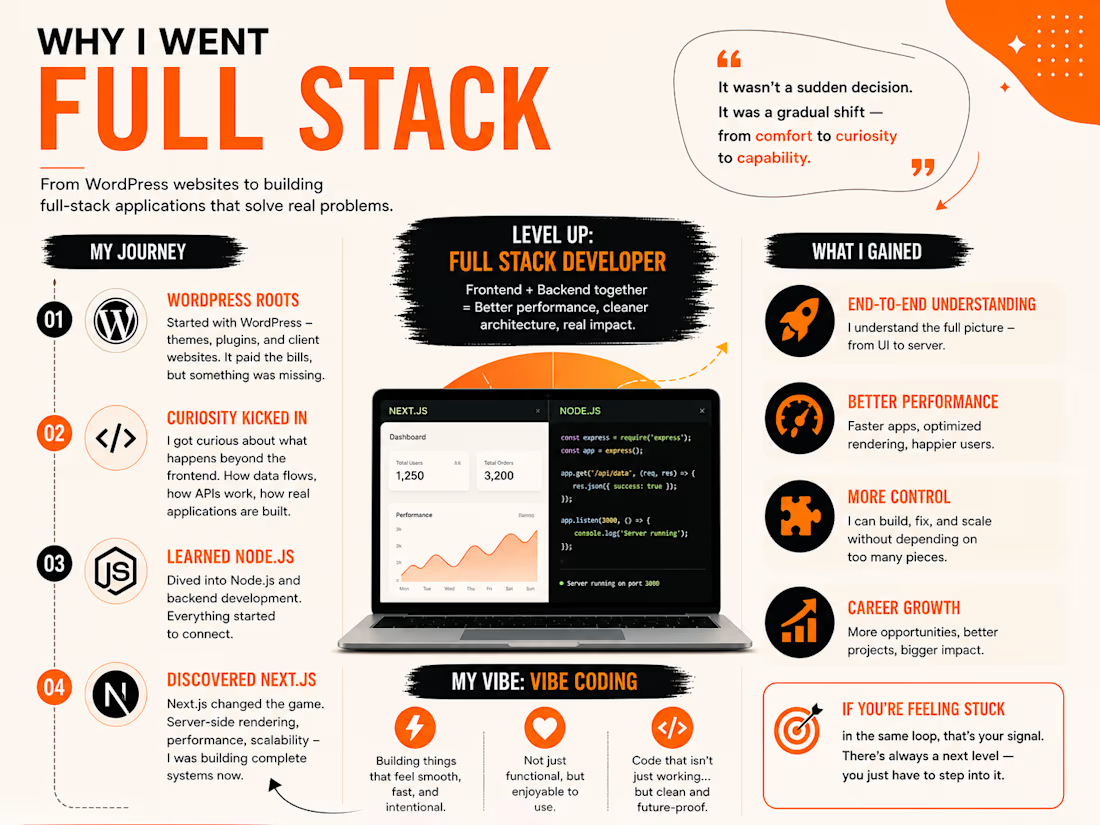
I didn’t start as a “full-stack developer.”
I started with WordPress.
Like most people, I was building simple websites — themes, plugins, client work. It paid the bills, but after a point, everything started to feel repetitive. I was assembling websites, not really building them.
That’s when I got curious.
I started exploring what happens beyond the frontend… how data flows, how APIs work, how real applications are structured. That curiosity pulled me into learning Node.js. Then came Next.js — and that changed everything.
For the first time, I wasn’t just designing pages. I was building complete systems:
– Frontend + backend together
– Faster performance with server-side rendering
– Clean, scalable architecture
It felt like leveling up from “website creator” to “product builder.”
And somewhere along the way, I found my own style — what I call vibe coding.
For me, it means:
Building things that feel smooth, fast, and intentional.
Not just functional, but enjoyable to use.
Code that isn’t just working… but clean and future-proof.
Going full stack wasn’t a sudden decision.
It was a gradual shift — from comfort to curiosity to capability.
And honestly, it was the best move I made.
If you’re still in that phase where things feel repetitive, that’s probably your signal.
There’s always a next level — you just have to step into it.
The network for creativity
Join 1.25M professional creatives like you
Connect with clients, get discovered, and run your business 100% commission-free
Creatives on Contra have earned over $150M and we are just getting started
Related posts

Don't just make Ecommerce 2d boring site. Make something that your users remembers😎
built by nextJS, Framer Motion, Lenis, Gsap, TailwimdCSS
Framer Website DesignwebdesignsaaswebsiteNext.jsInteractive DesignWeb DesignFramerVisual Studio Code


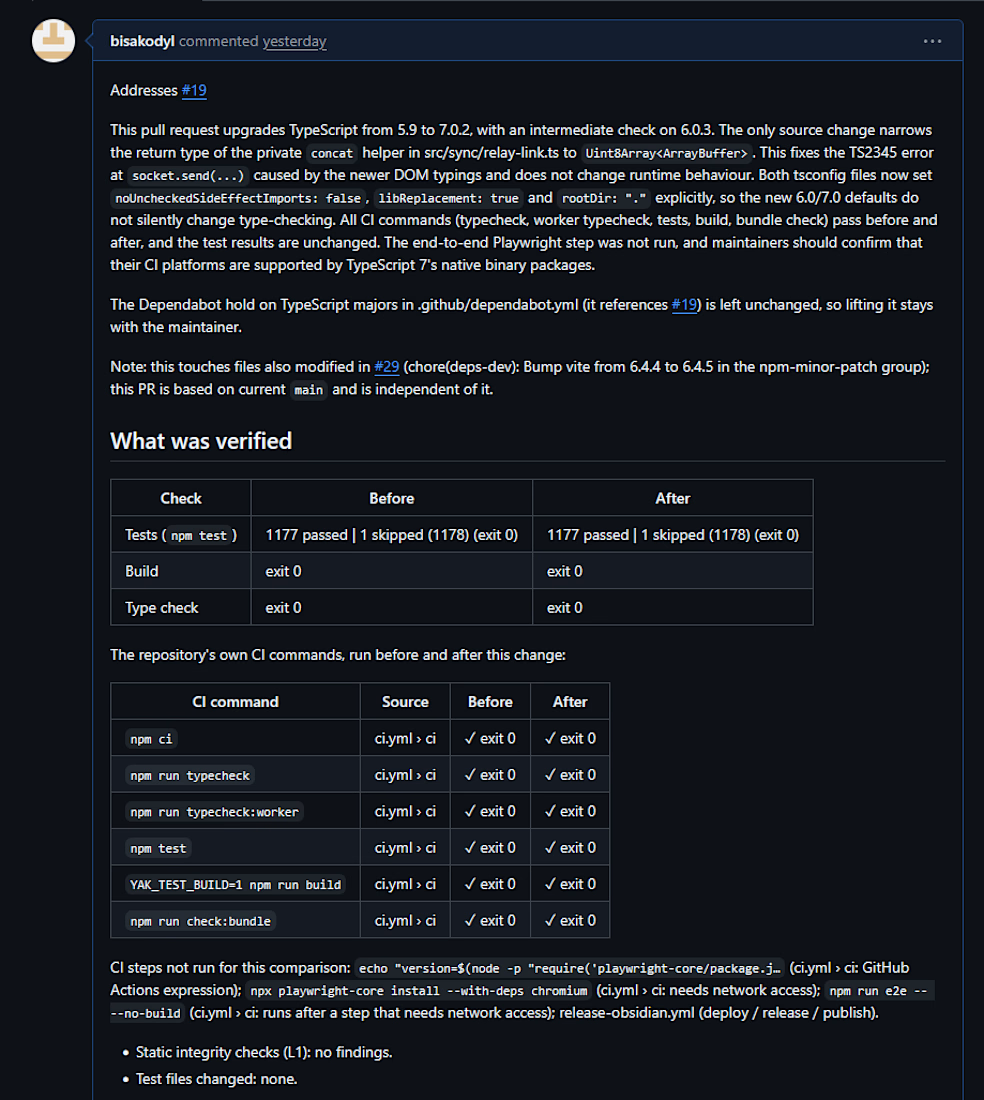
TypeScript 5 → 7 upgrade for an open-source TypeScript CLI tool, done in two steps (5 → 6 → 7): compiler option changes, new type errors fixed, tooling updated. 1177/1177 tests passing before and after, build and type check green, CI parity table in the PR. The maintainer closed it to fold the change into their own upcoming PR — the diff and verification are public in the link.




5 to 7 in one go? brave. which compiler option bit you the most

New project: my own intro video, built entirely in code.
I'm a freelance full-stack web developer, and I wanted a quick way for potential clients to understand what I do. So I built a short, minimal intro using Claude Code and Remotion, a React library for making videos with code.
Claude helped me build faster, but the video still needed real planning:
→ A clear storyline: who I am, what I build, and who I build it for
→ Pacing that holds attention for 30 seconds without feeling rushed
→ Two formats: wide screen for portfolios and desktops, vertical for mobile and social
→ A clean design that stays simple without feeling empty
It took several rounds of refining timing, transitions, and layout before it felt right.
I bring the same approach to client work. AI helps me move fast, but the structure, design choices, and attention to detail come from me. I build websites for small businesses and startups with Next.js, React, and Node.js, and I handle everything from design through deployment.