The network for creativity
Join 1.25M professional creatives like you
Connect with clients, get discovered, and run your business 100% commission-free
Creatives on Contra have earned over $150M and we are just getting started
Back to feedPost

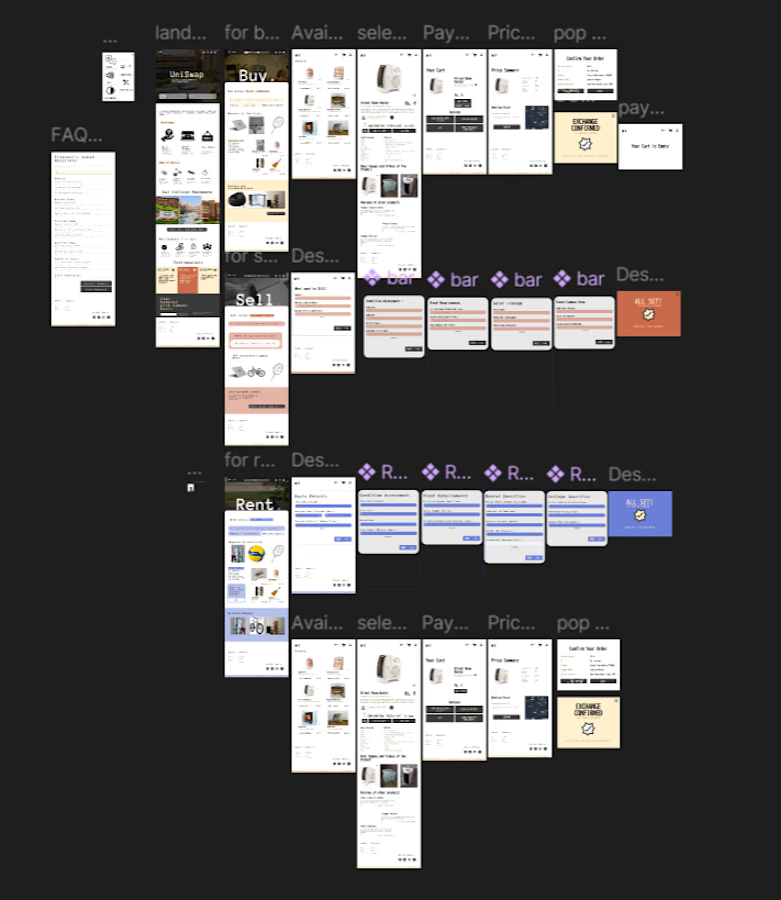
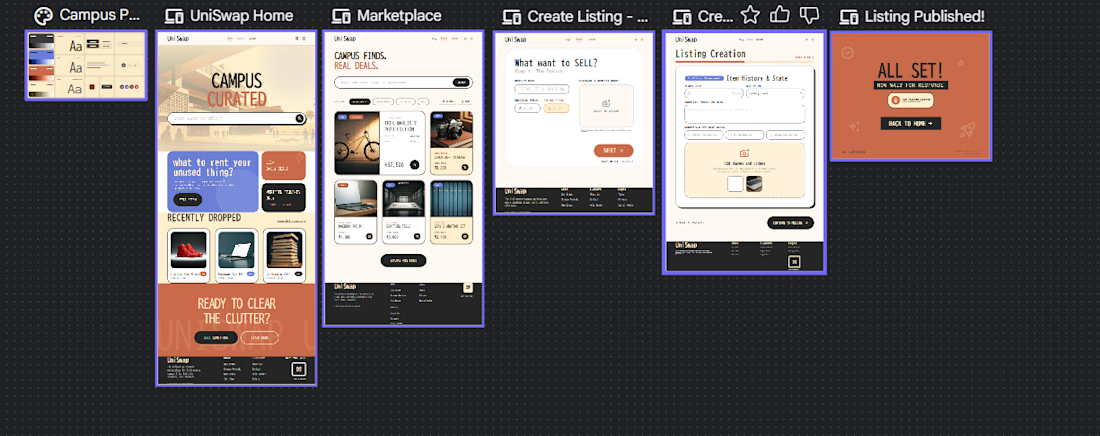
UniSwap is a student-focused marketplace designed specifically for college, hostel, and PG students. The platform enables students to buy, sell, and rent products within their academic network, making everyday essentials more affordable and accessible.
The idea emerged from observing how students often rely on WhatsApp groups and informal channels to exchange items such as furniture, appliances, study materials, and short-term utility products. UniSwap aims to provide a more structured, trustworthy, and student-centric experience through clear Buy, Sell, and Rent journeys.
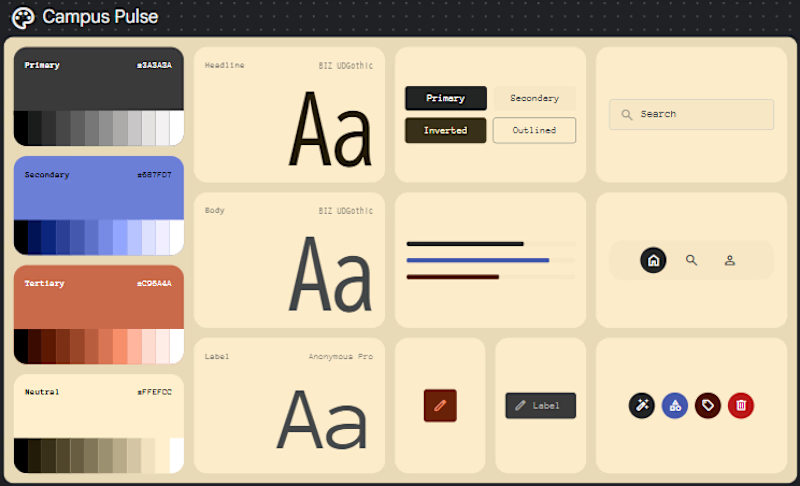
The prototype focuses on simplicity, trust, affordability, and quick decision-making while maintaining a friendly and approachable visual experience.
How I Used Google Stitch:
I used Google Stitch as a rapid prototyping tool to transform an existing UI concept into a more polished and interactive experience.
My workflow was:
1. Created the initial UX thinking, wireframes, and design exploration outside Stitch.
2. Imported my existing design and project context into Stitch.
3. Added detailed descriptions of the product goals and user experience.
4. Provided a website reference primarily for animation and interaction inspiration.
5. Used Stitch to generate improved layouts, visual refinements, and interaction ideas.
6. Iterated on the generated designs and cross-checked them against my original concept.
7. Made project-specific adjustments such as adapting pricing to the Indian context by replacing dollar symbols with rupee symbols.
The result was a significantly more refined prototype that stayed aligned with my original design direction while introducing a higher level of polish and interaction quality.
Feedback on Google Stitch:
My first experience with Stitch was slightly overwhelming because the interface and workflow felt different from the tools I normally use. I initially spent some time understanding where different options were located and how the generation process worked.
However, after a short learning period, the workflow became much more intuitive and familiar. What impressed me most was how accurately Stitch interpreted both the uploaded design and the written context.
I generally rely more heavily on ChatGPT, Figma, and other AI-assisted design tools, so Stitch was a newer addition to my workflow. What stood out was its ability to quickly generate polished interface explorations that would have taken considerably longer to create manually.
For this project, Stitch helped transform ideas that could have required days of iterative UI refinement into usable design directions within minutes. It was particularly effective for exploring visual improvements, interaction concepts, and alternative implementations while still preserving the intent of the original design.
I would like to continue experimenting with Stitch in future projects, especially for rapid prototyping, interaction design exploration, and accelerating early-stage product development.

The network for creativity
Join 1.25M professional creatives like you
Connect with clients, get discovered, and run your business 100% commission-free
Creatives on Contra have earned over $150M and we are just getting started
Related posts

Today I created a landing page for a productivity tool called Awake ai with just Google stitch and some inspiration from pinterest and behance.
It was a great experience seeing this come together.

Nice work. Stitch + inspiration boards seems to be a pretty good combo for exploring ideas quickly. Curious how much you changed from the initial Stitch output.
I experimented with a different direction here:
https://on.contra.com/pnfJBQ
Would love your feedback if you get a chance.

on.contra.com
Introducing Voya: Revolutionize Your Travel Planning Experience
Connect with next-gen talent and tools to get work underway. Hire more independents. Start more projects. Get more creative.

Fr this challenge, I used Stitch to turn a simple idea into a working prototype in just a few minutes. I started with a prompt describing an AI companion for elderly users, and Stitch helped generate the initial screens and user flow, which I then refined and connected into a prototype.
I've actually used Stitch before on a few projects last year, so it was interesting coming back to it. One thing I noticed immediately was how much more capable it feels now. The experience is smoother, the outputs are more thoughtful, and it feels easier to move from an idea to something tangible.
My favorite part is how quickly it helps explore concepts without getting stuck on a blank canvas. It's not a replacement for design thinking, but it's a great tool for getting ideas out of your head and into a format you can test and improve.
Overall, I enjoyed using it, and it's definitely a tool I will be running back to.
Project Link:



Project Title
Stitch Playground
Created by:
Diana D. (UX/UI Designer)
Intro
I created "Stitch Playground" an interactive learning experience that helps Stitch users turn your rough interface ideas into clearer more useful prompts.
This project is designed for people who have an idea for an interface but are not sure how to get started in Stitch. Instead of simply telling users to “Write me better prompts,” Stitch Playground shows them how a vague request can become a stronger design brief by adding the right context: What the interface is, who it is for, how it should feel, what sections it needs, and what visual styles Stitch should follow.
The goal of my project was to make prompt writing feel easier, more approachable, and fun for Stitch users.
What I Built:
I built Stitch Playground in Stitch as a clean interactive experience that helps Stitch users get started easily.
What it includes:
A bold clean interactive landing page introducing Stitch Playground
Motion design in the hero and footer (new Stitch features)
A prompt-learning interactive component based on clearer design direction (Inspired by Vincent's Stitch prompting blog post)
A before-and-after comparison showing how vague prompts become stronger Stitch prompts
An interactive prompt builder for turning rough ideas into more complete prompt structures
A prompt deconstructor concept for understanding what makes a prompt more useful
A starter library of reusable prompt examples for dashboards, blogs, entertainment experiences, and portfolios
How I Used Stitch:
I used Stitch as a creative partner to explore, shape, and refine the experience and ideas from a rough concept into a polished finalized experience.
The starting idea was simple: create a guide that helps people prompt Stitch better. From there, I used the Stitch workflow to think through the page structure, content sections, visual style, and interactive learning moments. The project became both a prototype and a teaching tool: it demonstrates how stronger prompting can lead to clearer interface direction.
I focused on the same process the experience teaches: starting with a broad idea, then refining the design by adding clearer context, visual direction, specific sections, and more intentional interface details.
How This Connects to the Stitch Workflow:
Stitch Playground is built around the idea that better prompts create better starting points.
The experience encourages users to move beyond one-line requests like “make a landing page” and instead describe the product goal, audience, style, layout, content modules, and interaction patterns. This makes the design process feel less random and more collaborative.
I also wanted the project to reflect how Stitch can fit naturally into a real creative workflow: ideating, refining, comparing versions, and turning prompt structure into interface structure.
Stitch Features / Workflow Highlighted:
This project highlights Stitch as an (amazing) interface builder that helps users move from idea to interactive product faster. It also emphasizes prompt-based iteration, structured design direction, and using Stitch as a collaborative design partner.
I used new features presented on Stitch's X last week, such as motion and experimented with the Netify connection, Figma export and Google Studio import. I also added a restriction of 4 prompts per day to ensure my webpage does not get abused.
Feedback on Stitch:
Stitch is incredibly POWERFUL, not just for developers but for designers too. You can easily get started with a simple prompt in Stitch to create something truly amazing.
Why I Built It:
I wanted to make something helpful for the Stitch community. Thank you team. I am so happy to have found this product.
Start Playing in your Stitch Playground >
- Diana

Genius!








Trending

Claude
Claude has entered the design space. How are you using Claude Design?

Contra University
Learn from expert creatives how to earn more using next-gen AI tools.
creativeaiflow
Creative AI workflows are evolving. What tools do you use, and what are their strengths and weaknesses?
portfolioreview
The best portfolios tell a story, not just show a grid. Share yours for feedback.
freelancerlife
Freelancer life is wins, pivots, and everything in between. What’s yours right now?