The network for creativity
Join 1.25M professional creatives like you
Connect with clients, get discovered, and run your business 100% commission-free
Creatives on Contra have earned over $150M and we are just getting started
Back to feedPost

LifeQuad: Balance your whole life, not just your to-do list
Most productivity apps only track work. But a good life needs balance. LifeQuad organises everything you want to get done into four pillars: Health, Wealth, Relationships, and Career, plus a Miscellaneous category for everything else.
Your dashboard is home base. Each morning you get a personal greeting, your current streak, today’s progress, and the Life Balance Wheel. It’s a weekly view of how evenly you’re really showing up across every area of your life.
Adding a task takes seconds. Tap +, name it, and pick a pillar, priority and due date. Tasks can repeat daily, weekly or monthly, and the next one is created automatically when you finish the current one. You can also link a task to a bigger goal so every small win moves you forward.
Goals give your tasks direction. Each goal has its own progress ring that updates as you complete its tasks, so you always know how close you are to the finish line.
Every win gets celebrated. You get confetti, a growing streak, and a daily progress bar that fills toward “all clear.”
The Weekly Review does the reflecting for you. It automatically sums up what you finished in each pillar and points out which area needs more attention. Then an AI-written reflection turns your week into one gentle, personal takeaway.
LifeQuad is fully responsive, so your life plan works on desktop and fits in your pocket. Stop juggling scattered lists and start balancing your whole life.
Creation process:
I started by brainstorming with Claude. I defined the four-pillar concept, the branding (a distinct colour and icon for each pillar), the data structure, and the automations. Claude helped me turn that into a detailed build prompt. In Base44, I used Plan mode to check the app structure before building. Then I built it in stages: first the core app and login, then the automations and AI features, and finally a mobile polish pass. I tested every flow on desktop and mobile before publishing.

The network for creativity
Join 1.25M professional creatives like you
Connect with clients, get discovered, and run your business 100% commission-free
Creatives on Contra have earned over $150M and we are just getting started



Related posts


🌸 What drives long term retention in wellness apps: emotional ownership or visible progress?
Two approaches to the same product challenge.
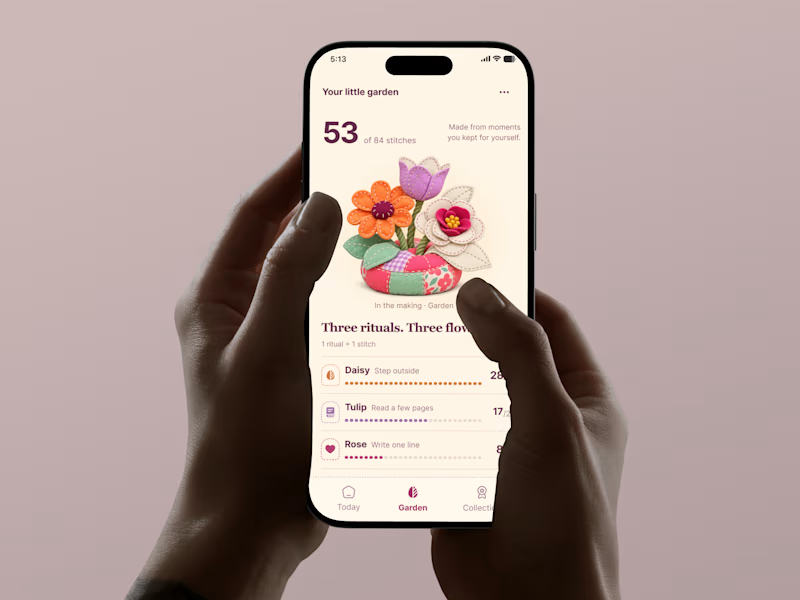
🅰️ The Garden: Emotional Ownership
Every completed ritual grows a personal keepsake. Progress becomes something beautiful to care about.
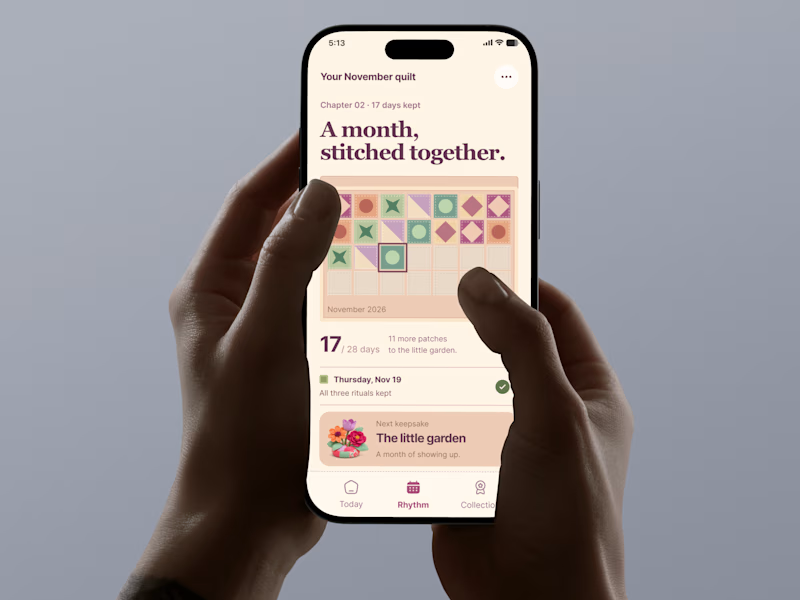
🅱️ The Quilt: Visible Momentum
Every completed day adds a patch to a bigger story. Progress becomes tangible, cumulative, and rewarding.
Both turn everyday habits into something users create, not just track.
If you were building a wellness app, which approach would you bet on for long term retention?
🌸 A: Emotional ownership
🧵 B: Visible momentum
Why?
#TastyTest #GrowthUX #WellnessApp #Gamification #ProductDesign #AsolDesign #MobileAppDesign
28 voted
76%
9 voted
24%
37 votes
Closed


emotional ownership is a smart angle for retention

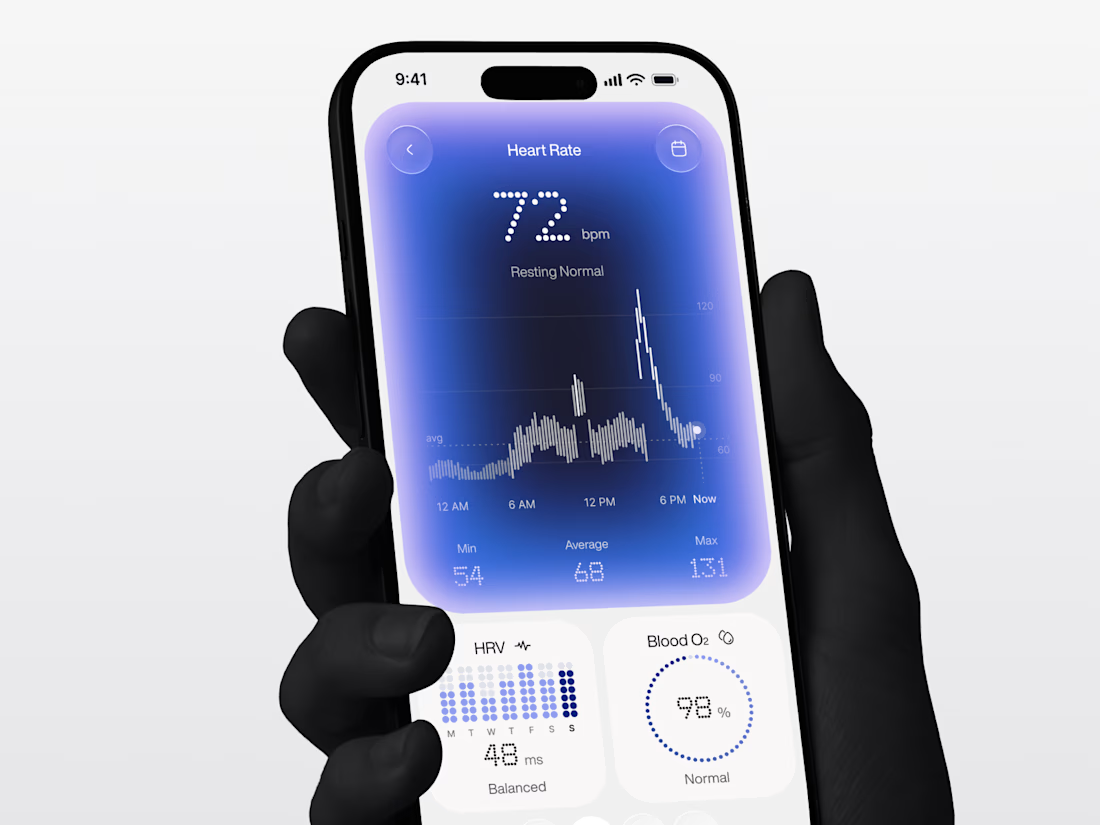
A little experiment with color, light, and data. ✨
Exploring how vibrant blue gradients, subtle glow effects, and delicate typography can bring a fresh personality to a health-tracking interface.
The goal was to create something that feels futuristic yet calm, where every visual detail makes the experience more engaging.
What do you think of this visual direction?


💟 🐐

A little tool I built for my social media management workflow.
A Fb and Ig page mockup tool to bring page concepts and visual directions to life.
Built by me, for the work I do.🚀
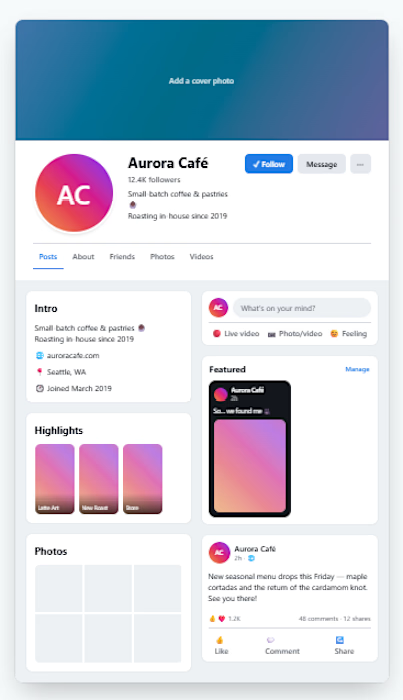
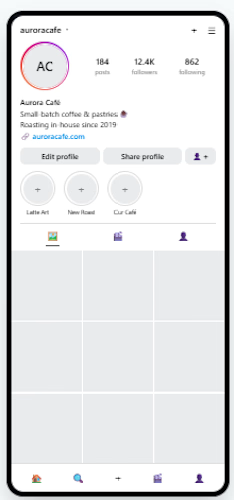

Showing the Facebook page and the Instagram profile side by side for Aurora Cafe makes the concept easy for a client to picture. Can you swap the gradient highlights per brand?