The network for creativity
Join 1.25M professional creatives like you
Connect with clients, get discovered, and run your business 100% commission-free
Creatives on Contra have earned over $150M and we are just getting started
Back to feedPost


I spent the last two weeks exploring how AI can practically support UI/UX design.
That led to an AI-powered UI/UX generator for web and mobile. Instead of starting from a blank canvas, users describe what they’re building and get a structured starting layout to refine.
AI helped most with layout composition, component hierarchy, and early visualization. Its limits were clear too: prompt sensitivity, broken consistency, and unreliable outputs.
This project reinforced that AI works best as a support too speeding up early exploration while humans lead on users, usability, and product decisions.
Project: 🔗 https://lnkd.in/dFVB_ee6
using NextJs, TypeScript, Clerk, Neon, ShadnCn, React(react-rnd, react-zoom-pan-pinch, react-syntax-highlighter)

The network for creativity
Join 1.25M professional creatives like you
Connect with clients, get discovered, and run your business 100% commission-free
Creatives on Contra have earned over $150M and we are just getting started
Related posts


If a doctor has to hunt for a patient’s vital signs, the dashboard is getting in the way of care.
Doctors don’t need another dashboard. They need the full patient picture at a glance.
In healthcare, confusing UX isn’t just frustrating. It can delay understanding when every second matters.
DocuVerse brings vital signs, patient metrics, and health trends into one clear view, making complex health data easier to scan and understand.
Less searching. More clarity. Better informed decisions.
That’s what healthcare UX should deliver.
Would you design a healthcare dashboard for more data, or better decisions?


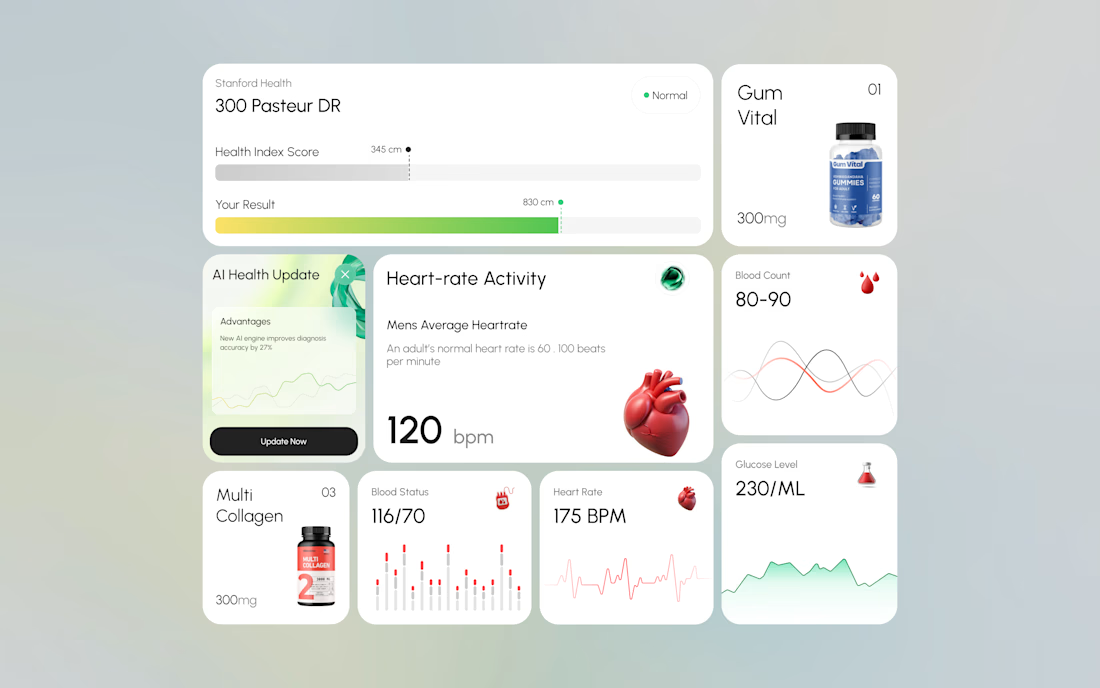
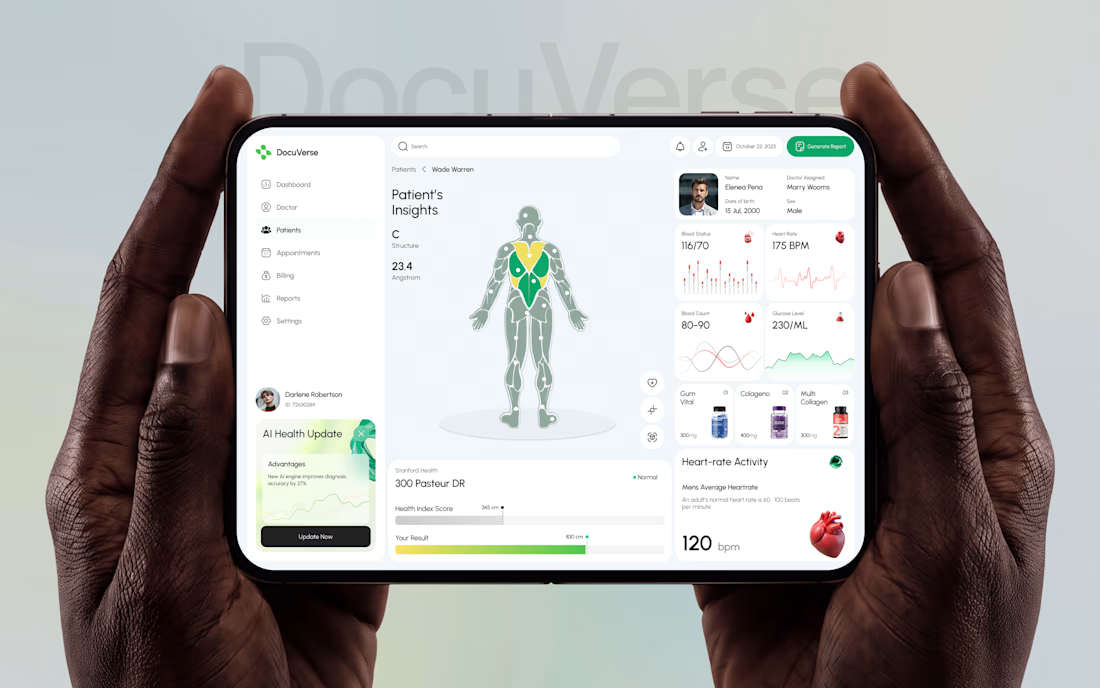

A clearer patient overview can make complex health data feel far less overwhelming. That’s thoughtful UX.

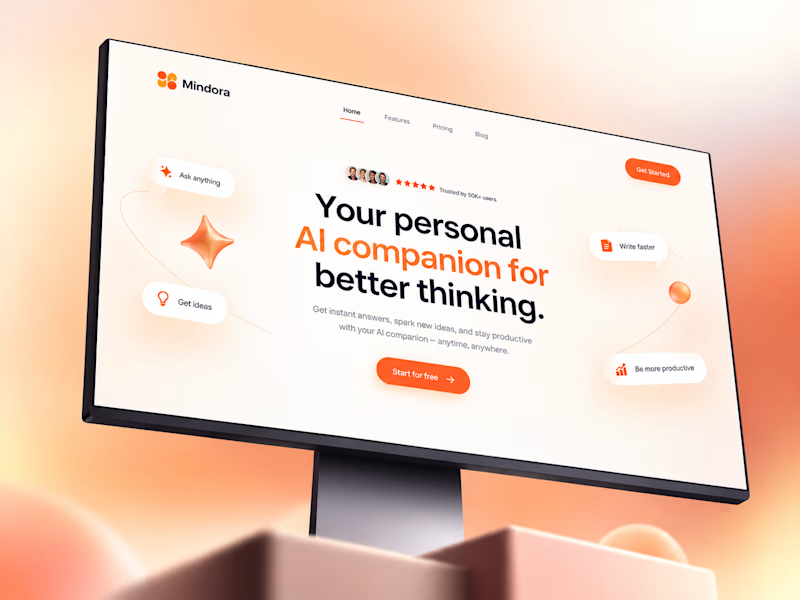
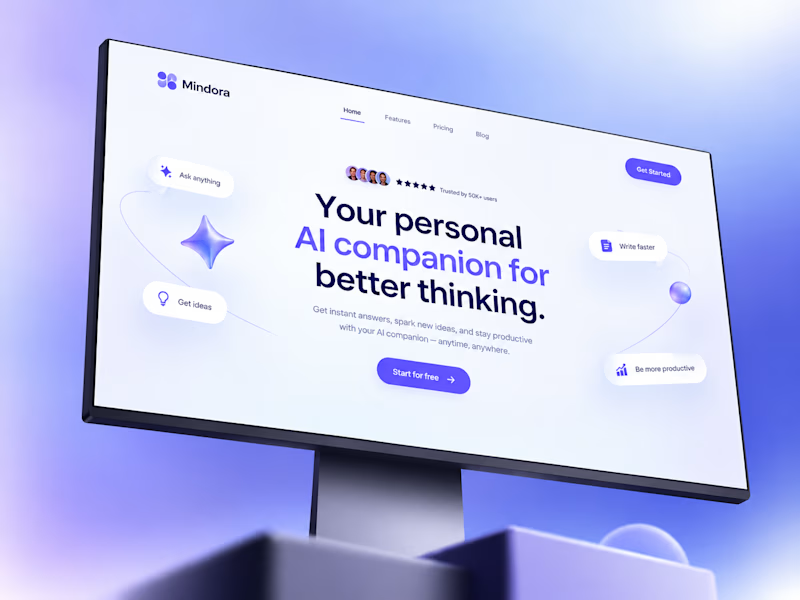
Exploring color variations for the Mindora AI companion landing page.
Layout, typography, and 3D elements stayed identical.
I only changed:
- the gradient background, - accent color, -and button styling to test how color changes brand perception.
Which direction would you choose for an AI product?

5 voted
71%
2 voted
29%
7 votes
Closed

Amazing work