The network for creativity
Join 1.25M professional creatives like you
Connect with clients, get discovered, and run your business 100% commission-free
Creatives on Contra have earned over $150M and we are just getting started
Back to feedPost

My submission for #configmakeathon
Hi I am Gauravi , a ux ui designer and a computer science engineer.
Here are the prompts and process I used.
prompts I used in @Figma make
prompt 1 : Select the moon icon in the top right of the 'Night - Light On' frame. On click, navigate to 'Day - Light On'. Use Smart Animate with a 'Custom Cubic Bezier' (0.4, 0, 0.2, 1) over 700ms. Ensure the glass dome glows and background gradients morph smoothly
prompt2:Don't swap screens for the day/night toggle. Keep a single persistent layout and animate only the background color, glow opacity, and text colors when the mode changes. Use CSS transitions on individual properties
Prompt for glass dome animation
Create a single GlassDomeScene component.
Inside it:
Render both nightLayer and dayLayer absolutely positioned.
Keep both mounted at all times.
Animate opacity between them.
Never use conditional JSX rendering. Use state only to toggle class names or opacity values.
PRompt for tree shadow rotation :
Update the tree shadow layers so their rotation animates when theme changes.
Each tree shadow must:
Remain mounted at all times.
Preserve element identity across states.
Animate the transform property instead of replacing the element.
Implement: transform: rotate(Xdeg)
Night state: Shadows angled to match moon direction.
Day state: Shadows angled to match sun direction.
Add CSS transition: transition: transform 600ms cubic-bezier(0.4, 0, 0.2, 1);
Do not re-render or replace the shadow elements. Only animate their transform values.
Ensure the tree shadow elements are independent layers with their own transform origin set to center.

The network for creativity
Join 1.25M professional creatives like you
Connect with clients, get discovered, and run your business 100% commission-free
Creatives on Contra have earned over $150M and we are just getting started

Challenges
View all


Related posts


Hey everyone! 👋 I’m Lou, one of the Cantina Ambassadors. Really excited to see what everyone creates for the Contra x Cantina Creator Challenge.
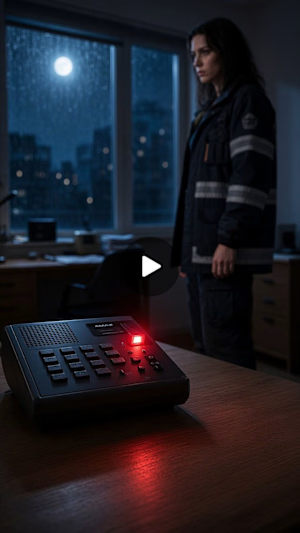
I wanted to kick things off by sharing the first episode of my micro-series, Platform 13. 🎬
I’ve been experimenting a lot with cinematic storytelling, character development, atmosphere, camera work, and figuring out just how far I can push a story inside Cantina.
Would love to see what you’re all working on too! Drop your characters, pilots, experiments, weird ideas, or anything else you’ve been creating in the feed. It's going to be amazing to see how everyone approaches this differently!
Here’s Episode 1 👇 Platform 13 - Episode 1: The Train
cantina.com
Sera Voss trades memories for clues
Community Ambassador 😆

Bro you’re so goated I love your videos.

New website for Beer Zombies Brewing Co. 🍺🧟♂️
Designed to be bold, vibrant, and disruptive. This was a fun build because the BZ brand already has such a strong visual identity and personality. Oversized typography, aggressive motion, interactive effects, and a healthy dose of zombie aesthetics. 🤘
www.beerzombies.com

The oversized type and aggressive motion fit the beer-brand attitude perfectly, especially how the green palette carries from the hero into the product details.


@Figma to @Shopify with @Instant, feels like designing at light speed if you are fast enough, you can design each section while the next one gets built with
@Instant AI is the part I love the best while using AI, adding my human touch and personal taste
say NO to e-comm generic design flop
turn on sound 🔈


the faq block makes the page easy to use