The network for creativity
Join 1.25M professional creatives like you
Connect with clients, get discovered, and run your business 100% commission-free
Creatives on Contra have earned over $150M and we are just getting started
Back to feedPost

How to Optimize Website Images for Mobile Devices
Your website may look beautiful on a laptop, but what happens when someone opens it on a phone with a slow connection?
Large, unoptimised images can make mobile pages heavier and slower. Simply shrinking an image with CSS doesn't guarantee the phone downloads a smaller file
Here’s how to fix that on WordPress
Resize images for their display size. Don’t upload a 3000px photo when the page needs a much smaller version.
Use modern formats. WebP and AVIF can deliver good quality at smaller file sizes than JPEG or PNG in many cases.
Compress before uploading. Tools like ShortPixel, Imagify or Smush can reduce file size without making images visibly blurry.
Serve responsive images. Let the browser choose a suitable image size for each screen.
Lazy-load images below the fold, but don’t lazy-load the main image visitors see first. Important images may need priority.
Also set image dimensions to help prevent content from jumping as images load.
Don’t guess whether images are slowing your site. Test your pages with Google PageSpeed Insights.
What’s your biggest image challenge: file size, image quality, or loading speed?

The network for creativity
Join 1.25M professional creatives like you
Connect with clients, get discovered, and run your business 100% commission-free
Creatives on Contra have earned over $150M and we are just getting started



Related posts


Selected work, 2026
Five recent sites, in one place:
→ Verq: a motion-led studio website (Next.js, GSAP, Strapi)
→ CloudEVA: an AI SaaS site, concept to launch in 3 weeks
→ OneLenz: a static design turned into a custom WordPress theme
→ Rapyder: technical SEO across 200+ pages, site health 42% → 95%
→ Point Tintz: a booking-ready Wix site for a studio in Colorado
The case studies are on my profile, under Work.
#WebDesign #SaaSWebsite #Portfolio #NextJS #WordPress


Great range of work here.

What if your photo gallery could do more than just display images?
This one brings photos to life with floating images, smooth scroll animations, and customizable decorative frames ✨


Mastering Fluid Mobile Breakpoints
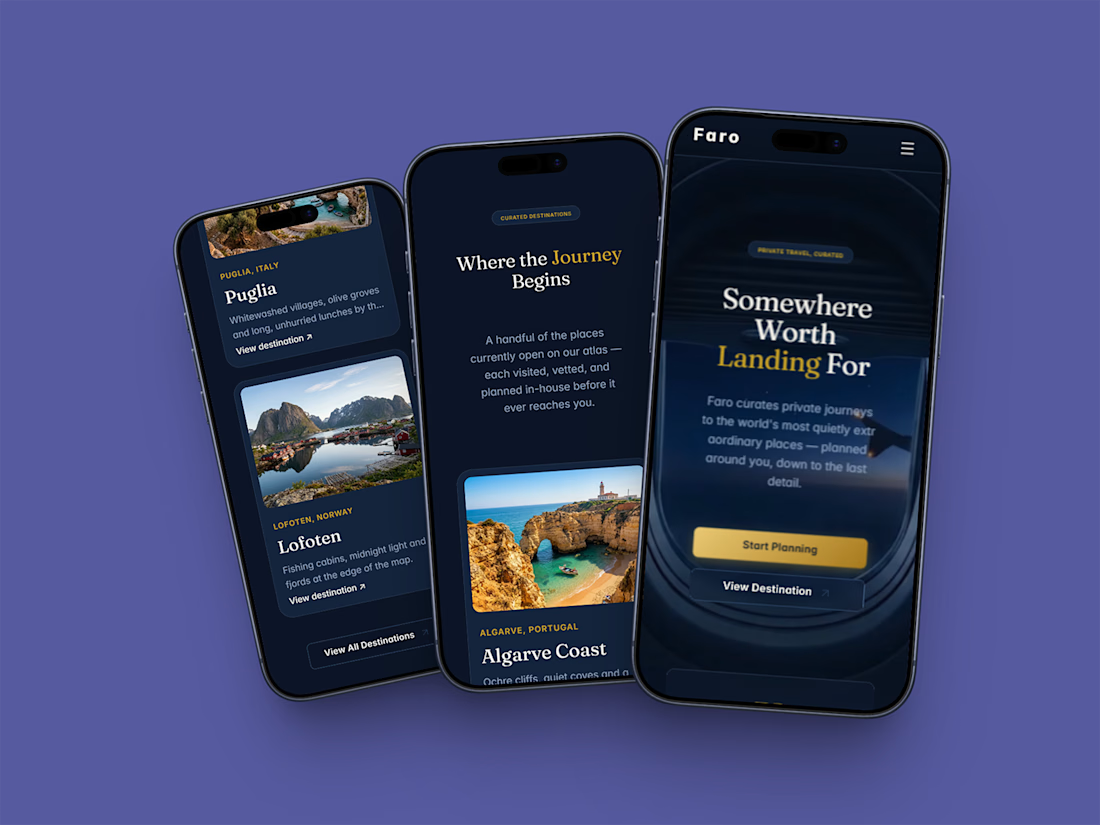
📱 Mobile Optimization: Fluid Scaling for Luxury Consumers
Over 60% of high-net-worth
clients browse custom boutique travel offerings directly from mobile viewports.
If your mobile layout relies on basic auto-stacking, you are leaking valuable
client conversions.
The Optimization:
· Built Faro with completely fluid layout rules from desktop down to mobile
viewports.
· Engineered a lightweight, beautiful custom mobile overlay menu drawer.
· Fixed font line-heights and touch-target padding to prevent chaotic layer
clipping.
Need a pristine, high-converting
mobile presentation for your digital product? Test the responsive breakpoints
live below:
🔗 Framer Marketplace: https://www.framer.com/marketplace/templates/faro/
🌐 Live
Preview: https://farotravel.framer.website/